Become a MacRumors Supporter for $50/year with no ads, ability to filter front page stories, and private forums.
Can you jailbreak it?
You can both Unlock it as well as Root the Xoom. At that point, you can pretty much do anything, as you will have full control over it.
is there a way to do cool stuff to get around vzw's system like turn on the wifi without the data plan etc? thanks
As far as I understand, the wifi works regardless of data plan. Best Buy was requiring people get at least a 1mo data plan to activate the device, but if you got the device from Verizon directly, they did not. So, if you don't get a data plan for it, you'll still be fine with the wifi.
 
As far as I understand, the wifi works regardless of data plan. Best Buy was requiring people get at least a 1mo data plan to activate the device, but if you got the device from Verizon directly, they did not. So, if you don't get a data plan for it, you'll still be fine with the wifi.
Right. It was just Best Buy's way of getting a kick-back from Verizon for signing on a new cutomer.
 
I have an HTC Eris. It's a piece of junk. Processor is dead slow (400MHz stock) and even with an overclock it's a joke. Bluetooth range sucks, screen is so so, built-in flash memory is low. The only thing that's good about it is that it's durable because I regularly throw it against the wall. I will not purchase another HTC set for a while on the account on how awful their phone support is. I will consider getting another Android phone though but most likely an iPhone. I'm sick and tired of fighting the damn phone all the time.
 
.
 

Attachments

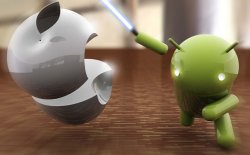
  • android-vs-apple.jpeg
    android-vs-apple.jpeg
    37.8 KB · Views: 113
iOS FTW.
iOS is just beautiful. The UI is simply amazing with so many features... I mean, having all your apps on screen, with icons you are able to move around. Simply stunning.

Android - Ha. Teriible GIU. Clocks, widgets, emails, news, customization, all avalable on the homscreen... Yuk. How simply uninspiring.

/jks

HTC Desire HD here! This phone wins.
iOS is the most boring OS this side of Symbian.
 
I've never played with Android until yesterday. It was the Samsung Galaxy S, and it's not bad. Would I get rid of my iPhone for one? No way!

The only thing I like about Android is the pull down notifications. I didn't really care for the google search on top of the screen, and when swiping to different screens you can see how iOS really shines - so much smoother than Android.
 
I've never played with Android until yesterday. It was the Samsung Galaxy S, and it's not bad. Would I get rid of my iPhone for one? No way!

The only thing I like about Android is the pull down notifications. I didn't really care for the google search on top of the screen, and when swiping to different screens you can see how iOS really shines - so much smoother than Android.

You can remove the Google widget from the top of the screen. Android is so much more customizable than iOS.
 
I have the Nexus S. Best phone I've ever owned. Before that, the Nexus One.

I'm curious about Nokia and WP7 as I'm heavy into XBL and HP is intriguing with their webos.

As far as Android goes, I've got to hand it to Google. They got Android up and running in the consumer space really fast.

I really like that I can fire up emulators and play them with my wiimote without having to hack my phone. I've never had too much success with hacking - something always becomes unstable or just plain unusable. Very friendly in regards to what I can put on it.
 
Whats the best app to save battery...someone told me a task killer app, what do u guys think?
 
Is anyone aware of a music player app that doesn't put a noticeable gap between tracks? It can be annoying when you're listening to a live album.

On-screen lyrics would also be a welcome feature but I can't find any that do that properly either (there are some that do it, but they all seem to search online rather than using what's embedded in the file).
 
Whats the best app to save battery...someone told me a task killer app, what do u guys think?
Don't use a task killer. Just let the OS handle that on its own.

As for battery, just turn down the screen brightness and shut off whatever radios you aren't using. On my phone, the screen is the biggest power drain, so if I'm trying to extend battery life, I just crank down the brightness. Same with wifi/3g/bt/gps. I'm almost always on wifi, only use gps when needed, and don't use bluetooth at all, so I shut the 3G, BT and GPS radios off all the way. That is all I do, and it has worked pretty well for me.
Is anyone aware of a music player app that doesn't put a noticeable gap between tracks? It can be annoying when you're listening to a live album.

On-screen lyrics would also be a welcome feature but I can't find any that do that properly either (there are some that do it, but they all seem to search online rather than using what's embedded in the file).
I don't know about the lyrics, but DoubleTwist seems to work pretty well for me as far as track gaps. I've never noticed any stuttering or gaps between tracks when using it.
 
Hmm, I tried DoubleTwist once and couldn't get it to work (I don't remember the specifics). I'll give it another go though because I'm sure that it will have been updated since then.
 
Hmm, I tried DoubleTwist once and couldn't get it to work (I don't remember the specifics). I'll give it another go though because I'm sure that it will have been updated since then.

I never was able to get doubletwist to work. First I struggled to find and remove all DRM music from itunes. I did that and it still never fully synced my music. It would randomly stop at certain points stating that it fully synced my library but it never did.

sometimes it would wipe out my playlists other times it brought my playlists over but not the music, or it only brought a portion of my music over but the play list was showing as if I had all my music - up until I tried playing the music that is

Not perfect but better is salling media sync. It does what doubletwist never was able to do without the hassle and putzing I had to with doubletwist
 
I should just clarify, I only use DoubleTwist on the phone. I don't use the desktop player at all. I just USB mount my phone, and drag and drop all my music and podcasts to the Audio folder I made. For simply playing back my music and podcasts, it works fine. I can't really comment on how well it syncs or manages playlists.
 
Just got a Samsung Galaxy S!

Really enjoying it... however I don't know a flippin' thing about Android.

Any recommendations/tips on how to set this baby up? Any must-have apps?
 
Just got a Samsung Galaxy S!

Really enjoying it... however I don't know a flippin' thing about Android.

Any recommendations/tips on how to set this baby up? Any must-have apps?
Which version? I have the Captivate from AT&T, and really love it.

I'd say mess around with the phone for a couple days/weeks, then once you get more comfortable, start tweaking. Rooting, custom ROMs, and all that are fun, but you should understand the basics first before you start really tweaking.

Link up your Google account to their web Marketplace, and you can install apps right to your phone from the website. It's very handy. Heres some good apps to start with....

Google Goggles
https://market.android.com/details?id=com.google.android.apps.unveil

Google SkyMap
https://market.android.com/details?id=com.google.android.stardroid

Google Translate
https://market.android.com/details?id=com.google.android.apps.translate

Beautiful Widgets
https://market.android.com/details?id=com.levelup.beautifulwidgets

Tweetdeck
https://market.android.com/details?id=com.thedeck.android.app

LauncherPro
https://market.android.com/details?id=com.fede.launcher

Samsung Remote
https://market.android.com/details?id=com.samsung.remoteTV
 
Just got a Samsung Galaxy S!

Really enjoying it... however I don't know a flippin' thing about Android.

Any recommendations/tips on how to set this baby up? Any must-have apps?

Run through the top apps for each category and that will give you a good idea. Twitter, a new browser (xScope 6 is the best IMO), beautiful widgets (for the weather on your home screen), and definitely a launcher.

On my old Galaxy S phone I had about 5 launchers I would switch to from time to time. Zeam is the lightest and fastest from what I have seen. LauncherPro and ADW launcher are good also.
 
Thanks guys for the help thus far, some questions:

-What exactly is a launcher?

-How do you delete what you have searched for on Google? :p Even after deleting all history, cache, cookies, etc. it still has what I searched for in google.
 
-What exactly is a launcher?
Think of the launcher as your "Desktop" on the phone. It dictates how your dock looks, how the app drawer looks, how many home screens you have, etc. The stock Galaxy S launcher from Samsung is called TouchWiz, and is generally hated. It is slow, the app drawer isn't liked by many people because of the colored backgrounds it gives your apps, and doesn't offer much, if any, customization.

A new launcher, of which there are many, will give you many options to customize the phone to your liking (I use LauncherPro Plus). You can change dock styles, hide apps in the app drawer, change the speed in which the app drawer opens, etc. You can have many different launchers at one time, so download a few and see which you like. Then you can use this app to switch between them until you find one you like....

https://market.android.com/details?id=ymst.android.homeswitcherfroyo
-How do you delete what you have searched for on Google? :p Even after deleting all history, cache, cookies, etc. it still has what I searched for in google.
On your computer, sign in with your Google Account, and go here....

https://www.google.com/history/

From there you can clear your entire history, and pause it from saving as well.

Hope that helps. You didn't say earlier, which phone did you get?

 
I'm really enjoying the whole Android and Samsung Galaxy S experience...

Phone has been on and been used throughout the whole day, so about 15 hours, and it's still at 81% battery life.

Supporting Flash is awesome, I must say, definitely something my dad's iPhone doesn't have.

I think web browsing compared to my dad's 3GS is slightly slower and my phone has "stalled" a couple times where it will freeze up for 20-30 seconds, but besides that it is pretty much a smooth ride.

Is there a web browser better than Opera?
 
I think web browsing compared to my dad's 3GS is slightly slower and my phone has "stalled" a couple times where it will freeze up for 20-30 seconds, but besides that it is pretty much a smooth ride.

That doesn't sound good... I've never seen that sort of thing happen (I've had a Nexus One for about eight months).
 
Register on MacRumors! This sidebar will go away, and you'll see fewer ads.