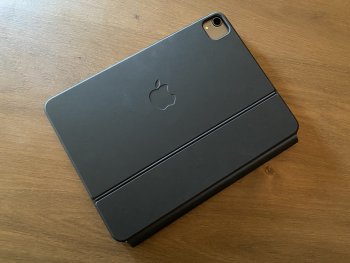
Received my 11” Magic Keyboard today. Coming from a Brydge 9.7 (from existing iPad 6th gen), I though I’d share a few thoughts on using with a 11” 2020 iPad Pro with cellular:
- Weight (601g) - it’s about 20% heavier than the Brydge. Alone I notice the difference, but as a package the weight difference isn’t really noticeable. I did notice (see pics) that the parcel felt really heavy, but over 450g is all the packaging.
- Backlighting - awesome. Absolutely top quality and leaps and bounds better than other iPad keyboards I’ve tried, and better than most non-Apple laptops too.
- Typing - interesting....I’m making heaps of typing errors. I think I few things are contributing to that:
- Firstly the iPad is hovering above the top row of keys. So I think I’m adjusting my typing position slightly which is unnatural for me. I’m still ever so slightly touching the bottom edge of the iPad every 30 key presses or so.
- The key spacing is much wider than anything I’ve used previously for the iPad, so I’m getting used to that too.
- Overall I’m typing much faster as the key feel itself is great. Requires a much less definitive key press compared to Brydge and Logitech iPad keyboards I’ve used previously (never used the Apple keyboards on my previously 6th gen iPad).
- Trackpad - feels normal all of the sudden. Still adjusting to when I should use the trackpad versus it just being quicker to use screen. I will say gestures are good, but multiple finger detection isn’t as robust as a Macbook. It occasionally misses the extra finger(s). Three finger swiping up is the only one it always seems to get right. Time will tell I guess.
- It is definitely a mechanical click. Very visible when the iPad it removed (no power).
- Hinge - stiff as. Will take some time to get used to. In particular to it causing the ”screen” to be at least 5cm closer to you since it hovers over the keyboard top row. I actually wish it tilted back further in some usage situations.
- On lap usage - not as stable as the Brydge. The Brydge seems very well counter balanced, almost like a lot of the weight is at the front of the keyboard. Whereas the Magic Keyboard feels like the weight is mainly around the primary hinge. To improve the balance I need to tilt the primary hinge forward, but then the secondary hinge doesn’t tilt back far enough. It really seems like the primary hinge is designed to be used in a fully open or closed position - nothing inbetween.
- Charging port - really stiff to insert/remove Apple cable. Kind of disappointing given the weight of the keyboard it doesn’t have an additional battery, both to reduce drain on iPad and provide a little extra capacity.
- Portrait usage - don’t bother. Totally not designed in any way shape or form for portrait use.
- Writing mode - flip it around and it works great. I use my pencil a fair bit for taking notes. While it probably looks awkward, flipping the whole lot around so the volume buttons are closest to you and the keyboard in the air actually works. The hinges are stiff enough that writing pressure doesn’t make them collapse. Again time will tell if they loosen up and don’t make it possible. Certainly it’s a better experience than removing the iPad and dealing with the wobble from the camera bump on a flat surface.
- Build quality - ok, but not perfect. Bit disappointing for such an expensive item that the outside coating has a few cuts in it straight after removing it from the packaging.
Overall I’d give it 8.5/10.
As a comparison, I’d give my Brydge 9.7 (w/o trackpad) 8/10. It’s slightly better, but certainly has it’s own set of compromises.
View attachment 907546View attachment 907547
View attachment 907553