
Got a tip for us?
Let us know
Become a MacRumors Supporter for $50/year with no ads, ability to filter front page stories, and private forums.
The new Mac mini is almost certainly coming
- Thread starter GabrieleR
- Start date
-
- Tags
- mac mini new mac mini
- Sort by reaction score
You are using an out of date browser. It may not display this or other websites correctly.
You should upgrade or use an alternative browser.
You should upgrade or use an alternative browser.


weaztek
macrumors 6502
Well if your system + apps run out of SSD space you're SOL. Also, If you don't have space to download something as simple as an SD card from your camera to work on the photos/videos that's a pretty lousy setup. Hence why I got 512GB. I still get short of space at times when I'm working on a big project.And while you cannot upgrade neither RAM or SSD, at least you can add external storage. That's why I always tell people that if they only have enough money for a single upgrade, they need to choose RAM over SSD every single time.
3rd party upgrades are available for the M4 Mac mini: https://expandmacmini.com/product/ssd-m4-2tb/ and https://iboffrcc.com/ (up to 8TB for M4 Pro)And while you cannot upgrade neither RAM or SSD, at least you can add external storage. That's why I always tell people that if they only have enough money for a single upgrade, they need to choose RAM over SSD every single time.
theluggage
macrumors G3
You can move apps to an external drive, as well as media/photo libraries etc. or direct downloads there If you do this it's pretty unlikely that you'll fill up even the base 256GB HD with system files.Well if your system + apps run out of SSD space you're SOL.
You can even install MacOS on an external drive and boot from it.
What would be nice is if Mac OS included a simple one-stop tool for assigning/moving documents, media libraries, downloads, large application libraries etc. to particular drives - you can achieve that currently but it's kinda one method for Photos, one method for (say) Logic and "manually" moving folders, setting up aliases etc. for other kinds of file.
That said - I much prefer to have everything your computer needs to run (i.e. system and apps) on the internal disk and keep externals for large data files, archive, backup etc.
256GB may be OK for basic "personal productivity" use but a substantial proportion of it goes to system & standard apps, and a few "pro" apps or games & a VM or two will rapidly diminish the free space. Bear in mind that you don't want your system drive to get anywhere close to completely full as that will hit performance.
I'd just bite the bullet and regard the upgrade to 512GB or 1TB as "Apple Tax" but - for anything beyond that - look to externals.

EugW
macrumors P6
I downgraded from 1 TB on my M1 Mac mini to 512 GB on my M4 Mac mini because 1 TB was massive overkill for me for the internal drive. On my M4 512 GB, I have 270 GB free. However, I have an external 4 TB SSD for large data files.256GB may be OK for basic "personal productivity" use but a substantial proportion of it goes to system & standard apps, and a few "pro" apps or games & a VM or two will rapidly diminish the free space. Bear in mind that you don't want your system drive to get anywhere close to completely full as that will hit performance.
I'd just bite the bullet and regard the upgrade to 512GB or 1TB as "Apple Tax" but - for anything beyond that - look to externals.

MBAir2010
macrumors G3
after reverting Tahoe'd to Monterey on my M1 Mac mini, I have 200GB free from 265.I downgraded from 1 TB on my M1 Mac mini to 512 GB on my M4 Mac mini because 1 TB was massive overkill for me for the internal drive. On my M4 512 GB, I have 270 GB free. However, I have an external 4 TB SSD for large data files.
everything is on 4 ssd drives!
1tb is overkill, as my sis has that space on her iPhone, as she agreed!
theluggage
macrumors G3
I'd do the "it only seems like overkill because Apple charges so much for SSD upgrade" routine, but right now real world RAM and SSD prices seem to be playing catch-up with Apple...I downgraded from 1 TB on my M1 Mac mini to 512 GB on my M4 Mac mini because 1 TB was massive overkill for me for the internal drive.
I'd agree that 512GB is fine if you're going to keep most things on externals. I'd aim on keeping the system drive around half full in everyday use.
weaztek
macrumors 6502
My last Mini (Intel 2018) was 256GB. It was a nightmare worrying about whether I'd had disk space to work on projects I needed to download off memory cards. Working off external SSDs are about 1/3 as fast. Unless you pony up and get a TB3 drive which are generally over $500 and used to cost even more than that.
EugW
macrumors P6
My 4 TB TB4/USB4 drive cost me about US$375 last year, and that’s with a top of the line SSD.My last Mini (Intel 2018) was 256GB. It was a nightmare worrying about whether I'd had disk space to work on projects I needed to download off memory cards. Working off external SSDs are about 1/3 as fast. Unless you pony up and get a TB3 drive which are generally over $500 and used to cost even more than that.

maflynn
macrumors Broadwell
I bought an OWC Envoy Ultra for under 400 (2TB) and that being a TB5 drive. I'm sure with ram/ssd prices surging that might gone up but overall I'm incredibly happy with that drive. Its as fast as my internal drive, though you'd need a thunderbolt 5 port to experience those speeds.Unless you pony up and get a TB3 drive which are generally over $500 and used to cost even more than that.

DaveFromCampbelltown
macrumors 68020
In Australia, the cost of 3rd party internal storage upgrades matches the price of the Apple upgrade, so there is no real reason for most people to use them.
I bought the 512TB GB M4 because when I looked at my 2TB Fusion Drive iMac, I had only used 350~400 GB, so there was no reason to go bigger.
I do use external drives for storage and scratch disks, but all my personal files and documents are on the internal drive, which is backed up two different ways each day.
I bought the 512
I do use external drives for storage and scratch disks, but all my personal files and documents are on the internal drive, which is backed up two different ways each day.
Last edited:

amancalledsun
macrumors 6502
I'm guessing you're confusing TB with GB. There is no option for a 512TB Mac of any variety at the moment. It would be great not to need 128 x 4TB drives to get 512TB though. Perhaps one day... 🙃In Australia, the cost of 3rd party internal storage upgrades matches the price of the Apple upgrade, so there is no real reason for most people to use them.
I bought the 512 TB M4 because when I looked at my 2TB Fusion Drive iMac, I had only used 350~400 TB, so there was no reason to go bigger.
I do use external drives for storage and scratch disks, but all my personal files and documents are on the internal drive, which is backed up two different ways each day.
DaveFromCampbelltown
macrumors 68020
I'm guessing you're confusing TB with GB. There is no option for a 512TB Mac of any variety at the moment. It would be great not to need 128 x 4TB drives to get 512TB though. Perhaps one day... 🙃
Thank you. Fixed. However, my point still stands. At least in Australia, there is no point in buying the smallest model and upgrading with a third party NVMe, when for the same price, you could get the size you need.

Basic75
macrumors 68030
Unless you discover that you really need more internal storage a year or two in.Thank you. Fixed. However, my point still stands. At least in Australia, there is no point in buying the smallest model and upgrading with a third party NVMe, when for the same price, you could get the size you need.
EugW
macrumors P6
This is not correct. Third party NVMe SSD pricing is way, way cheaper in Australia too. You can get a 2TB SSD with TB4 enclosure for under AU$400.Thank you. Fixed. However, my point still stands. At least in Australia, there is no point in buying the smallest model and upgrading with a third party NVMe, when for the same price, you could get the size you need.
DaveFromCampbelltown
macrumors 68020
This is not correct. Third party NVMe SSD pricing is way, way cheaper in Australia too. You can get a 2TB SSD with TB4 enclosure for under AU$400.
Not normal NVMe SSDs, the special ones for internal storage in the machine itself. I have an external 2TB in a 40 GBs enclosure.
EugW
macrumors P6
Ah. However, those internal 2 TB NAND upgrade cards are still under AU$450 shipped to Australia. Personally I'm not keen on this method though, at least while the Mac mini is still under warranty.Not normal NVMe SSDs, the special ones for internal storage in the machine itself. I have an external 2TB in a 40 GBs enclosure.

Looking backwards to the 2018 Mini (which certainly came and went), just visited OWC/MacSales for the first time in awhile and prices have really dropped. Yeah, they're getting old, but still quite pleased with my hex-core i7/64gb/2tb. OWC has a twin for $539 in very good condition. $40 more for premium condition. They seem to have quite a lot of varieties at the moment, going down to around $200 for the i3 models.
Tempting (for me, at least)... 😀
Tempting (for me, at least)... 😀
Sounds reasonable but isn’t macOS 26 the final release for Intel Macs?Looking backwards to the 2018 Mini (which certainly came and went), just visited OWC/MacSales for the first time in awhile and prices have really dropped. Yeah, they're getting old, but still quite pleased with my hex-core i7/64gb/2tb. OWC has a twin for $539 in very good condition. $40 more for premium condition. They seem to have quite a lot of varieties at the moment, going down to around $200 for the i3 models.
Tempting (for me, at least)... 😀
Only security update till 2028 left but at least you’d have a chance of boot camp with windows 11
Basic75
macrumors 68030
And I believe Linux will also run well on an Intel Mac mini.Only security update till 2028 left but at least you’d have a chance of boot camp with windows 11
That's a good shout - isn't Linux Mint recommended for older Intel Macs? I'm now thinking Apple Silicon Macs will have issues with Linux support in the future though.And I believe Linux will also run well on an Intel Mac mini.
Basic75
macrumors 68030
The Asahi Linux project is making amazing progress, but they have to reverse engineer nearly everything and still have a way to go before all the hardware components are supported and stable. You can already use it for some thing on M1 and M2 Macs and it might even beat macOS in OpenGL and Vulkan features and performance though I can't remember the details.I'm now thinking Apple Silicon Macs will have issues with Linux support in the future though.
Sounds reasonable but isn’t macOS 26 the final release for Intel Macs?
Actually, the 2018 Mini only goes as far as Sequoia (MacOS 15), some discussion of how long that will be supported here. I was not suggesting it would be a good choice for mainstream Mac use, just pointing out how much prices have dropped recently and it's looking very tempting if you want a machine like that. It just stood out to me, with people complaining about how small the SSD is on the base m4 Mini when you can get a used top-spec 2018 with 2tb SSD and 64gb RAM for about the same price. But if you want Apple Silicon, it's not for you. I run professional Windows GIS software (which just doesn't exist for MacOS) in a VM at the same time as my Mac apps on my 2018. That's a huge improvement over the separate HP desktop PC I used for Windows previously.
And I believe Linux will also run well on an Intel Mac mini.
I just dove into this for the first time a few days ago myself. No interest in GUI Linux for everyday use, although it looks like that has come a long way. Was surprised how easy it was to install Ubuntu on my 2012 Mini, literally anyone could do it, but that wasn't what I wanted. It wasn't easy, but I finally got almalinux installed on that machine and now have a local server for development that is almost the same as the one I lease from a hosting company.
That's actually what caused me to look at OWC's used Mini's. I have the top-spec 2012 Mini server and you can get the same thing from OWC today for $219. But I was thinking, if I like almalinux on the 2012 Mini, I'd like it even more on a 2018 Mini. I don't need much RAM, 16gb is more than enough for my purposes. I already know that my 2018 Mini is twice as fast as my 2012, and I could double the RAM (32gb) and disk (500gb) with an OWC 2018 Mini for $289.
Linux needs very little disk space, it only takes a fraction of the 256gb internal SSD on my 2012 Mini. I need 4tb to match the server that I lease, but that's easily handled with an external USB SSD (using an extra 2tb t7 on mine now for testing). The 2018 SSD isn't upgradeable and only goes up to 2tb, but they have a dual core i5 2.6ghz/8gb 2014 Mini with 4tb internal SSD for $475. That's a nice deal, but still considerably slower than my 2012 quad and only half the RAM, so I'll pass.
TL;DR; These used Mini's are a poor choice if you want the latest Mac software and features. But the prices look very attractive... if you need one.
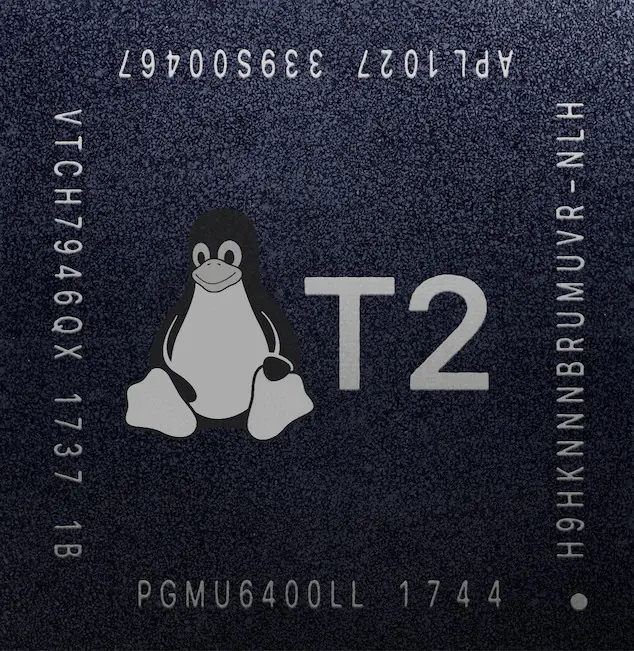
Mini 2018 has a T2 chip which can be a challenge for Linux so buyer beware.Linux needs very little disk space, it only takes a fraction of the 256gb internal SSD on my 2012 Mini. I need 4tb to match the server that I lease, but that's easily handled with an external USB SSD (using an extra 2tb t7 on mine now for testing). The 2018 SSD isn't upgradeable and only goes up to 2tb, but they have a dual core i5 2.6ghz/8gb 2014 Mini with 4tb internal SSD for $475. That's a nice deal, but still considerably slower than my 2012 quad and only half the RAM, so I'll pass.
t2linux.org
 t2linux.org