

Become a MacRumors Supporter for $50/year with no ads, ability to filter front page stories, and private forums.

MacRumors

macrumors bot
Original poster


Afterglow.jpg
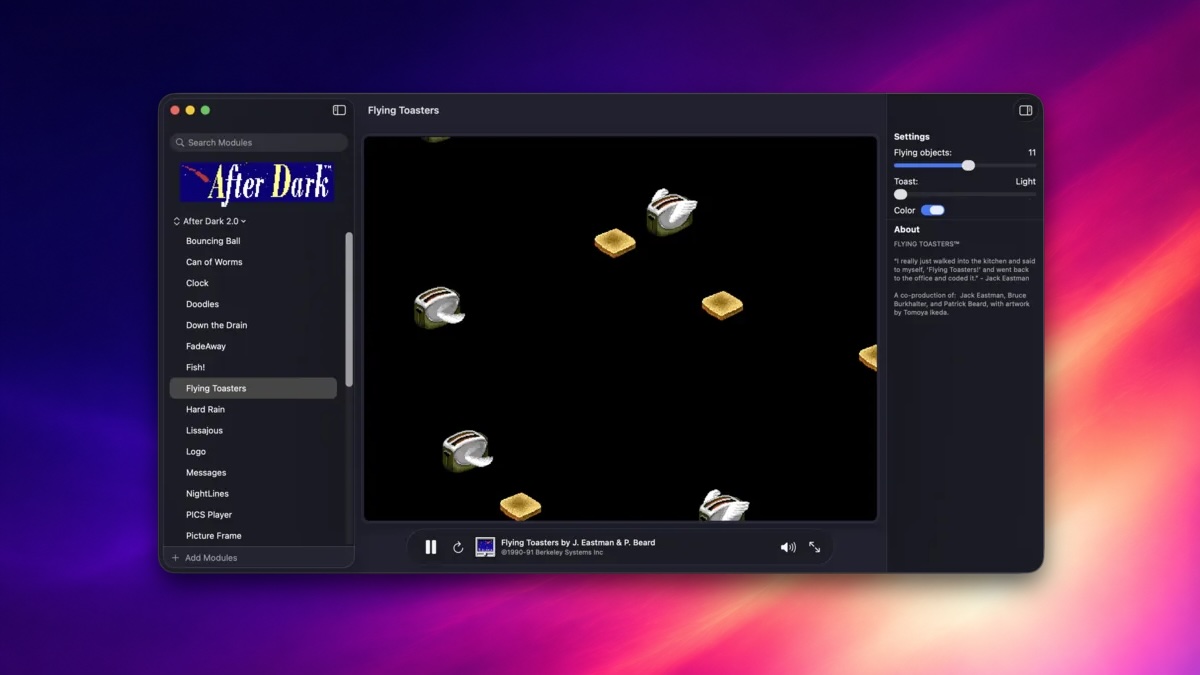
As noted by Daring Fireball's John Gruber, developer Jeff Halter has released a new Afterglow app that allows you to run classic After Dark screen savers on modern macOS versions.

"Afterglow is an emulator built specifically for running After Dark modules -- the original 68k module code, not a remake or port -- with no dependencies on ROMs or classic Mac OS," said Halter, who has several fun nostalgic projects, such as After Dark space shooter Lunacy and HyperCard player Stacks.

Article Link: This New App Brings 1990s 'After Dark' Screen Savers to Modern macOS
 
  • Like
Reactions: dricci
Love this!

I can't wait to get home and try it out on my MacBook. I still have old computers that can run the original After Dark screensavers, but having the ability to run them all on modern machines is gonna be awesome. I hope the interactive ones work. Rodger Dodger!
 
There was a user-configurable screensaver on my late-90's PC that I have been trying to find. It might have been called Purple? It made fantastic geometric shapes and patterns with a myriad of colors. I have never seen anything as good since ( in fact I am boggled at how elementary Apple's screensavers are). Does anyone know what that was?
 
So, is this like an emulator and I need to go find the modules elsewhere? All I really want is Satori, which was my fav back in the day...
 
You can install it right from the app. It downloads the module packs from the Internet Archive.
Like a dummy, I downloaded the app, but before even booting it I went on a wild goose chase to find some After Dark disk images.

Everything out there is an ISO formatted in HFS, which hasn't been supported by MacOS since… 10.13 or something? So I blew half an hour of screwing around with CLI tools before giving up and booting the app to see if it had any suggestions. Of course everything “just works” out of the box. (okay, it’s a little glitchy, I don’t think this is 1.0 quite yet.)

Anyway… everything about this app is impressive, but the fact that it can read and decode HFS ISO’s really puts it over the top. Hats off, salute, wow dang awesome.
 
Register on MacRumors! This sidebar will go away, and you'll see fewer ads.