Update:
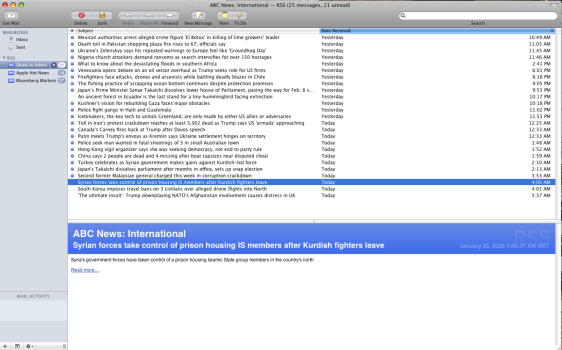
Borrowed some time on a friend's Intel Mac and using a copy of OSX 10.6 Server, I updated to Universal PowerPC / X86 / AMD64 binary, which should be compatible with OS X 10.4+ on all 3 machines. I also updated the proxy-roots.pem file to the most recent CA certificate store from Curl (dated Feb 25, 2025).
The program doesn't do AIA chasing, but rather it just relies on the CA's proxy-roots.pem file and fails to load a website if its certificate is not signed by a CA in proxy-roots.pem, and produce an error message in the Terminal window. This gives the user awareness and control over whether they want to trust such a certificate (and manually add it to their proxy-roots.pem file) or not. Fortunately, Curl's CA store is really good and there are not many incomplete chains, such that I have not come across a case.
The program was programmed to be secure by design and have layering, so some of the measures are simply fail-safes. Having the certificate expire in such a short time-frame like 90 days is meant to still offer protection in case the other security measures and protections were to somehow fail and someone were to find a way to forward the port.
As of version 0.2, you can either run A.Proxy from the Terminal or by double clicking; however, if you are switching from using the Terminal to double clicking, it is best to copy both your proxy-ca.pem and proxy-key.pem files to your home directory (or use symbolic linking).
Borrowed some time on a friend's Intel Mac and using a copy of OSX 10.6 Server, I updated to Universal PowerPC / X86 / AMD64 binary, which should be compatible with OS X 10.4+ on all 3 machines. I also updated the proxy-roots.pem file to the most recent CA certificate store from Curl (dated Feb 25, 2025).
The program doesn't do AIA chasing, but rather it just relies on the CA's proxy-roots.pem file and fails to load a website if its certificate is not signed by a CA in proxy-roots.pem, and produce an error message in the Terminal window. This gives the user awareness and control over whether they want to trust such a certificate (and manually add it to their proxy-roots.pem file) or not. Fortunately, Curl's CA store is really good and there are not many incomplete chains, such that I have not come across a case.
The program was programmed to be secure by design and have layering, so some of the measures are simply fail-safes. Having the certificate expire in such a short time-frame like 90 days is meant to still offer protection in case the other security measures and protections were to somehow fail and someone were to find a way to forward the port.
As of version 0.2, you can either run A.Proxy from the Terminal or by double clicking; however, if you are switching from using the Terminal to double clicking, it is best to copy both your proxy-ca.pem and proxy-key.pem files to your home directory (or use symbolic linking).