
Got a tip for us?
Let us know
Become a MacRumors Supporter for $50/year with no ads, ability to filter front page stories, and private forums.
All Devices Updated Apple Maps
- Thread starter Aussi3
- WikiPost WikiPost
- Start date
- Sort by reaction score
You are using an out of date browser. It may not display this or other websites correctly.
You should upgrade or use an alternative browser.
You should upgrade or use an alternative browser.
- Status
- The first post of this thread is a WikiPost and can be edited by anyone with the appropiate permissions. Your edits will be public.

Knowlege Bomb
macrumors G4

MozMan68
macrumors 603
And why is your LTE signal split in two? I've never noticed that before.
Top one is personal number and bottom is business line on eSim.

Had a moment today where I was looking for parking in an area I was going to be headed to. I opened Google Maps after Apple Maps to see if it could offer me anymore information. Shockingly enough, I found it gave me less information. When looking for parking, Apple Maps clearly displayed where there was parking available, while Google Maps wouldn’t display parking at all on the map unless I specifically searched for it.

zinacef
macrumors 6502
Wonder where my feedback requests are in the queue to be addressed as Apple has yet to fix them. First issue has been reported for over 6 months now, and the second issue for a couple years now.
I live out in the West Valley in Arizona and Apple Maps constantly gives me wrong directions to a place called BlueSky Airport parking. The directions insist that I take exit 147B to SR-51 (incorrect) from the I-10 rather than SR-202 (correct). A couple months ago on the way to the airport, I used Apple Maps and was almost late for my flight using those directions and that was during early morning rush hour traffic.
These erroneous directions also apply if I'm heading anywhere to the Easy Valley as evidenced the other day when I was visiting The Tamale Store in Tempe, i.e. the directions insisted I take 147B to SR-51 rather than take the SR-202.

For the second issue, asking Apple Maps for directions to a doctor's office (Arizona Digestive Health), the directions insist that I go a street over and go through someone's house, jump their back wall, just to get to the doctor's office.


I live out in the West Valley in Arizona and Apple Maps constantly gives me wrong directions to a place called BlueSky Airport parking. The directions insist that I take exit 147B to SR-51 (incorrect) from the I-10 rather than SR-202 (correct). A couple months ago on the way to the airport, I used Apple Maps and was almost late for my flight using those directions and that was during early morning rush hour traffic.
These erroneous directions also apply if I'm heading anywhere to the Easy Valley as evidenced the other day when I was visiting The Tamale Store in Tempe, i.e. the directions insisted I take 147B to SR-51 rather than take the SR-202.
For the second issue, asking Apple Maps for directions to a doctor's office (Arizona Digestive Health), the directions insist that I go a street over and go through someone's house, jump their back wall, just to get to the doctor's office.
MozMan68
macrumors 603
Wonder where my feedback requests are in the queue to be addressed as Apple has yet to fix them. First issue has been reported for over 6 months now, and the second issue for a couple years now.
I live out in the West Valley in Arizona and Apple Maps constantly gives me wrong directions to a place called BlueSky Airport parking. The directions insist that I take exit 147B to SR-51 (incorrect) from the I-10 rather than SR-202 (correct). A couple months ago on the way to the airport, I used Apple Maps and was almost late for my flight using those directions and that was during early morning rush hour traffic.
These erroneous directions also apply if I'm heading anywhere to the Easy Valley as evidenced the other day when I was visiting The Tamale Store in Tempe, i.e. the directions insisted I take 147B to SR-51 rather than take the SR-202.
View attachment 885079
For the second issue, asking Apple Maps for directions to a doctor's office (Arizona Digestive Health), the directions insist that I go a street over and go through someone's house, jump their back wall, just to get to the doctor's office.
View attachment 885080
View attachment 885082
Routing errors are really easy to report and are the ones that have the highest priority when being fixed in my experience.
Just route like you have in the pics above and then hit the “report an issue” link. You’ll see all the options you can report to fix.
zinacef
macrumors 6502
I have reported them on many occasions using the report features within Apple Maps and have also emailed them at their Maps Escalations email address still with no fix to this day.Routing errors are really easy to report and are the ones that have the highest priority when being fixed in my experience.
Just route like you have in the pics above and then hit the “report an issue” link. You’ll see all the options you can report to fix.
MozMan68
macrumors 603
I have reported them on many occasions using the report features within Apple Maps and have also emailed them at their Maps Escalations email address still with no fix to this day.
I just routed and reported it as well. When I brought up the “entrance” option, it is located at the house the directions route to. I corrected it to the proper location on the building.
This is a case where the POI location is correct on the map but the entrance is located improperly.
Hopefully an easy fast fix. I’ll post on here if I get an update.
zinacef
macrumors 6502
Thanks, I appreciate it!I just routed and reported it as well. When I brought up the “entrance” option, it is located at the house the directions route to. I corrected it to the proper location on the building.
This is a case where the POI location is correct on the map but the entrance is located improperly.
Hopefully an easy fast fix. I’ll post on here if I get an update.

Alan Gordon
macrumors 6502
I just routed and reported it as well. When I brought up the “entrance” option, it is located at the house the directions route to. I corrected it to the proper location on the building.
This is a case where the POI location is correct on the map but the entrance is located improperly.
Once the SE expansion is rolled out, I'm going to use my Mom's phone to report the location below:
The seemingly never-ending DQ Grill & Chill Maps POI saga continues:
I submitted an error report deleting the incorrect entrance, and then adding two correct entrances. They added the entrances, but not where I placed them. Now the two entrances are placed at a neighboring gas station's entrances, and they moved the DQ location to the back of the gas station's building. 😕🙄
I've done so many reports for the place, I'm not sure they'd listen to me anymore. LOL!!
Wonder where my feedback requests are in the queue to be addressed as Apple has yet to fix them. First issue has been reported for over 6 months now, and the second issue for a couple years now.
I live out in the West Valley in Arizona and Apple Maps constantly gives me wrong directions to a place called BlueSky Airport parking. The directions insist that I take exit 147B to SR-51 (incorrect) from the I-10 rather than SR-202 (correct). A couple months ago on the way to the airport, I used Apple Maps and was almost late for my flight using those directions and that was during early morning rush hour traffic.
These erroneous directions also apply if I'm heading anywhere to the Easy Valley as evidenced the other day when I was visiting The Tamale Store in Tempe, i.e. the directions insisted I take 147B to SR-51 rather than take the SR-202.
View attachment 885079
I took a look at Google Street View for that highway interchange. The problem here is how Apple seems to be automatically pulling data from their vehicles, and implementing them into directions.
When exiting a highway, Apple Maps will direct you "towards" the exit using information gathered from the last sign visible just before the exit. If the sign is large, and contains lots of route information, Apple Maps will typically deduce what is necessary based on your next move, and ignore the rest.
But, if the last highway sign at your exit is "split" into multiple signs for multiple exits within the interchange, I've noticed that Apple Maps will tend to only read the information on the left-most sign (including the exit number), but still mention the road you need out loud. Although it sometimes has a habit of reading off something from the incorrect sign also.
In your case, your exit direction is SHOWING you that you're headed towards State Route 202, but it's TELLING you to take Exit 147B towards State Route 51, because that's what the left-most sign says.
There's a secondary problem. Once you're on the exit ramp, why isn't Apple Maps giving you lane guidance? At that point, wouldn't it specify now to stay right onto Exit 147A towards State Route 202?
NO. And here is why.
Notice how the interchange is drawn. Once you leave I-10 onto the exit ramp towards State Route 202, notice how the road is drawn thick yellow, like the rest of the highways? Apple Maps is treating this road as part of Route 202 itself, rather than as an exit ramp. And because of this distinction, the directions ignore the exit ramp split for Exits 147A and 147B, because it believes you're already on the main highway it expects you to be on. I'm experiencing this problem a TON in New York City. I've reported this at least a dozen times at various locations, but none of have fixed yet.
So there are two problems here. The first, is that the automated directions are pulling incomplete information from the exit signs at certain interchanges. The second, is that certain complex interchanges between different highways sometimes have their ramps mistakenly drawn as part of the main highway itself, ESPECIALLY if it's where one highway begins or ends. This can cause directions to be less specific, or downright confusing, because Maps will always assume you're following the "main road", if it's not instructing you to exit off of it.

Speedman100
macrumors 6502
Very impressive detective work. Sounds like Apple should hire you haha. Hopefully they see what you’re talking and fix it everywhere it happens around the country. That’s a bad error.I took a look at Google Street View for that highway interchange. The problem here is how Apple seems to be automatically pulling data from their vehicles, and implementing them into directions.
When exiting a highway, Apple Maps will direct you "towards" the exit using information gathered from the last sign visible just before the exit. If the sign is large, and contains lots of route information, Apple Maps will typically deduce what is necessary based on your next move, and ignore the rest.
View attachment 885095
But, if the last highway sign at your exit is "split" into multiple signs for multiple exits within the interchange, I've noticed that Apple Maps will tend to only read the information on the left-most sign (including the exit number), but still mention the road you need out loud. Although it sometimes has a habit of reading off something from the incorrect sign also.
In your case, your exit direction is SHOWING you that you're headed towards State Route 202, but it's TELLING you to take Exit 147B towards State Route 51, because that's what the left-most sign says.
There's a secondary problem. Once you're on the exit ramp, why isn't Apple Maps giving you lane guidance? At that point, wouldn't it specify now to stay right onto Exit 147A towards State Route 202?
NO. And here is why.
View attachment 885096
Notice how the interchange is drawn. Once you leave I-10 onto the exit ramp towards State Route 202, notice how the road is drawn thick yellow, like the rest of the highways? Apple Maps is treating this road as part of Route 202 itself, rather than as an exit ramp. And because of this distinction, the directions ignore the exit ramp split for Exits 147A and 147B, because it believes you're already on the main highway it expects you to be on. I'm experiencing this problem a TON in New York City. I've reported this at least a dozen times at various locations, but none of have fixed yet.
So there are two problems here. The first, is that the automated directions are pulling incomplete information from the exit signs at certain interchanges. The second, is that certain complex interchanges between different highways sometimes have their ramps mistakenly drawn as part of the main highway itself, ESPECIALLY if it's where one highway begins or ends. This can cause directions to be less specific, or downright confusing, because Maps will always assume you're following the "main road", if it's not instructing you to exit off of it.

jonblatho
macrumors 68030
So, it’s front page news that the new map for the rest of the U.S. is rolling out to everyone, but it’s not (yet). Out of curiosity, I deleted the Maps and GeoServices cache folders on my Mac and the old map is still showing for me. None of the other devices in the house have it, even the ones that have had the new map roll out earlier than the others.
Alan Gordon
macrumors 6502
So, it’s front page news that the new map for the rest of the U.S. is rolling out to everyone, but it’s not (yet). Out of curiosity, I deleted the Maps and GeoServices cache folders on my Mac and the old map is still showing for me. None of the other devices in the house have it, even the ones that have had the new map roll out earlier than the others.
The story on the front page is misleading. It's apparently back in testing is all.
Very impressive detective work. Sounds like Apple should hire you haha. Hopefully they see what you’re talking and fix it everywhere it happens around the country. That’s a bad error.
I've sent in at least a hundred corrections since the new maps released in the Northeast. DETAILED corrections. With screenshots and everything. A few of them, I even maxed out the character limit in the comments section.
Apple should at LEAST give me some sort of payment for doing so much of their work for them.
MozMan68
macrumors 603
The story on the front page is misleading. It's apparently back in testing is all.
But maybe that means wide release by Tuesday??
Last edited:
jonblatho
macrumors 68030
Until they start offering rewards for Maps issue reports, you also absolutely have the option of not submitting reports, which would resolve your situation of submitting reports and then complaining about not being paid for them.I've sent in at least a hundred corrections since the new maps released in the Northeast. DETAILED corrections. With screenshots and everything. A few of them, I even maxed out the character limit in the comments section.
Apple should at LEAST give me some sort of payment for doing so much of their work for them.


dk001
macrumors demi-god
Surprise! Surprise!
My mislabeled road that was removed (name) the restored with the incorrect name shows up this morning with the correct name. No notification to me about the fix. So the name of the road is fixed however all the businesses except one have had their names removed. A step in the right direction. Hope the remainder shows up.
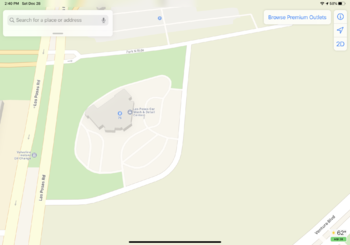
My mislabeled road that was removed (name) the restored with the incorrect name shows up this morning with the correct name. No notification to me about the fix. So the name of the road is fixed however all the businesses except one have had their names removed. A step in the right direction. Hope the remainder shows up.
MozMan68
macrumors 603
Not sure if it’s been mentioned, but I saw an Apple maps van driving around Sydney a couple months ago, so we should get the updated maps next year.
The general consensus is that Canada and the UK by the middle of 2020 with parts of Europe, Australia and Japan by the end of 2020.
That then covers most of Apple’s “major” markets before picking off other countries.
The general consensus is that Canada and the UK by the middle of 2020 with parts of Europe, Australia and Japan by the end of 2020.
That then covers most of Apple’s “major” markets before picking off other countries.
I thought Apple were planning to roll out in Japan before the olympics?
MozMan68
macrumors 603
I thought Apple were planning to roll out in Japan before the olympics?
Not sure...maybe just the Olympic Village and surrounding area?
What are our thoughts on whether or not we get an official release by Tuesday? I would like to be optimistic...but I'm leaning towards "meh". As mentioned, all of my previous feedbacks have been addressed and I've seen the changes reflected. So if it doesn't come out by the 31st, I'll still be satisfied with what we've got so far!