Got a tip for us?
Let us know
Become a MacRumors Supporter for $50/year with no ads, ability to filter front page stories, and private forums.
Virtual PC 7 Now Shipping
- Thread starter MacRumors
- Start date
- Sort by reaction score
You are using an out of date browser. It may not display this or other websites correctly.
You should upgrade or use an alternative browser.
You should upgrade or use an alternative browser.

Warlock7
macrumors newbie
My bad, and yours...
You are correct, a PentiumPro would be a step backwards from the Pentium2 that was being emulated in VPC6, my mistake. But it seems that some of your informations isn't quite correct either. Family 7 doesn't include the PPRO, the P-II or the P-III as you are suggesting.
From Linux.com
Pentium IV is technically not a member of Family 7 even though the MS OS software will apparently report them that way. Family 7 (seventh generation) includes the Itanium. Family 6 (sixth generation) Intel microprocessors today include Intel Celeron(TM), Pentium(R) II, Pentium II Xeon(TM), Pentium III and Pentium III Xeon processors. Family 5 (fifth generation) includes the Pentium processor and the Pentium processor with MMX(TM) technology.
VPC 6 emulated a Pentium 2 with MMX when running ME. I don't know if that changes depending upon the OS. The actual emulated chip can be found in the "OS" Settings section of the Edit menu under VPC6, I assume that holds true with VPC7 too. A command-T will show it too. This is more specific and accurate than relying in the emulated OS to tell you "x86 Family 6 Model 8 Stepping 4", which is what is reported in the System Properties.
shamino said:"686" is shorthand for Intel's "Family 7" (as reported by CPUID). This includes the PPRO, P-II, P-III and P-4. Every 32-bit x86 chip after the Pentium is considered a "686" by this standard.
I can almost guarantee you it's not emulating a PPro - that chip has none of the SIMD or MMX instructions - features that a lot of modern Windows programs expect to find and won't work without.
You are correct, a PentiumPro would be a step backwards from the Pentium2 that was being emulated in VPC6, my mistake. But it seems that some of your informations isn't quite correct either. Family 7 doesn't include the PPRO, the P-II or the P-III as you are suggesting.
From Linux.com
Intel identifies its various processor using a combination of the family and model codes. Pentium processors are identified by a family code of 5. A family code of 6 covers the PentiumPro and all of its variants. Since the PentiumPro, Pentium II, Pentium III and Celeron are all based on the same processor architecture, they are all part of the P6 family( hence, family code 6). The model code is used to tell the various P6 processors apart, along with the cache size and brand ID, depending on the CPU (it's messy; don't ask).
Intel decided to make a new family code for the Pentium 4. That's where the fun begins.
The average person would think Intel would just increment the family code, making the Pentium 4 part of 'family 7'. That does make sense, but Intel already has a family code 7 processor : the Itanium (it came before the Pentium 4, even though the P4 hit the market first).
Ok, no problem. Just make the Pentium 4's family code 8 instead of 7. Wrong . . . big problem.
Microsoft Windows NT 4.0 ran into a bit of a snag with "family 8." For those not schooled in the ways of binary, the decimal number 8 is "1000" in binary. That's four binary digits . . . four bits.
Four bits. Remember that, because it's important.
When Windows NT 4.0 and its six service packs were released, the largest CPU family code was 6. That's "110" in binary . . . only three bits. So the NT code only looks at the first three bits of the CPU family when configuring the system.
If you haven't figured it out by now, the first three bits of 8 are zero, zero and, you guessed it, zero. Windows NT goes wacko when it sees a CPU family zero. Serious wacko. Jack with an axe at the end of The Shining wacko. Since Windows 2000 wasn't in wide release at the time, and Intel wanted to avoid this tech support issue, the family code had to be changed to avoid a conflict with Windows NT.
So now the family code for the Pentium 4 is 15, or "1111" in binary, so the first three bits look like 'CPU family 7' to Windows NT. Of course, this wasn't revealed to software developers outside of a non-disclosure agreement (NDA) till the official release of the Pentium 4.
Pentium IV is technically not a member of Family 7 even though the MS OS software will apparently report them that way. Family 7 (seventh generation) includes the Itanium. Family 6 (sixth generation) Intel microprocessors today include Intel Celeron(TM), Pentium(R) II, Pentium II Xeon(TM), Pentium III and Pentium III Xeon processors. Family 5 (fifth generation) includes the Pentium processor and the Pentium processor with MMX(TM) technology.
VPC 6 emulated a Pentium 2 with MMX when running ME. I don't know if that changes depending upon the OS. The actual emulated chip can be found in the "OS" Settings section of the Edit menu under VPC6, I assume that holds true with VPC7 too. A command-T will show it too. This is more specific and accurate than relying in the emulated OS to tell you "x86 Family 6 Model 8 Stepping 4", which is what is reported in the System Properties.

NusuniAdmin
macrumors 6502a
Warlock7 said:VPC 6 emulated a Pentium 2 with MMX when running ME. I don't know if that changes depending upon the OS. The actual emulated chip can be found in the "OS" Settings section of the Edit menu under VPC6, I assume that holds true with VPC7 too. A command-T will show it too. This is more specific and accurate than relying in the emulated OS to tell you "x86 Family 6 Model 8 Stepping 4", which is what is reported in the System Properties.
I dont see any such properties on the OS settings box

shamino
macrumors 68040
My mistake. I thought I remembered Windows report "family 7" on my PPro system, but that obviously has to be wrong - it must've actually said 6.Warlock7 said:You are correct, a PentiumPro would be a step backwards from the Pentium2 that was being emulated in VPC6, my mistake. But it seems that some of your informations isn't quite correct either. Family 7 doesn't include the PPRO, the P-II or the P-III as you are suggesting.
From Linux.com
...
Family 6 (sixth generation) Intel microprocessors today include Intel Celeron(TM), Pentium(R) II, Pentium II Xeon(TM), Pentium III and Pentium III Xeon processors. Family 5 (fifth generation) includes the Pentium processor and the Pentium processor with MMX(TM) technology.
FWIW, the P-III system I'm on right now reports itself as "x86 Family 6 Model 8 Stepping 3". The P-II system next to it reports itself as "x86 Family 6 Model 3 Stepping 4" and the P-II system on the other side of it reports itself as "x86 Family 6 Model 5 Stepping 1".Warlock7 said:VPC 6 emulated a Pentium 2 with MMX when running ME. I don't know if that changes depending upon the OS. The actual emulated chip can be found in the "OS" Settings section of the Edit menu under VPC6, I assume that holds true with VPC7 too. A command-T will show it too. This is more specific and accurate than relying in the emulated OS to tell you "x86 Family 6 Model 8 Stepping 4", which is what is reported in the System Properties.
I tried to find a comprehensive list of family/model numbers on Intel's site, but this information seems to be scattered throughout the databooks for each individual model processor. Their search page just points you to a Windows app that will tell you what you're running - which is not terribly interesting to me.
Browsing the Linux kernel 2.6 sources, however, I was able to pull together the following table:
- Intel family 4: Various 486's (SX, DX, DX/2, etc.)
- Intel family 5: Various Pentiums (With and without MMX, overdrive and Mobile versions)
- Intel family 6:
- Model 0: Pentium Pro A-step
- Model 1: Pentium Pro
- Model 3: Pentium II (Klamath)
- Models 4 and 5: Pentium II (Deschutes)
- Model 6: Mobile Pentium II
- Model 7: Pentium III (Katmai)
- Model 8: Pentium III (Coppermine)
- Model 10: Pentium III (Cascades)
- Model 11: Pentium III (Tualatin)
- Intel family 7: Itanium
- Intel family 15:
- Model 0: Pentium 4 (unknown variant)
- Model 1: Pentium 4 (Willamette)
- Model 2: Pentium 4 (Northwood)
- Models 4 and 5: Pentium 4: (Foster)
- Intel family 31: Itanium 2
So anyway, if your VPC is claiming to be F6/M8, then it's claiming to be a Pentium III. As for why they chose Coppermine and not one of the others, that was probably what they were using as their basis for comparison when developing the emulator.
But why?
I once wanted to run a Windows program but I can't exactly remember what it was. Mostly it seemed like a cool idea. I think I had a camera driver that was made for Windows 98. iPhoto came along and thoughts of VPC are now a distant memory.
Probably my kids would like to play PC video games, but I doubt VPC is a great way to do this. The relative sparseness of game titles on the Mac platform is a blessing for parents who don't want brain-dead children.
I once wanted to run a Windows program but I can't exactly remember what it was. Mostly it seemed like a cool idea. I think I had a camera driver that was made for Windows 98. iPhoto came along and thoughts of VPC are now a distant memory.
Probably my kids would like to play PC video games, but I doubt VPC is a great way to do this. The relative sparseness of game titles on the Mac platform is a blessing for parents who don't want brain-dead children.
Warlock7
macrumors newbie
That's strange...
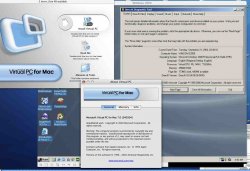
That's interesting. I posted the wrong place to get the processor info before. It's in the VPC File menu in the Get Info dialog. It's reporting a Pentium II MMX... Weird.
shamino said:So anyway, if your VPC is claiming to be F6/M8, then it's claiming to be a Pentium III. As for why they chose Coppermine and not one of the others, that was probably what they were using as their basis for comparison when developing the emulator.
That's interesting. I posted the wrong place to get the processor info before. It's in the VPC File menu in the Get Info dialog. It's reporting a Pentium II MMX... Weird.
Warlock7
macrumors newbie
Sorry, doing too many things at once.
It's under the VPC File menu in the Get Info dialog. Command-I.
Sorry about that...NusuniAdmin said:I dont see any such properties on the OS settings box
It's under the VPC File menu in the Get Info dialog. Command-I.

dieselg4
macrumors regular
Becuse you have a small desk?jjmaximum said:Don't care about VPC at all, but have to ask why someone would pay $249 for it when you can buy a PC for about that price anyway.
shamino
macrumors 68040
Sounds like a bug somewhere. If it's really emulating a P-II (meaning no SSE instructions), it should be reporting as model 3 or 5. If it's emulating a P-III (having SSE), then the get-info dialog should say so.Warlock7 said:That's interesting. I posted the wrong place to get the processor info before. It's in the VPC File menu in the Get Info dialog. It's reporting a Pentium II MMX... Weird.
On the other hand, they may simply not care about the model number. The CPUID instruction also returns an array of bit-flags for specific features (fpu, vme, mmx, sse, acpi, etc.) Intel recommends that software use these bit-flags and not model numbers, in order to account for non-standard configurations (e.g. a P-II without virtual-memory support or an FPU - which might be used in an embedded environment.)
I suppose VPC will work OK as long as they set all these flags correctly. But I would still expect them to use a P-II model number if that's what they claim to be emulating.
If anyone reading this has installed Linux on VPC 7, could you "cat /proc/cpuinfo" and post what you find? This reports much more information than the Windows about box.
dieselg4 said:Becuse you have a small desk?
That's a good one. My reason is because I don't need a second notebook computer just to occassionally run one or two Windows apps when my PowerBook handles everything else just fine. 🙂
Warlock7
macrumors newbie
Anything's possible, I suppose.
That very well, could be, after MS got it from Connectix I don't know that they fixed much with the minor upgrade they released.
I'm also wondering if that information is reported differently depending upon what type of OS is being used. XP, for example, isn't supposed to run on a P-II, as far as I know. So, perhaps it emulates or reports a different chip if it's a different OS.
shamino said:Sounds like a bug somewhere. If it's really emulating a P-II (meaning no SSE instructions), it should be reporting as model 3 or 5. If it's emulating a P-III (having SSE), then the get-info dialog should say so.
That very well, could be, after MS got it from Connectix I don't know that they fixed much with the minor upgrade they released.
I'm also wondering if that information is reported differently depending upon what type of OS is being used. XP, for example, isn't supposed to run on a P-II, as far as I know. So, perhaps it emulates or reports a different chip if it's a different OS.

SeaFox
macrumors 68030
dieselg4 said:Becuse you have a small desk?
Is your desk space worth more than $50 a square foot?
dieselg4
macrumors regular
If you could by desk space by the square foot, maybe.SeaFox said:Is your desk space worth more than $50 a square foot?
Yes, the Microsoft Virtual PC7 site does say "buy it". If you click the "buy it" link on this page, it takes you to a page that says "Virtual PC for Mac Version 7 for Windows XP Professional, $249 USD - Pre-order". Base on that little bit, I don't think it's shipping and you can pre-order it like all other versions.
Macrumors said:According to the Microsoft website, the Virtual PC 7 Mac Edition with Windows XP Professional is now available for $249. Other flavors of Virtual PC 7 (XP Home, Windows 2000, and OS-less versions) are only available for pre-order at this time. This new version includes many new features to the Mac platform, but most notable is support for the Power Mac G5 and presumably the new iMac G5 as well.
While Microsoft acquired Virtual PC from Connectix primarily for its Windows versions of VPC, Microsoft's Mac Business Unit has promised ongoing active development of the Mac version. Due to changes in the G5 architecture, prior versions of Virtual PC have remained incompatible with the PowerMac G5s. Version 7 was expected initially in January of 2004 at MWSF. After a no-show, VPC 7 was expected in 'the first half of 2004' from Microsoft, but was again delayed in May due to rigorous testing concerns.

Maxx Power
Cancelled
Abstract said:If this thing emulates a P-400MHz, I'll be happy. My 650MHz AMD Duron feels as fast as some of the P4 2.2 GHz systems I've used. Its hard to explain, but I'm not a picky, whiney individual. There's always a limitation to using emulators, and I'll deal with them. All I want to know is if it'll run as good as a 6 year old PC. I'm guessing that it will, and if it emulates a 16MB video card, that's quite good if it's emulating a 6 year old PC.
Although, a 6 year old PC wold cost you a lot less....

wdlove
macrumors P6
RedLead said:Yes, the Microsoft Virtual PC7 site does say "buy it". If you click the "buy it" link on this page, it takes you to a page that says "Virtual PC for Mac Version 7 for Windows XP Professional, $249 USD - Pre-order". Base on that little bit, I don't think it's shipping and you can pre-order it like all other versions.
They seem to be trying to rival the delays of the Power Mac G5 2.5. This is definitely the rule with Microsoft.
shamino
macrumors 68040
Well, MS doesn't support it on one. That doesn't mean it won't work. Unless the system is using SSE instructions, there's no technical reason why it would be incompatible with a P-II. If it's not using MMX, it should even be compatible with a Pentium or a 486 (of course, you may not be able to find such a machine with a motherboard that can support the memory requirements, and it would be pretty slow if you did. But the system should still run.)Warlock7 said:XP, for example, isn't supposed to run on a P-II, as far as I know.
It may well run on a P-II, if you have enough memory at a good-enough video card. Of course, most of the P-II systems I know of only have 128M of memory and max-out at 384M - which doesn't make for a comfortable XP environment. And it's hard to find good PCI-based video cards (P-II systems with AGP slots are not common.)
I mention this because, IIRC, Win2K wasn't supposed to run on 486 or old Pentium platforms. But it would work if you installed enough memory. (Of course, finding a 486 motherboard that can accept more than 64M isn't easy.) I've personally run Win2K on a Pentium-90 system with 96M of RAM. Definitely not a fast system, but it ran enough to be usable for basic tasks.
SeaFox
macrumors 68030
SeaFox said:Is your desk space worth more than $50 a square foot?
dieselg4 said:If you could [buy] desk space by the square foot, maybe.
That was an even dumber response than I expected. Who doesn't buy desk space by by the square foot? When I'm buying furniture I look at the actual dimensions of it. I wouldn't want to purchase a desk and come to find once I put my monitor on it there isn't enough room for the keyboard to sit in front of it, or that the tower is hanging off the back!
Next you'll tell me you can't buy a sofa based on how many people it's designed to seat. 😀
dieselg4
macrumors regular
SeaFox said:That was an even dumber response than I expected. Who doesn't buy desk space by by the square foot? When I'm buying furniture I look at the actual dimensions of it. I wouldn't want to purchase a desk and come to find once I put my monitor on it there isn't enough room for the keyboard to sit in front of it, or that the tower is hanging off the back!
Next you'll tell me you can't buy a sofa based on how many people it's designed to seat. 😀
What I meant was, you can't buy desk space 1 sq ft at a time. If that makes me dumb, then I'm dumb. Ignorance is bliss, so I have heard.
People come in different sizes. A three-person sofa can be alot of sizes - that's more like buying desk space in cubits.
Anyway, slightly more on topic, you might buy Virtual PC over having a second PC if you put some value in not having files on two machines - yeah I know you can network them, but its still annoying. Its also inconvenient to carry around two laptops instead of one, if you're someone who has to travel & use both platforms.
Back off topic, I f you were buying custom casework, that is usally quoted as a price per linear foot, so yeah, I'll concede you do buy desk space by the square foot. (But I would guess that when you're looking at weather you're computer will fit on the desk, you don't take the area of the desk and divide it by the price to determine the price per square foot. You're chsking to see if its deep enough, and wide enough, for your setup.)
ewinemiller
macrumors 6502
dieselg4 said:But I would guess that when you're looking at weather you're computer will fit on the desk, you don't take the area of the desk and divide it by the price to determine the price per square foot. You're chsking to see if its deep enough, and wide enough, for your setup.
It probably depends on how much you're paying per square foot for your office space or home rent. I once saw a guy justify buying a plasma display because it was cheaper in the long run to by the plasma at 20k than it was to buy the floor standing rear projection set and have it take up that 6 sq ft x whatever he was paying in rent/sq ft. Probably nobody on this site has those kinds of financial decisions to make, but there are some folks who do look at things that way.

BWhaler
macrumors 68040
With all due respect, this may be the dumbest debate of all time.
Pretty soon the two US Presidential candidates may pick up the topic:
Cheney: "Those weak liberals want to take away your God Given Right to own bigger desks. And you just KNOW that's what the terrorists want."
Kerry: "But virtual software is better for the environment. Less pollution and electricity used, to say nothing of less wood used in smaller desks."
🙂
Pretty soon the two US Presidential candidates may pick up the topic:
Cheney: "Those weak liberals want to take away your God Given Right to own bigger desks. And you just KNOW that's what the terrorists want."
Kerry: "But virtual software is better for the environment. Less pollution and electricity used, to say nothing of less wood used in smaller desks."
🙂


Mechcozmo
macrumors 603
Virtual PC varies quite a bit in the processor reporting. I have seen anywhere from 243 PII to a 1047PII procecssor. In case you are wondering how I got these, I enabled the "Boot From CD" option and stuck my copy of Damn Small Linux into the CD drive. It actually ran, rather surprisingly. But I have found the startup screen to be the best CPU reporting utility I've seen....😀
Oh, and I want to post a picture up here but I can't seem to add an attachment...(tell me and I'll post it up)
It is my PowerBook, running Windoze XP, running Basilisk II (System 7.5.5). It stressed out my PowerBook to the max (who knew you could get 50235 pageouts in a little under 4 minutes???) but it was well worth it. I needed to restart to clear up the RAM though...
Oh, and I want to post a picture up here but I can't seem to add an attachment...(tell me and I'll post it up)
It is my PowerBook, running Windoze XP, running Basilisk II (System 7.5.5). It stressed out my PowerBook to the max (who knew you could get 50235 pageouts in a little under 4 minutes???) but it was well worth it. I needed to restart to clear up the RAM though...
Little Endian
macrumors 6502a
I am using the beta of VPC 7 and it does'nt seem much faster than VPC 6. I am running it on a imac G4 1Ghz 17" and running Windows 2000 Pro. At this rate I do not intend to upgrade from VPC 6 or at least not until I get a G5 system sometime in December or Jan. Bottom line is that unless you have a G5 there is really no reason to upgrade to VPC 7