

Become a MacRumors Supporter for $50/year with no ads, ability to filter front page stories, and private forums.

MacRumors

macrumors bot
Original poster


Vivaldi this week released version 7.9 of its desktop browser, which includes a new UI Auto-hide feature that clears the entire browser interface from view while you read, watch, or work.
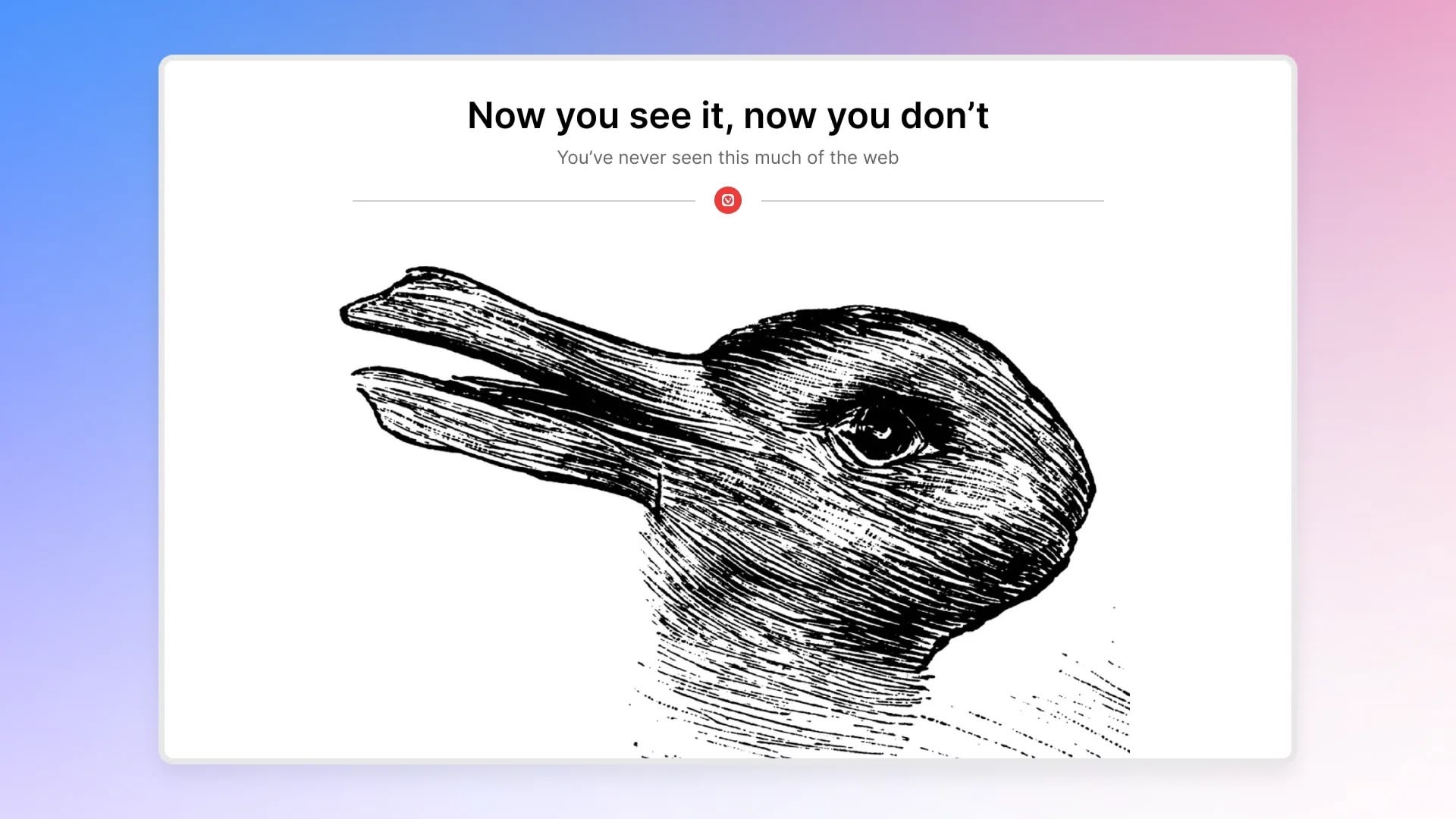
vivaldi-auto-hide-ui.jpeg

When enabled, UI Auto-hide removes the tab bar, address bar, toolbars, and status indicators from the screen entirely, and moving the cursor to any edge of the window brings everything back instantly.

The feature can be configured to hide only specific elements like the tab bar, the address bar, or the full set of chrome all at once. UI Auto-hide can be toggled via the keyboard shortcut Command-F10, or through a new icon in the status bar. All available options live under Settings ➝ Appearance ➝ UI Auto-hide.

This update also introduces Follower Tab, which is designed to let users explore links without losing their place on the current page.
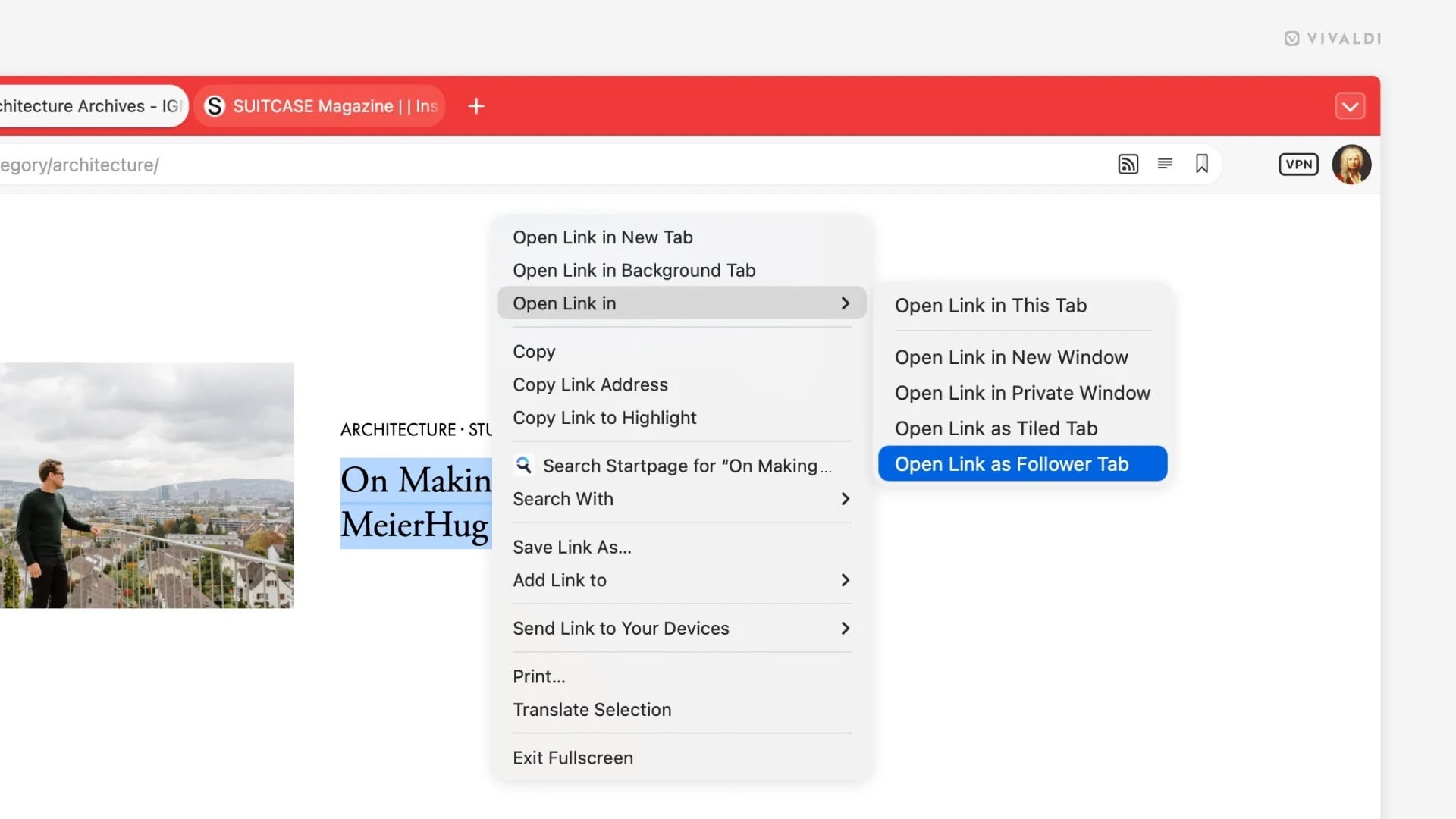
7.9_desktop_follower_vivaldi.jpeg

Right-clicking a link gives you the option to open it as a tiled Follower Tab, which loads the linked page side by side with the original. Subsequent links clicked in the original tab continue opening in the follower pane, while the source page stays pinned in place.

Vivaldi's built-in email client also gains several improvements in the v7.9. The mail composer can now be popped out into its own independent window, making it easier to draft messages alongside the inbox or on a second monitor.

Meanwhile, a new toggle lets you switch between rich text and plain text within the composer. Vivaldi says memory usage in the mail list has also been reduced, which should help performance on larger inboxes. Mailing list reply routing has apparently been improved as well, and users can now save selected messages directly to disk.
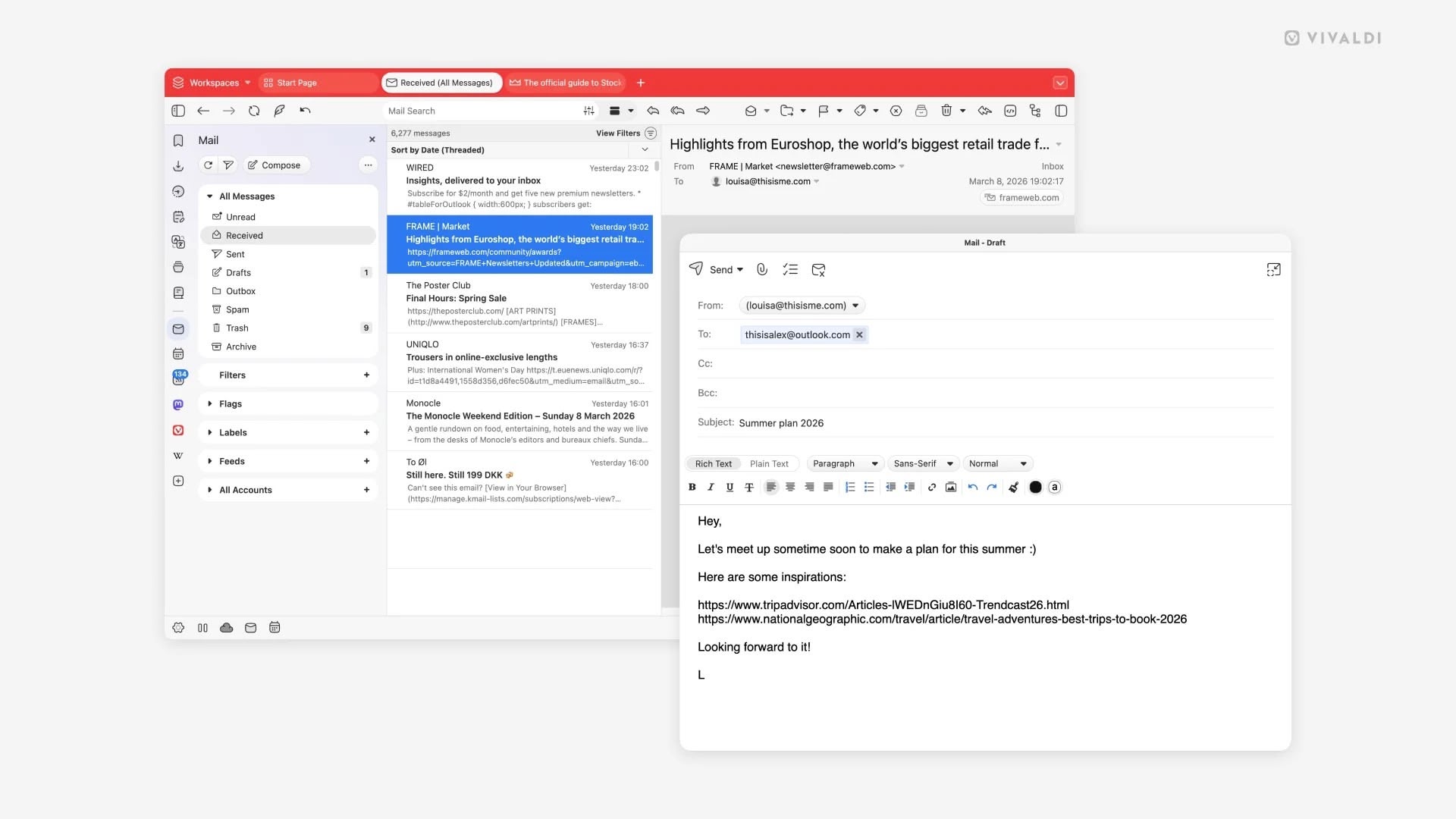
7.9_desktop_composer_window-vivaldi.jpeg

Vivaldi 7.9 is a free download for Mac, Windows, and Linux from the Vivaldi website. As with previous versions, the browser ships with built-in ad and tracker blocking, extensive tab management tools, and support for Chrome extensions.

Article Link: Vivaldi 7.9 for Desktop Adds Auto-Hide UI for Distraction-Free Browsing
 
  • Wow
Reactions: Z-4195


Vivaldi this week released version 7.9 of its desktop browser, which includes a new UI Auto-hide feature that clears the entire browser interface from view while you read, watch, or work.

vivaldi-auto-hide-ui.jpeg

When enabled, UI Auto-hide removes the tab bar, address bar, toolbars, and status indicators from the screen entirely, and moving the cursor to any edge of the window brings everything back instantly.

The feature can be configured to hide only specific elements like the tab bar, the address bar, or the full set of chrome all at once. UI Auto-hide can be toggled via the keyboard shortcut Command-F10, or through a new icon in the status bar. All available options live under Settings ➝ Appearance ➝ UI Auto-hide.
YES!!! FINALLY!!! I DON'T UNDERSTAND WHY IT TOOK BROWSER MAKERS TO CREATE THIS FEATURE!!! MIGHT ACTUALLY SWITCH TO VIVALDI NOW!!!
 
probably it's just me, but I think the term "window manager" implies the existence of windows, that might be dragged around. now, FWIW I can't understand why a 8-10mm window header is so disruptive that certain browsers either omit it completely or force the tab bar to double as window header - making it close to impossible to move w/o switching to a different tab or trying to aim into those few pixels between some flat UI elements.
if I'd want to have no distractions, I might just run the app in full screen - but this is a computer and not an entertainment device with some level of multitasking capabilities.
so if we have windows, we might just keep the window control surfaces in case some wants to move them.
 
It's worth noting that Safari can already provide part of this experience. In full-screen mode, if you turn off "Always Show Toolbar in Full Screen," the UI will auto-hide, which fits nicely with the whole distraction-free idea. Of course, I understand the other browser offers many additional features beyond that.
 
Pages used to have this but for the life of me I can’t find it anymore. I know it’s not a browser but more of this across the board would be nice.
 
Speaking of distraction-free browsing. We need auto-hide for content we don't want.

Don't know the first thing about programming—not my forte—can someone make a Safari plugin that blocks articles with an overlay if the article contains any keywords from a block list we add to. Would pay ten bucks.

Politics-free browsing, and more. Before I got banned from X my X keyword blocklist contained about 200 terms, it significantly improved my experience. Allowed me to avoid certain discussions entirely. Not only politics, but silly stuff like rage bait. Upcoming spoilers, even. Having this emoji in there "🚨" cut out so much crap. Keyword blocklists are an underrated tool. Should be a standard feature of all browsers to tailor your web experience.

I understand that it's not a small ask as the tool would need to work differently across each site, but surely some clever programmer can figure it out. (block titles and bodies of articles containing keywords with opaque visual overlay)

Btw, if you were wondering how I got banned. No idea, as the reason they gave me was untrue, and they ignored all of my appeal questions. My ban did come about a week or two after I posted twice asking why there were so many bots on there. It seems to me like 50% of accounts on there are fake. Alas. Besides YouTube and choosing to watch largely positive content on there, have mostly quit social media. Getting banned was good for me.
 
Last edited:
  • Like
Reactions: g-7, rb2112 and p96
probably it's just me, but I think the term "window manager" implies the existence of windows, that might be dragged around. now, FWIW I can't understand why a 8-10mm window header is so disruptive that certain browsers either omit it completely or force the tab bar to double as window header - making it close to impossible to move w/o switching to a different tab or trying to aim into those few pixels between some flat UI elements.
if I'd want to have no distractions, I might just run the app in full screen - but this is a computer and not an entertainment device with some level of multitasking capabilities.
so if we have windows, we might just keep the window control surfaces in case some wants to move them.
Yep, I don't get this obsession with hiding window Chrome. Apple themselves do it sometimes - eg either the iPhone Mirroring app.

I also hate the modern trend towards UI elements that appear on mouse-over. The number of times I've attached an emoji to a message in Teams because I was trying to select text in the message above it...
 
when I left Firefox during its AI fiasco and tone-dead community responses, I discovered Vivaldi and haven't looked back. I appreciate their business ethics and focus on user-experience. it's a great browser if you haven't v tried it and has an iOS version with encrypted sync to keep it all together.
 
probably it's just me, but I think the term "window manager" implies the existence of windows, that might be dragged around. now, FWIW I can't understand why a 8-10mm window header is so disruptive that certain browsers either omit it completely or force the tab bar to double as window header - making it close to impossible to move w/o switching to a different tab or trying to aim into those few pixels between some flat UI elements.
if I'd want to have no distractions, I might just run the app in full screen - but this is a computer and not an entertainment device with some level of multitasking capabilities.
so if we have windows, we might just keep the window control surfaces in case some wants to move them.

I'm probably not alone in using the keyboard to move and resize windows, so for many there is no need to drag them around

I highly recommend https://github.com/ianyh/Amethyst
 
I'm envisioning a modern nightmare web page full of blinking ads and popovers everywhere... but no toolbar at the top...

"Ah, now I can really focus on the content"

instal adgaurd on you router, connect all of your devices through tailscale, never see another ad again

the internet looks insane whenever I see it on someone else's device
 
Is this something that people who only use one app at a time like? I don't understand the use case or preference.
 
  • Like
Reactions: g-7
Maybe Apple should experiment with this and find a way for Liquid Glass to disappear completely until you need to click on buttons; that might actually be a compelling reason to keep Liquid Glass on macOS, just have it go away until you mouse towards the top or bottom of where a "interaction" might take place.
 
Register on MacRumors! This sidebar will go away, and you'll see fewer ads.