
Got a tip for us?
Let us know
Become a MacRumors Supporter for $50/year with no ads, ability to filter front page stories, and private forums.
Why do some continue using Microsoft Office on Mac?
- Thread starter Benz63amg
- Start date
- Sort by reaction score
You are using an out of date browser. It may not display this or other websites correctly.
You should upgrade or use an alternative browser.
You should upgrade or use an alternative browser.
Which office? If you mean MS Office, then that was an MS product from the ground up. Microsoft hired Richard Brodie, formerly of Xerox to assist on creating Word. Libre Office started out as a German product Starwriter for DOS, switching to OS/2 before Windows became the primary focus.B.t.w.: did you know that Office was a (freetime) Xerox invention around 1968? MS got it for free (!!!)
There were lots of productivity applications around on various platforms before Microsoft decided it wanted its own and most have vanished. MS Office was not inherited from Xerox as far as I know.

IvyKing
macrumors 6502a
Star Office was also ported to Solaris and Linux about the time Sun bought Stardivision. Sun then spun off OpenOffice, which was forked to Libre Office. The version of Staroffice released about the time of the Sun purchase had an amazing number of import filters. Star/Open/Libre office also had the amusing ability to fixed some mangled MS-Word docs.Libre Office started out as a German product Starwriter for DOS, switching to OS/2 before Windows became the primary focus.
One feature of Open/Libre Office that I like is the draw program.
Its time for me to give up on Office, mostly because of how frustrating OneDrive is. I think its functional but annoying on windows but I've had so many headaches on the Mac. Then there's MS desire to report everything do, for their AI, or selling it to the highest bidder.
I just manually downloaded all of my files from OneDrive, copied it to a new drive, and I'm about to delete OneDrive from my Mac, and install Libre Office.
Also give OnlyOffice a chance. Also open source and so far I've found its Word compatibility the best.
One of the curious features of OneDrive/Office which started defaulting to Autosave in the past few years is that every time you open a document, it immediately saves a copy so the version history always reflects the last person to open the file. Then of course just bumping around a document can easily add unintentional changes. At least that's how it worked at the very MS-centric client's configuration. I'm more of a only save if requested, don't make changes unless the user intended to kind of person. Documents aren't preferences files. However, the "app" model seems to have invaded.


it wasnt me
macrumors 6502a
LibreOffice can read and save in almost every file format.
Badly though.

DaveFromCampbelltown
macrumors 68020
One thing LibreOffice can do well that MS Office can't is work with multi-file documents. And putting your multi-file Word document on OneDrive is a guaranteed way to kill it.
LibreOffice is so confident about their multi-file document system that all their documentation is created that way. You can download the documents as PDF or multi-file from their Documentation site.
Also, you can move your LibreOffice documents from Mac to Windows to Linux, and the formatting doesn't change. Try that with MS Office. The only reason I keep a copy of Windows and MS Office is to save any documents under Office for Windows before I send them off.
LibreOffice is so confident about their multi-file document system that all their documentation is created that way. You can download the documents as PDF or multi-file from their Documentation site.
Also, you can move your LibreOffice documents from Mac to Windows to Linux, and the formatting doesn't change. Try that with MS Office. The only reason I keep a copy of Windows and MS Office is to save any documents under Office for Windows before I send them off.

SnowCrocodile
macrumors 6502a
The big problem I have with LibreOffice is that there's no good native app for iPhone / iPad.
Collabora Office is super clunky, laggy, and overall a horrible user experience.
The 3rd party suites either don't support OO format, or are by Chinese or Russian companies.
I have since decided that I will just use Apple office (Numbers, mainly) for personal files.
Collabora Office is super clunky, laggy, and overall a horrible user experience.
The 3rd party suites either don't support OO format, or are by Chinese or Russian companies.
I have since decided that I will just use Apple office (Numbers, mainly) for personal files.

maflynn
macrumors Broadwell
I saw that mentioned when I was doing some research on Libra Office - I'll down it and check it out.Also give OnlyOffice a chance. Also open source and so far I've found its Word compatibility the best.
That's not an issue for me, as I don't need, or care to use word/excel on my iphone and I don't use an iPad for documentation creation, hell I barely use my ipad mini these days.The big problem I have with LibreOffice is that there's no good native app for iPhone / iPad.
I tried to use Numbers, but its not set up in a way that makes editing and using larger spreadsheets easy. I found it more cumbersome then anything else - might be due to my being so used to excel.I have since decided that I will just use Apple office (Numbers, mainly) for personal files.
I also need something that's closer to word and excel for my wife when she needs to use it.
I don't know what Onedrive is, presumably something bundled with the whole Office package? I just got word, excel and ppt separately, it's free (if you know, you know), does the job, and I expect them to last for as long as it takes, provided I won't at some point be forced to upgrade the OS.
for brainstorming, note taking, drafting, transcribing etc, I use TextEdit in plain-text mode - as featured in New Yorker.
for brainstorming, note taking, drafting, transcribing etc, I use TextEdit in plain-text mode - as featured in New Yorker.
maflynn
macrumors Broadwell
Their cloud storage service, and with newer versions of office, its largely defaulting and pushing you to save there and not your local storage.I don't know what Onedrive
I don't know what Onedrive is, presumably something bundled with the whole Office package? I just got word, excel and ppt separately, it's free (if you know, you know), does the job, and I expect them to last for as long as it takes, provided I won't at some point be forced to upgrade the OS.
It's a file hosting service along the same lines as iCloud Drive and Dropbox. Similar to iCloud Drive, MS integrated it in with Windows and Office. Similar to a lot of things these days you don't need to use it but software increasingly defaults and steers you to it.
for brainstorming, note taking, drafting, transcribing etc, I use TextEdit in plain-text mode - as featured in New Yorker.
After you stop and step back, you realize all that other stuff is a distraction. I do the same in Apple Notes these days. Sometimes I do splurge on Bold/Underline and bullets but that really covers 99% of it.
Similar to iCloud Drive, MS integrated it in with Windows and Office. Similar to a lot of things these days you don't need to use it but software increasingly defaults and steers you to it.
there are one-off perpetual license 'offline' packages like 'Office Home', and then all the subscription-based '365' plans, which include Onedrive.
the only downside as far as I'm aware is that I can't enable auto-save, which is of no consequence really.
FWIW, I see that your wife needs some amount of compatibility. Not sure what you were using previously, but MS does sell a version of office that is a one-time stand alone license. That's how IU buy mine. It doesn't include onedrive & doesn't really push you to use one drive (I suppose it might if I used autosave).Their cloud storage service, and with newer versions of office, its largely defaulting and pushing you to save there and not your local storage.
If the Office Alternatives thet you try, don't work out, the stand alone version of Office might be worth it. I think they are up to v 24 of the Mac Office suite. The only reason I mention it is your familiarity with excel and your wife's need for compatibility.
I suspect the idea is that many users use more than one device (e.g.: desktop, notebook, a work device and a home/personal device) to access some of the same files, so having the default make them seamlessly accessible to all your devices from anywhere with online access makes sense. If the provider's system also backs up files stored on that service, even better.It's a file hosting service along the same lines as iCloud Drive and Dropbox. Similar to iCloud Drive, MS integrated it in with Windows and Office. Similar to a lot of things these days you don't need to use it but software increasingly defaults and steers you to it.
Some people elsewhere indicated a growing interest in network attached storage (NAS) products in an effort to get similar benefits without their 'data' being in the hands of Microsoft, Apple, Google, etc.
I wish Apple's iCloud services could all work seamlessly using a NAS instead of Apple's system, but I'm not holding my breath waiting...
IvyKing
macrumors 6502a
My experience is that Libre Office is closer to the MS Office experience than Pages and Numbers.I also need something that's closer to word and excel for my wife when she needs to use it.
OTOH, having experienced using a variety of ways to generate formatted text, I really detest the MS Word way of doing things (prefer the original Word for DOS over current versions). My number 1 complaint is how images are inserted, where I much prefer the paradigm of first creating a container for the image and then placing image in the container. With most "word processors", the process of placing an image in a document involves a lot of wrestling with the image.
Having said that, unless MS-Word compatibility is an absolute necessity, I prefer using Pages over Word.

Luftkopf
macrumors 65816
I’ve never really used Excel outside of class work. I used Lotus 123 about as much as Excel! Mostly I used Quattro Pro.
Pages and Numbers have been great for me, and I have never felt any need to use anything else. Now that I’m getting accreditation for a new aspect of my job, there are a number of industry spreadsheets that I’ll need to use that are made in Excel. I’m going to have to see if I can get away with using the free web based version or whether I will have to lower myself to buying a copy.
Pages and Numbers have been great for me, and I have never felt any need to use anything else. Now that I’m getting accreditation for a new aspect of my job, there are a number of industry spreadsheets that I’ll need to use that are made in Excel. I’m going to have to see if I can get away with using the free web based version or whether I will have to lower myself to buying a copy.
Some of us have used MS Office so long, we are proficient and don't want to relearn. There are a few minor personal preferences, such as MS Powerpoint clip tool is freaking awesome. The Excel experience in the past was smoother, but recent LibreOffice is quite robust and works well. I tried Office for Mac a decade ago and the Mac version was terrible compared to the Windows version, so bad...

Digital Dude
macrumors 68000
When I was still working, I used Microsoft Office regularly and continued using it after retirement, but over time my need for a word processor declined. The word processor was the only module I really used, though it was easier to purchase the full suite. These days, if I need to prepare a formal document, I can easily do it with one of the available AI tools. As for Apple, they have not advanced much since the early days when we had AppleWorks, which was essentially a kindergarten version of Office.
Trivia: Microsoft Word first launched on the Macintosh in 1984, before Windows existed. Back then, the Mac had the only graphical user interface widely available, so Bill Gates and team targeted it for developers and early adopters craving visual editing. 👨🔬
Trivia: Microsoft Word first launched on the Macintosh in 1984, before Windows existed. Back then, the Mac had the only graphical user interface widely available, so Bill Gates and team targeted it for developers and early adopters craving visual editing. 👨🔬

mtbdudex
macrumors 68040
Some of us have used MS Office so long, we are proficient and don't want to relearn. There are a few minor personal preferences, such as MS Powerpoint clip tool is freaking awesome. The Excel experience in the past was smoother, but recent LibreOffice is quite robust and works well. I tried Office for Mac a decade ago and the Mac version was terrible compared to the Windows version, so bad...
Everyone likes a different cup of tea.
I’m still using MS Office 2016 on my late 2015 27” iMac 10 years later!
That i7 machine has 3TB hard drive, lovely screen, maxed RAM, zero issues . It’s our loft computer, will be until it dies. Stuff backup on 4 bay NAS.
I’ve never owed a WinTel machine at home , used WinTel at work till retirement 5 months ago after 40 years in the auto OE business.
I’m also using MS office on my M3 MacPro laptop.
Last edited:
mtbdudex
macrumors 68040
Trivia: Microsoft Word first launched on the Macintosh in 1984, before Windows existed. Back then, the Mac had the only graphical user interface widely available, so Bill Gates and team targeted it for developers and early adopters craving visual editing.

Upon seeing the 128k Mac I had an epiphany and ordered it, complete with MacWrite and MacPaint.
My lens of Microsoft is from experiencing first hand what happened in the business world via my auto OE work 1985 - 2025.
Remember “desktop publishing “?
FWIW I was an active member of the Ann Arbor SIG Mactechnics, taught classes on Saturdays.
Me in September 1984, prior I had a Timex Sinclair - with the 16k extra RAM module.
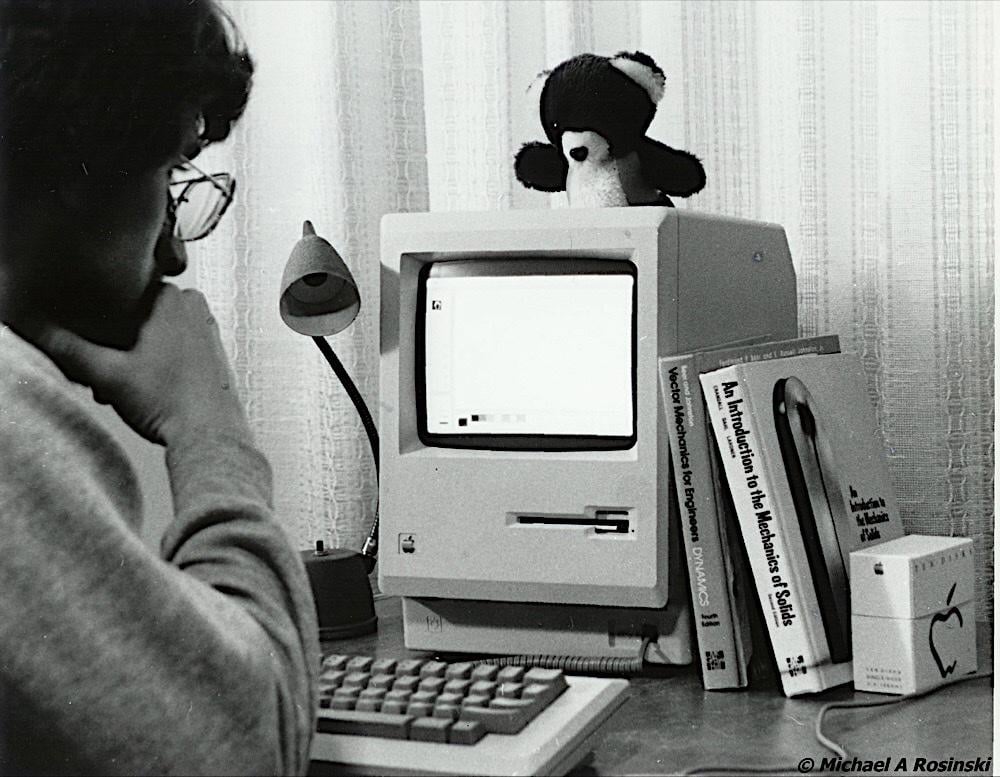
Yes I have 1st edition
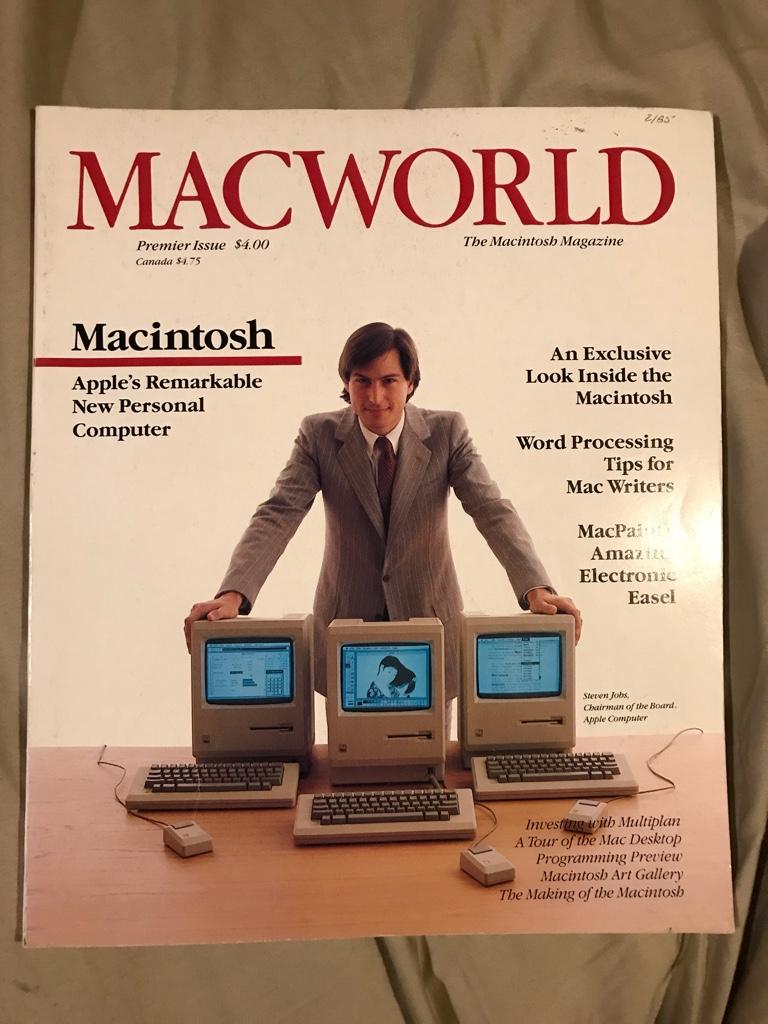
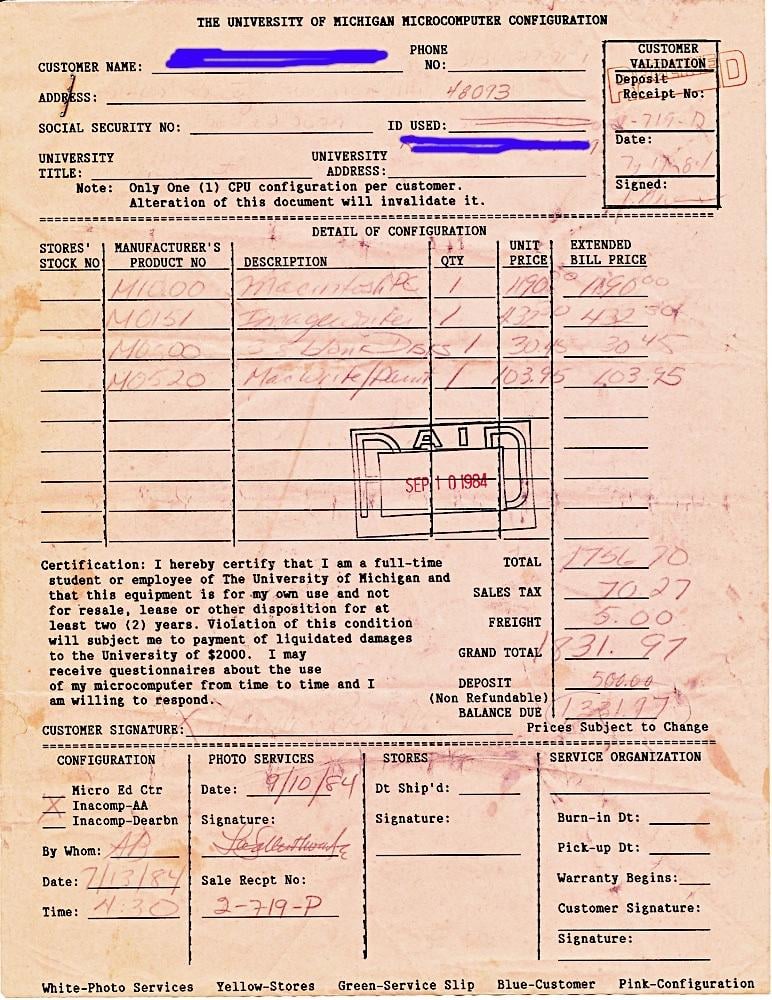
maflynn
macrumors Broadwell
Yep, I cut my teeth on Lotus 123, I used wordstar, and then when excel came out for the Mac, it was a thing of beauty.Some of us have used MS Office so long, we are proficient and don't want to relearn.
I tried Pages, Numbers, Keynote but couldn't get on with them so I tried to de-Microsoft my installation of Office as much as possible - installing the individual Word, Excel, PowerPoint apps from the Mac App Store so that the store manages the updates and you don't have the Microsoft Autoupdate app running in the background and no extra apps like Teams or OneDrive snuck in.
Also inside the app in the privacy settings there is a setting for "connected experiences"; there are 3 options and I turned all of those off, one of them turns off things like looking up grammar fixes online and translations, one of them turns off things like online Clip Art and templates and one of them turns everything off including OneDrive cloud storage so it just works locally (and I can save files to iCloud Drive using the built-in save sheet).
It's still Microsoft, and every time it does an update I am always checking that these settings stay turned off (As well as the Copilot setting) but it's as clean and non-cloud as I can make it!
Also inside the app in the privacy settings there is a setting for "connected experiences"; there are 3 options and I turned all of those off, one of them turns off things like looking up grammar fixes online and translations, one of them turns off things like online Clip Art and templates and one of them turns everything off including OneDrive cloud storage so it just works locally (and I can save files to iCloud Drive using the built-in save sheet).
It's still Microsoft, and every time it does an update I am always checking that these settings stay turned off (As well as the Copilot setting) but it's as clean and non-cloud as I can make it!
DaveFromCampbelltown
macrumors 68020
I cut my teeth on WordStar, CalcStar and DataStar. While not sold as an office suite, the level of integration between the three wasn't emulated by other companies until quite some years later.Yep, I cut my teeth on Lotus 123, I used wordstar, and then when excel came out for the Mac, it was a thing of beauty.
Digital Dude
macrumors 68000
I completely forgot about Lotus, and I was also there from the beginning with that suite. I even had the first version of Microsoft Word back in 1984. My favorite word processor back then was WordPerfect and I still think it was easier to use than Word.Time really flies… ⏳Yep, I cut my teeth on Lotus 123, I used wordstar, and then when excel came out for the Mac, it was a thing of beauty.
Well, let's see... I still have a functioning Apple ][+ or two, two or three Apple ][GSes that still work, my original MacPlus which still works, a Mac LC, several gumdrop shaped iMacs and two fruit-colored iBooks, etc. Moving to somewhat more modern Macs, I have an antiquated MacMini (I believe the first one to sport an Intel processor), a 2009 vintage 17 inch MacBook Pro, 2010ish vintage iMac (that serves as a repository for my old iTunes music purchases), a 2013 vintage retina MacBook Pro (that I keep to run 32 bit software that won't run on current versions of MacOS). There may be more but those are the ones I can think of off the top of my head.a keyboard is not a computer. How many Apple Macintosh still remain functioning?
Bottom line: In my personal experience, many ancient Macintoshes still remain functioning. Of these, I actually USE very few, but that wasn't the question. They still function.