

When I access YouTube through Safari on iOS 18 sometimes I cannot see videos via my T-Mobile cellular data. On Wi-Fi, it’s not an issue.
Right now, I am on data but cannot watch a live stream. The screenshot shows the YouTube setting for Restricted Mode but it’s disabled.
I am not using any sort of Google network or Google product other than YouTube itself. I’m the account holder on my T-Mobile plan, but they have no idea what could be causing this. This does not seem to be related to a particular version of iOS, either.
I have no ad blocker software on my phone. No VPN software, either.
Also, I don’t appear to have the ability to check or modify DNS for cellular data.
1. Any ideas on how I can enable this setting and turn it off?
2. Any idea why Ryan Hall Y’all would be considered restricted content? (IMO, that’s plum wild.)
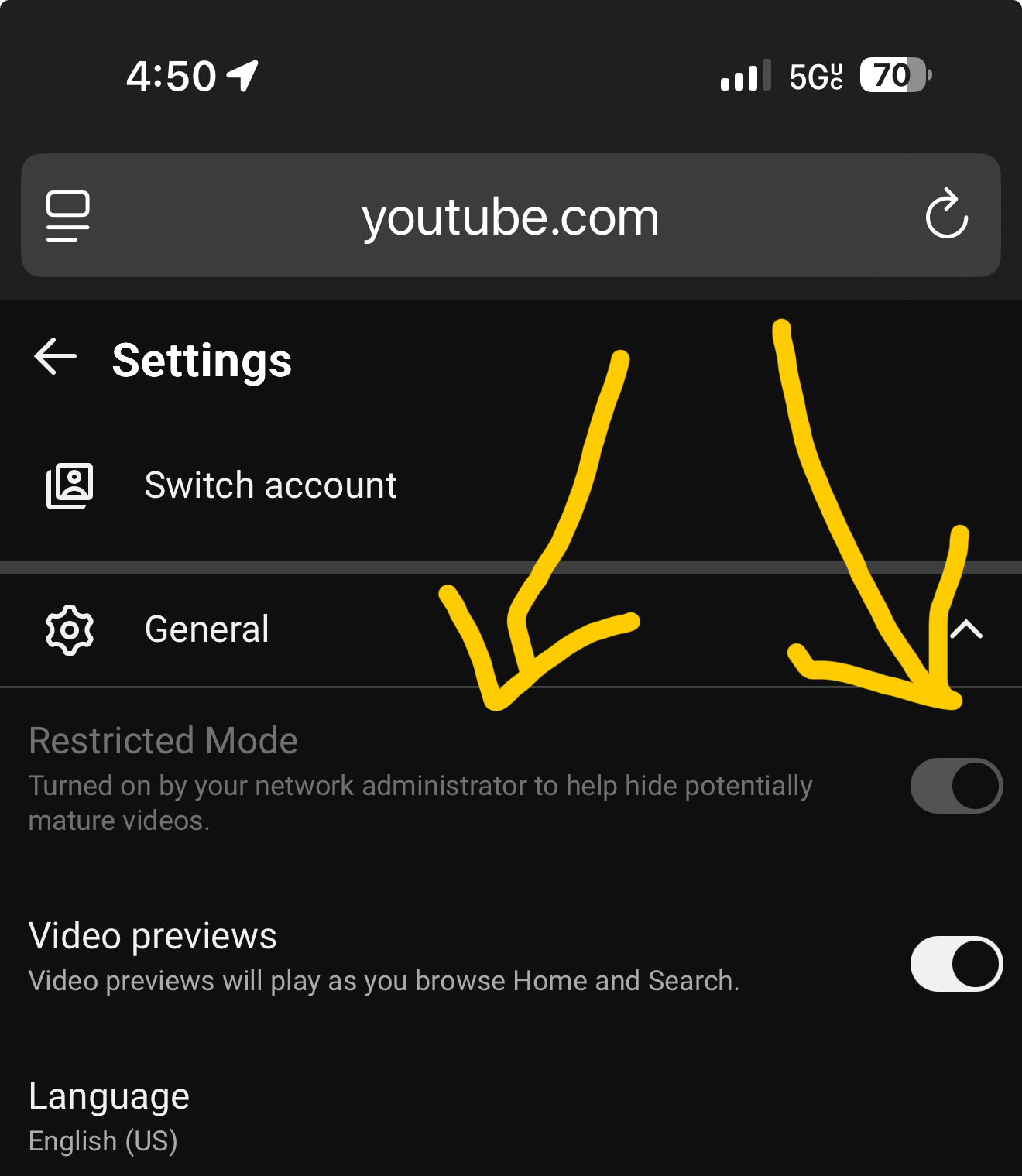
Right now, I am on data but cannot watch a live stream. The screenshot shows the YouTube setting for Restricted Mode but it’s disabled.
I am not using any sort of Google network or Google product other than YouTube itself. I’m the account holder on my T-Mobile plan, but they have no idea what could be causing this. This does not seem to be related to a particular version of iOS, either.
I have no ad blocker software on my phone. No VPN software, either.
Also, I don’t appear to have the ability to check or modify DNS for cellular data.
1. Any ideas on how I can enable this setting and turn it off?
2. Any idea why Ryan Hall Y’all would be considered restricted content? (IMO, that’s plum wild.)

