Become a MacRumors Supporter for $50/year with no ads, ability to filter front page stories, and private forums.

MacRumors

macrumors bot
Original poster
Last edited:
Backup regularly, all your productivity is meaningless if you aren't backed up.

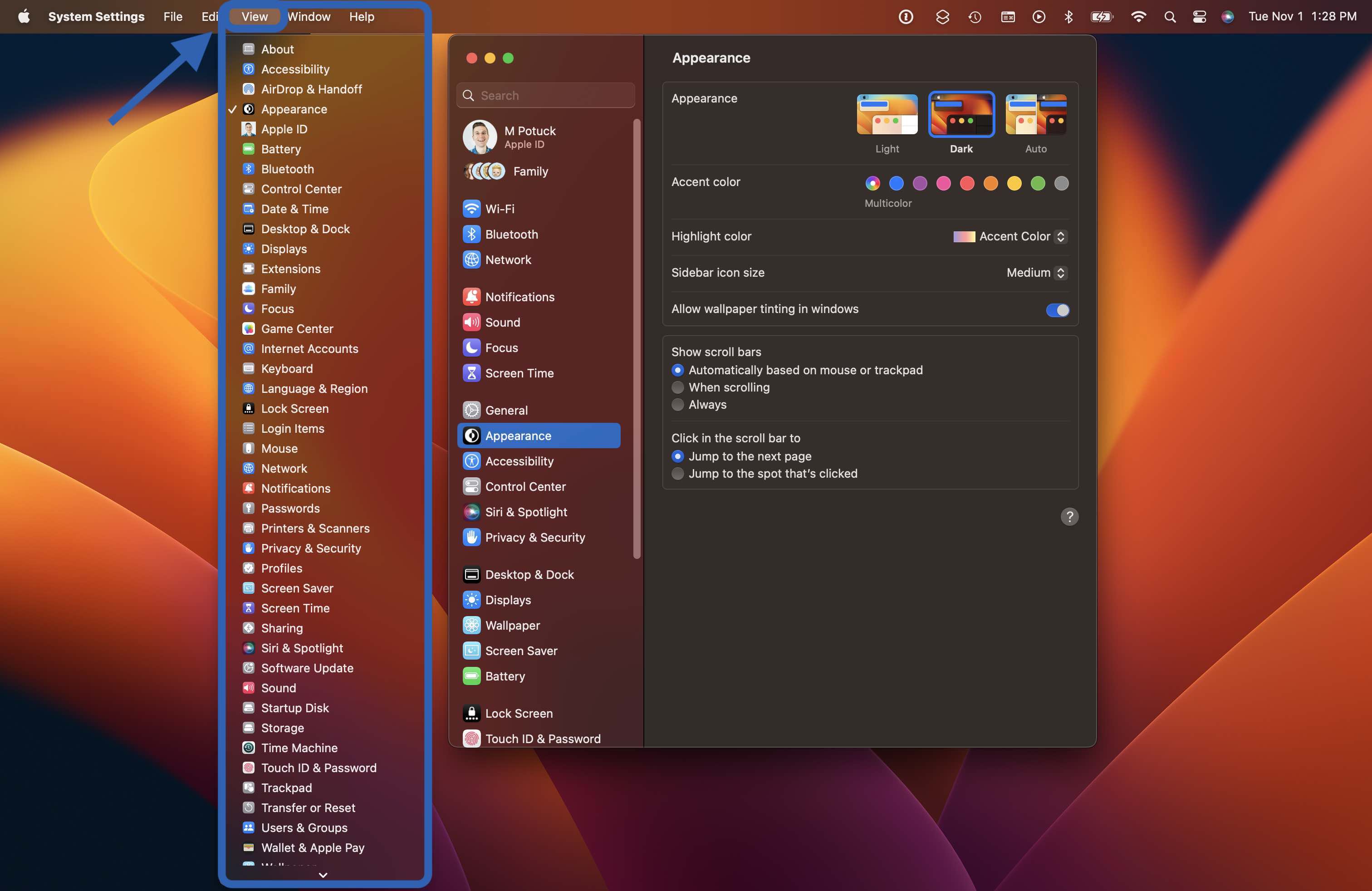
Use the "view" pull down menu when system settings is opened, 40 choices to pick from rather than navigate the vertical hierarchy.

mac-system-settings-macos-ventura-2.jpg
 
Last edited:
#8, the text clippings thing, could be useful for me on occasion. When I try to drag the selected text to the desktop, however, it just creates a new text selection. What am I missing?
 
use the key combination Command-Shift-V and it will be stripped of any formatting
Never knew this. Super useful!

Edit: I spoke too soon. It doesn't work for me. I tried it, and for some reason CMD-SHIFT-V opens up a dialogue box asking me to choose a file that I want to insert into the document.

EDIT 2: As was later pointed out, it’s CMD-SHIFT-OPTION-V.
 
Last edited:
I wish Finder's path bar would behave more like Windows Explorer url bar.

You can copy the current folder path holding option > Edit > Copy .. as Pathname (Right click holding option will give you that option as well). When in an other finder window, or save/open dialog you can then Go > Go to folder .. to paste the pathname and navigate there.

I created shortcuts in Keyboard Settings:
  • Services > General > Copy Finder Window Path: Cmd + Shift + C
  • App Shortcuts > Finder > Go to Folder: Cmd + Shift + G
 
Backup regularly, all your productivity is meaningless if you aren't backed up.

Use the "view" pull down menu when system settings is opened, 40 choices to pick from rather than navigate the vertical hierarchy.

mac-system-settings-macos-ventura-2.jpg
You also used to be able to hide them from the 'vertical hierarchy', but not anymore I guess.

And yes — backing up is essential. I even keep drives with super important files in a safety deposit box)
 
#8, the text clippings thing, could be useful for me on occasion. When I try to drag the selected text to the desktop, however, it just creates a new text selection. What am I missing?
In my experience, you have to highlight the text, click on it, and then hold for a moment before it becomes draggable. If you do it too fast, it doesn't recognize that you're not just trying to make another text selection.
 
Last edited:
Register on MacRumors! This sidebar will go away, and you'll see fewer ads.