

Become a MacRumors Supporter for $50/year with no ads, ability to filter front page stories, and private forums.

MacRumors

macrumors bot
Original poster


With the debut of the new 14-inch and 16-inch MacBook Pro models, Apple has brought a fast charge capability to the Mac for the first time, allowing users to charge the laptop battery up to 50% in just 30 minutes.
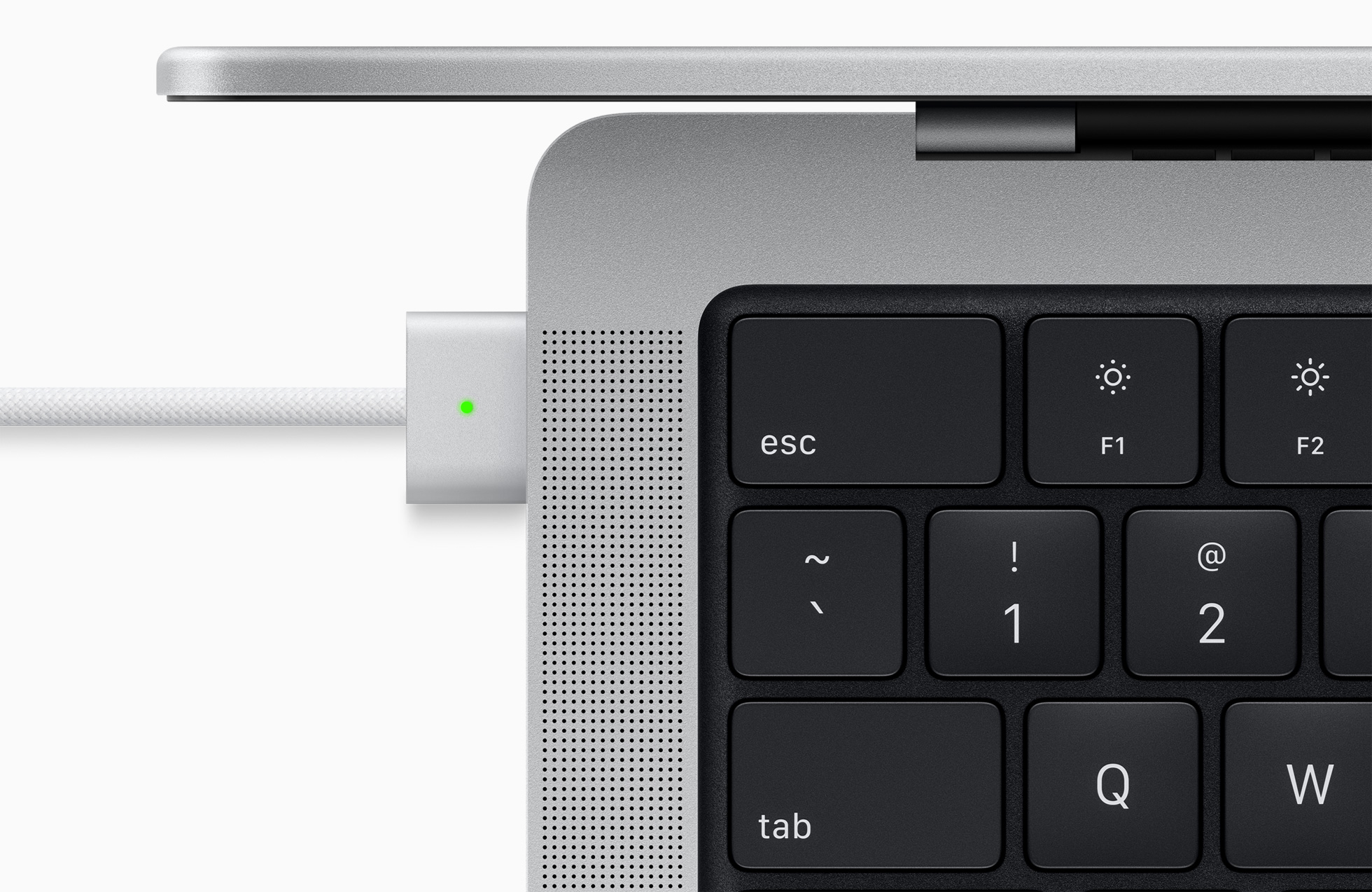
macbook-pro-magsafe-3-charging.jpg

But there's a difference between models with this feature that Apple didn't really mention. While both models can be charged over Thunderbolt or MagSafe, only the 14-inch MacBook Pro can fast charge over the USB-C/Thunderbolt 4 ports as well as MagSafe.

By contrast, the 16-inch MacBook Pro is limited to fast charging over the MagSafe port. The reason is likely down to the fact that the Thunderbolt 4 ports are capable of charging at a maximum of 100W, and the 16-inch MacBook Pro uses a 140W power adapter, so the same fast charging speed can't be claimed. Meanwhile, the 14-inch model uses a 67W power adapter for the 8-core machine and a 96W power adapter for the 10-core machine, so it doesn't reach the maximum TB4 power delivery.

This limitation on the 16-inch MacBook Pro is unlikely to be a big deal for most users, as the MagSafe 3 port is made exclusively for charging and won't be engaged for any other reason. That said, this difference between the two seems worth highlighting given the various cable/dock setups prospective owners could be envisioning for their workflow.

The new MacBook Pro models can be ordered now, with pricing starting at $1,999 for the 14-inch model and at $2,499 for the 16-inch model. The notebooks will begin arriving to customers and launch in stores on Tuesday, October 26.

Article Link: 14-inch MacBook Pro Can Fast Charge Via Thunderbolt, But Fast Charge Limited to MagSafe in 16-inch Model
 
Last edited:
  • Wow
Reactions: SurferPup
Will the 16 inch M1 Max need to be plugged into MagSafe power when using a Pro Display XDR? Really value the single thunderbolt cable at the moment.
 
Nothing to worry about in real life. The battery on the 16 is very impressive but the size I imagine most people will have this tank plugged in more often then not. Thing is so heavy
 
  • Like
Reactions: Galas
Product design is about managing a set of often conflicting goals and requirements.

It's an engineering trade. Life goes on. TC does not need to be fired.
 
  • Like
Reactions: Borin
I would not call this a caveat. There is now again a dedicated power supply port with the beloved mag safe feature and it can do the work it is intended for.
It is a nice add on that USB C can also provide power and charging, but I have always been happy with the charging speed of my old MacBooks, and if USB C provides that as well I think users will be in charging heaven: fast through mag safe, normal if needed through USB C.
 
I would not call this a caveat. There is now again a dedicated power supply port with the beloved mag safe feature and it can do the work it is intended for.
It is a nice add on that USB C can also provide power and charging, but I have always been happy with the charging speed of my old MacBooks, and if USB C provides that as well I think users will be in charging heaven: fast through mag safe, normal if needed through USB C.

Excellent analysis.
 
"But there's a caveat to this feature that Apple didn't really mention. While both models can be charged over Thunderbolt or MagSafe, only the 14-inch MacBook Pro can fast charge over the USB-C/Thunderbolt 4 ports as well as MagSafe. By contrast, the 16-inch MacBook Pro is limited to fast charging over the MagSafe port......"

So - If I read this correctly I can still connect the new 16" MBP to my 2 XDR Pro Displays and have them charge it as needed -- like I do the 2020 version -- I do not "need" to connect it to the magsafe and 140w power block!
 
Honestly with a big power supply, my M1 MacBook Air feels like it's fast-charching already. I just plug it into my external display via USB-C and everything is connected (display, sound, webcam, mouse, charing power), having everything go through one cable is great.

I like how using a USB-A to USB-C cable keeps the charge right where it is when doing semi-intensive stuff and slowly charges the thing when it's mostly idling or sleeping. Great for charging it slowly overnight and there's lots of cables out there with magnetic break-away ends so it feels like Magsafe.

I recommend keeping the battery around 50% charged and "exercising" it every now and then by letting it drain to 10%ish and then doing a 100% charge before letting it go to 50 again.

Lithium ion batteries like to be around 50% charged, especially if you're not using them so I highly recommend getting this little tool that just tells the SMC to stop charging when it's reached a given percentage: https://github.com/davidwernhart/AlDente
 
  • Like
Reactions: Big Ron
The IO for a 4th TB is already been used for the internal display and HDMI, so if you tried to use all 4 ports you would run into issues.

Unless the M1 chip is limited to 4 TB ports by design they could have added a 4th and made Magsafe USB-C cable.
 
Register on MacRumors! This sidebar will go away, and you'll see fewer ads.