

Hi everyone,
A couple of years ago, I came across a bug when writing a script for renaming files. I posted about it in the MacRumors Apple Programming forum and had a brief but very illuminating discussion with several members of this community, for which I am still grateful (turns out it was a genuine macOS bug).
The problem I was trying to solve was how to quickly prepend my files and folders with a consistent date format. I sometimes also used a batch renaming app, but it lacked flexibility and I didn’t like having to drag my files into the app window each time.
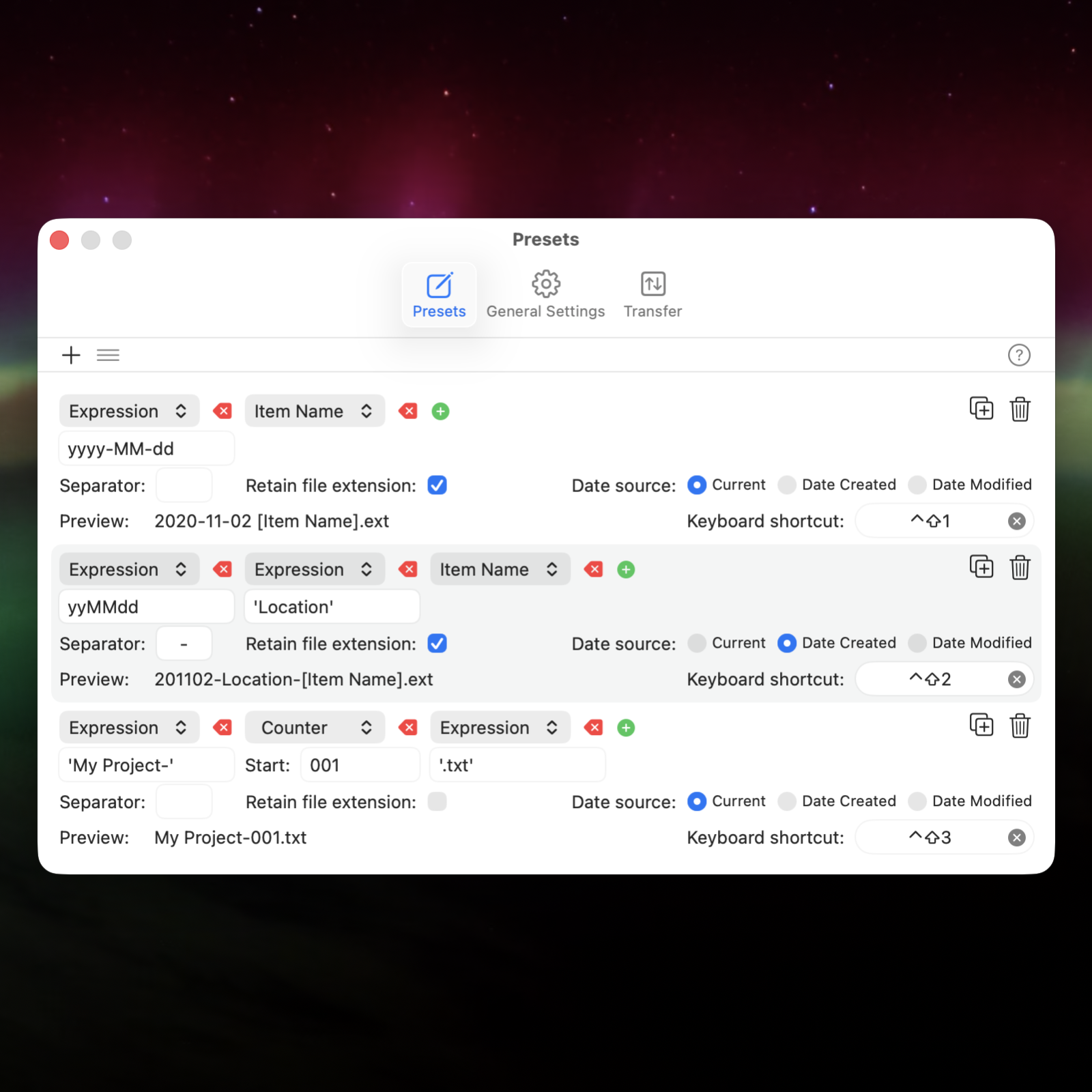
That’s why I created Appendage, a menu bar utility built in Swift that allows you to rename files with minimal friction and plenty of flexibility. You set up naming schemes once, bind them to keyboard shortcuts, and from then on renaming is just a keypress. No window, no UI to wrestle with.
As (also) an architect, I use it daily to organise file notes, photos, receipts, and invoices. It would be just as handy to lawyers, bookkeepers, photographers, and videographers, basically anyone who deals with a lot of files and wants them named quickly and consistently.
Free 14-day trial on my site: https://jostan.au/appendage. I’d love to hear your feedback, including any workflows that the app has managed to streamline for you.
A couple of years ago, I came across a bug when writing a script for renaming files. I posted about it in the MacRumors Apple Programming forum and had a brief but very illuminating discussion with several members of this community, for which I am still grateful (turns out it was a genuine macOS bug).
The problem I was trying to solve was how to quickly prepend my files and folders with a consistent date format. I sometimes also used a batch renaming app, but it lacked flexibility and I didn’t like having to drag my files into the app window each time.
That’s why I created Appendage, a menu bar utility built in Swift that allows you to rename files with minimal friction and plenty of flexibility. You set up naming schemes once, bind them to keyboard shortcuts, and from then on renaming is just a keypress. No window, no UI to wrestle with.
As (also) an architect, I use it daily to organise file notes, photos, receipts, and invoices. It would be just as handy to lawyers, bookkeepers, photographers, and videographers, basically anyone who deals with a lot of files and wants them named quickly and consistently.
Free 14-day trial on my site: https://jostan.au/appendage. I’d love to hear your feedback, including any workflows that the app has managed to streamline for you.