Become a MacRumors Supporter for $50/year with no ads, ability to filter front page stories, and private forums.
Status
The first post of this thread is a WikiPost and can be edited by anyone with the appropiate permissions. Your edits will be public.
Issues seem easier to report, but it's a moot point since they still don't actually change anything. Weis Markets moved at least two months ago and Maps still finds the old address showing permanently closed, and nothing with the new one. Google was updated in less than a week. I would be angry if I were Weis.

Did you submit a change for it?

Every new business I check thinking it won’t be on Maps or updated actually is. I’m actually surprised usually. Hah.

I submitted a new bank building that opened up near my house and it was added to Maps within a week.
 
Waitaminute

2C854DCB-9E0F-431E-91C6-8622B0E73EE5.png


I’m not on iOS 15. When did we have this style of search, where you could sort between popular brands? I thought this was a new feature coming out with iOS 15….

Annnnnd now I can’t make it come back. Weird.

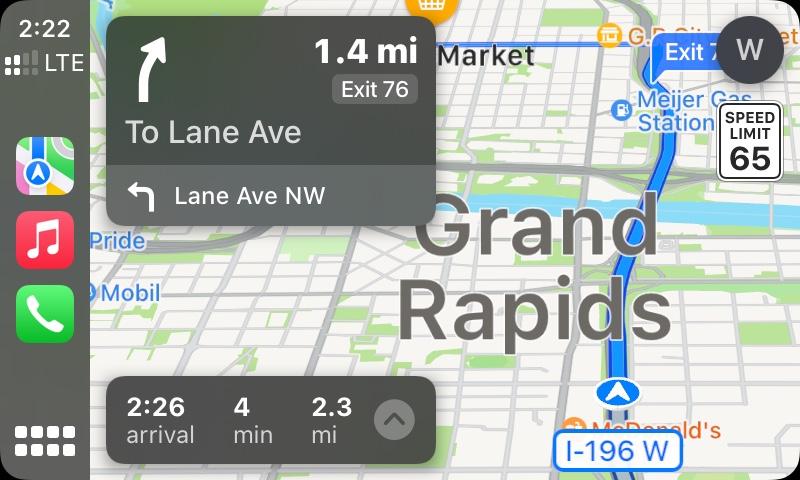
Definitely something different going on today. I noticed on my drive upstate that road name bubbles were popping up at every instance where the name of the road was going to change. This used to happen pre-iOS 13. I was also encountering Interstate shields randomly along my route, which would normally only appear when crossing, entering, or leaving said highway. In this instance, it appears that the Interstate shield was appearing at a location where there was a connection between the two directions of travel. (Where you often see police lying in wait.) Before today, approaching such connections, Apple Maps placed a standard road label with the name of the highway, such as “I-684 S”. Now it just showed the shield.
1EC90C49-8FB4-41A3-B1A7-F8BB87544FDB.png


97473C38-9CDE-4FE5-8031-8F780699E40C.png


38D7B587-4E70-437C-B061-566B1DBDE6FB.png
 
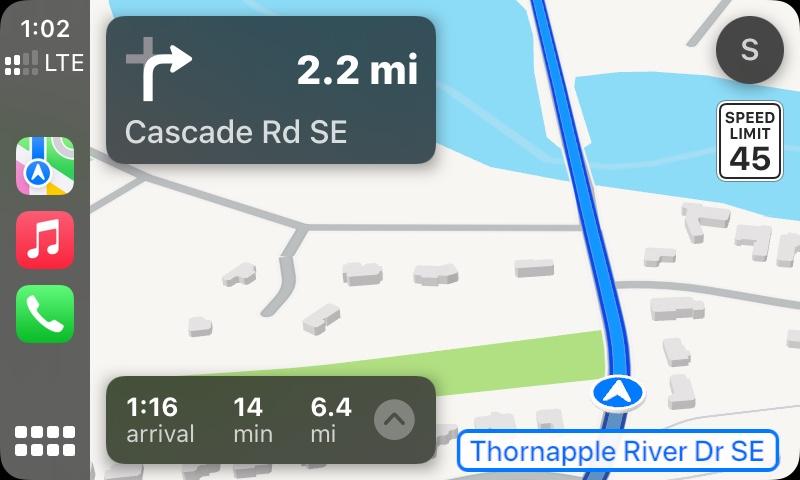
Maps keep teasing me with 3D buildings while en route.

And what’s with the oversized text?

Something’s coming….

033a3acc58dd31c2a3ba9fa5dbacbfcd.jpg

0119308b4d95f2bb4dcf55b9dccc0b05.jpg
 
  • Like
Reactions: G1Ravage
We're definitely entering the Twilight Zone now. Last time things got this funky was in the final weeks before the launch of iOS 13, IINM.

On my drive home, all Interstate shields vanished off the map, and instead, Maps showed the name of the highway instead. Then at some point, all road labels vanished completely. That hasn’t happened in a loooooong time. There must be a lot going on behind the scenes right now.

1E83BE52-AAEF-459D-BAFA-3036C64B3301.png


Also, there are a lot of golf courses around these parts. lol

5A3049D2-A340-4426-AECB-5404C449289E.png
 
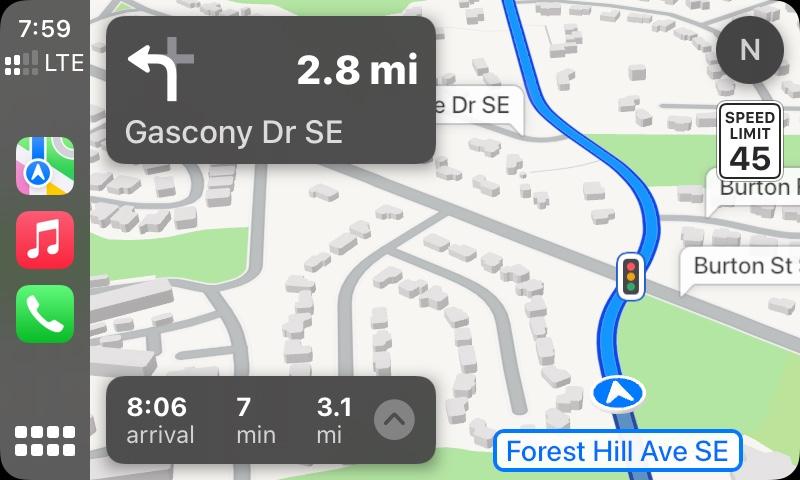
I got 3D buildings again on the way home from sushi…and then as I started going from 45-55, they started disappearing again. Maps is such a tease…

3a317c12f7e13f1f3533edc5c4cd2733.jpg
 
I've come to the realization that the highway shields disappearing off the map in navigation mode may have been my fault, or rather, because Apple Maps misunderstood feedback I had sent them recently.

Currently trying to clarify and get it fixed....
 
The last time I actually had to go to L.A. from San Francisco, I rented a convertible just so I could drive that way. I was supposed to spend the night in Santa Barbara, but the weather was so perfect, I just went straight to L.A. so I could enjoy the sunset while driving along the coast.
The LA-SF route along the coast…by far one of my absolute favorite drives!
 
  • Like
Reactions: dk001
3D buildings are definitely on and off items. Sometimes around 40 mph but also at 20 mph. I take the same route often and there is no consistency from day to day. I wonder if I am pinging different map servers that have different parameters.
 
Last edited:
3D buildings are definitely on and off items. Sometimes around 40 mph but also at 20 mph. I take them same route often and there is no consistency from day to day. I wonder if I am pinging different map servers that have different parameters.

I noticed today they were visible on every route. I have to pay attention though as they definitely disappear as the map automatically goes into 2d mode when the next turn or light is announced.

I’m sort of excited though that they seem to be back for the most part. Didn’t realize how much I missed them.
 
Also for @MozMan68 and @G1Ravage

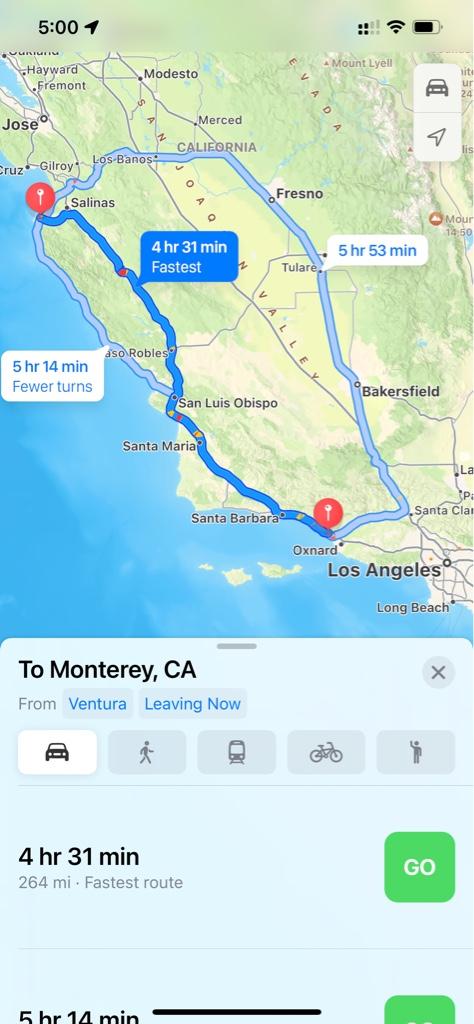
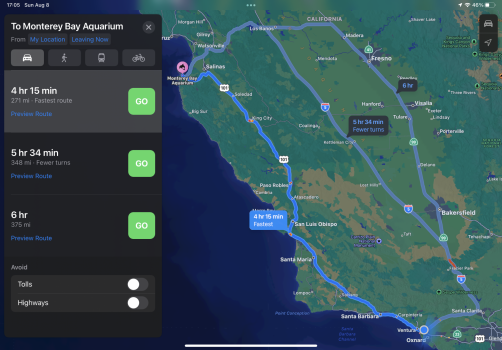
So how do you folks handle a route like I recently took from Ventura Ca to Montery Bay Ca and wanted to use US1?
AM on both my IPP and iPhone would not map it.

Just tried it again because I was going to “avoid highways” to see what happened, but it came up as an option on its own this time.

bb5c6b7b91fcd008d3aa7c55c9d57c2a.jpg
 
  • Wow
Reactions: dk001
Just tried it again because I was going to “avoid highways” to see what happened, but it came up as an option on its own this time.

bb5c6b7b91fcd008d3aa7c55c9d57c2a.jpg

Interesting 😎

I just tried with highways and without. Neither have me a US1 option. 🙁
EE7D5F55-0075-480B-A43C-F91139420AEA.png032AA88D-BB14-45BD-80B7-46478F161161.png
 
I noticed today they were visible on every route. I have to pay attention though as they definitely disappear as the map automatically goes into 2d mode when the next turn or light is announced.

I’m sort of excited though that they seem to be back for the most part. Didn’t realize how much I missed them.

iOS 13 and later, that has been standard behavior on CarPlay. When the map switches to top-down view approaching a turn, the map at that point has zoomed out to beyond the range of displaying the 3D buildings. As the map slowly zooms in again approaching the turn, usually about 800 feet out, the buildings reappear.
 
iOS 13 and later, that has been standard behavior on CarPlay. When the map switches to top-down view approaching a turn, the map at that point has zoomed out to beyond the range of displaying the 3D buildings. As the map slowly zooms in again approaching the turn, usually about 800 feet out, the buildings reappear.

Oh…I know…I’ve just gotten so used to not seeing the buildings in any view.

And…I’m trying to keep my eyes on the road…
 
  • Like
Reactions: G1Ravage
Wow…they fixed another major issue of mine! I’m telling you, the feedback page on the website yields results much faster than reporting within the app!

252116AE-857D-452C-A5E6-A6EC540FAF7F.png


EBDDB853-DD9E-436A-95F1-9AF434548316.png
 
The new splash screen for Maps in B5 explicitly mentions NYC and LA with more details, elevation data etc so I guess it‘s not just SF getting detail level 3:

View attachment 1816934

San Francisco Los Angeles San Diego New York City Washington DC and London were all announced as being introduced this year.

3-D building seem to be back permanently now.
 
  • Love
Reactions: G1Ravage
Register on MacRumors! This sidebar will go away, and you'll see fewer ads.