Become a MacRumors Supporter for $25/year with no ads, private forums, and more!

Pittsax

macrumors 6502
Dec 8, 2004
445
0
Toronto, Ontario
ScottDodson said:
Wow, one day...4 pages :eek:

It's like people have been waiting.... ;)
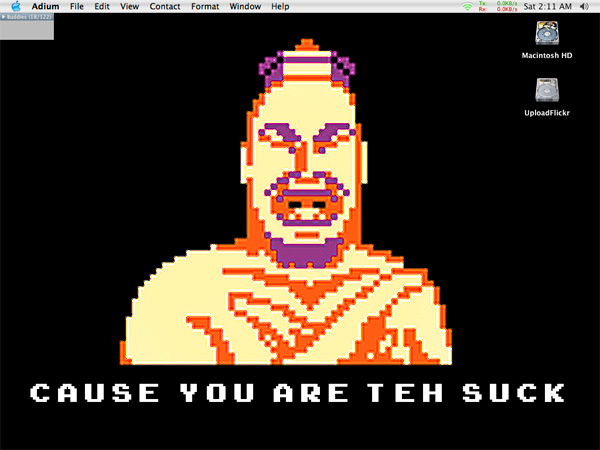
Here's mine...not too great or special...it's just the first day for goodness sakes!!

attachment.php

I may be TEH SUCK, but "ALL YOUR BASE ARE BELONG TO US" ;)
 

Macaddicttt

macrumors 6502a
Apr 22, 2004
993
2
San Diego, CA
This is the first time I've posted my desktop, mainly because most of my desktop pictures have been stolen by from these threads and people don't need to see the same thing twice. :)

Anyway, it's a picture of church in Prague that I took almost exactly a year ago, give or take a week or two.
 

Attachments

  • April Desktop1.jpg
    April Desktop1.jpg
    38.7 KB · Views: 113

dotdotdot

macrumors 68020
Jan 23, 2005
2,391
44
Agathon said:
Mine.

The icons and desktop are by Hein Mevissen of MixthePix who is kind enough to have made them avaiable for personal use.

Where'd you get the LongHorn wallpaper set?
 

Linksgolfer84

macrumors member
Feb 20, 2003
46
0
Wisconsin
A bit of a throwback... :) Hope this works this time! (if it does, thanks very much to Mitthrawnuruodo)
 

Attachments

  • desktop pic.jpg
    desktop pic.jpg
    97.1 KB · Views: 144

tech4all

macrumors 68040
Jun 13, 2004
3,399
489
NorCal
Linksgolfer84 said:
A bit of a throwback... :)
file:///desktop.tiff

whoops... guess I don't know how to post a pic :eek:

You can upload the file as an attachment, provided it fits within the specs (size, file type, etc). Or upload to a web server and give the URL to it within the
 

TrashCanDan

macrumors member
Apr 1, 2005
83
0
Phoenix, AZ
Visited Luke Days the other day and got a little carried away in photoshop...

its my wallpaper ever since
:rolleyes:
 

Attachments

  • Luke DaysExplsion.jpg
    Luke DaysExplsion.jpg
    92.7 KB · Views: 109

Mitthrawnuruodo

Moderator emeritus
Mar 10, 2004
14,185
692
Bergen, Norway
How-to add your desktop

Linksgolfer84 said:
whoops... guess I don't know how to post a pic :eek:
Easiest way, not using any 3rd party software...

EDIT: This only works with the old Panther version of Preview. The new Preview in Tiger no longer has an export function where you can set a target size... :(

1) Take a snapshot of your desktop. I find it easier to just hit cmd-shift-3 (although some like to use Grab for this)

2) You now have a file on your Desktop, typically called Picture 1.pdf, open that in Preview (should be the default when double-clicked, but Acrobat/Acrobat Reader etc. may have messed with that)

3) In Preview choose File -> Export... (cmd-shift-E), you now get a dialog box, choose Format: JPEG, and hit the Options-button

4) You get a new dialog called JPEG Options, choose Best Depth, slide the Quality Slider to Best, check the Target size button and write 100000 (some prefer 102400), and press OK

5) Back in the Picture 1.pdf-save dialog you navigate to an apropiate place where you want your Desktop picture (in JPEG format) to be saved (cmd-D will take you directly to the Desktop in all save and open dialogs) and give it a name (if Picture 1.jpg isn't good enough)

6) You now have a JPEG of your Desktop under 100kb on your Desktop (or wherever), this can be attached to a MacRumors post, using the Manage Attachements-button under Additional Options, when you Reply to Topic (or Edit Post). Click that button.

7) You get a pop-up where you can Manage your Attachements, under File to Upload click the Browse-button, find and OK your Picture 1.jpg in the dialog box, and hit the Upload-button. A message will appear: "Uploading File(s) - Please Wait", and after some seconds (more if you're on dial-up) your file will appear under "Current Attachements". Now you can "Close this Window"

8) Finish your post and hit the Submit Reply-button and you have posted your Desktop.

Enjoy... ;)
 

4409723

Suspended
Jun 22, 2001
2,221
0
Mitthrawnuruodo said:
Easiest way, not using any 3rd party software...

[Insert guide here]

Enjoy... ;)
Maybe somebody should edit this into the first post in the thread to avoid further confusion.
 

Platform

macrumors 68030
Dec 30, 2004
2,880
0
Mitthrawnuruodo said:
Easiest way, not using any 3rd party software...

1) Take a snapshot of your desktop. I find it easier to just hit cmd-shift-3 (although some like to use Grab for this)

2) You now have a file on your Desktop, typically called Picture 1.pdf, open that in Preview (should be the default when double-clicked, but Acrobat/Acrobat Reader etc. may have messed with that)

3) In Preview choose File -> Export... (cmd-shift-E), you now get a dialog box, choose Format: JPEG, and hit the Options-button

4) You get a new dialog called JPEG Options, choose Best Depth, slide the Quality Slider to Best, check the Target size button and write 100000 (some prefer 102400), and press OK

5) Back in the Picture 1.pdf-save dialog you navigate to an apropiate place where you want your Desktop picture (in JPEG format) to be saved (cmd-D will take you directly to the Desktop in all save and open dialogs) and give it a name (if Picture 1.jpg isn't good enough)

6) You now have a JPEG of your Desktop under 100kb on your Desktop (or wherever), this can be attached to a MacRumors post, using the Manage Attachements-button under Additional Options, when you Reply to Topic (or Edit Post). Click that button.

7) You get a pop-up where you can Manage your Attachements, under File to Upload click the Browse-button, find and OK your Picture 1.jpg in the dialog box, and hit the Upload-button. A message will appear: "Uploading File(s) - Please Wait", and after some seconds (more if you're on dial-up) your file will appear under "Current Attachements". Now you can "Close this Window"

8) Finish your post and hit the Submit Reply-button and you have posted your Desktop.

Enjoy... ;)

Nice work :rolleyes:
Should be in FAQ or Stickey it ;)
 

ZicklePop

macrumors member
Mar 28, 2005
98
0
Agathon said:
Mine.

The icons and desktop are by Hein Mevissen of MixthePix who is kind enough to have made them avaiable for personal use.
Where might I get some of those wallpapers? ;-)
 

ham_man

macrumors 68020
Jan 21, 2005
2,265
0
Here is my April desktop...
 

Attachments

  • Screenshot 4:1.jpg
    Screenshot 4:1.jpg
    87.8 KB · Views: 144

dvdh

macrumors 6502
Apr 6, 2004
429
0
nightdweller25 said:
here you go


Oh, Oh. That's might be treading into edesignuk's territory. I don't know how he feels about sharing his woman . . . :p
 
Register on MacRumors! This sidebar will go away, and you'll see fewer ads.