
Got a tip for us?
Let us know
Become a MacRumors Supporter for $50/year with no ads, ability to filter front page stories, and private forums.
All Devices Can't update via iTunes 12.6.5 but yes, we can with a trick!
- Thread starter katbel
- Start date
- Sort by reaction score
You are using an out of date browser. It may not display this or other websites correctly.
You should upgrade or use an alternative browser.
You should upgrade or use an alternative browser.

chrfr
macrumors G5
Why not just use software update on the phone itself? It works fine in the vast majority of cases.I get an error saying the firmware is not compatible (!?)
I tried to update via Apple configurator and got a different error : it couldn't expand the update.
Any other trick to do it? I don't want to update iTunes 12.6.5 for many reasons

Thanks but will I be able to update apps and music with iOS 13 with iTunes 12.6.5?Why not just use software update on the phone itself? It works fine in the vast majority of cases.
chrfr
macrumors G5
I would guess not, but I haven't tried.Thanks but will I be able to update apps and music with iOS 13 with iTunes 12.6.5?

benji888
macrumors 68000
I'm having the same issue with iTunes 12.6.5.3... this was last updated during last roundup of iPhones, and, I vaguely recall something about iOS 13 was not going to be compatible with iTunes 12.6.We might be screwed. I am hoping it is not the case. I remember last year around this time Apple had to bring out their final “old” iTunes update for it to work. I am holding off updating to iOS 13.
I've had no issues updating all the way up to 12.4.1, but, I guess that's the end of the line.
Not sure what I'm going to do...OTA and enable iCloud backup or update iTunes. I need this version of iTunes for old apps that still work for old iPad Mini on iOS 9, but, apps no longer available otherwise. Plus it's one download for several devices instead of all those devices downloading updates.

I saw that iMazing could update it too
I tried with no success Apple Configurator 2
I'm going to experiment on an older iPhone 6s and see what is going to happen
iMazing is not working because it opened iTunes and then I got the iPhone in recovery mode: thanks goodness I just had downloaded 12.4.1 too and was able to restore it.
And I had “Prevent iTunes” from opening in the prefs but probably doesn't work when iMazing wants to check with Apple the integrity of the Firmware, even if you download the iOS 13 directly from iMazing .
I tried all the possible combinations. Now I'm trying to update it OTA and then I will see if iTunes will be fussy ...
I tried with no success Apple Configurator 2
I'm going to experiment on an older iPhone 6s and see what is going to happen
iMazing is not working because it opened iTunes and then I got the iPhone in recovery mode: thanks goodness I just had downloaded 12.4.1 too and was able to restore it.
And I had “Prevent iTunes” from opening in the prefs but probably doesn't work when iMazing wants to check with Apple the integrity of the Firmware, even if you download the iOS 13 directly from iMazing .
I tried all the possible combinations. Now I'm trying to update it OTA and then I will see if iTunes will be fussy ...
Last edited:
benji888
macrumors 68000
I've
From what I’ve read, if you update OTA, the older iTunes wont recognize your iPhone w/iOS 13 on it..,Now I'm trying to update it OTA and then I will see if iTunes will be fussy ...
Good news: after updating my old iPhone 6s everything works and iTunes recognize it , yes it does 🙂 , at least on HighSierra but i will try on Mojave and let you know. Maybe it does because it was seeing there was an update but was unable to update it. Not sure if this is the trick or that it just works. For sure I will not update my 8plus yet, waiting for 13.1
Last edited:
I was able to update, delete and add different apps via iTunes 12.6.5.3. Awful the update in App Sore on the iPhone : there are apps I don't want to update and as soon as you touch it, it updates all. Need to learn how not too
[automerge]1569029336[/automerge]
[automerge]1569029336[/automerge]
Cross fingers for you! Please let us know how it goesOk, well then maybe I will try updating my 8 OTA and see if iTunes recognizes it.
Update: iTunes 12.6.5.3 sees the iPhone 6s with iOS 13 done via OTA on Mojave as well.
Today I got an alert on both systems, while yesterday everything was working without the update.
"Software update is required to connect to your iOS device" on your iPhone, iPad, or iPod touch"
I didn't know if it was going to mess up the old iTunes or my old iPhone 6s.
I had to do it at least on HighSierra and it works., but syncing the iPhone with new apps doesn't work automatically, you need to update the apps manually via iTunes 😒 or through App store on iPhone .
I need to verify with other apps though, and will in the next days. Everything else is syncing
Sync tab still works but doesn't update the date under Backup Now: if you want to know the real syncing date you need to do a Backup Now
I remember a long time ago we had a similar issue with iTunes, solved by a new release: I'm afraid will have to keep it that way now, sigh
Today I got an alert on both systems, while yesterday everything was working without the update.
"Software update is required to connect to your iOS device" on your iPhone, iPad, or iPod touch"
I didn't know if it was going to mess up the old iTunes or my old iPhone 6s.
I had to do it at least on HighSierra and it works., but syncing the iPhone with new apps doesn't work automatically, you need to update the apps manually via iTunes 😒 or through App store on iPhone .
I need to verify with other apps though, and will in the next days. Everything else is syncing
Sync tab still works but doesn't update the date under Backup Now: if you want to know the real syncing date you need to do a Backup Now
I remember a long time ago we had a similar issue with iTunes, solved by a new release: I'm afraid will have to keep it that way now, sigh
Last edited:

bogdanw
macrumors G3
I presume it's an iPhone 6s, glad it works.Update: iTunes 12.6.5.3 sees the iPhone 6 with iOS 13 done via OTA on Mojave as well.
benji888
macrumors 68000
I was going to report that everything seems fine, I updated my iPhone 8 OTA to iOS 13 last night and connected to my Mac today, was able to use iTunes 12.6.5, but, then, when I closed iTunes I saw that exact message. I was afraid it was going to update iTunes so I closed it. (I’m using Sierra)...
Today I got an alert on both systems, while yesterday everything was working without the update.
"Software update is required to connect to your iOS device" on your iPhone, iPad, or iPod touch"
...
What did it install?

hideous cheese
macrumors regular
My approach last year with iOS12 was to boot from an external drive also running High Sierra. I let that build update to the then current version of iTunes. From there I did a clean install of iOS12 (I do this with each major update).
Moving back to my main partition with iTunes 12.6.5.3 I was able to manage the iPhone with no problem.
When I bought an iPad Pro earlier this year I was also able to manage it from 12.6.5.3 after first accepting a device specific download (driver?) but the iTunes version remained 12.6.5.3.
This is what I will do again this week when 13.1 is released and I wipe both devices.
Moving back to my main partition with iTunes 12.6.5.3 I was able to manage the iPhone with no problem.
When I bought an iPad Pro earlier this year I was also able to manage it from 12.6.5.3 after first accepting a device specific download (driver?) but the iTunes version remained 12.6.5.3.
This is what I will do again this week when 13.1 is released and I wipe both devices.
iTunes 12.6.5.3 works anyway but for what I saw the new installed update (done only on HighSierra and not on Mojave, there I wait) went somewhere in the system framework. The only new thing I find is that the date of backup or sync does update only if you backup and not when you just sync . Where you able to automatically transfer new apps during the sync to your iPhone?Well, I let it install a software update, it installed 1 item, with no information about it, so not sure what it installed but,
iPhone 8 updated w/iOS 13 OTA works fine with iTunes 12.6.5.3 (I’m using macOS Sierra).
[automerge]1569166963[/automerge]
I'm sure with the newer iTunes you shouldn't have any problem.I have Mojave with iTunes 12.9.5.5 and have no problem.
I think Apple is forcing people to upgrade their OSX to Mojave or Catalina (soon).
We are discussing about iTunes 12.6.5.3 that a lot of people , like me, want to keep it for a tons of good reasons 🙂
Today there were more apps updates and both new iOS 13 and old 12.4.1 worked fine using iTunes 12.6.5.3 on iPhones 6s and iPad sync: didn't need to do it manually like I had to do the first day. If you want to backup your devices you need to choose Back Up Now.
Last edited:
Hi, everyone--would you please give me some advice? iPhone 7 Plus running iOS 13.1.2. MacBook Air running High Sierra v6 and iTunes v12.6.5.3. Til yesterday it was iTunes v12.6.4.3 but I installed the minor updated in hopes that my problems would go away! At some point in time I too received the 'Software update is required to connect to your iOS device' message and I did proceed with the update.
Two problems:
My iOS updates installed OTA -- if I were to erase the device, start from scratch then would iMazing become usable again?
Please help. Thanks in advance.
Two problems:
- I cannot make a backup with iMazing. Error message: "iMazing could not back up $MYDEVICE. Details: Error (100048) Cannot start service com.apple.mobilebackup2 on $MYDEVICE: An unknown error message 'EscrowFailure', was received from the device"
- I cannot make a backup with iTunes. Error message: 'iTunes could not back up the iPhone "$MYDEVICE" because a session could not be started with the iPhone.'
My iOS updates installed OTA -- if I were to erase the device, start from scratch then would iMazing become usable again?
Please help. Thanks in advance.
Nope -- I've not yet tried that I don't think. I'll be sure to do so!
All the 'OTA' talk really intrigues me. Am I correct to assume that fresh install (not OTA update) a surefire way to get backups working again?
Thank you for reading!
You are welcome , hope it works for you as well
I'm just updating my iPhone right now via iMazing: didn't work previously because I let iMazing check the iOS update (downloaded via iTunes) with iTunes. Then I remembered that in the past there was a script that was closing iTunes or not even let iTunes open if iMazing was trying to do so.
The issue is iMazing and iTunes need to be kept open separately and because iTunes find the firmware not working for some reason but downloads it perfectly and sees when an update is available, the trick is
Download the update via itunes
Close itunes
Open iMazing and select the update on your user library , then click update and when iMazing tries to open iTunes close it right away and you'll be good to update , like I just did
YEAH!😊
I really prefer the full update to OTA, that is only a little part of the iOS and can create disaster
exactly as with the system MacOs , I always update when Combos are available
In many years, so far, I never went through any issue using full updates , knocking wood
Last edited:
I tried the method above. Used iTunes 12.6.5 to download the iPad OS 13.1.2 file and then quit out of iTunes when it gave the firmware error message. Then opened iMazing to update by selecting the 13.1.2 file that iTunes downloaded to my user directory. The update then fails with the message:You are welcome , hope it works for you as well
I'm just updating my iPhone right now via iMazing: didn't work previously because I let iMazing check the iOS update (downloaded via iTunes) with iTunes. Then I remembered that in the past there was a script that was closing iTunes or not even let iTunes open if iMazing was trying to do so.
The issue is iMazing and iTunes need to be kept open separately and because iTunes find the firmware not working for some reason but downloads it perfectly and sees when an update is available, the trick is
Download the update via itunes
Close itunes
Open iMazing and select the update on your user library , then click update and when iMazing tries to open iTunes close it right away and you'll be good to update , like I just did
YEAH!😊
I really prefer the full update to OTA, that is only a little part of the iOS and can create disaster
exactly as with the system MacOs , I always update when Combos are available
In many years, so far, I never went through any issue using full updates , knocking wood
"our Apple Mobile Device framework version is insufficient to install the OS on this device. Make sure you have the latest iTunes version installed or update your operating system."
I never see iMazing try to open iTunes up to quit out of it. Any suggestions?
I tried the method above. Used iTunes 12.6.5 to download the iPad OS 13.1.2 file and then quit out of iTunes when it gave the firmware error message. Then opened iMazing to update by selecting the 13.1.2 file that iTunes downloaded to my user directory. The update then fails with the message:
"our Apple Mobile Device framework version is insufficient to install the OS on this device. Make sure you have the latest iTunes version installed or update your operating system."
I never see iMazing try to open iTunes up to quit out of it. Any suggestions?
Confirmed: iMazing works with iPad OS as well
I'm installing it right now , after downloading iPad Os 13.1.2 , quit iTunes and launched iMazing and tried to install. After few seconds it launched iTunes that I quit right away, went back to iMazing and it's installing with no issue. You just need to be very fast to quit iTunes when it reopens and iTunes will try to open a second time , close it again an you will get
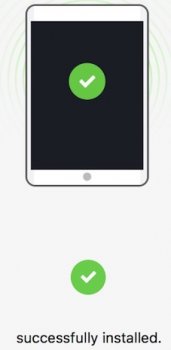
I hope it works for you as well!
BTW from iMazing 💡 Tip: iTunes might try to get back into the game during the update. If it does, just close it.
Last edited:
Register on MacRumors! This sidebar will go away, and you'll see fewer ads.