Become a MacRumors Supporter for $50/year with no ads, ability to filter front page stories, and private forums.

Sovon Halder

macrumors 6502a
Original poster
Does anybody know how to access/edit/delete the controls/settings of the native QuickTime Player in Sierra/High Sierra ?

Why isn't it there any preferences option? It would be nice to be able to change the controls like..

. Increasing scrubbing speed
. Seeing the % of current volume level while changing volume
. Assigning arrow keys to jump forward/backward
. F-key to go in-and-out of full screen mode
. etc.
 
Last edited:
Today I spent hours on these old queries of mine. Without a doubt, QT is the most efficient player on macOS. For lowly 1080p blu-ray rips b/w 5-10G with mp4 container, QT would be the video player in terms of resource usage and battery usage. Only limitation is that it doesn't have good control options. I added couple of them today; those that I need.

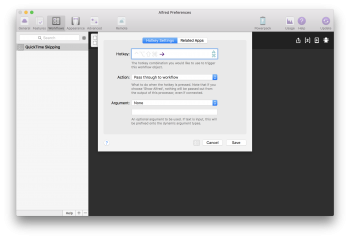
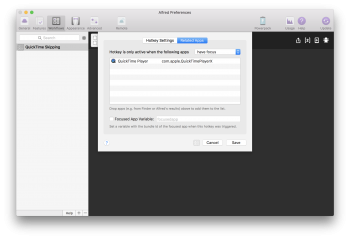
Note: I tried to do these with a custom macOS service. While the AppleScript works fine, I was unable to add hotkey exception to QT only. I had to use a third party launcher, Alfred. Performance and keeping this minimal is my main goal, so I didn't like adding an additional software. If you know a solution to this, please share.

The following does these --
  1. Clicking on 'F' toggles between full screen mode
  2. Left arrow / Right arrow skips forward/backward 7 seconds

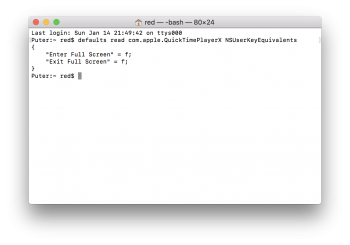
// Add single character shortcut and check the dictionary
defaults write com.apple.QuickTimePlayerX NSUserKeyEquivalents -dict-add "Enter Full Screen" "f"
defaults write com.apple.QuickTimePlayerX NSUserKeyEquivalents -dict-add "Exit Full Screen" "f"
defaults read com.apple.QuickTimePlayerX NSUserKeyEquivalents


1.png

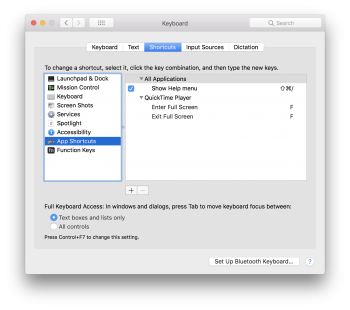
// Show those shortcuts in the System Preferences app
defaults write com.apple.universalaccess "com.apple.custommenu.apps" -array-add "com.apple.QuickTimePlayerX"

2.png


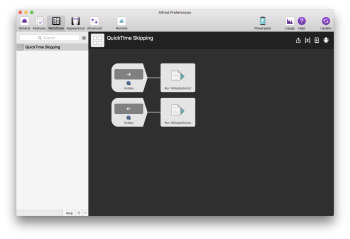
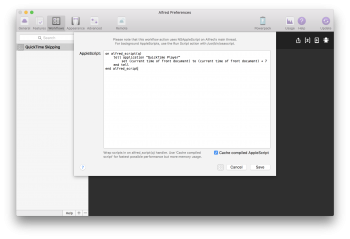
// For skipping, create workflow with the following AppleScript in Alfred
property jumpSec : 7
tell application "QuickTime Player"
set (current time of front document) to (current time of front document) + jumpSec
end tell

3.png 5.png 6.png 4.png

Enjoy!
 
  • Like
Reactions: h9826790
Register on MacRumors! This sidebar will go away, and you'll see fewer ads.