Become a MacRumors Supporter for $50/year with no ads, ability to filter front page stories, and private forums.
With Liquid Glass Apple made it clear that they wanted these onscreen elements to look like glass, we are leaning into the "computer thing looks like real thing" skeuomorphism-ish territory again. When we moved away from skeuomorphism with iOS 7 (and sorta Mavericks but really Yosemite) the design of applications and the OS looked like something that could only exist on a computer. I personally think, despite some misses, the design and behaviour of macOS and iOS peaked with macOS 10.12-10.14 (Sierra - Mojave) and iOS 10-13.

I can only speak for iOS and iPadOS as I have not updated to Tahoe on either of my Macs. Some parts of Liquid Glass look really good. I think the quick toggles look great. I like the volume and brightness sliders. I love the effect of pulling down the Notification Center. The problem with Liquid Glass is it is not consistent. The toggles are a refreshing take on what we had before while showing off the improved graphical capabilities of the hardware it runs on, but the X and checkmark symbols replacing "Cancel" and "Confirm" look amateur. In both cases the end result is the same but the aesthetics have changed. The windowed multitasking on the iPad is neat but in the process Apple butchered the already, in my opinion, functional multitasking present in iPadOS 18. The floating panels often waste space, especially in apps where information density is important like Mail and Files, and it is clear that Apple understands this because of how Mail and Finder behave on iPadOS. In landscape the apps have the floating sidebar but when rotating into portrait in Mail it reverts back to the old layout with the two distinct sections and in Files the sidebar is hidden and needs to be summoned, which introduces its own frustrations. None of this is even mentioning the lack of consistent search bar/icon placement in Apple's own apps.

I think Liquid Glass can look good, it has potential, and I like the idea of the UI looking like the material I interact with it on. However, I think Apple should rethink some of the ways in which they are using the glass aesthetic. They should tone down that wasted space to allow for more room for text and content to sit comfortably. I also think that while the floating buttons and options look neat for a tech demo there have been plenty of screenshots where it looks messy. The content of the app and the UI of the app should be more separate, I think a blur of about 20% would help with readability and the appearance of onscreen clutter a lot in those cases.
very happy to read your post.
i am looking forward to iOS27, with improvements to the overall implementation of Liquid Glass's design elements.
you mentioned about pulling down the notification center: i too am a huge fan of the way it works on that screen.
i find myself pulling the screen down slowly, slowly, seeing the way light and depth and flow of color are handled. just beautiful.
how do i want Liquid Glass improved ? i want apple to work on improving its algorithm so that the rest of the system can match this page's effects.
and agree with your comment about separating UI elements from contents elements.
and, hope that apple provides some ways to lessen all of its affects for users who can't appreciate it's beauty.
 
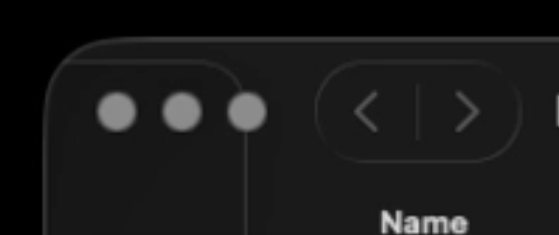
So a lot of people might hate me for this but rather than doing that ridiculous thing where the traffic lights are on top of the side bar on Mac OS, make them like on iPad os where they animate and become bigger when you hover over it. This way you bring uniformity, whimsy, and actually make the interface more consistent rather than having these two separate styles where one is traffic lights over sidebar and the others don't have it at all. It also brings back much needed minimalism to this hog podge of an interface.View attachment 2598871
Again though that 'solution' is the kind of thing many people are complaining about. The UI is making the UX more labour intensive. In your example it's two clicks to do what should just take one. Add all these little things add up and it gets frustrating, slowing people down while they try to work.

I work in design and publishing, I make probably tens of thousands of clicks a day. I don't want another 5000 adding just because people can no longer create an efficient UI.

Just last night I was in bed with my iPhone, which is something I never really do, but I discovered that due to Liquid Glass and the UI on iOS that its much harder to use your phone with one hand now (and I even have a Mini!). I don't recall what it was I was doing in Safari and it was probably site specific (but the site is obviously following Liquid Glass rules) but I pressed a back button on the top left, then there was a tick button on the top right that appeared and then the 'next' button was back across on the top left again. I was all over the place trying to navigate.

Liquid Glass is MUCH more labour intensive because the styling does not suit the needs of a UI. The end user has been forgotten about for the sake of making everything glassy (which in my opinion none of it looks like glass).
 
Last edited:
One thing that I think could be really cool would be adding additional options to the “Tint” option for Liquid Glass that would allow users to change the color similar to the tinted icons on the Home Screen. So then it would allow for a bit more user theming and customization, and perhaps some would find that useful for increased contrast as well. 👍🏻

Like the toolbar buttons in this mockup I made. 👍🏻

View attachment 2598878
One of my biggest complaints about Liquid Glass on macOS is the lack of contrast between UI elements, and it's much more glaring on the Mac and especially on light mode. Liquid Glass is designed to sit over content to blur and refract and otherwise do its thing. The problem is that on a Mac a lot of app backgrounds are just white, so you wind up with white on white elements with only the faintest, most diffuse drop shadows to separate them.

Tinting just the Liquid Glass elements is something that could legitimately help, but I think by default they need to be more of a middle gray or even dark gray. The Home app is a good example of what this would look like:

1769344596228.png
 
One of my biggest complaints about Liquid Glass on macOS is the lack of contrast between UI elements, and it's much more glaring on the Mac and especially on light mode. Liquid Glass is designed to sit over content to blur and refract and otherwise do its thing. The problem is that on a Mac a lot of app backgrounds are just white, so you wind up with white on white elements with only the faintest, most diffuse drop shadows to separate them.

Tinting just the Liquid Glass elements is something that could legitimately help, but I think by default they need to be more of a middle gray or even dark gray. The Home app is a good example of what this would look like:

View attachment 2598917
A very good suggestion! Would you please send that to Apple through feedback?
 
Again though that 'solution' is the kind of thing many people are complaining about. The UI is making the UX more labour intensive. In your example it's two clicks to do what should just take one.
It actually does not require two clicks. The controls expand when hovered over. So it’s a single click still. It’s just when they aren’t needed, they are more out of the way.
 
  • Love
Reactions: arc of the universe
One of my biggest complaints about Liquid Glass on macOS is the lack of contrast between UI elements, and it's much more glaring on the Mac and especially on light mode. Liquid Glass is designed to sit over content to blur and refract and otherwise do its thing. The problem is that on a Mac a lot of app backgrounds are just white, so you wind up with white on white elements with only the faintest, most diffuse drop shadows to separate them.

Tinting just the Liquid Glass elements is something that could legitimately help, but I think by default they need to be more of a middle gray or even dark gray. The Home app is a good example of what this would look like:

View attachment 2598917
I think that’s a great idea. I use Dark Mode, but totally get not wanting so much bright white content, that’s why I’ve used Dark Mode for years. I think that making light mode glass elements slightly more contrasting would be a good idea. And I wonder if that may also be part of the difference in people’s experiences, maybe some of it’s impacted by whether they’re using Light Mode or Dark Mode. 👍🏻
 
  • Like
Reactions: arc of the universe
My biggest gripe with macOS liquid glass is how ridiculous the Wi-Fi list is if there are a ton of SSIDs being broadcasted. The bottom of the list is basically unreadable.
 
  • Like
Reactions: Omega Mac
To me at least one of the most important improvements in the Mac OS and iOS, regardless of version, is "efficiency," not all the bells and whistles included in iOS 26. I will have to wait and see what happens with Tahoe, but as it is now I don't want to upgrade to it from Sequoia. In fact, I don't even like iOS 26x in both my wife's iPhone and mine since iOS 18x (?) was fine as it was, plus "we" had already learned how things worked. iOS 26x, at least to me, is just highly embellished with semi transparent colors, but its lacks substance.

Liquid Glass? What has it to do with "efficiency" and "intuitiveness."
 
Last edited:
The lag introduced with the graphics is grating. It’s just not very responsive on my iPad (which is why that’s the only device I have on OS 26)

The movement and change and lack of general contrast make the UI noticeably less functional.

To improve Liquid Glass one needs to basically get rid of it. If it becomes solely about static translucence it could be just fine, but the rainbow effects, Matrix distortion, and missing contrast all need replacing.
 
I'm mostly just disappointed in how little "glass" I actually see in the new MacOS. I think dark mode is probably to blame but it is not as punishing to the effect on iOS as it is over here on the Mac.

I wouldn't mind finding more glassy transparency here and there, actually. Also Finder looks really ugly and way too white and bright in light mode. There is not enough contrast between buttons and elements.

If I would rank all MacOS versions based by look I would probably put 26 at the very bottom.
 
On the whole I quite like it but there are a lot of pointless overheads (like the light movements on the homescreen) that shouldn't be there at all. Toning down and darkening the transparencies to make them a little more gaussian and less refractive would go a long way. I actually think Google did a better job with the subtleties in Android 16.
 
  • Like
Reactions: Kal Madda
When Apple went to the flat design in iOS 7, it took about two years until it finally got good in iOS 9. I suspect the same refinement process for Liquid Glass. iOS 27 will try to fix some problems and iOS 28 will finally become great.
 
When Apple went to the flat design in iOS 7, it took about two years until it finally got good in iOS 9. I suspect the same refinement process for Liquid Glass. iOS 27 will try to fix some problems and iOS 28 will finally become great.
While I do agree with this, I think the problem most people have is the lack of systemic structure Liquid Glass has. While IOS 7 design was very structured and opinionated, Liquid Glass leaves a lot in the air. That can be good in some aspects but when you have 2 different traffic light signals, these weird hovering sidebars, and legibility issues it feels like a regression. I do like how Liquid Glass looks in certain contexts.
 
Apple should just admit that liquid glass UI was a mistake. I didnt stay with the iphone after looking at the beta of it. When my upgrade time came along from a 13Pro, I switched to Android to try something new. Thankfully no transparent UI glitches or readability issues to worry about (yet)!
If Apple had something like material design or even the themed Android 16 UI I may have stayed.
I still think one day I might come back to iphone , but having now tried Android (S25 Edge), Im not sure. Its changed a LOT since I last used it. A lot to like.
 
When Apple went to the flat design in iOS 7, it took about two years until it finally got good in iOS 9. I suspect the same refinement process for Liquid Glass. iOS 27 will try to fix some problems and iOS 28 will finally become great.
By then I will probably be completely blinded by my iPhone. ~Just kidding with you :)

On the serious side, is there a way to not have the "bright white" background in the iOS text app other than choosing a black background, which is another I dislike just as much?
 
Last edited:
Speaking of consistency:


Why do sidebars in Pages appear out of the edge of the window in a traditional manner, whereas elsewhere they silly pills? I just don't get it. The solution above makes so much more sense and is implemented well.
 
Speaking of consistency:

View attachment 2599796

Why do sidebars in Pages appear out of the edge of the window in a traditional manner, whereas elsewhere they silly pills? I just don't get it. The solution above makes so much more sense and is implemented well.
Better question is why does this sidebar have to slide out and form part of the menubar and move those icons around? Why can't it just slide out from the workspace below the menubar? It would look WAY more polished.

The animation on the finder side bar is horrible too. It interjects the corner radius (because it's massive) when it slides in and out. It's a small thing but very ugly to see. Again it would look better if it didn't even go into the menu bar area at the top and slide out as part of the work space below.

@Kal Madda pointed out something I didn't realise the other day and that is that the corner of MacBook screens are now rounded. One assumes that the new Displays will follow suit shortly so we are probably stuck with the massive UI corner radius as it fits the corners of the newer hardware.


Attachments

  • Screenshot 2026-01-28 at 18.51.36.png
    Screenshot 2026-01-28 at 18.51.36.png
    25.3 KB · Views: 8
Last edited:
Register on MacRumors! This sidebar will go away, and you'll see fewer ads.