iOSBry
macrumors 6502a
Got an iPhone 17 Pro and have never heard any whine or noise when charging.Do iPhone 17 Pro models still make coil whine noises when charging with this update?

Got an iPhone 17 Pro and have never heard any whine or noise when charging.Do iPhone 17 Pro models still make coil whine noises when charging with this update?

No updates for my MBP or Watch.
But my phone, ATVs, and OG HomePods are getting them
Wow. Mine was under 5 GB.This was a really huge upgrade at over 12GB.
But the lag on home screen and the ghosting of quick settings seems to be fixed.
Still bugs with the wallpaper when showing notifications if being on leftmost or rightmost screen. Otherwise it seems mostly fine.

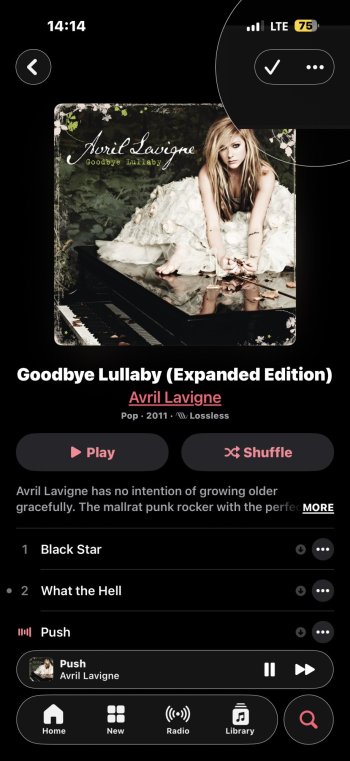
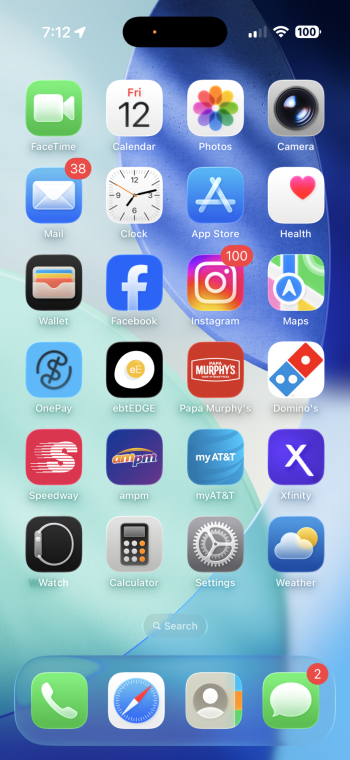
Go Pistons!iOS 26.2 folks. Suggesting I take a look at a basketball game from 7 (SEVEN) years ago lmao. What on earth 🤣
View attachment 2587351View attachment 2587352
I mean I was rooting for the Cavs but… 🤣Go Pistons!
There wasn’t a new build for WatchOS or MacOS today, if you already had the RC released last week for those, it’s the exact same build.I've updated all of my devices today.
iPhone
iPad
MBA
Mac Studio
Watch Ultra2
Apple TVs
HomePods
Make sure that you've turned off the beta update option on all devices.
My mac doesn't seem to see the update in finder. Has anyone else experienced this?iOS 26.2
Release Date ― December 12, 2025
Build Number ― 23C55
Darwin Kernel Version
iOS 26.2 Beta Release Notes
New Issues
Remaining Issues
Resolved Issues
Features
Additional Notes
- Developers and testers can report bugs using the Feedback app. If you put your settings back on “None” for the betas, you can still open the app by entering the following URL in Safari:
- iOS 26 Overview
- iOS 26 Press Release
- iOS 26 Release Notes
- iOS Beta Release Notes
- iOS Security Updates
To get the beta over-the-air:
If you no longer wish to receive beta updates:
- Enable Beta Updates (Settings > General > Software Updates > Beta Updates)
- Make sure you’re signed into the right Apple Account
- Select which beta you’d like to receive (public/developer beta)
- Hit "Back" and pull down to refresh
- Back up to a computer or to iCloud
- Install the beta
Troubleshooting: If the beta doesn’t show up on your phone, try turning on airplane mode, then turning it back off, or restart your device.
- Turn off the Beta Updates (you can also sign out of your Apple Account to reset this setting)
- Wait for the next public release or follow the guide below to go back to a release build
How to install using a Mac?
Notes/Tips:
- You’ll need the Xcode beta itself or a MobileDevice.pkg somebody extracted from the beta (click with two fingers or control-click), then choose Show Package Contents. Go to Contents/Resources/Packages. - this will work on older Macs that do not support the latest macOS or Xcode betas)
- Back up to your Mac or to iCloud in case you need to go back to another version
- Hold down Option, then click on ‘Check for Update’/‘Restore iPhone...’ and select the IPSW file you downloaded from the Apple Developer site. Note: You must be connected to the internet to complete the restore.
- Enter your iPhone passcode if you’re prompted to do so.
- Always keep a backup in case you need to restore your phone
- Restoring wipes your settings and all data on your iPhone
- You only need to reinstall MobileDevice.pkg if your Mac stops recognizing your iPhone
- There is no MobileDevice.pkg equivalent to iTunes for PC which would require a new iTunes to support new/beta iOS
- Upgrading to a newer iPhone? You can update using your Mac before setting up the phone
- iPhone 17 series: 1.20.06
- iPhone Air: 2.02.03
- iPhone 16 series: 2.20.04
- iPhone 16e: 2.02.03
- iPhone 15 series: 3.20.03
- iPhone 14 series: 4.02.03
- iPhone 13 series and iPhone SE (3rd gen): 5.02.01
- iPhone 12 series: 5.10.01
- iPhone 11 series, iPhone SE (2nd gen) and iPad Air (Cellular, 4th gen): 6.50.00
Australia
Belgium
- Optus - 64.5.8
- Telstra - 64.5.13
- Vodafone AU - 66.5.1
Brazil (info updated 26.2RC2, last change in 26.2b2)
- BASE - 33.0
- Orange B - 58
- Proximus - 45.0
- Telenet - 66.0
Canada
- Claro Brasil - 67.0
- Vivo - 67.0
- TIM -
Oi- declared bankrupt in Nov 10th 2025
Denmark
- Bell - 62.8
- Fido - 56.0
- Fizz - 53.0
- Freedom/Shaw Mobile - 54.8.6
- Mint Mobile - 58.0
- Public Mobile - 54.8.4
- Rogers - 66.5.2
- Telus - 54.8.8
- Videotron - 53.0
- Virgin Mobile - 50.0
Finland
- 3 DK - 46.7.11
- TDC 65.0
- Norlys 65.0
France
- DNA - 58.5.7
Germany
- Bouygues Telecom - 40.0
- Orange France - 63.0
- Free - 65.0
- SFR -
Greece:
- Vodafone.de - 66.5.2 and RCS enabled
- Telekom.de - 67.0 and RCS enabled
- o2-de - 61.6.1 RCS enabled
Guatemala
- Cosmote - 38.0
India
- TIGO GT - 49.0
Ireland
- Airtel - 58.5.18
- Jio - 58.5.18 (iPhone) and 58.5.18 (iPad)
- Vi India (Vodafone Idea) - 58.5
Mexico
- Eir - 33.5
- Vodafone IE - 38.0
Morocco
- AT&T - 57.0
- Telcel - 57.6
Netherlands
- Orange - 50.0
Poland
- KPN - 61.0
- Vodafone NL - 45.0
- Odido -
Portugal
- T-Mobile - 64.5.4
- Orange - 64.5.2
- Play - 61.0
- Plus - 61.0
Romania
- Vodafone P - 40.0
Slovakia
- Orange RO - 55.0
Southeast Asia
- Orange SK - 57.6
Spain
- Singapore Singtel -
- Philippines Globe - 67.0
- Philippines Globe (iPad) - 38.0
- Philippines Smart - 67.0
- Thailand AIS - 53.0
- Thailand DTAC - 53.0
- Malaysia Umobile - 33.0
- Malaysia Maxis -33.0
- Malaysia Digi -
- Malaysia celcom -
- Hong Kong - 32.0
- Taiwan -
Sweden
- Orange ES - 67.0
- DIGI ES - 54.8.4
- Vodafone ES - 54.8.8
- Movistar - 65.0
- Yoigo - 67.0
Switzerland
- Comviq -
- Tre - 31.0
Turkey
- Salt - 58.0
- Sunrise - 67.0
- Swisscom - 67.0
United Kingdom
- Turkcell (Lifecell) - 36.5.5
- Vodafone TR - 32.0
- Turk Telekom - 32.0
United States
- BT-UK (EE MVNO) -
- EE - 67.0
- Giffgaff (O2 MVNO) -
- iD Mobile (Three MVNO) - 67.0
- Lebara (Vodafone MVNO) - 67.0
- Lyca (EE MVNO) -
- Mozillion (EE MVNO) - 67.0
- O2-UK - 67.0
- Sky (O2 MVNO) - 67.0
- Three - 67.0
- Virgin Mobile (O2 MVNO) -
- Vodafone UK - 64.5.5
Other
- AT&T - 67.0
- Boost - 57.0
- Cricket - 60.5.5
- FirstNet - 55.0
- FirstNet (iPad) - 41.7.6
- Metro (TMO MVNO) - 67.0
- Spectrum (VZW MVNO) - 67.1
- T-Mobile - 67.0.1
- TracFone/Straight Talk/Walmart Family Mobile - 63.5
- U.S. Cellular - 46.7.24
- Ultra/Mint Mobile (TMO MVNO) - 64.5.16
- Verizon - 67.0
- Visible (VZW MVNO) - 67.0
- Xfinity Mobile - 57.6.1
- Docomo - 32.5.10
- AlwaysOnline -
Historical beta release chart
I’m finding it a bit smoother overall.Thanks for confirming.
I'm skipping this release as it appears to offer nothing (to me) over the second RC. I'll try the next beta, although I'm assuming that'll be forked from RC1 or RC2 anyway.

My base 17 is already smooth. If there are glitches, I don't notice them. Sometimes, ignorance is bliss 😁I’m finding it a bit smoother overall.

My iPhone 17 Pro doesn’t do that.Do iPhone 17 Pro models still make coil whine noises when charging with this update?

Do iPhone 17 Pro models still make coil whine noises when charging with this update?

Well was it worth the look back? 😂iOS 26.2 folks. Suggesting I take a look at a basketball game from 7 (SEVEN) years ago lmao. What on earth 🤣
View attachment 2587351View attachment 2587352
It was a preseason game of I’m not mistaken, so no, I don’t think so but wow definitely a throwback 😂Well was it worth the look back? 😂
Seems things are settling down a bit, what minor stuttering I had is getting better. Think this might be a good release for once with iOS26. Starting to feel like an iPhone.My base 17 is already smooth. If there are glitches, I don't notice them. Sometimes, ignorance is bliss 😁
If it matters at all to your situation, CarPlay functioned perfectly when I ran out earlier today (after the 26.2 update).I'm still waiting to test my CarPlay issue. They had to go and release an update on a Friday lol