



Apple released iOS 26.2 on December 12, introducing the latest version of iOS 26. iOS 26.2 isn't the biggest update, but it brings quite a few helpful new features to your iPhone.

We've rounded up all of the new features your iPhone is getting in iOS 26.2.
Alarms for Reminders
The Reminders app has a new option to have an alarm go off when a reminder is due. Setting up an alarm can be done by toggling on the "Urgent" option when creating a reminder.
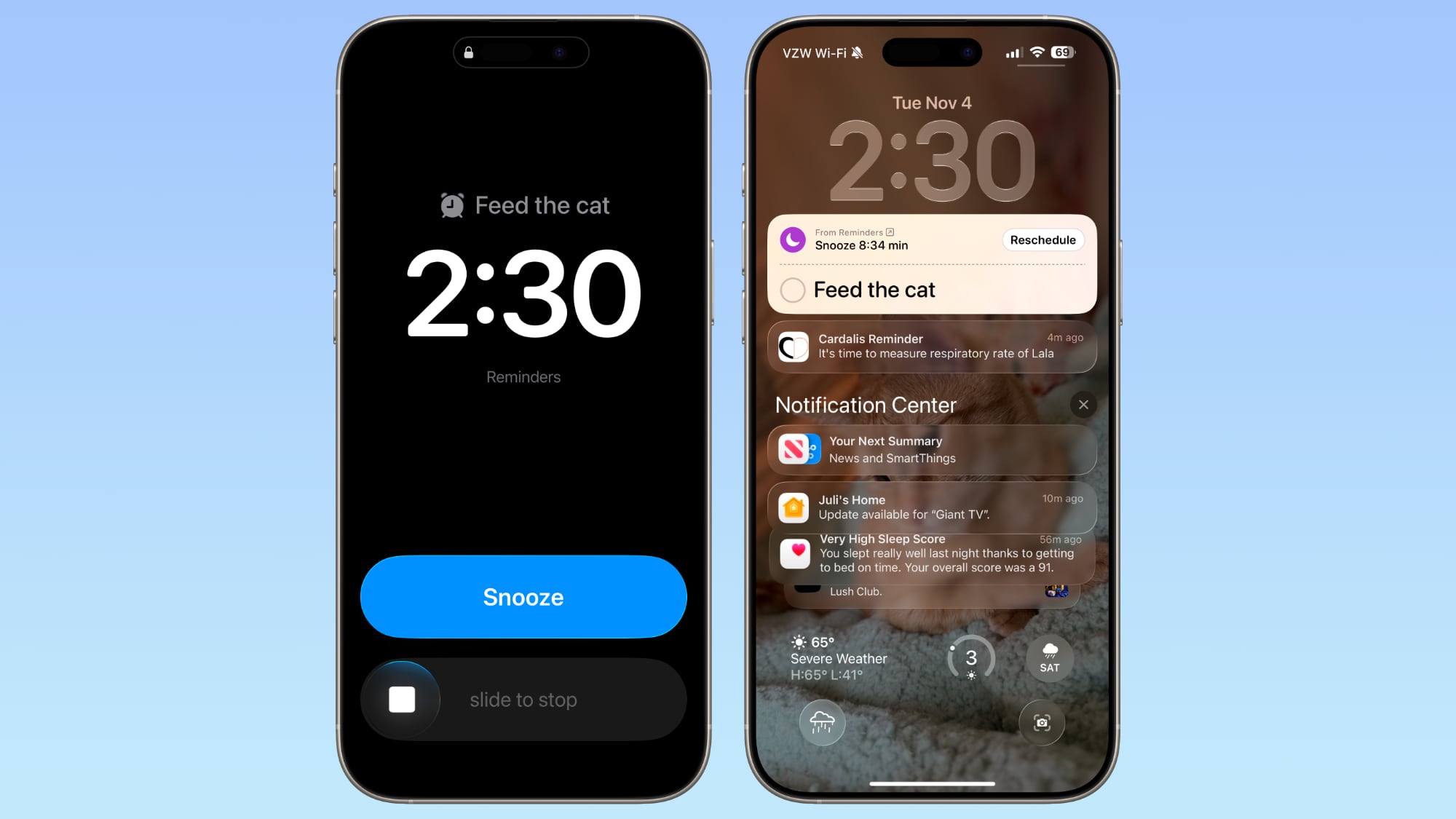
When a Reminder alarm activates, it displays a snooze option or a slide to stop option. If you snooze it, it will show a Live Activity countdown on the Lock Screen that includes an option to complete the reminder or reschedule it. Apple distinguishes Reminders alarms from standard alarms with a new blue color.
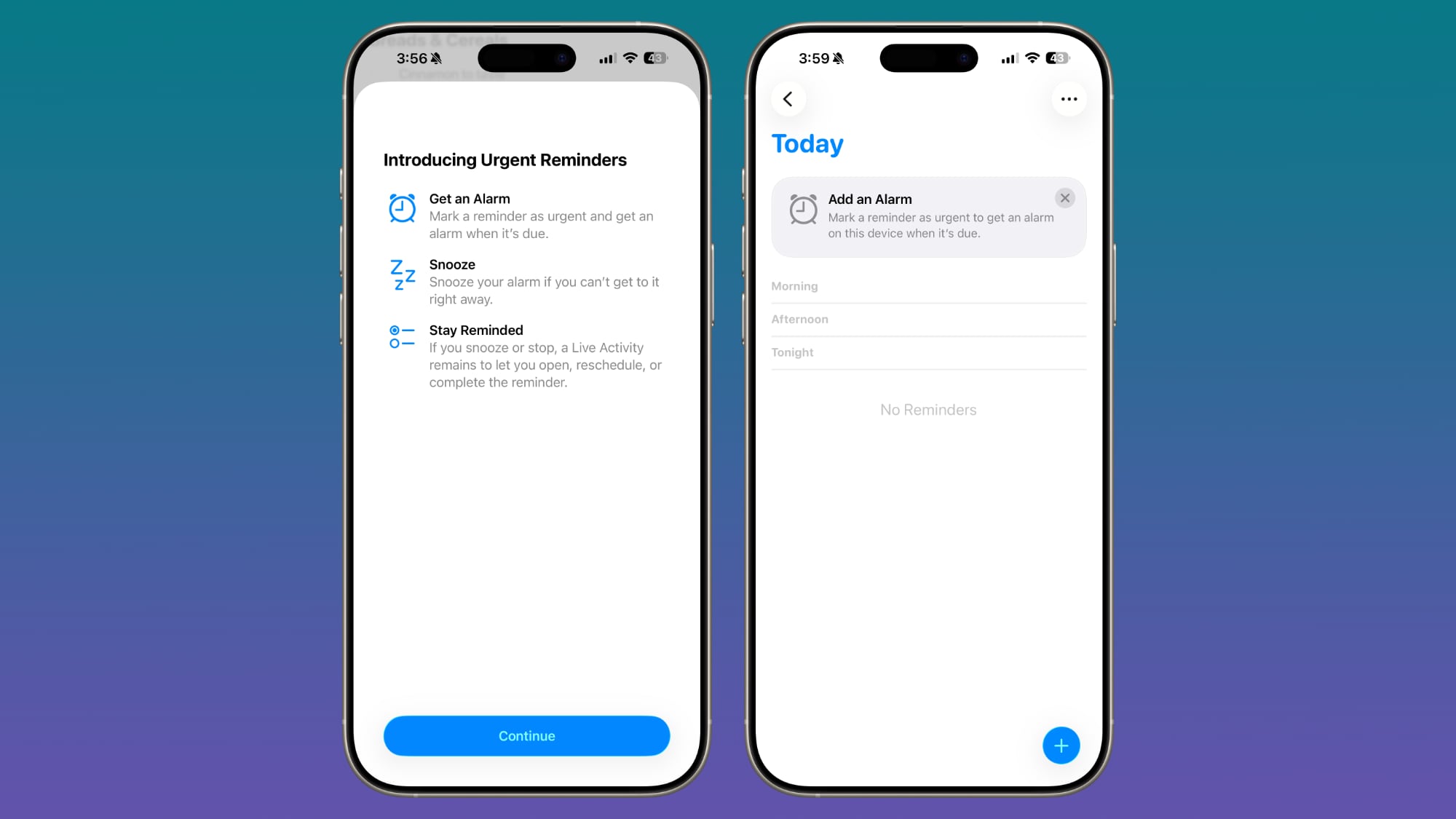
Apple provides a splash screen letting users know about the feature, plus a small banner that shows up when you go to add a new entry in the Reminders app after updating to iOS 26.2.
Lock Screen
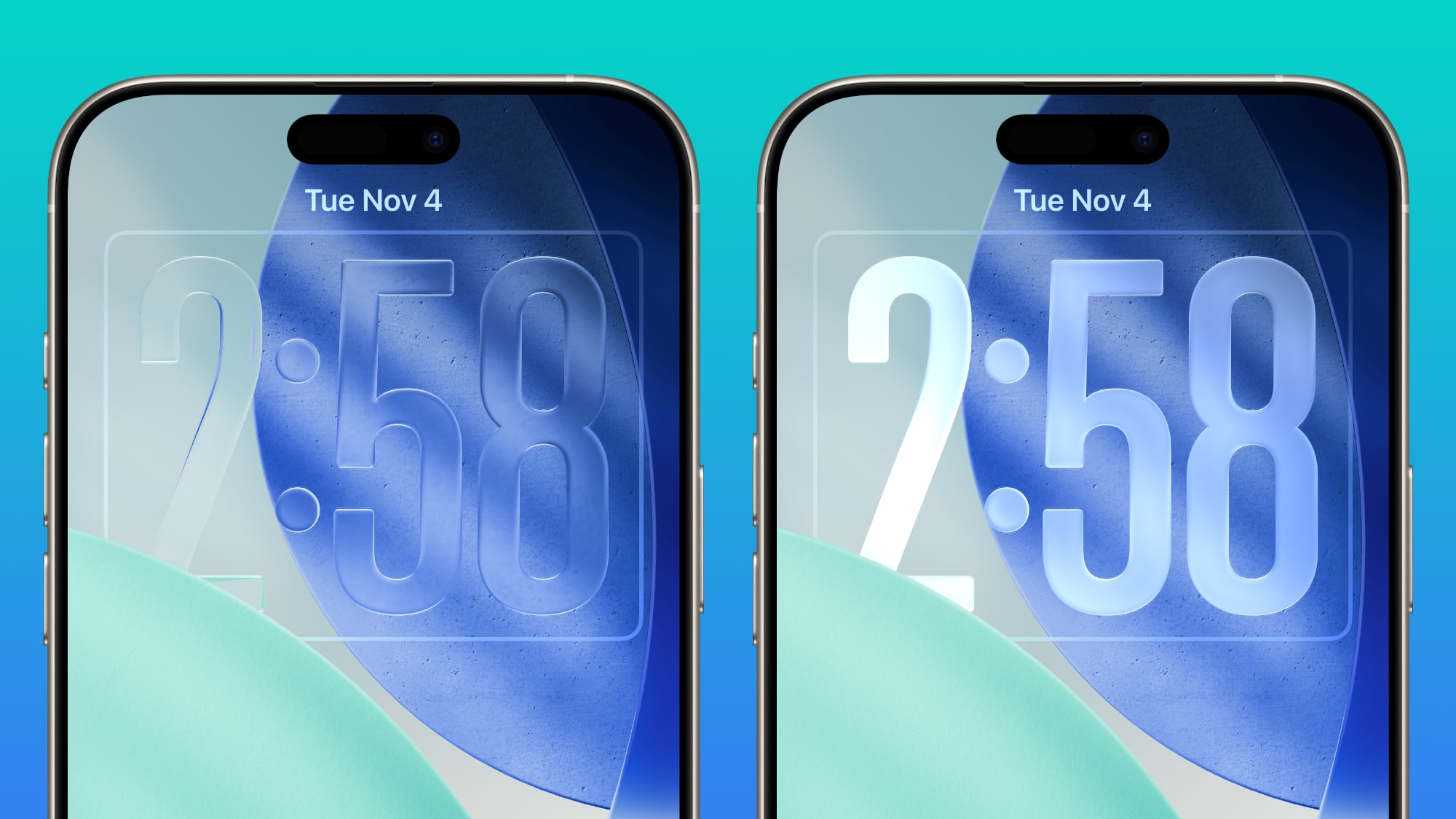
The Lock Screen has a new Liquid Glass slider that lets you customize the appearance of the time. When using the "Glass" option, you can use the slider to make the time look almost entirely clear, or give it a more frosted look.
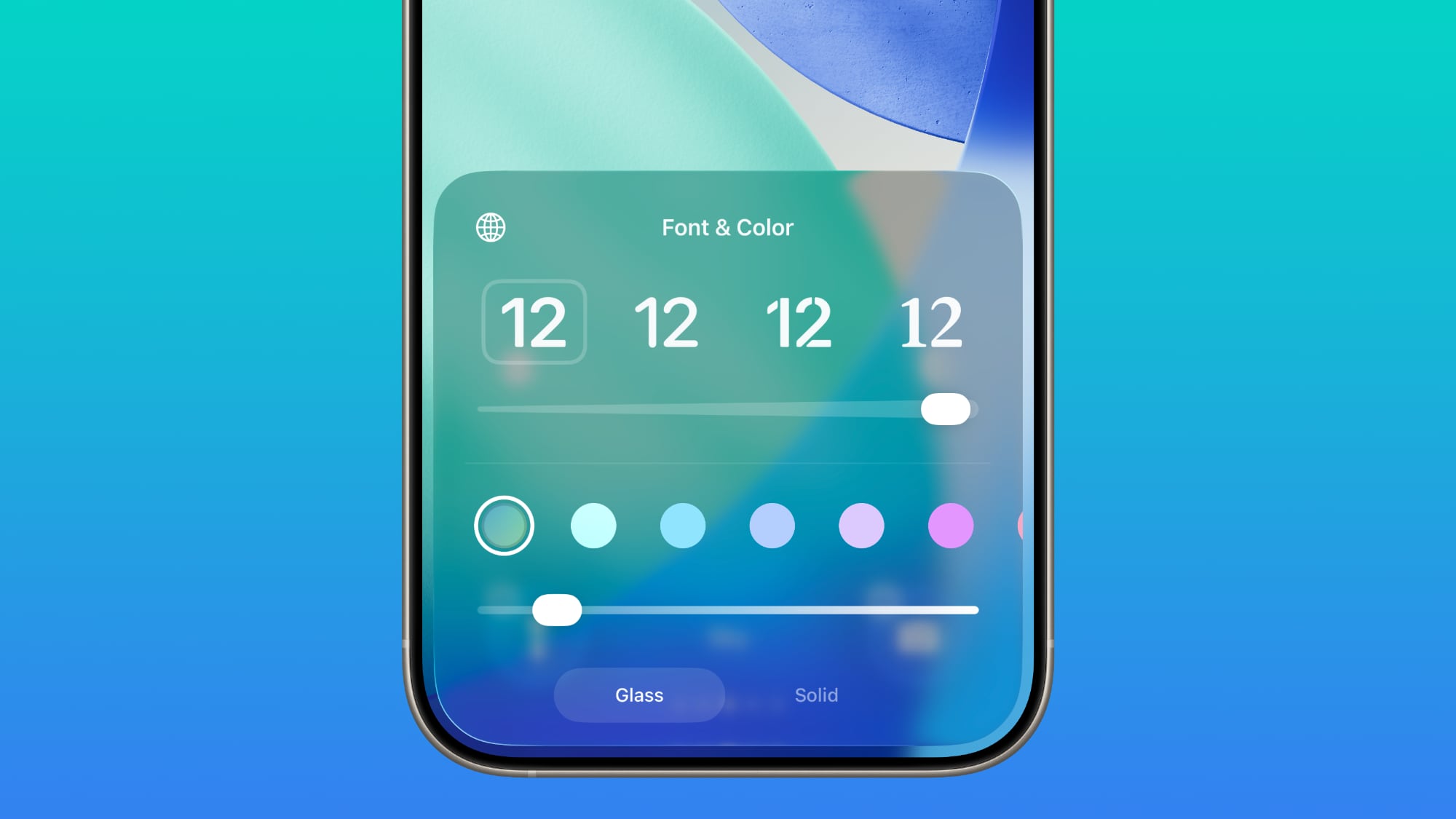
There's still a separate Solid toggle that turns off the Liquid Glass appearance for the clock entirely if you want to opt for a much more opaque design, and you can also still use the color options for the time.
Liquid Glass Settings
When using the Liquid Glass "Tinted" option that reduces transparency, there's a warning that the Tinted option cannot be used in tandem with the Reduce Transparency and Increase Contrast Accessibility settings.
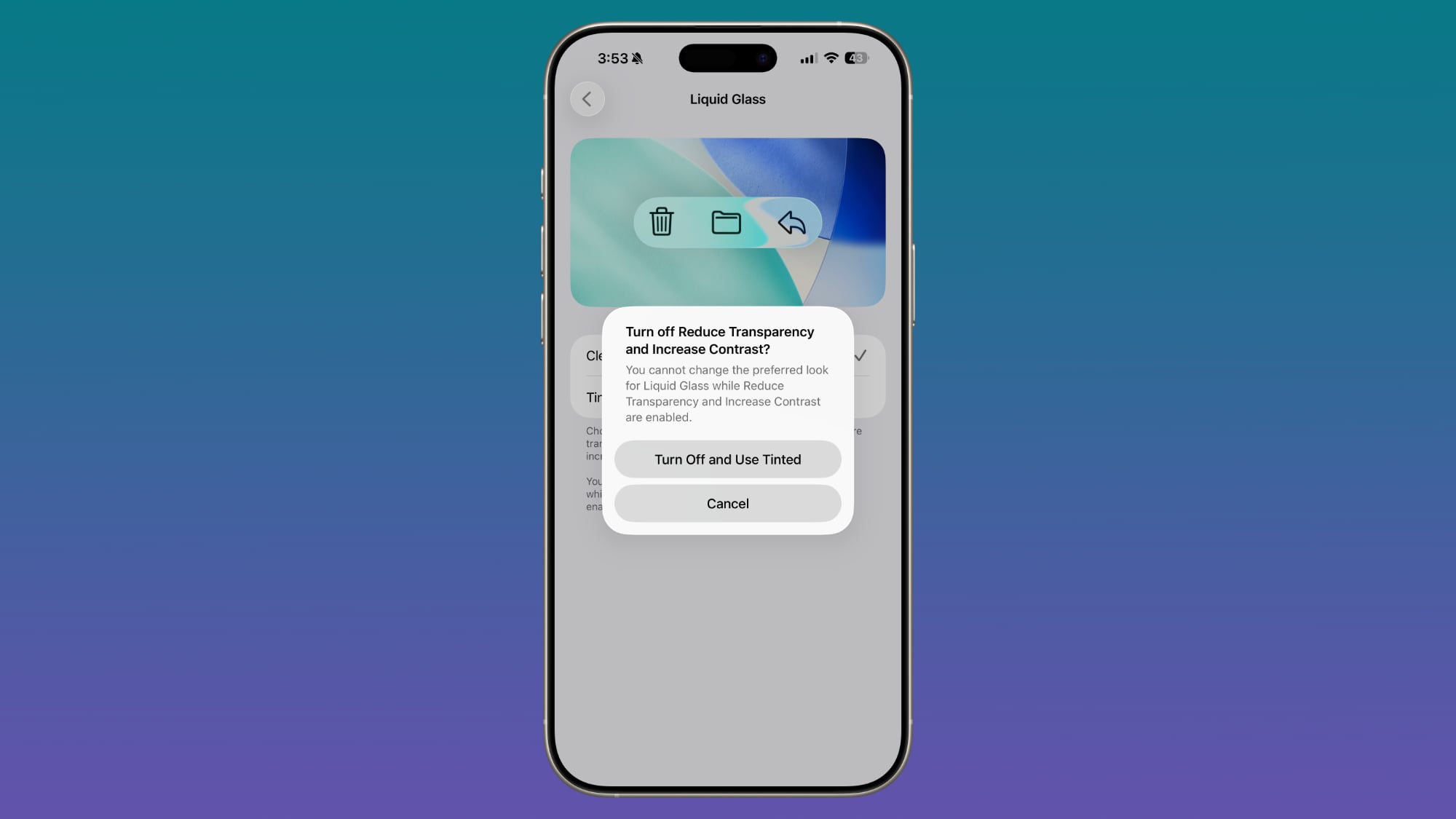
Turning on Tinted mode is able to turn off Reduce Transparency and Increase Contrast automatically. In the prior update, there was no option to turn on Tinted mode without turning off these features manually.
AirDrop
iOS 26.2 increases the security of AirDrop. The update adds an extra layer of verification when using AirDrop with unknown contacts.
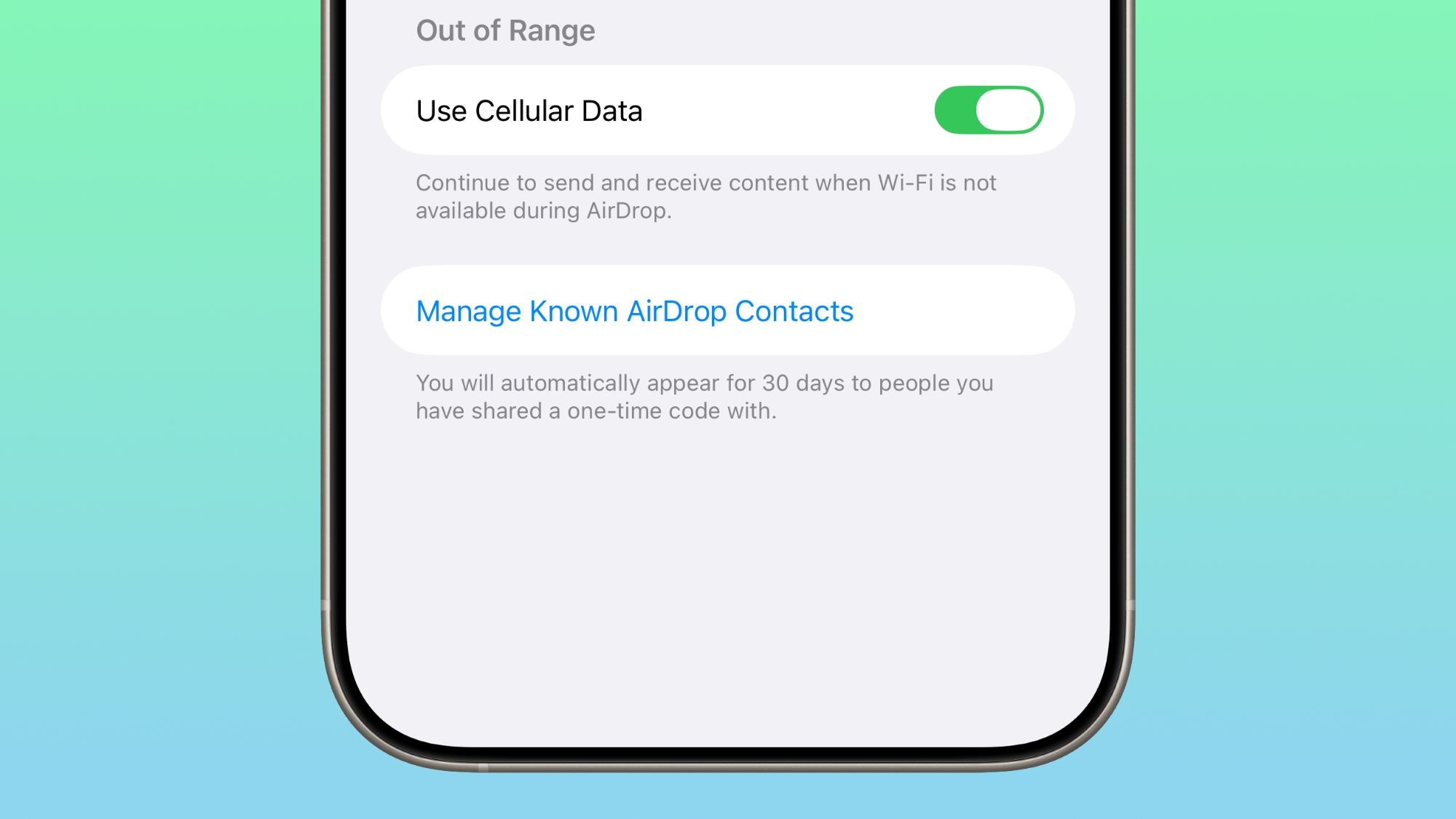
There is an option to generate an AirDrop code on the receiver's device, which can then be entered on the sender's device to complete the transfer. Codes allow AirDrop to work for a 30-day period.
People you have shared a code with can be managed by opening up the Settings app, selecting the General section, choosing AirDrop, and tapping on "Manage Known AirDrop Contacts."
Apple Music
Apple Music supports offline lyrics, so you can see a song's lyrics when not connected to Wi-Fi or cellular.
Your Favorite Songs playlist also now shows up in Top Picks on the home tab.
Sleep Score
With iOS 26.2 and watchOS 26.2, Apple has adjusted the ranges for the Sleep Score feature that it introduced earlier this year. The new Sleep Score numbers better match how people might be feeling after a night of sleep.
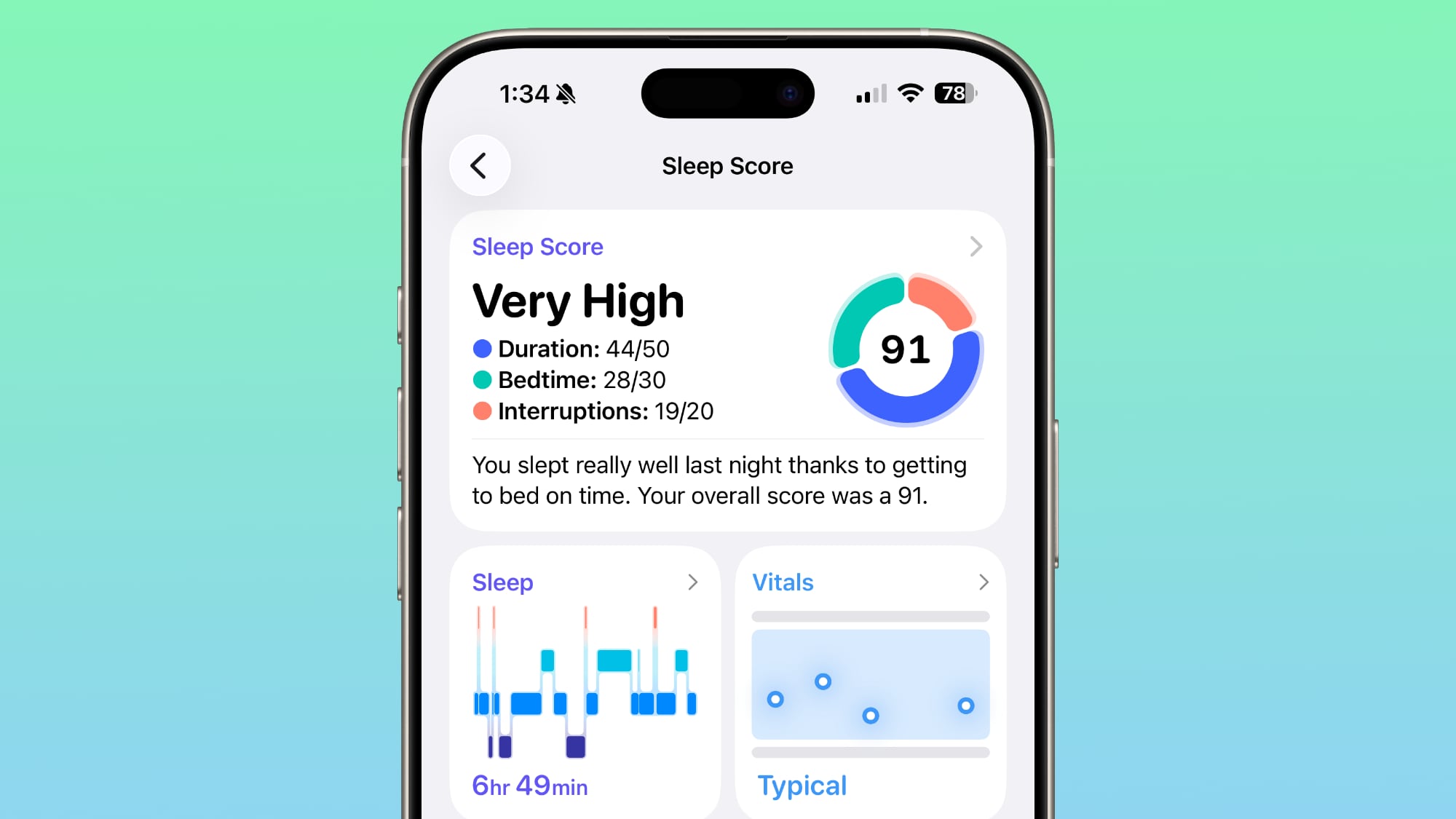
These are the new scores:
- Very Low - 0-40 (previously 0-29)
- Low - 41-60 (previously 30-49)
- OK - 61-80 (previously 50-69)
- High - 81-95 (previously 70-89)
- Very High - 96-100 (previously 90-100)
Sleep Scores are available on all Apple Watch models compatible with watchOS 26.2 and can be found in the Health app on the iPhone. Apple designed Sleep Score to provide an overall sense of sleep patterns, so users can identify habits that might impact their sleep.
Sleep Score takes into account sleep duration, bedtime, and interruptions to assign a nightly score that represents sleep quality. Duration is worth 50 points, bedtime is worth 30, and interruptions (times woken up in the night) are worth 20, for a total of 100 possible points each night.
Podcasts
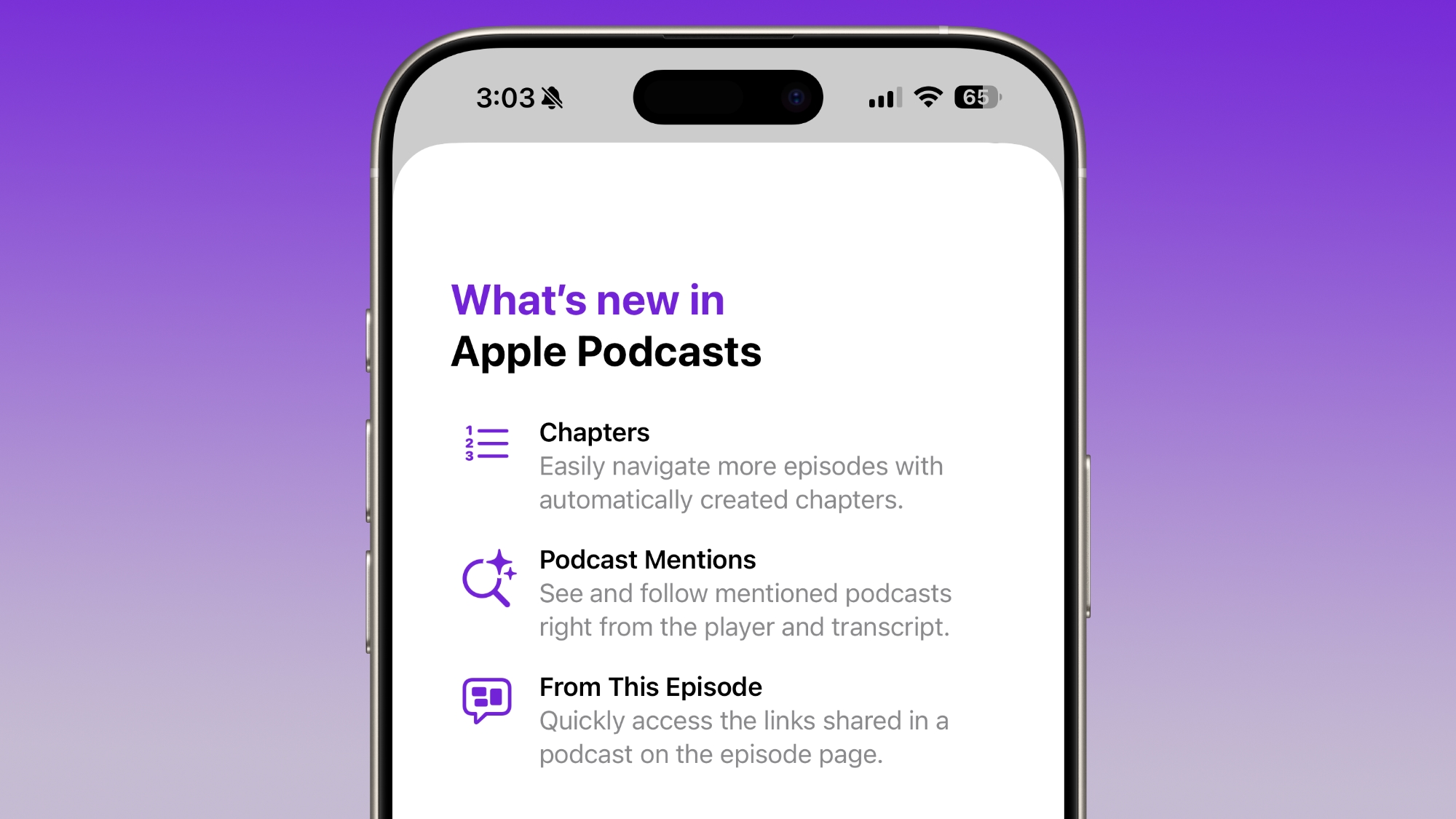
The Podcasts app has three new features, including automatically generated chapters, options to see mentions of other podcasts from the transcript and the player, and access to links mentioned in a podcast on the episode page.
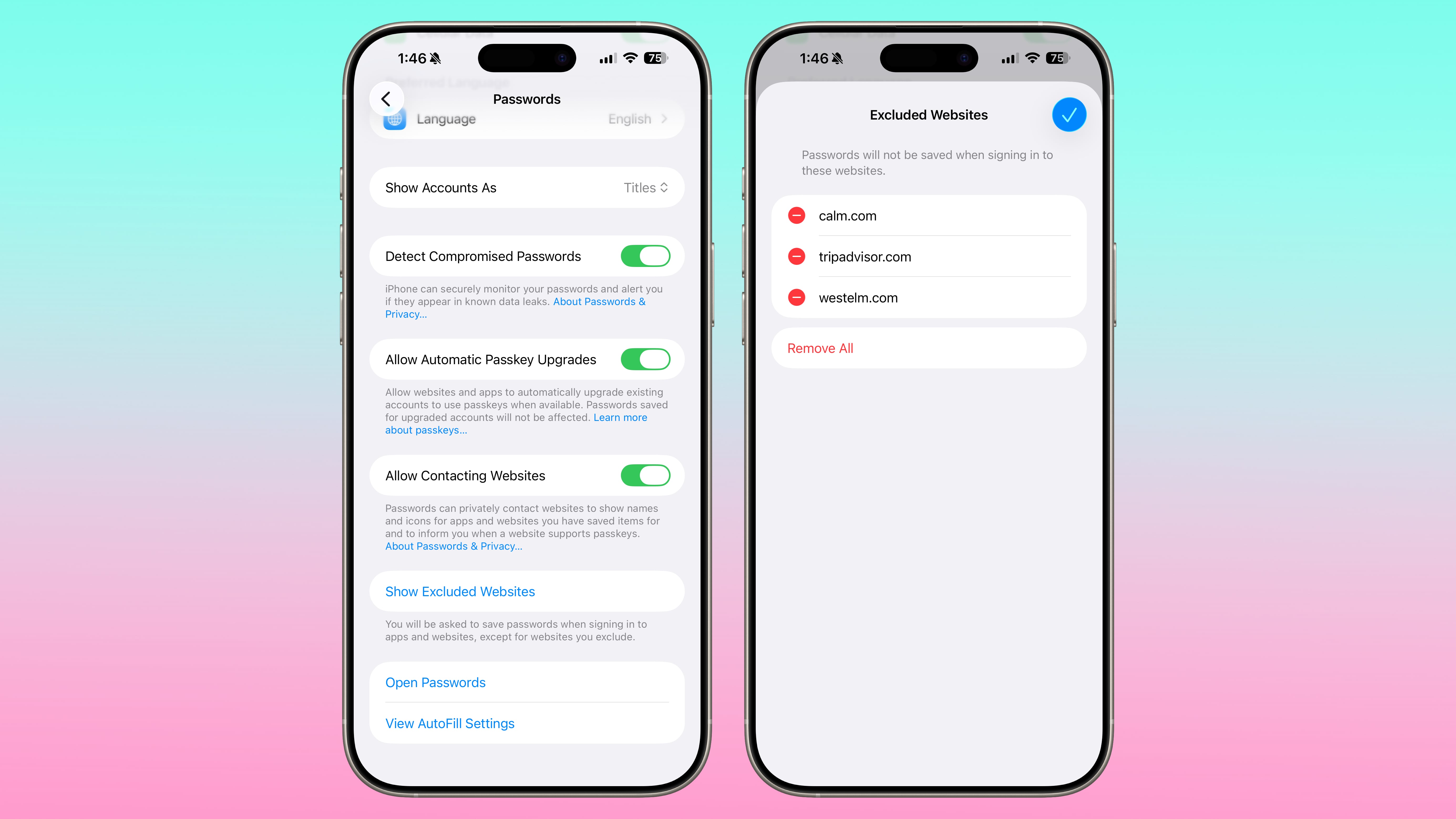
Passwords
In the Settings section of the Passwords app, there's an option to manage websites where passwords are not saved when signing in.
Freeform
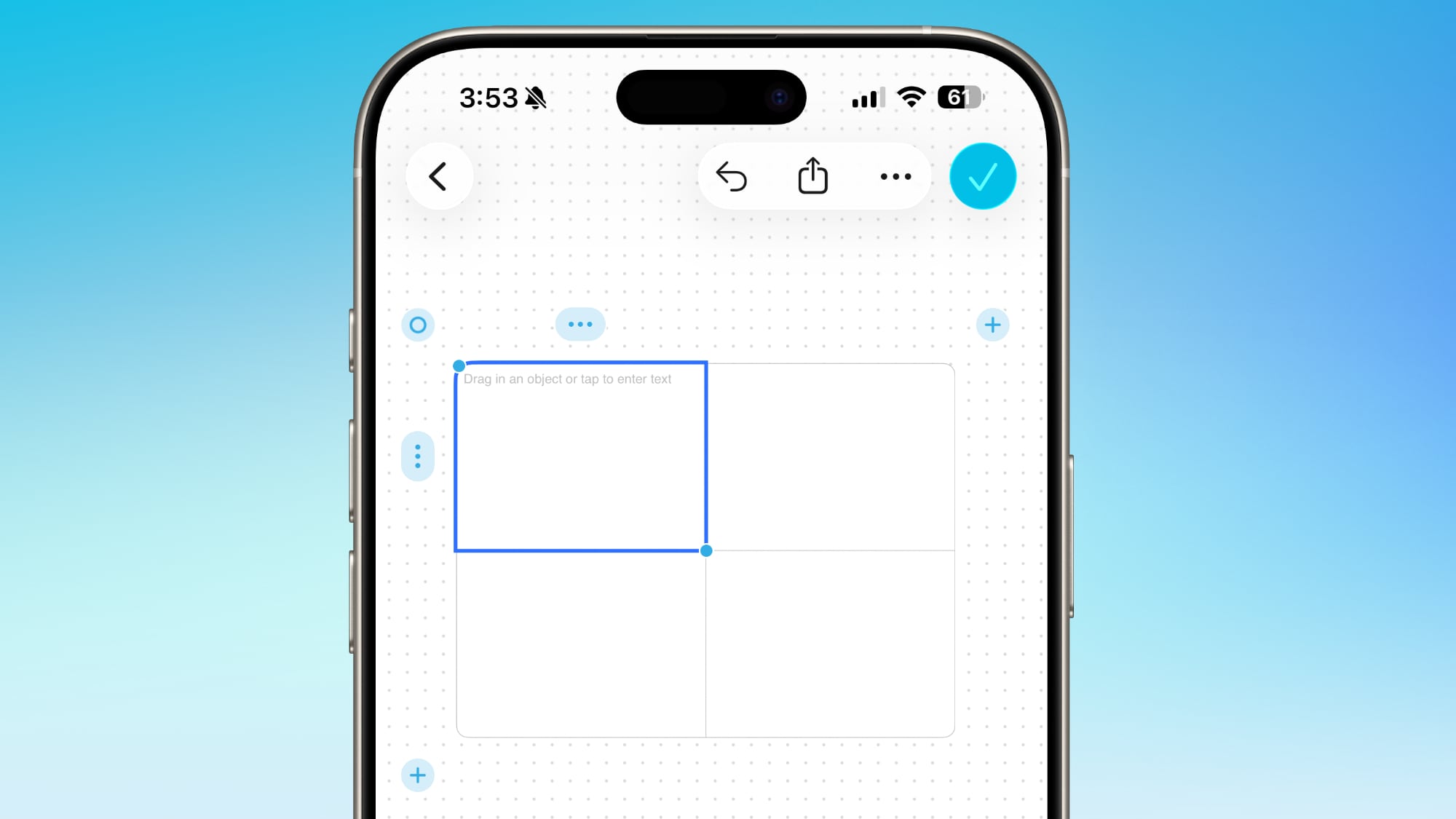
The Freeform app now supports tables that can hold text, images, documents, and drawings. Cells intelligently resize to fit content, providing structure.
Apple News
Apple updated the design of Apple News, adding quick access top buttons for categories like sports, puzzles, politics, business, and food.

There's also a dedicated tab for Following, which has been decoupled from the search interface.
Home App
The Home app now supports multipack accessory pairing. You can use the same setup code to enroll multiple accessories that are sold together.
Flas... Click here to read rest of article
Article Link: iOS 26.2 Features: Everything New in iOS 26.2
- Article Link
- https://www.macrumors.com/guide/ios-26-2-features/


