
Got a tip for us?
Let us know
Become a MacRumors Supporter for $50/year with no ads, ability to filter front page stories, and private forums.
iOS 26.4 Beta 2 ― Bug Fixes, Changes, and Improvements
- Thread starter Banglazed
- WikiPost WikiPost
- Start date
- Sort by reaction score
You are using an out of date browser. It may not display this or other websites correctly.
You should upgrade or use an alternative browser.
You should upgrade or use an alternative browser.
- Status
- The first post of this thread is a WikiPost and can be edited by anyone with the appropiate permissions. Your edits will be public.

Knowlege Bomb
macrumors G4
Scrolling in Mail has been fixed. The dock icons taking a second to populate scrolling from widgets or App Library also seems to be gone.Lots of CarPlay issues in beta 1 so hoping that has been addressed.
Also a fix for scrolling in Mail would be greatly appreciated.
So far so good.

Ethan.Albano
macrumors regular
Nope, none that I could find.Does beta 2 display the new emoji?
macdaddy43
macrumors regular
Can you share your wallpaper? That looks sickAre Home Screen widgets suddenly centered?View attachment 2607398

HouseLannister
macrumors 68040
According to TimFL1, that was working this morning on beta 1. Just took a bit for Google to flip the switch.Apple to Android RCS E2EE is enabled in Beta 2.

Reeneman
macrumors 68020
Can’t reproduce it on my test iPhone 13.Are Home Screen widgets suddenly centered?View attachment 2607398
Seems to be a bug. Mostly gone after a restart or reminding no and adding the widget again.

LutzRFrank
macrumors 65816
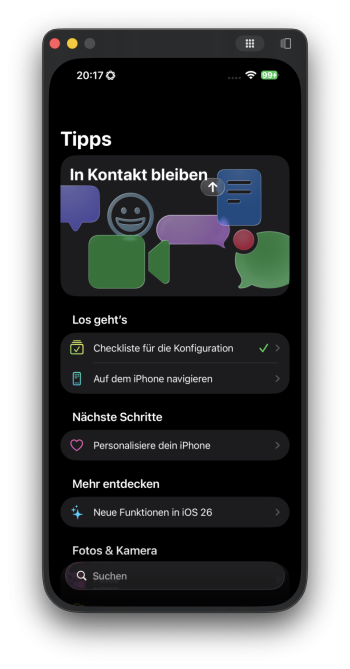
iPhone Mirroring seems to be broken, it connects but the Icons to leave the selected App don't work anymore (top right)
LutzRFrank
macrumors 65816
Can’t reproduce it on my test iPhone 13.
Seems to be a bug. Mostly gone after a restart or reminding no and adding the widget again.
weird
Jumps back left during adjusting the screen, but back to center after accepting any change
Jakesky123
macrumors member
This might have been answered in Beta 1 forum, but what happened to updates for apps in the App Store?
Broken Hope
macrumors 68020
Look at this page, do they show the new emoji?Nope, none that I could find.
Emoji Version List
Emoji 17.0 is the set of emojis recommended for release on September 9 2025, alongside Unicode 17.0. Emoji 17.0 contained 163 new emojis, listed below. This ...


The Doctor11
macrumors 603
LutzRFrank
macrumors 65816
you have a PMCan you share your wallpaper? That looks sick
Ethan.Albano
macrumors regular
Look at this page, do they show the new emoji?
Emoji Version List
Emoji 17.0 is the set of emojis recommended for release on September 9 2025, alongside Unicode 17.0. Emoji 17.0 contained 163 new emojis, listed below. This ...emojipedia.org
Nope.
internet rabbit
macrumors member
Looks like the reverted search button was applied to the Games app... so confusing

Yandawg
macrumors 6502
Click on your icon in the upper right hand corner in Apps. Then, a popup window will show up and halfway down that is an 'updates' button. It is located in that spot on the new Beta.This might have been answered in Beta 1 forum, but what happened to updates for apps in the App Store?
christian.terra
macrumors 65816
gmail app or apple mail app? does it crash the app?Forwarding in gmail broke after the install. iPhone 16 pro max.
The Doctor11
macrumors 603
The Gmail app. It doesn’t crash, it just opens the window but never loads in the email you’re forwarding.gmail app or apple mail app? does it crash the app?
long press on App Store app for shortcut to Updates.seems cool so far I still hate the extra steps to update apps though as I would normally do this several times a day and know its an extra step that I hate
Hamsterhjulet
macrumors 6502a
It’s indeed reverted too. Apple really can’t seem to find out what to do. Looks so weird after getting used to the search bar at the bottom. It was better before since the search bar disappeared when scrolling. Now it just stays all the time at the top.Looks like the reverted search button was applied to the Games app... so confusing

klasma
macrumors G4
Because Apple is trying hard to one-up Android in terms of UI inconsistencies.Search bar is still placed at the top in App Store but not in any other app. If it’s intentional why is it only for App Store?
Yandawg
macrumors 6502
Wow, I didn't know this was possible. Thanks!long press on App Store app for shortcut to Updates.
Hamsterhjulet
macrumors 6502a
I’m tired.. Apple has lost their sense of detail. Such a shame.Because Apple is trying hard to one-up Android in terms of UI inconsistencies.
LutzRFrank
macrumors 65816
The 16PM shows it centered too.Can’t reproduce it on my test iPhone 13.
Seems to be a bug. Mostly gone after a restart or reminding no and adding the widget again.