

Got a tip for us?
Let us know
Become a MacRumors Supporter for $50/year with no ads, ability to filter front page stories, and private forums.
iOS 26.4 Beta 2 ― Bug Fixes, Changes, and Improvements
- Thread starter Banglazed
- WikiPost WikiPost
- Start date
- Sort by reaction score
You are using an out of date browser. It may not display this or other websites correctly.
You should upgrade or use an alternative browser.
You should upgrade or use an alternative browser.
- Status
- The first post of this thread is a WikiPost and can be edited by anyone with the appropiate permissions. Your edits will be public.
nortonandreev
macrumors 68040
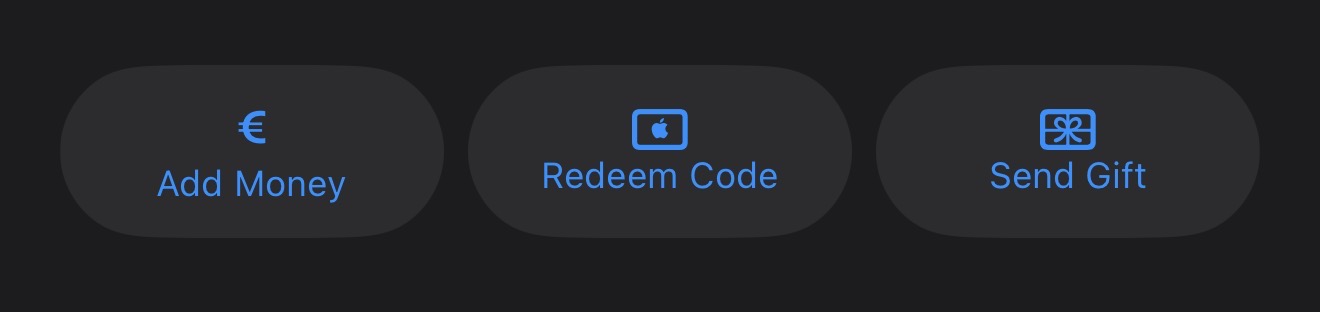
I hate the new layout with the Updates being hidden and these buttons looks so bad (and misaligned).

nortonandreev
macrumors 68040

cbreze
macrumors 65816
What happens when you long press the app store icon?This might have been answered in Beta 1 forum, but what happened to updates for apps in the App Store?

Jdizzle188
macrumors regular
Nauseating, Alan Dyes reign of terror on iOS continues 😂I hate the new layout with the Updates being hidden and these buttons looks so bad (and misaligned).
View attachment 2607417

Dirty Mac
macrumors regular
No joy in Canada either.Still can’t create an AI playlist in Europe.

TheCart
macrumors regular

daio
macrumors regular
No it does notDoes CarPlay have Apple TV in this beta?

UpsideDownEclair
Suspended
That glassy graphic—is it new in Beta 2? Ever spot it before?iPhone Mirroring seems to be broken, it connects but the Icons to leave the selected App don't work anymore (top right)View attachment 2607404

eastpointvet
macrumors member
nice reminder I knew you could do that but have a habit of doing it the other way but thanks for the reminder thats much quicker than the new implementationlong press on App Store app for shortcut to Updates.
The new App Store is still very slow to load content, both the homepage and the new accounts section, among other things. Making everything in an app dependent on internet loading is a mistake because the app's speed depends on the user's internet speed or the congestion on Apple's servers.

ibookemo
macrumors 6502a
Apparently, in the Accessibility menu in Settings, Apple has added new toggle under Display & Text Size: “Reduce Highlighting Effects.” Does this should reduce some of the effects around the edges of the icons on the home screen?

corruptdream
macrumors member
Hi.
Well, I’m on 18.7.2. I’d like your advice, should I upgrade to the latest version, 26? It’s been a while since iOS 26 came out, so I assume they’ve fixed some of the initial issues. But I wouldn’t want to get frustrated if the update affects the battery or isn’t stable. Thanks in advance.
Well, I’m on 18.7.2. I’d like your advice, should I upgrade to the latest version, 26? It’s been a while since iOS 26 came out, so I assume they’ve fixed some of the initial issues. But I wouldn’t want to get frustrated if the update affects the battery or isn’t stable. Thanks in advance.
US only. Come on Apple!Still can’t create an AI playlist in Europe.

Reeneman
macrumors 68020
It’s a betaI hate the new layout with the Updates being hidden and these buttons looks so bad (and misaligned).
View attachment 2607417
Reeneman
macrumors 68020
Tried it shortly but with an already older iPhone 13. Wasn’t able to notice a difference.Apparently, in the Accessibility menu in Settings, Apple has added new toggle under Display & Text Size: “Reduce Highlighting Effects.” Does this should reduce some of the effects around the edges of the icons on the home screen?

iLuddite
macrumors 6502a
No, I think it reduces the (in my opinion ugly and Android-esque) highlight effect when you hold finger on/slide across various buttons across the UI; I don’t believe it has anything to do with the icon edge highlights.Apparently, in the Accessibility menu in Settings, Apple has added new toggle under Display & Text Size: “Reduce Highlighting Effects.” Does this should reduce some of the effects around the edges of the icons on the home screen?
Also the bug from beta 1 wherein the redesigned App Store account page doesn’t load in Lockdown Mode isn’t fixed.
iLuddite
macrumors 6502a
Nice: they’ve done away with (in my opinion ugly) glass button effects with Reduce Transparency enabled, as it should be 🤭
Nice going Apple 👏
Nice going Apple 👏
I don't think so. Apple is seriously determined that inconsistency in its interface and ugly, pointless effects like the glow around the edges of icons will be its new hallmark in terms of interface design.Apparently, in the Accessibility menu in Settings, Apple has added new toggle under Display & Text Size: “Reduce Highlighting Effects.” Does this should reduce some of the effects around the edges of the icons on the home screen?
ibookemo
macrumors 6502a
Bummer. Nothing in this release for me then. I'm only interested in reducing liquid glass at this point. Shame the new Siri is a no-show too though.I don't think so. Apple is seriously determined that inconsistency in its interface and ugly, pointless effects like the glow around the edges of icons will be its new hallmark in terms of interface design.

ProbablyDylan
macrumors 68040
No, I think it reduces the (in my opinion ugly and Android-esque) highlight effect when you hold finger on/slide across various buttons across the UI; I don’t believe it has anything to do with the icon edge highlights.
I can confirm it does not disable either the specular highlights on edges or the highlight effect when hitting a touch target. They're still as distracting and cheap feeling as they were previously.
Reeneman
macrumors 68020
Could you post screenshots with and without the option enabled, please?Nice: they’ve done away with (in my opinion ugly) glass button effects with Reduce Transparency enabled, as it should be 🤭
Nice going Apple 👏

slomtbr
macrumors 6502
Beta 2 broke connectivity with my fast, cheap wireless CarPlay adapter.
It still works with my slow, cheap adapter.
It still works with my slow, cheap adapter.