

Become a MacRumors Supporter for $50/year with no ads, ability to filter front page stories, and private forums.

MacRumors

macrumors bot
Original poster


The latest version of iOS 26, iOS 26.4, is now available for download. The update doesn't have the Siri feature set we were hoping for, but there are quite a few new additions like new emoji and an AI music feature.
ios-26-4-yellow.jpg

Playlist Playground

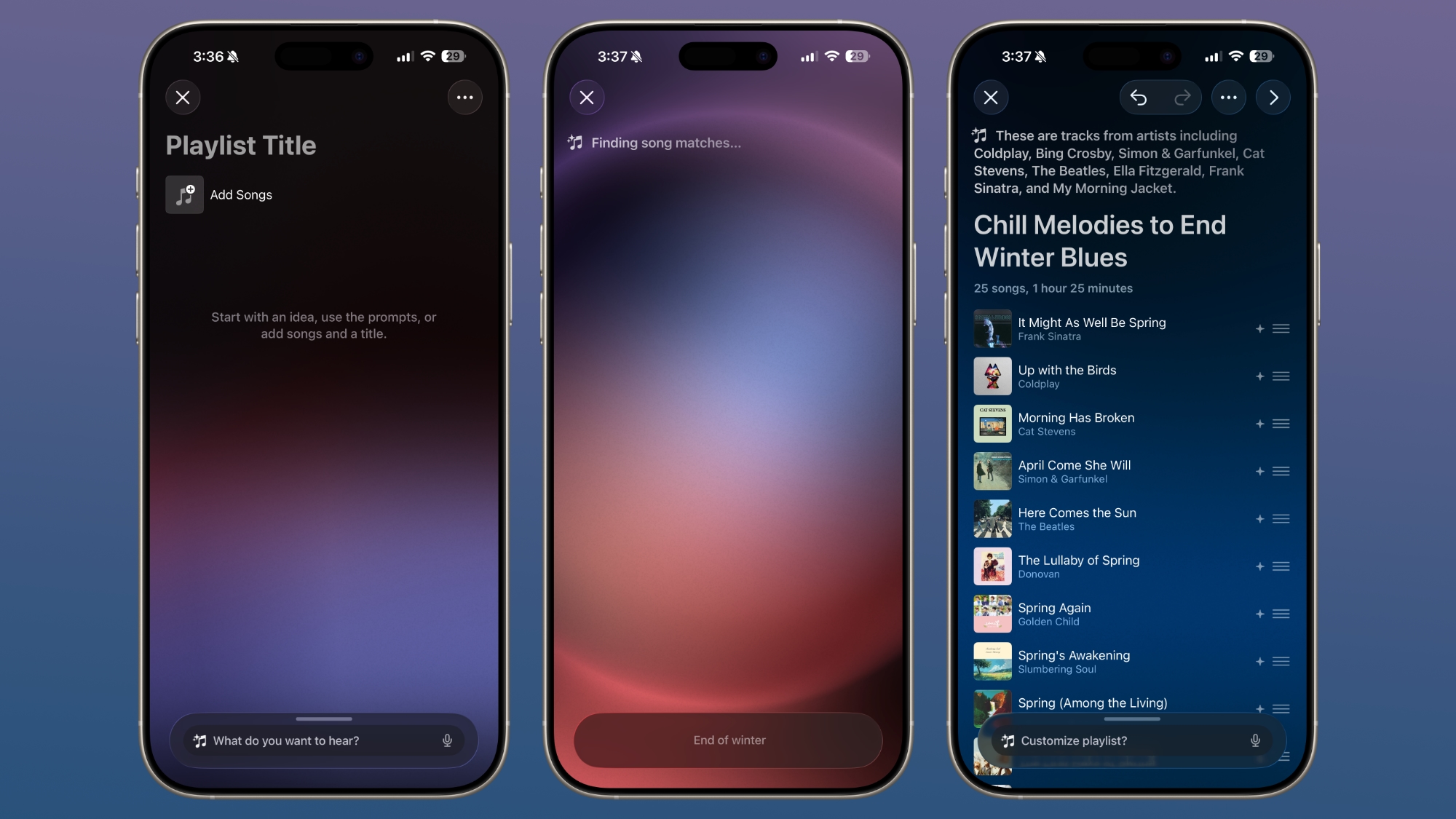
Apple Music has a new Playlist Playground feature that lets users create a playlist with a text-based prompt.
ios-26-4-playlist-playground.jpg

In the Apple Music app, there's an option to type in an idea and get automatic song suggestions for a playlist. Apple has some pre-set suggestions that include "morning coffee music," "hip-hop party songs," and "disco songs that defined the 1970s," but you can type in any idea, mood, or feeling.

From there, the Playlist Playground feature will automatically generate a list of 25 songs, along with a custom title. Playlists that you create can be customized further with additional text prompts, and you can select a cover and a description.

Playlist Playground is limited to the United States.

New Emoji

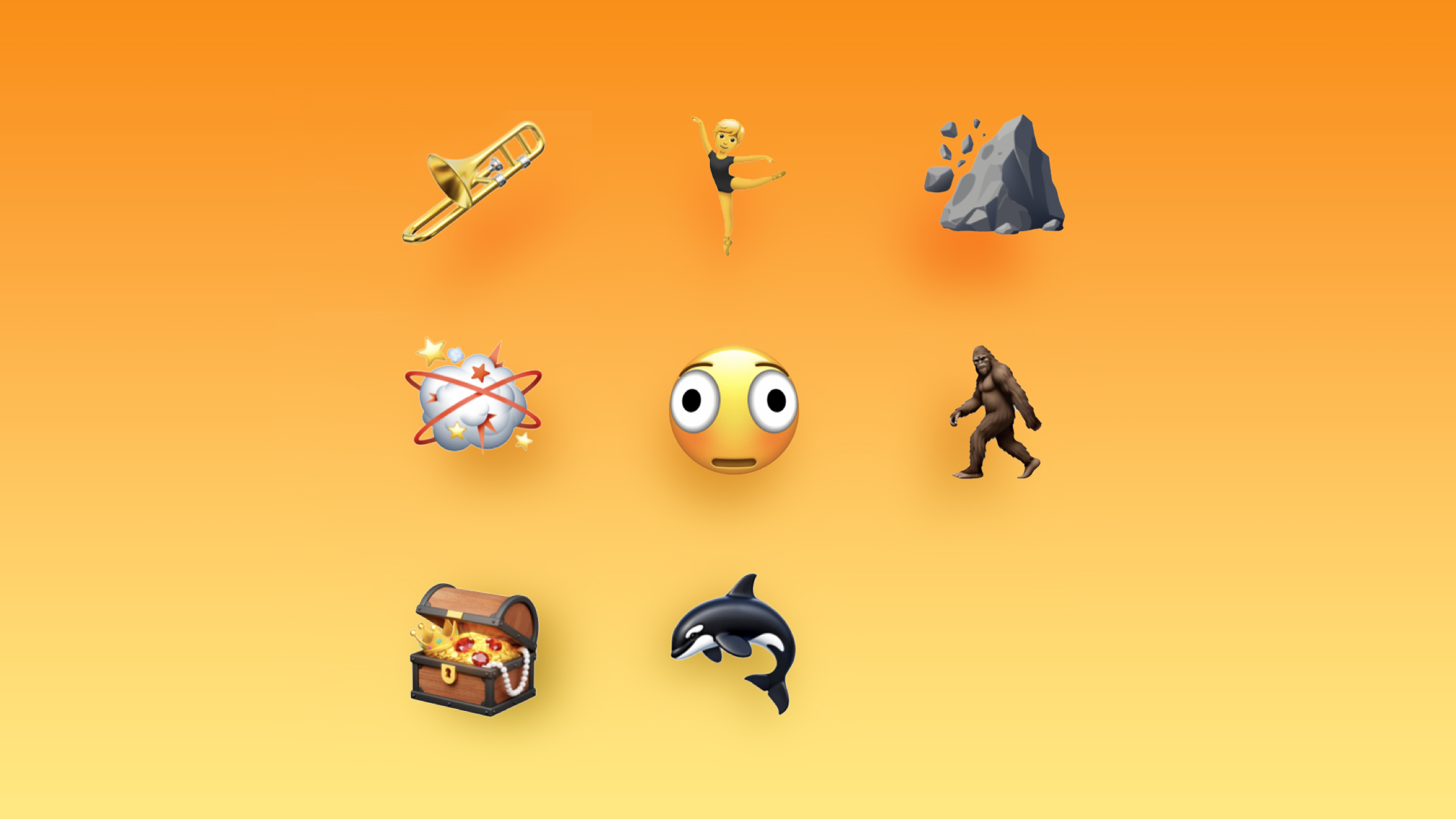
iOS 26.4 adds eight new emoji characters, including trombone, treasure chest, distorted face, hairy creature (Sasquatch), fight cloud, orca, landslide, and ballet dancer.
Latest-iOS-26.4-Beta-Adds-New-Emoji-Characters-Feature.jpg

There are also new skin tone modifiers for people wrestling and dancers with bunny ears.

Apple Music

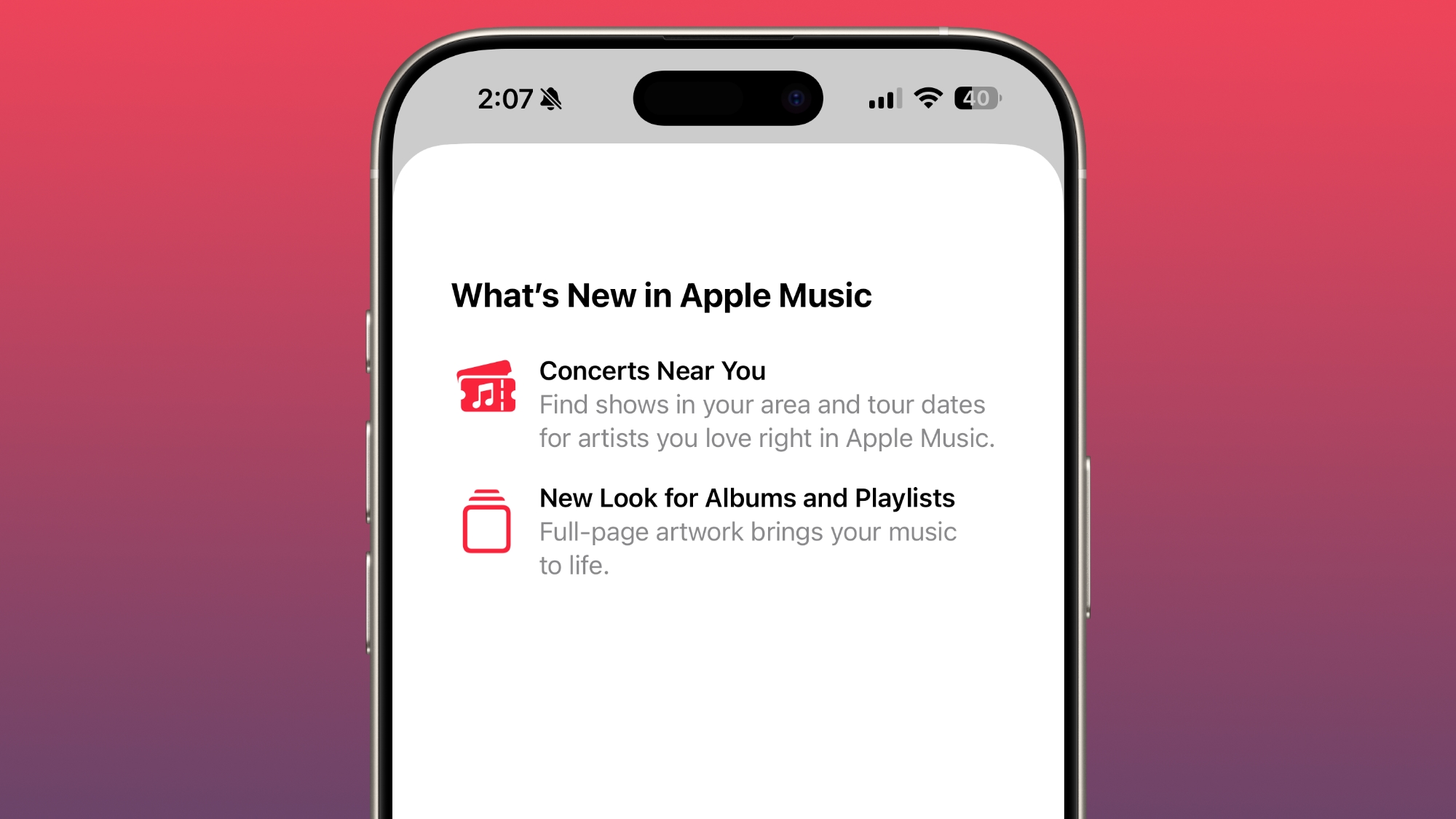
Apple Music features a "Concerts Near You" feature that helps you find shows in your area and tour dates for artists that you're a fan of. Apple is partnering with companies like Ticketmaster to provide local concert info.
ios-26-4-apple-music.jpg

Apple has redesigned albums and playlists, adding full-page artwork.

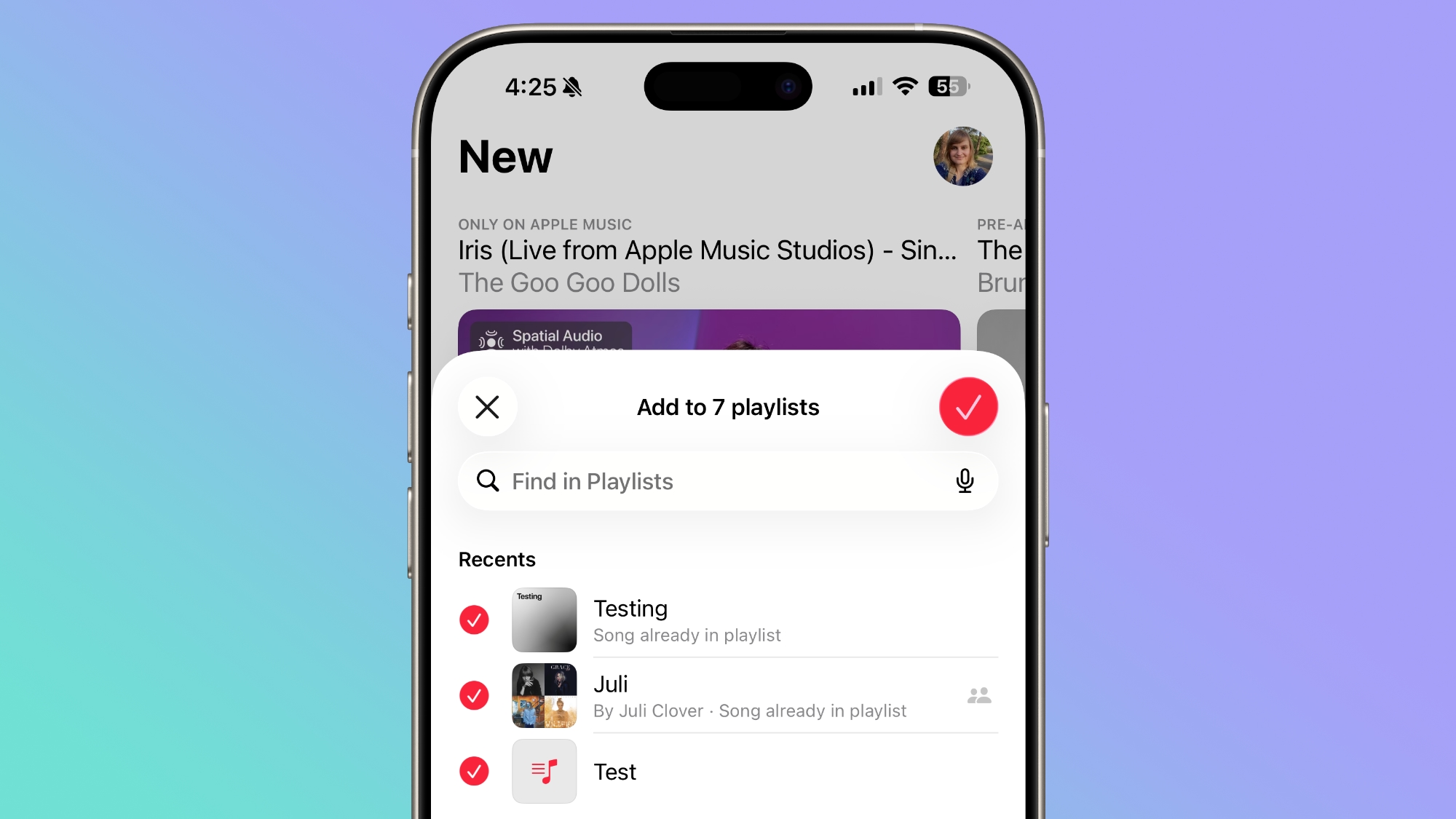
A song can be added to multiple playlists at the same time in the Apple Music app. In the add to playlist interface, there is a list button, and tapping it allows you to select multiple playlists at the same time.
ios-26-4-multiple-playlists.jpg


Offline Music Recognition

In Control Center, the song recognition feature is now able to identify songs without an internet connection, providing results when you're back online.

Purchase Sharing Changes

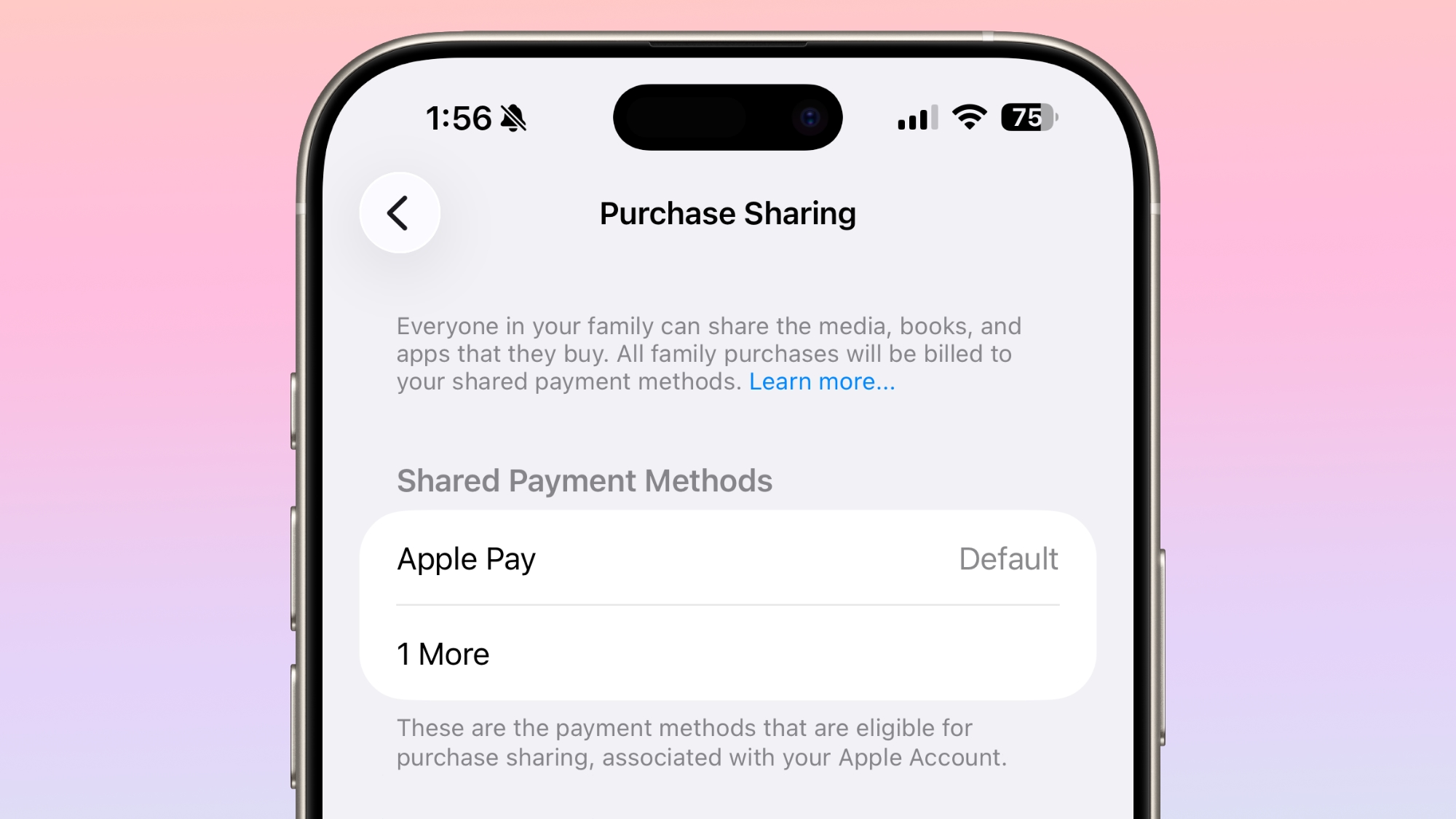
Adult members in a Family Sharing group can now use separate payment methods for purchases, rather than having to share a single payment method.
ios-26-4-purchase-sharing.jpg


Apple Podcasts

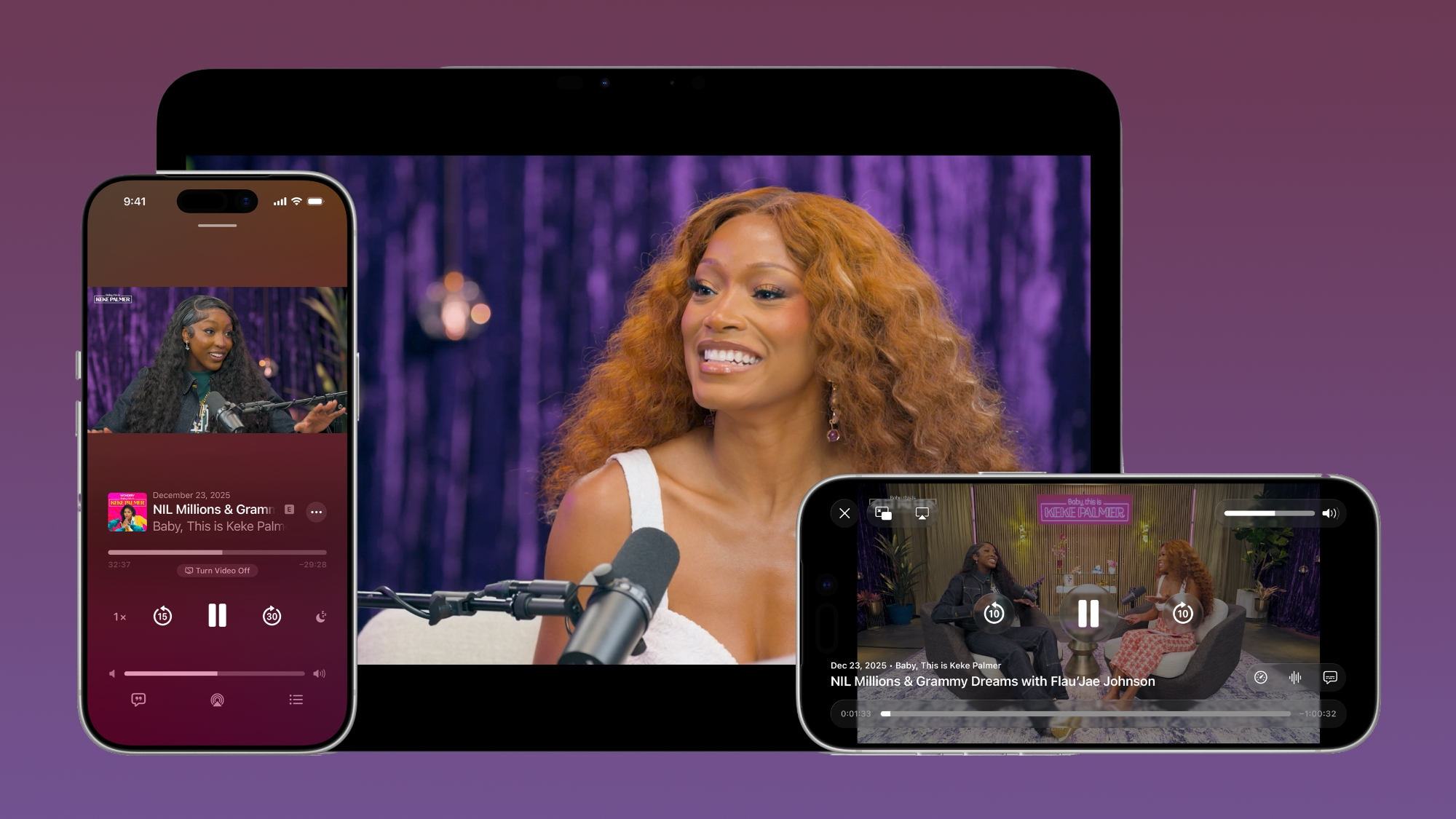
With iOS 26.4, Apple added video podcast capabilities to the Apple Podcasts app. The feature uses HTTP Live Streaming (HLS) to provide podcast creators with "unprecedented control and monetization opportunities" while also providing a high-quality viewing experience.
apple-podcasts-video.jpg

The iOS 26.4 Podcasts app will let users switch between watching and listening to shows, with videos able to be downloaded for offline viewing. HLS ensures smooth playback regardless of network connection, so videos will work on Wi-Fi or cellular. Apple says that the new video episodes will integrate with existing Apple Podcasts features, including personalized recommendations and editorial suggestions in the New and Category sections.

Stolen Device Protection

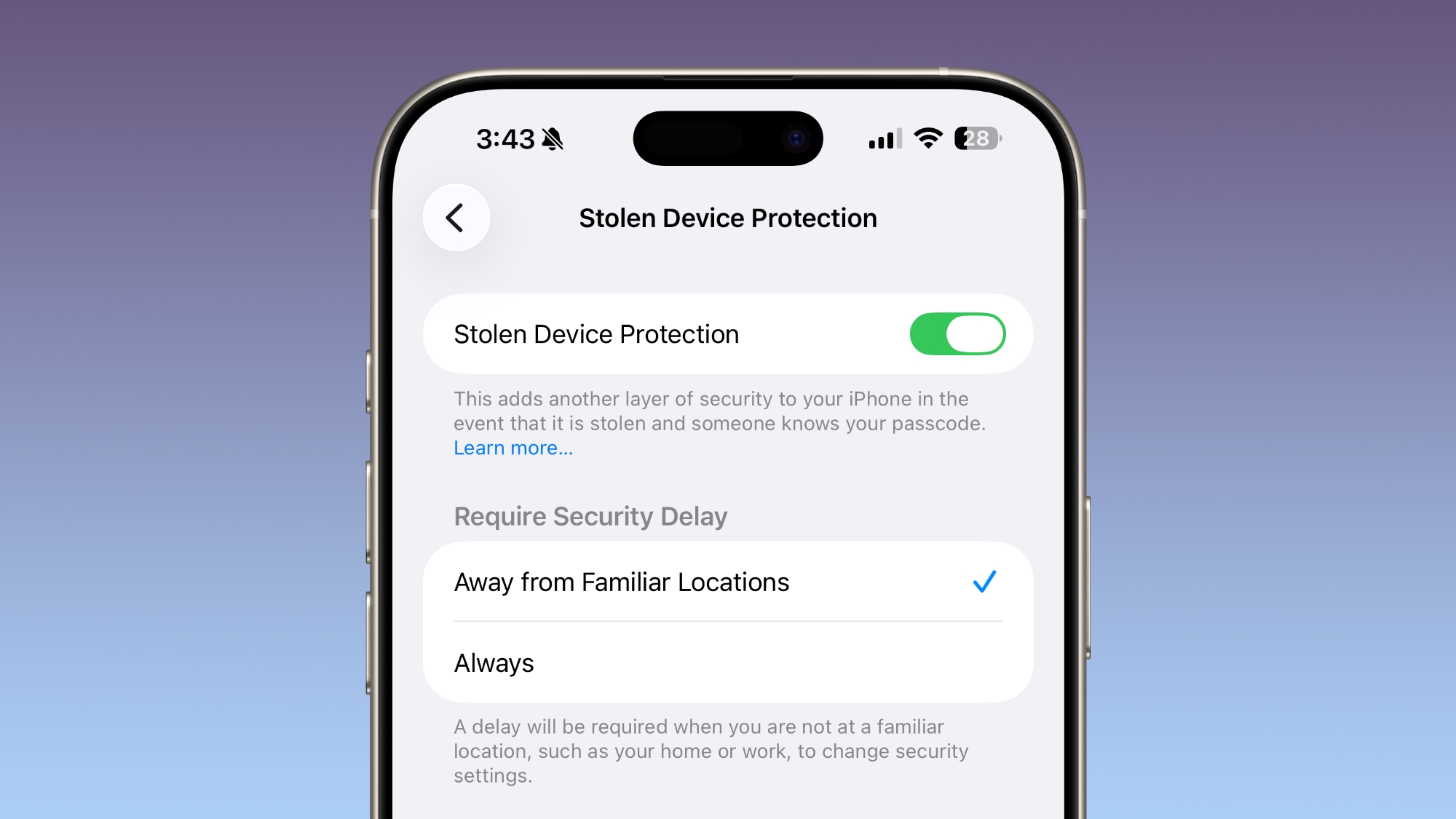
Stolen Device Protection is now enabled by default for all iPhone users, rather than being an opt-in feature.
ios-26-4-stolen-device-protection.jpg

Apple implemented Stolen Device Protection in iOS 17.3 after reports about a new iPhone theft method. Thieves would spy on an intended victim to learn their passcode, then steal the target's iPhone. With the passcode, criminals were able to empty bank accounts, access passwords, and turn off Find My.

Stolen Device Protection requires additional authentication through Face ID or Touch ID to access certain iPhone features like the Passwords app, Lost mode in Find My, Safari purchases, and more. Some features are disabled entirely without authentication, while others have a one-hour security delay.

Messages App

There are new animations in the Messages app for actions like launching a new conversation.

Apple Account Unified Design

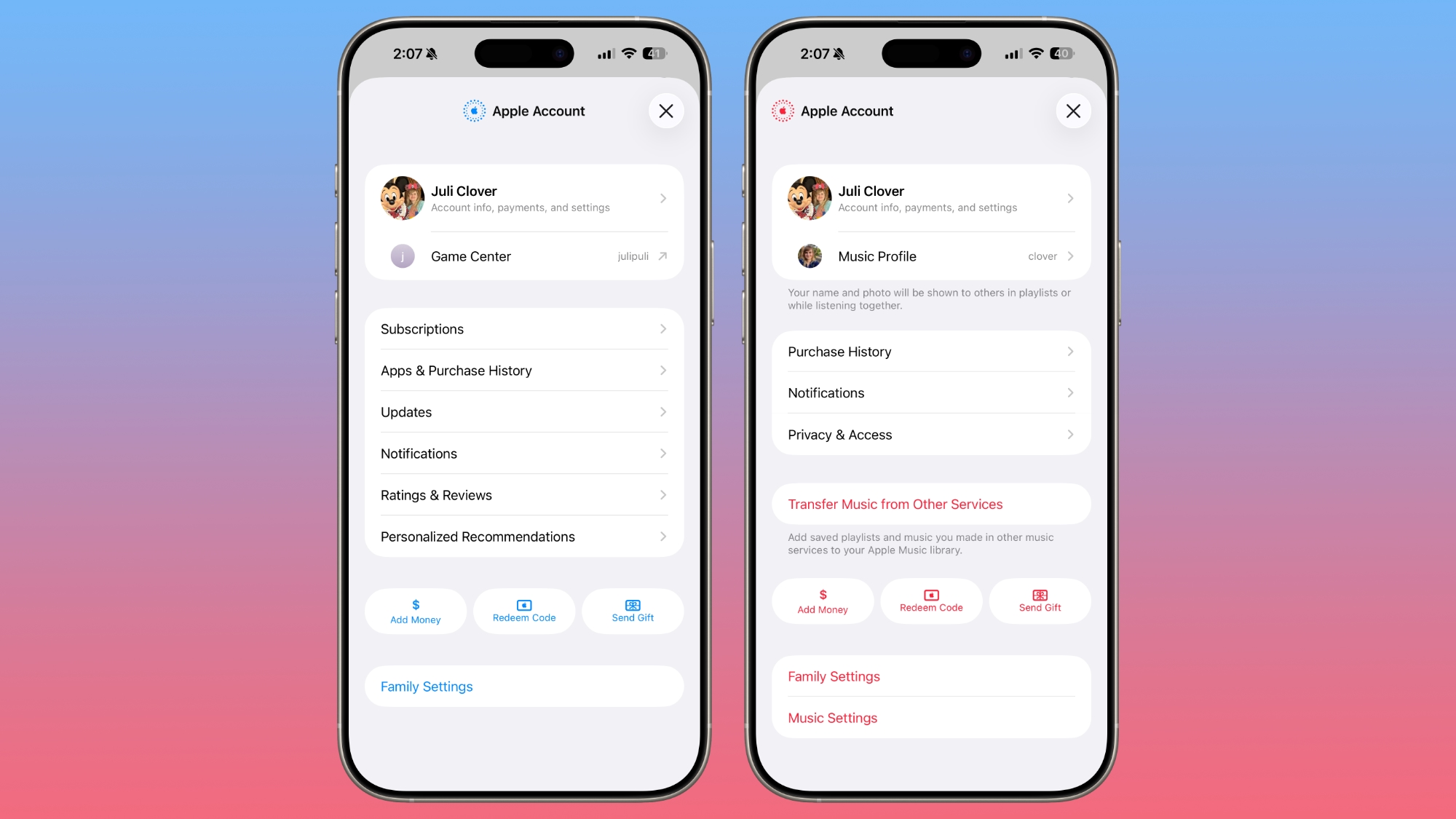
In the App Store, Apple Music, and other apps that have user settings, there is a new unified Apple Account hub that replaces the existing profile feature.
ios-26-4-apple-account-hub.jpg

It offers largely the same functionality as the prior profile settings for each app, but there is a new unified design.

The App Store merges apps and purchase history, and has a dedicated section for app updates. It now takes two taps to get to app updates rather than having them available at the bottom of the profile page.

The App Store's navigation bar also no longer features Search as a separate button, and the search bar itself is at the top when tapped rather than the bottom.

Ambient Music Widget

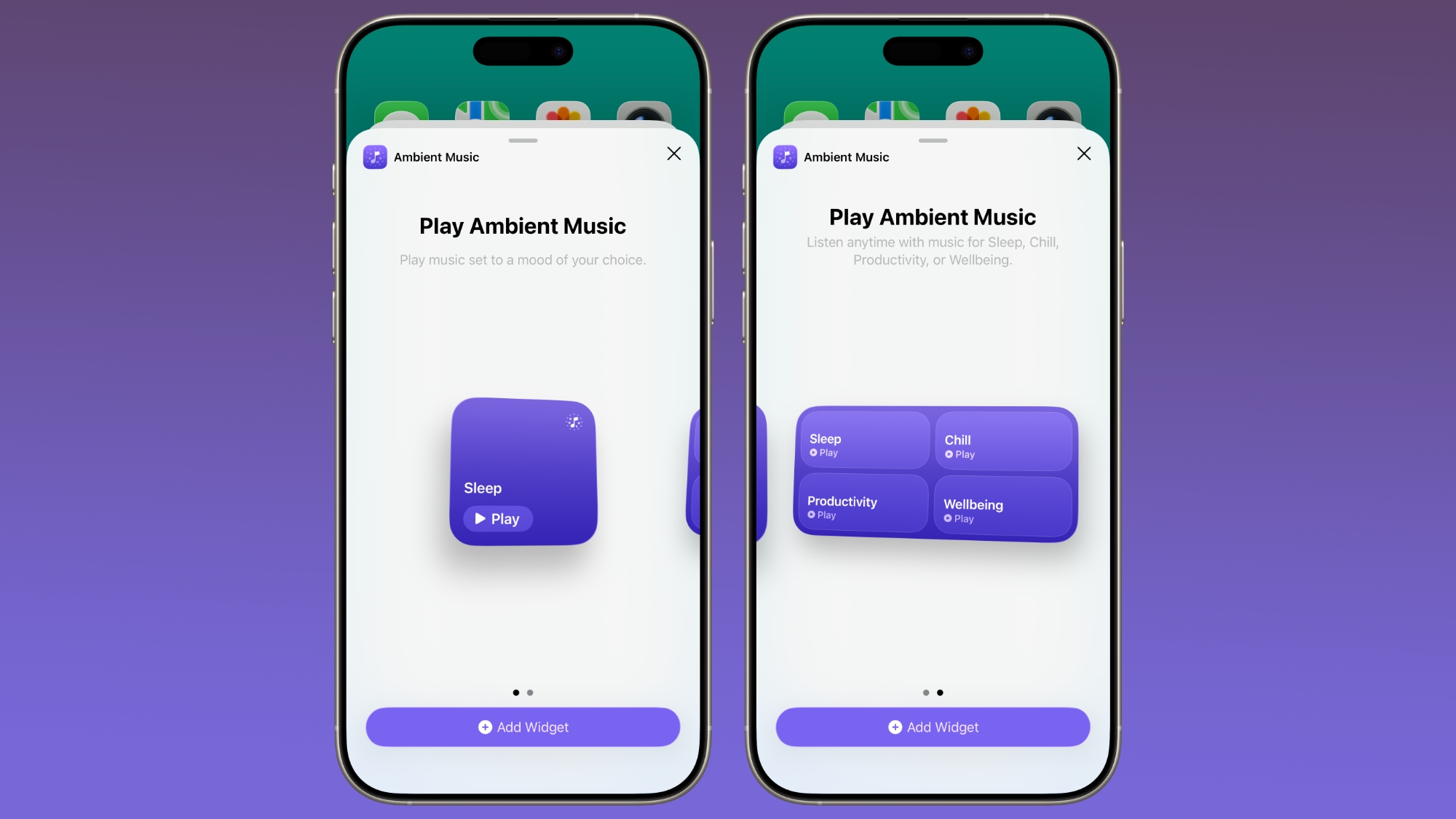
There is a new Ambient Music widget for the Home and Lock Screen. It supports playing different built-in ambient music options for sleep, productivity, wellbeing, and more.
ios-26-4-ambient-music-widget.jpg

Wallpaper and Watch Face Gallery

The Wallpaper Gallery has an updated design that allows Wallpapers from each category like Weather, Astronomy, Emoji, Colors and More to be downloaded to the iPhone... Click here to read rest of article

Article Link: iOS 26.4 Features: Everything New in iOS 26.4
 
Finally, more emoji. Apple is finally innovating with courage again. I can’t wait to see the exciting, new magical bugs that have been introduced from the ground up for Apple Intelligence. They are reimagined new bugs in more exciting colors and textures than ever before. Combined with Liquid Gass Pro, they are light years ahead of the competition. We are going to love them. And the music, it is more musical than ever seen before, packing more notes into a single song than in the audible spectrum. YOur ears will enjoy an experience never, heard, felt or seen - yes our music transcends the audio/visual interface - before. We call it EarVision pro. 26.4 is the most breathtakingly innovative iOS since we introduced the original iPhone.
 
Last edited:
Finally, more emoji. Apple is finally innovating with courage again. I can’t wait to see the exciting, new magical bugs that have been introduced from the ground up for Apple Intelligence. They are reimagined new bugs in more exciting colors and textures than ever before. Combined with Liquid Gass Pro, they are light years ahead of the competition. We are going to love them. And the music, it is more musical than ever seen before, packing more notes into a single song than in the audible spectrum. YOur ears will enjoy an experience never, heard, felt or seen - yes our music transcends the audio/visual interface - before. We call it EarVision pro. 26.4 is the most breathtakingly innovative iOS since we introduced the original iPhone.
Now I can finally send Bigfoot 🫈 emojis all day long 😂


The latest version of iOS 26, iOS 26.4, is now available for download. The update doesn't have the Siri feature set we were hoping for, but there are quite a few new additions like new emoji and an AI music feature.

ios-26-4-yellow.jpg

Playlist Playground

Apple Music has a new Playlist Playground feature that lets users create a playlist with a text-based prompt.

ios-26-4-playlist-playground.jpg

In the Apple Music app, there's an option to type in an idea and get automatic song suggestions for a playlist. Apple has some pre-set suggestions that include "morning coffee music," "hip-hop party songs," and "disco songs that defined the 1970s," but you can type in any idea, mood, or feeling.

From there, the Playlist Playground feature will automatically generate a list of 25 songs, along with a custom title. Playlists that you create can be customized further with additional text prompts, and you can select a cover and a description.

Playlist Playground is limited to the United States.

New Emoji

iOS 26.4 adds eight new emoji characters, including trombone, treasure chest, distorted face, hairy creature (Sasquatch), fight cloud, orca, landslide, and ballet dancer.

Latest-iOS-26.4-Beta-Adds-New-Emoji-Characters-Feature.jpg

There are also new skin tone modifiers for people wrestling and dancers with bunny ears.

Apple Music

Apple Music features a "Concerts Near You" feature that helps you find shows in your area and tour dates for artists that you're a fan of. Apple is partnering with companies like Ticketmaster to provide local concert info.

ios-26-4-apple-music.jpg

Apple has redesigned albums and playlists, adding full-page artwork.

A song can be added to multiple playlists at the same time in the Apple Music app. In the add to playlist interface, there is a list button, and tapping it allows you to select multiple playlists at the same time.

ios-26-4-multiple-playlists.jpg


Offline Music Recognition

In Control Center, the song recognition feature is now able to identify songs without an internet connection, providing results when you're back online.

Purchase Sharing Changes

Adult members in a Family Sharing group can now use separate payment methods for purchases, rather than having to share a single payment method.

ios-26-4-purchase-sharing.jpg


Apple Podcasts

With iOS 26.4, Apple added video podcast capabilities to the Apple Podcasts app. The feature uses HTTP Live Streaming (HLS) to provide podcast creators with "unprecedented control and monetization opportunities" while also providing a high-quality viewing experience.

apple-podcasts-video.jpg

The iOS 26.4 Podcasts app will let users switch between watching and listening to shows, with videos able to be downloaded for offline viewing. HLS ensures smooth playback regardless of network connection, so videos will work on Wi-Fi or cellular. Apple says that the new video episodes will integrate with existing Apple Podcasts features, including personalized recommendations and editorial suggestions in the New and Category sections.

Stolen Device Protection

Stolen Device Protection is now enabled by default for all iPhone users, rather than being an opt-in feature.

ios-26-4-stolen-device-protection.jpg

Apple implemented Stolen Device Protection in iOS 17.3 after reports about a new iPhone theft method. Thieves would spy on an intended victim to learn their passcode, then steal the target's iPhone. With the passcode, criminals were able to empty bank accounts, access passwords, and turn off Find My.

Stolen Device Protection requires additional authentication through Face ID or Touch ID to access certain iPhone features like the Passwords app, Lost mode in Find My, Safari purchases, and more. Some features are disabled entirely without authentication, while others have a one-hour security delay.

Messages App

There are new animations in the Messages app for actions like launching a new conversation.

Apple Account Unified Design

In the App Store, Apple Music, and other apps that have user settings, there is a new unified Apple Account hub that replaces the existing profile feature.

ios-26-4-apple-account-hub.jpg

It offers largely the same functionality as the prior profile settings for each app, but there is a new unified design.

The App Store merges apps and purchase history, and has a dedicated section for app updates. It now takes two taps to get to app updates rather than having them available at the bottom of the profile page.

The App Store's navigation bar also no longer features Search as a separate button, and the search bar itself is at the top when tapped rather than the bottom.

Ambient Music Widget

There is a new Ambient Music widget for the Home and Lock Screen. It supports playing different built-in ambient music options for sleep, productivity, wellbeing, and more.

ios-26-4-ambient-music-widget.jpg

Wallpaper and Watch Face Gallery

The Wallpaper Gallery has an updated design that allows Wallpapers from each category like Weather, Astronomy, Emoji, Colors and More to be downloaded to the iPhone... Click here to read rest of article

Article Link: iOS 26.4 Features: Everything New in iOS 26.4
Anyone know if playlist playground is limited to Apple Music subscription only?

I don’t have Apple Music but would love to use this with my purchased iTunes song library .
 
Stolen Device Protection

Stolen Device Protection is now enabled by default for all iPhone users, rather than being an opt-in feature.

ios-26-4-stolen-device-protection.jpg

Apple implemented Stolen Device Protection in iOS 17.3 after reports about a new iPhone theft method. Thieves would spy on an intended victim to learn their passcode, then steal the target's iPhone. With the passcode, criminals were able to empty bank accounts, access passwords, and turn off Find My.

Stolen Device Protection requires additional authentication through Face ID or Touch ID to access certain iPhone features like the Passwords app, Lost mode in Find My, Safari purchases, and more. Some features are disabled entirely without authentication, while others have a one-hour security delay.
Has this actually been confirmed or has Apple made an official announcement somewhere? It's not in the release notes. I upgraded four iPhones, and none of them had SDP turned on even though all requirements needed for it are met...
 
I just experienced what is a possibly serious bug with the Stolen Device Protection feature. Before turning on Stolen Device Protection a couple of days ago, under iOS 26.3.1 (a), I updated my FaceID to show my face as it is with a beard. I had a pretty full beard. I then turned on Stolen Device Protection and it was really transparent to me. I had not really tested it. On March 23, I went for a haircut and had my beard shaved off. The result is that I can no longer get FaceID to work, since it does not “recognize” me when I am cleanshaven. So I thought to myself…no problem, I will simply update my FaceID to show my new appearance. However I updated my device to 26.4 before going to Settings —> Face ID & Passcode. Stolen Device Protection was turned on (as it has been for a few days.) I tapped “Set Up an Alternate Appearance”. Apparently, Face ID will try to authenticate you first. If you don’t look like you did before, then Face ID will fail, and you will NOT be allowed to set up an alternate appearance. I am unable to update my FaceID, in other words. Even worse, I cannot turn off Stolen Device Protection, because it tries to authenticate me with Face ID, and that fails because I am now cleanshaven. So I get stuck in an authentication loop that I won’t be able to break unless I grow a beard again. As a result, it might not be such a good idea to turn on Stolen Device Protection if you change your face significantly after doing that. If FaceID fails, as it will in this circumstance (lots of people change their appearance), the user should be provided with an alternate method to authenticate. For example, with a security key.
 
I used to like using CarPlay, but since they disabled it because I won’t turn Siri on, it’s of no interest to me. And can they pull back the old Apple genius’s from making emojis & get them back on the phone software. Then have all those MS Zune designers, move away from the iOS department.
 
I update for security patches, features not so much - I can't recall writing anything in a text message that requires much typing so the keyboard is a non-issue, music no, car play - my car is a bit old to bother with such nonsense , emoji's - haven't used any
 
  • Haha
Reactions: HazeAndHahmahneez
I just experienced what is a possibly serious bug with the Stolen Device Protection feature. Before turning on Stolen Device Protection a couple of days ago, under iOS 26.3.1 (a), I updated my FaceID to show my face as it is with a beard. I had a pretty full beard. I then turned on Stolen Device Protection and it was really transparent to me. I had not really tested it. On March 23, I went for a haircut and had my beard shaved off. The result is that I can no longer get FaceID to work, since it does not “recognize” me when I am cleanshaven. So I thought to myself…no problem, I will simply update my FaceID to show my new appearance. However I updated my device to 26.4 before going to Settings —> Face ID & Passcode. Stolen Device Protection was turned on (as it has been for a few days.) I tapped “Set Up an Alternate Appearance”. Apparently, Face ID will try to authenticate you first. If you don’t look like you did before, then Face ID will fail, and you will NOT be allowed to set up an alternate appearance. I am unable to update my FaceID, in other words. Even worse, I cannot turn off Stolen Device Protection, because it tries to authenticate me with Face ID, and that fails because I am now cleanshaven. So I get stuck in an authentication loop that I won’t be able to break unless I grow a beard again. As a result, it might not be such a good idea to turn on Stolen Device Protection if you change your face significantly after doing that. If FaceID fails, as it will in this circumstance (lots of people change their appearance), the user should be provided with an alternate method to authenticate. For example, with a security key.
That sounds like expected behavior, but it's a good reminder that Stolen Device Protection can be a PITA sometimes. The whole purpose of Stolen Device Protection would be defeated if a thief was able to get in to set up Face ID for themselves.

Were you not home at the time this happened? If you're at a familiar location, it should let you use your passcode if Face ID isn't working. If you're not at a familiar location, then it should start a 1-hour security delay and show you a notification when you can get back into Settings to do what you wanted.

For familiar locations to work properly, make sure you have 'Significant Locations & Routes' enabled under Location Services > System Services. It'll take some time for the phone to build up some familiar locations if you're just turning it on or setting up a new phone.

 
Last edited:
Register on MacRumors! This sidebar will go away, and you'll see fewer ads.