Become a MacRumors Supporter for $50/year with no ads, ability to filter front page stories, and private forums.
First day on iOS 26.5.2 with my Air, it had around 20 mins of screen time when I unplugged it at 100% this morning. A mix of mobile data and WiFi, mostly WiFi 70/30 ish.
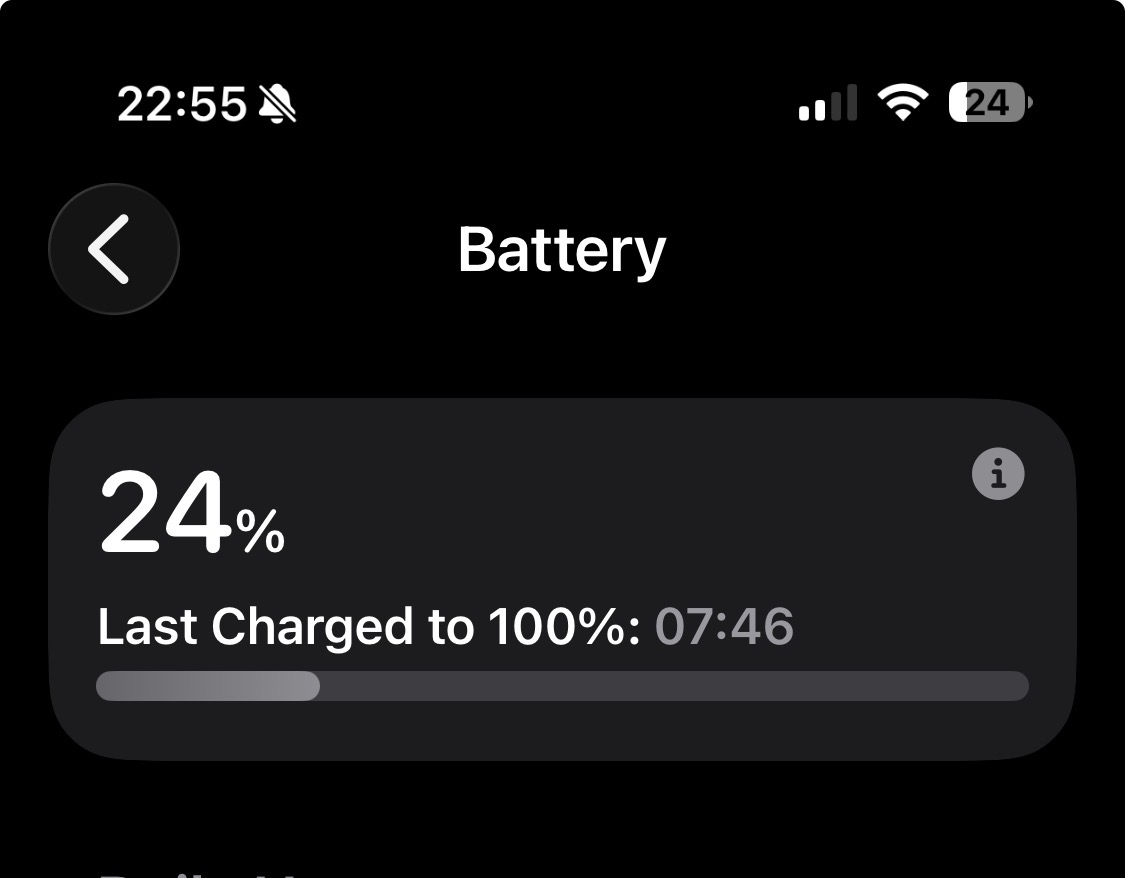
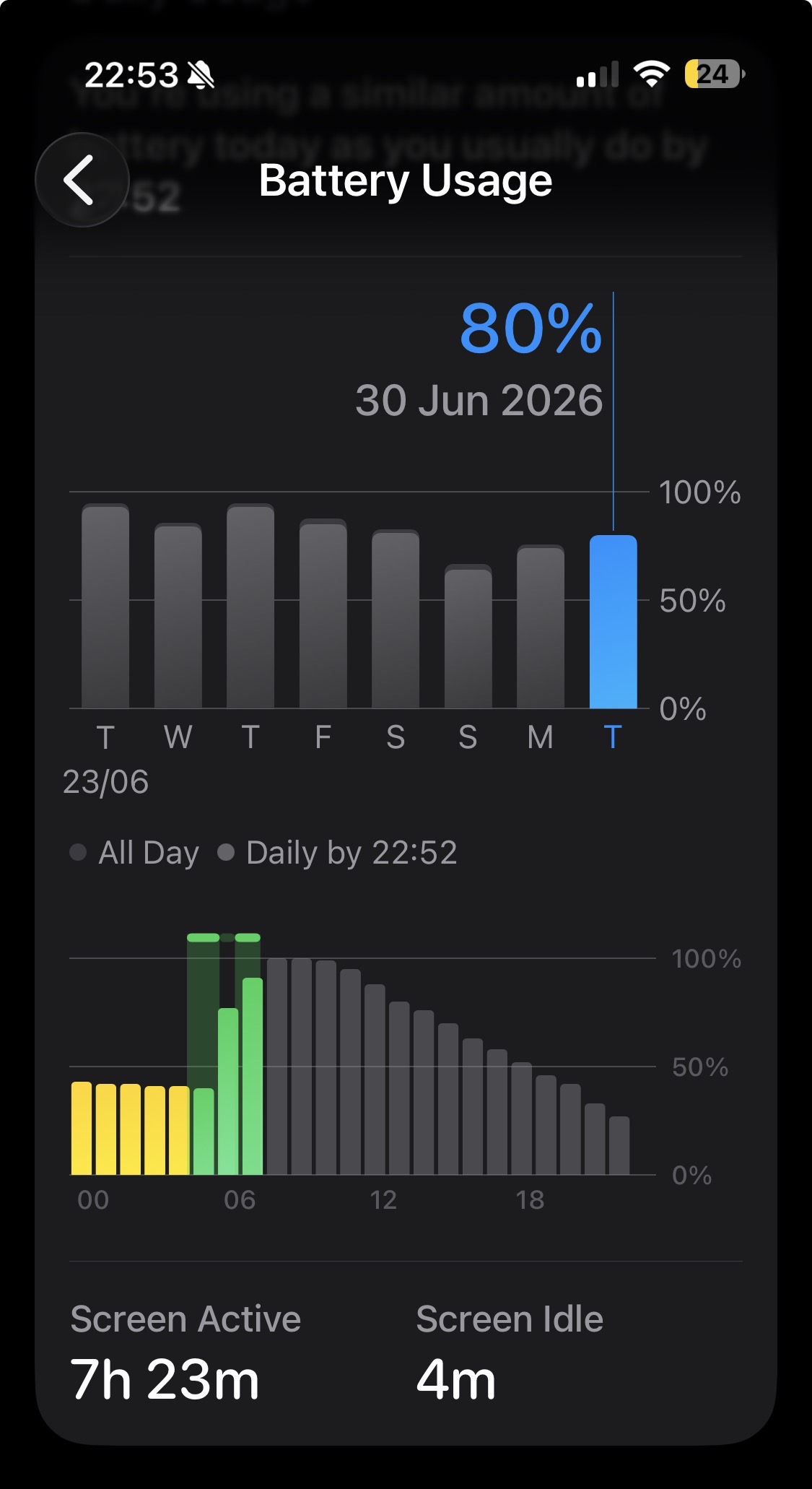
IMG_8868.jpeg

IMG_8867.jpeg
 
  • Like
Reactions: goldmac2006
iPhone 17 Pro user here. When I got the phone last September I was amazed by its terrific battery life. Since iOS 26.3 (or .4? Don’t know) it’s going down hill. And fast! Now I am using the latest 26.5.2. and I have to charge twice a day even though I am barely using the phone. This is ridiculous!

What are the options?
- Reset the phone and set it up from iCloud backup? Actually don’t want to set up my banking apps again.
- Reset the phone and set it up as new? Don’t want to set up everything!
- Try out 26.6 beta (does it help?)
- try out 27 beta (really don’t want to do it because it is a developer beta and my phone is a very important daily driver for me)

Any suggestions?
 
Definitely seen an improvement with battery life with my Air on 26.5.2. (Minus 20 mins screen time when it got unplugged at 100%)

IMG_8903.jpeg


A similar day usage on 26.5.1

IMG_8870.jpeg
 
iPhone 17 Pro user here. When I got the phone last September I was amazed by its terrific battery life. Since iOS 26.3 (or .4? Don’t know) it’s going down hill. And fast! Now I am using the latest 26.5.2. and I have to charge twice a day even though I am barely using the phone. This is ridiculous!

What are the options?
- Reset the phone and set it up from iCloud backup? Actually don’t want to set up my banking apps again.
- Reset the phone and set it up as new? Don’t want to set up everything!
- Try out 26.6 beta (does it help?)
- try out 27 beta (really don’t want to do it because it is a developer beta and my phone is a very important daily driver for me)

Any suggestions?
I don't have these issues but if it would be me I would try and eliminate potential sources other than iOS that might cause the drain.
I know its easy to suggest but its more so that you go through the pain of trying out a lot of different OS and its something else that's causing it.

Things I would suggest it.

* Check network and other comms issues.
** BT issues, disconnect BT devices and clear them from the BT list
** Use cellular only one day to make sure there aren't devices on your wifi network causing the drain.
** Go through services that you suspect might cause the drain (cloud services, services that might communicate with the device)
** Update devices that are communicating with your device (router, devices on the network, BT gadgets)
** Delete VPN software and similar software's that might affect performance
** Turn on App Privacy Report: Go to Settings > Privacy & Security > App Privacy Report.
*** Will give you an idea of network traffic.


* Make sure your memory isn't full
* If possible stick the phone in airplane mode for half a day (digital detox) and see if that makes a huge difference.
* Turn off background app refresh
* Turn off the always on screen.
* If you are syncing with other Apple products, turn this off as a test.


The above is just things of the top of my head and I know troubleshooting sometimes can be a pain. But at the same time it might be something that isn't iOS version related and might follow even if you swap phones in the future.
 
Last edited:
I don't have these issues but if it would be me I would try and eliminate potential sources other than iOS that might cause the drain.
I know its easy to suggest but its more so that you go through the pain of trying out a lot of different OS and its something else that's causing it.

Things I would suggest it.

* Check network and other comms issues.
** BT issues, disconnect BT devices and clear them from the BT list
** Use cellular only one day to make sure there aren't devices on your wifi network causing the drain.
** Go through services that you suspect might cause the drain (cloud services, services that might communicate with the device)
** Update devices that are communicating with your device (router, devices on the network, BT gadgets)
** Delete VPN software and similar software's that might affect performance
** Turn on App Privacy Report: Go to Settings > Privacy & Security > App Privacy Report.
*** Will give you an idea of network traffic.


* Make sure your memory isn't full
* If possible stick the phone in airplane mode for half a day (digital detox) and see if that makes a huge difference.
* Turn off background app refresh
* Turn off the always on screen.
* If you are syncing with other Apple products, turn this off as a test.


The above is just things of the top of my head and I know troubleshooting sometimes can be a pain. But at the same time it might be something that isn't iOS version related and might follow even if you swap phones in the future.
Thank you so much for this comprehensive list!
 
iPhone 17 Pro user here. When I got the phone last September I was amazed by its terrific battery life. Since iOS 26.3 (or .4? Don’t know) it’s going down hill. And fast! Now I am using the latest 26.5.2. and I have to charge twice a day even though I am barely using the phone. This is ridiculous!

What are the options?
- Reset the phone and set it up from iCloud backup? Actually don’t want to set up my banking apps again.
- Reset the phone and set it up as new? Don’t want to set up everything!
- Try out 26.6 beta (does it help?)
- try out 27 beta (really don’t want to do it because it is a developer beta and my phone is a very important daily driver for me)

Any suggestions?
Same exact experience with the 17 Pro Max. With the latest update it’s even worse. I’m really tired of this bs every year
 
Battery life on my 17 Pro on iOS 26.6 beta 3 is even worse today. I literally feel like instead of it getting better, it’s getting worse. I know it’s conspiracy theory but I’m really starting to believe they purposely make later versions worse in terms of battery life so in September people can praise new iPhones how much better battery life they have.

IMG_0533.png
 
When other devices on your Wi-Fi or Bluetooth network "talk" to your iPhone, it forces the phone’s antennas to stay awake and process data, preventing it from entering a deep sleep. This constant background chatter drains the battery rapidly. [1]
That doesn't explain why the battery is worse in 26.x vs 18.x, which has those same things happening to it.
 
  • Like
Reactions: Hans300
That doesn't explain why the battery is worse in 26.x vs 18.x, which has those same things happening to it.
There are no VS since the person I replied to has an iPhone 17 pro, it was released with iOS 26.
I don't have battery issues on 26, I have had it in the past on some OS releases and other phones, but my point is that you can't just blame the OS every time. There are a load of other components/software/services that can cause the drain.
 
There are no VS since the person I replied to has an iPhone 17 pro, it was released with iOS 26.
I don't have battery issues on 26, I have had it in the past on some OS releases and other phones, but my point is that you can't just blame the OS every time. There are a load of other components/software/services that can cause the drain.
Maybe I'm mistaken but the items the person listed are things that impact ALL phones. So the only difference is the OS.
 
  • Like
Reactions: TwoBytes
Maybe I'm mistaken but the items the person listed are things that impact ALL phones. So the only difference is the OS.
It doesn't impact all phones since not everyone has these issues. And take into account that there are hardware differences, differences in peripherals being use and environmental differences.
Personally I think its important to try and root cause (if its possible) and not just assume its related to the OS.
 
It doesn't impact all phones since not everyone has these issues. And take into account that there are hardware differences, differences in peripherals being use and environmental differences.
Personally I think its important to try and root cause (if its possible) and not just assume its related to the OS.
What hardware differences (in terms of antennas/capabilities) are there between, say, iPhone 17 Pro Max and iPhone 16, 17, 13, etc?
 
What hardware differences (in terms of antennas/capabilities) are there between, say, iPhone 17 Pro Max and iPhone 16, 17, 13, etc?
Quite a lot. Aside from HW revisions that's quite hard for non-apple techstaff to find out about there's differences.

If we stick to just one model, such as the 17 Pro max, there's at least 4 different models (aside from HW revisions that might happen).

  • Model A3257: Designed for the United States and Puerto Rico. It is eSIM-only (no physical SIM tray) and features comprehensive support for 5G mmWave bands (n258, n260, n261) for ultra-fast speeds.
  • Model A3525: Distributed in countries like Canada, Mexico, Japan, and the Middle East (e.g., UAE, Saudi Arabia, Qatar). Like the US model, it is eSIM-only but lacks the specific mmWave bands used by US carriers.
  • Model A3526: The Global/International Model (sold in Europe, Australia, and most of Asia). This version retains a physical SIM card slot alongside eSIM capabilities, giving you true dual-SIM flexibility. It does not support mmWave.
  • Model A3527: Exclusive to Mainland China. It supports dual physical Nano-SIM cards but does not support eSIM.

Let say that Qualcomm releases software updates for their X80 modem (used in iP17Pro and regular 17) that might not sound like a big thing. But, depending on the environment, frequency it uses, technique (3G, 4G, 5G, mmwave) and on top of that, the HW that the cellular provider might use, frequency band that that particular provider uses (that also might need adjustments/updates) it can impact how the device perform.

The above made up example is only covering one update on one one component on one model (that's in reality 4 models depending on where in the world you got it). Other iPhone models has other chipsets (17 air has the C1x) iphone 16 has the X75 chipset etc.
 
Last edited:
  • Like
Reactions: goldmac2006
SIMs/eSIMs don't communicate via radio waves so zero impact.

Different models of radios for cell communication doesn't mean they're exposed to different wavelengths of communication than older phones with different-model radios.
 
SIMs/eSIMs don't communicate via radio waves so zero impact.

Different models of radios for cell communication doesn't mean they're exposed to different wavelengths of communication than older phones with different-model radios.
You're right, but its still its a change in design and battery size depending on the model when it comes to the sim/e-sim only design. Some users do tend to forget that using dual sim can impact the performance.

"Different models of radios for cell communication doesn't mean they're exposed to different wavelengths of communication than older phones with different-model radios."

It does, they all have different chipset with different features. The iphone 11 andd SE2 only support 4G so that's one big difference compared to the others. Have a look at the difference specs on the chipset, its quite interesting to see how they hve developed over the years.

5G iPhones.
  • iPhone 12 Series: Uses the Qualcomm Snapdragon X55.
  • iPhone 13 Series: Uses the Qualcomm Snapdragon X60.
  • iPhone 14 Series: Uses the Qualcomm Snapdragon X65. This modem enabled the Emergency SOS satellite connectivity.
  • iPhone 15 Series: Uses the Qualcomm Snapdragon X70.
  • iPhone 16 Series: Uses a custom Qualcomm SDX71M modem.
  • iPhone 17 Series: Equipped with the Qualcomm Snapdragon X80
Different chipset receive different software patches at different times which might explain why some phones has issues and some not.

My point is, its isn't as simple as to say that one iOS version is good or bad. It all depends on a number of things. If your phone doesn't perform well with one iOS verison doesn't mean I will have the same issues.
 
  • Like
Reactions: goldmac2006
You're right, but its still its a change in design and battery size depending on the model when it comes to the sim/e-sim only design. Some users do tend to forget that using dual sim can impact the performance.

"Different models of radios for cell communication doesn't mean they're exposed to different wavelengths of communication than older phones with different-model radios."

It does, they all have different chipset with different features. The iphone 11 andd SE2 only support 4G so that's one big difference compared to the others. Have a look at the difference specs on the chipset, its quite interesting to see how they hve developed over the years.

5G iPhones.
  • iPhone 12 Series: Uses the Qualcomm Snapdragon X55.
  • iPhone 13 Series: Uses the Qualcomm Snapdragon X60.
  • iPhone 14 Series: Uses the Qualcomm Snapdragon X65. This modem enabled the Emergency SOS satellite connectivity.
  • iPhone 15 Series: Uses the Qualcomm Snapdragon X70.
  • iPhone 16 Series: Uses a custom Qualcomm SDX71M modem.
  • iPhone 17 Series: Equipped with the Qualcomm Snapdragon X80
Different chipset receive different software patches at different times which might explain why some phones has issues and some not.

My point is, its isn't as simple as to say that one iOS version is good or bad. It all depends on a number of things. If your phone doesn't perform well with one iOS verison doesn't mean I will have the same issues.
This defense of iOS updates is beyond ridiculous.

If I’m running iOS 18 on an iPhone 16 and I get a certain battery life, and a lot of users are running 26 and get 20% worse battery life, it’s iOS 26, not Qualcomm updates…

Peripherals are irrelevant if in 99.9999999999% of cases the main factor that determines battery life assuming usage patterns stay constant is which major version you are running.

I am surprised by the complaints that some people always have about massive differences within point versions of original versions, as they should be mostly stable, but those complaints are the same complaints that make me stay on my original point version as well.

Edit: interestingly enough, since I don’t update at all, I have been running the entire spectrum of original point versions. I have devices on .0 versions, others in .2, others in .3 or .4; others in the final point version of that major version (.6).

I have never had ANY battery life issues at all, ever, on the original point versions, anywhere. Battery life issues are not a thing for me. I never hit the update button, not even to install point versions.
 
@FeliApple You’re choosing to stay on original and dated software versions because you obviously value slightly battery life above all else. Like new features, enhancements, customisations & to stay on top of security vulnerabilities that these .x.x updates bring.

Each to their own but the majority of people look forward to all of the things new major software releases bring (apart from potentially slightly less battery life) the pros far outweigh the cons.

We all know iOS 26 hasn’t been the best software release, but Apple seem to be addressing the concerns with iOS 27 and I can’t wait for the stable version

IMG_9179.jpeg

IMG_9180.jpeg

IMG_9181.jpeg
 
Battery life on iOS 26.6 beta 4 is getting even worse 🤡
30% used with just 1h screen on time, geez. This is mostly just with Safari and a little bit of Reddit and Instagram. I don’t play games on my phone.
iPhone 17 Pro EU version, mixed usage of LTE and WiFi, not even 5G.
IMG_0578.jpeg
 
  • Like
Reactions: goldmac2006
Battery life on iOS 26.6 beta 4 is getting even worse 🤡
30% used with just 1h screen on time, geez. This is mostly just with Safari and a little bit of Reddit and Instagram. I don’t play games on my phone.
iPhone 17 Pro EU version, mixed usage of LTE and WiFi, not even 5G.
View attachment 2644004
Just out of curiosity, is there a lot of data being sent to and from your device? And do you use VPN services?

Its hard to track the amount of WiFi data being sent on the iPhone without an app, but there are apps such as "usage device monitor" and many others than can give an idea. Would be interesting to see what's going on in the background on your device.
 
Last edited:
Register on MacRumors! This sidebar will go away, and you'll see fewer ads.
