

Become a MacRumors Supporter for $50/year with no ads, ability to filter front page stories, and private forums.

MacRumors

macrumors bot
Original poster


There are no new AI features in the iOS 27 Weather app, but Apple did make improvements to the layout. It's now easier to see at-a-glance information for weather conditions.
apple-weather-app-icon.jpg

Highlights

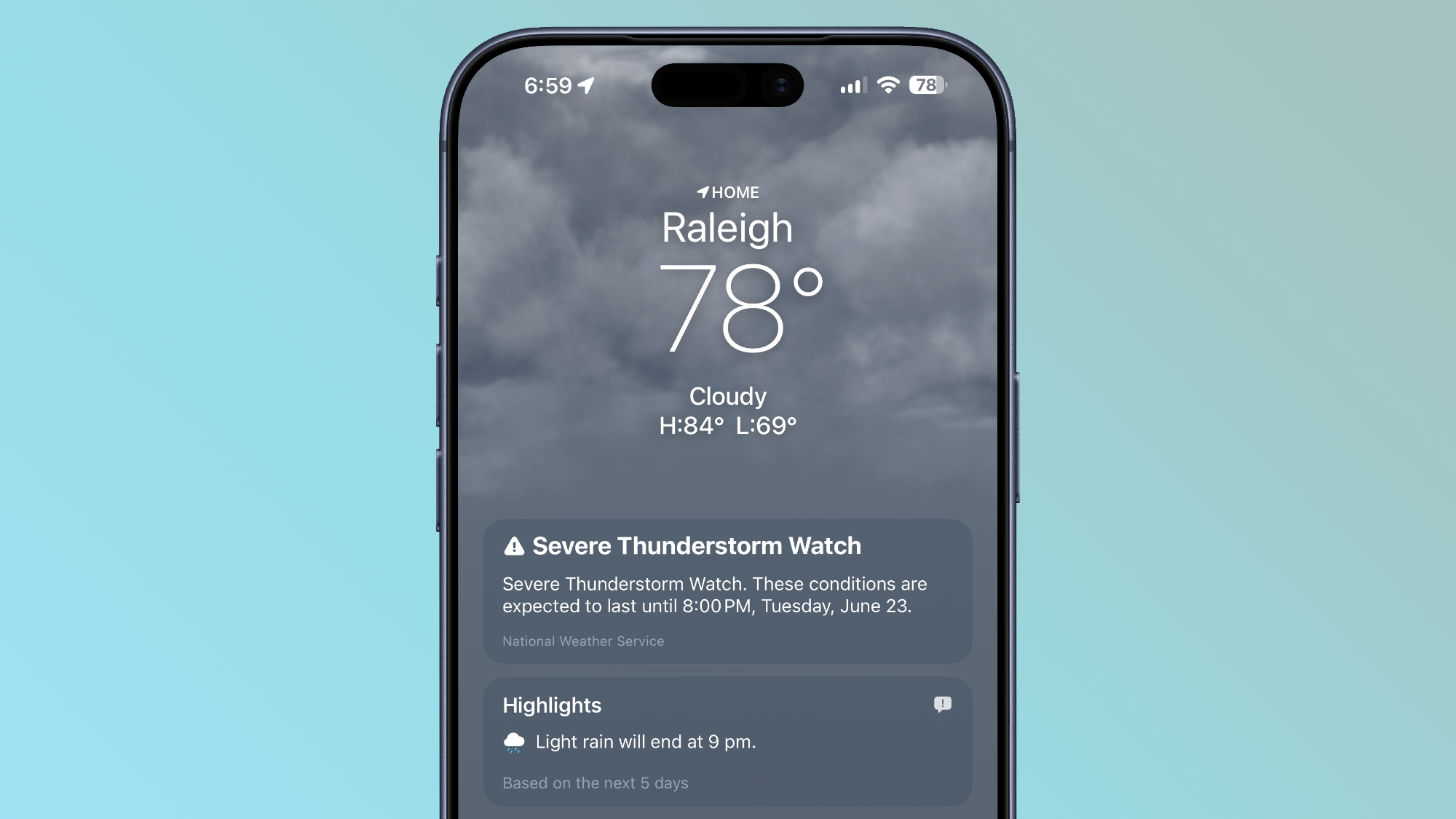
The top of the Weather app now has a Highlights section that shows you need-to-know weather information for the day.
ios-27-weather-highlights.jpg

Conditions

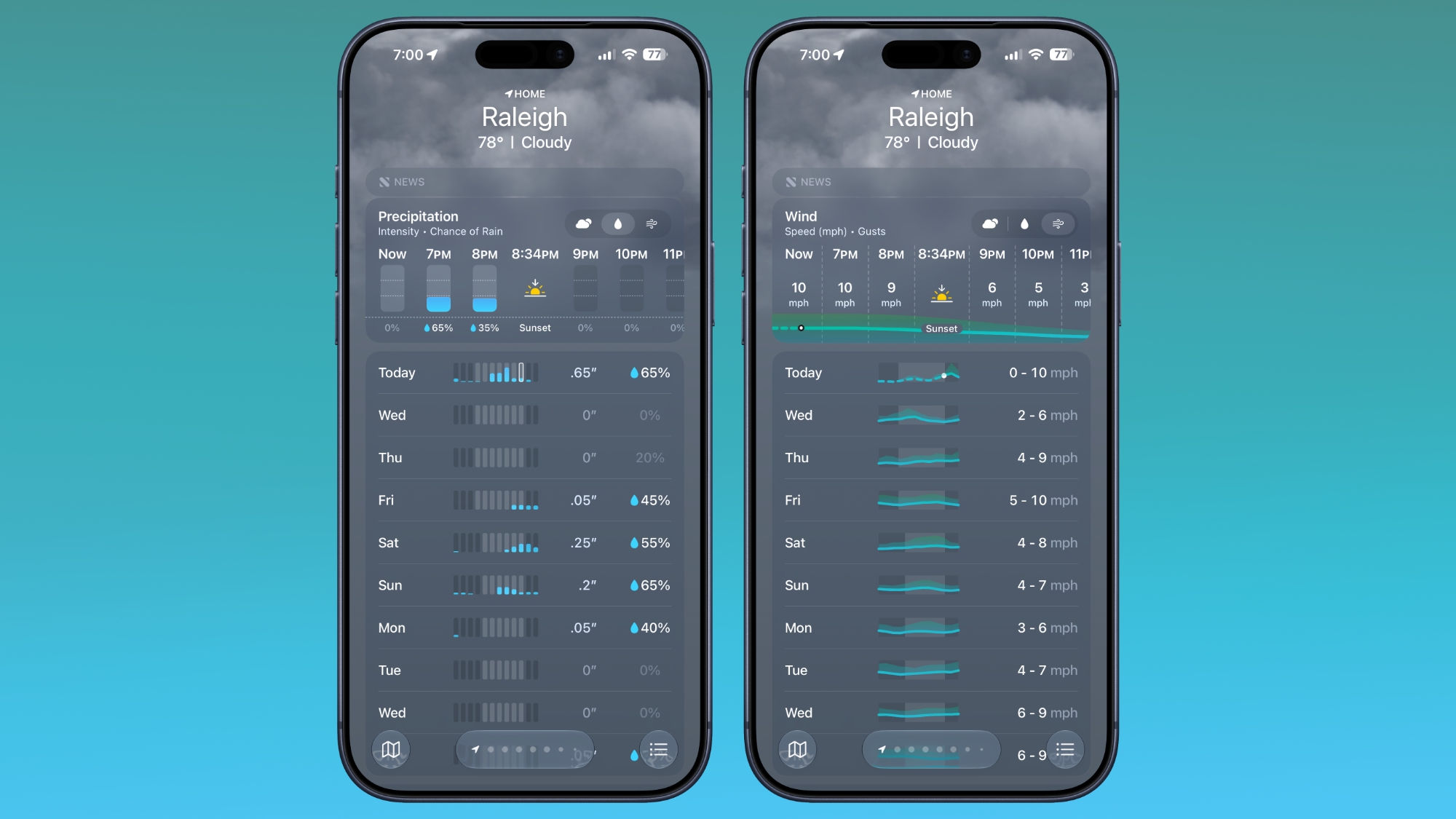
There are new views for the Conditions section of the main Weather app interface. In addition to viewing temperature and current condition on an hourly basis, you can toggle over to a precipitation or wind view.
ios-27-weather-app-conditions.jpg

Precipitation shows you an hour-by-hour chance of rain forecast, while wind displays a breakdown of wind speed.

10-Day View

The 10-day view also changes when you swap between the different condition options so you can see precipitation and wind overviews for the next 10 days without having to tap into a more detailed view.

Widgets

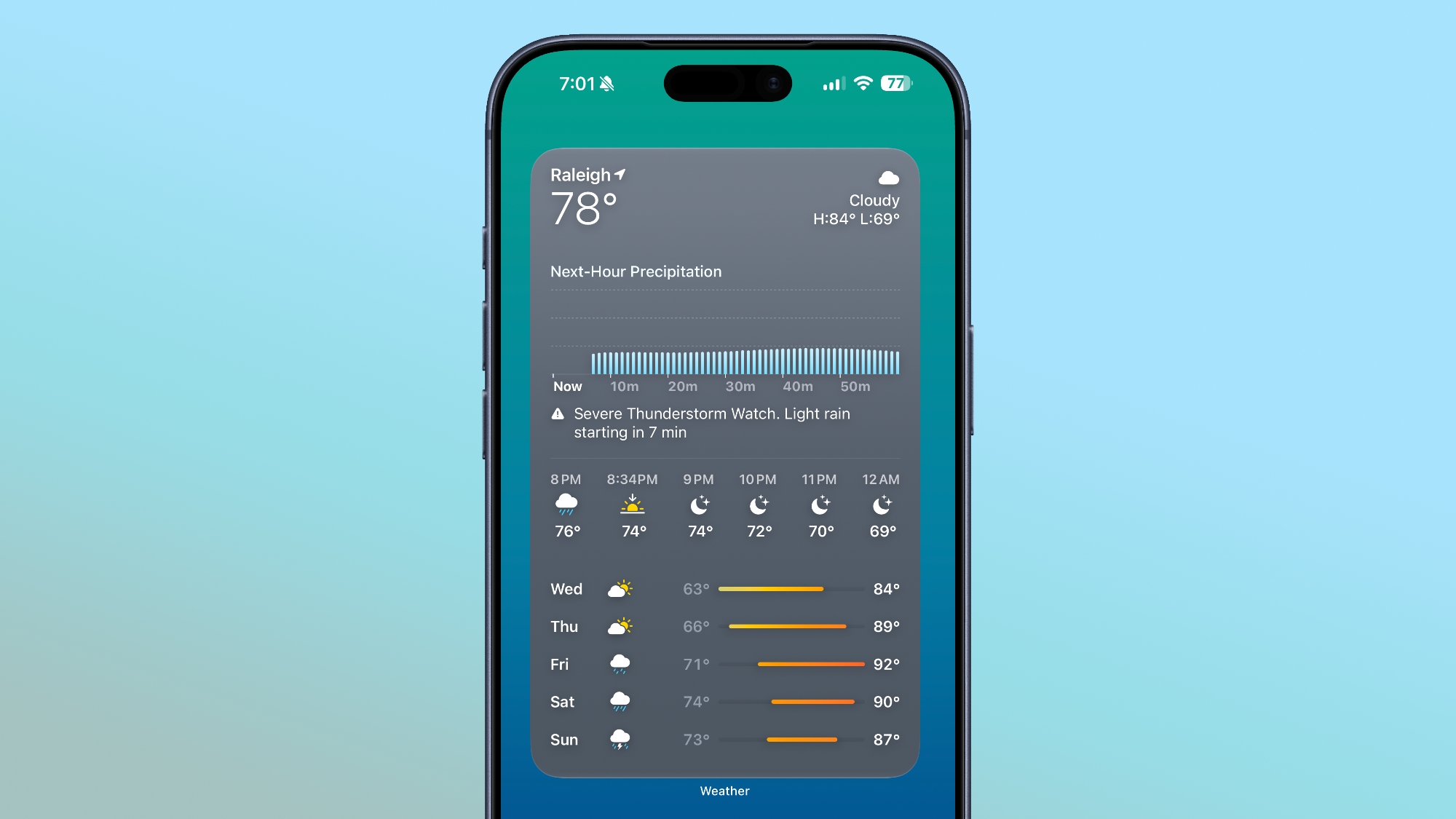
There's a new extra large size available for Home Screen widgets, which is applicable to the Weather app. You can set the Weather app to take up an entire app page.
ios-27-weather-app-widget.jpg

More iOS 27 Features

There are a long list of new features in iOS 27, with details available in our iOS 27 roundup.

Article Link: iOS 27 Weather App: All the New Features
 
  • Haha
Reactions: Z-4195
I’m frustrated by the direction of the weather app in recent years. Yes, they’ve added a lot more features and data, but it’s just not as good as it used to be as a basic weather app. Everything tiny sized, grey-on-grey design lacking contrast and making everything hard to read (see screenshot above).

On WatchOS it’s even worse. I really wish we could go back to the Weather app from WatchOS 9 or so when you could see conditions throughout the day (not just the current temperature) at a glance. Now you have to scroll through pages and pages of similar-looking data which is all quite difficult and slow to interpret. Sometimes it’s hard to even figure out what screen you’re looking at. Is this wind, humidity, UV??! By adding more data and features, they made the basic functionality worse!


There are no new AI features in the iOS 27 Weather app, but Apple did make improvements to the layout. It's now easier to see at-a-glance information for weather conditions.

apple-weather-app-icon.jpg

Highlights

The top of the Weather app now has a Highlights section that shows you need-to-know weather information for the day.

ios-27-weather-highlights.jpg

Conditions

There are new views for the Conditions section of the main Weather app interface. In addition to viewing temperature and current condition on an hourly basis, you can toggle over to a precipitation or wind view.

ios-27-weather-app-conditions.jpg

Precipitation shows you an hour-by-hour chance of rain forecast, while wind displays a breakdown of wind speed.

10-Day View

The 10-day view also changes when you swap between the different condition options so you can see precipitation and wind overviews for the next 10 days without having to tap into a more detailed view.

Widgets

There's a new extra large size available for Home Screen widgets, which is applicable to the Weather app. You can set the Weather app to take up an entire app page.

ios-27-weather-app-widget.jpg

More iOS 27 Features

There are a long list of new features in iOS 27, with details available in our iOS 27 roundup.

Article Link: iOS 27 Weather App: All the New Features
Imagine, all ye sycophants, that this app took 19 years to yet achieve basic reasonable functionality that has been available on weather.com for about the same time period. Instead, we have thinness, LiquidGl(ass), more emojis, more backgrounds, and more and more froufrou.
 
What this app requires the most for users outside the U.S. is data from local meteorological agencies. It often provides false forecasts that people blame the agency here but not that app.
 
I'll stick with Willyweather in Australia. Apple weather is too inconsistent with conditions and forecasts.
 
  • Like
Reactions: Big_D
the new format looks better. I really like the weather app, and for my location, it’s more accurate than any other option.
 
The radar still sucks.
That's because it isn't radar, it's some weird ML-generated idea of where rain is and might be soon.

It's next to bogus and why they don't actually pull radar from the source, idk
I'm not a fan of this either. In my experience, it typically does match the radar though. I wouldn't be surprised if Apple is using that info and color coding things differently just to be fancy. They don't need to be reinventing the wheel here. Just use the standard radar colors and differentiate if it's rain, snow, or ice.

1782270889984.png 1782270903528.png
 
Register on MacRumors! This sidebar will go away, and you'll see fewer ads.