Since today Apple unveiled the beautiful iOS 7! And the Beta is out today! In honor of
past posts, This thread is to go over all the little things in iOS 7!
A lot to go over! Im very excited!
😀
Highlights of iOS 7
- Control Center
- New Notification Center
- Photo Filters
- FaceTime Audio
- iCloud Photo Sharing
- Automatic App Updates
- Better Multitasking
- Overhaul to the UI
- Live Wallpapers
- Amazing looking Stock Apps
- New Safari
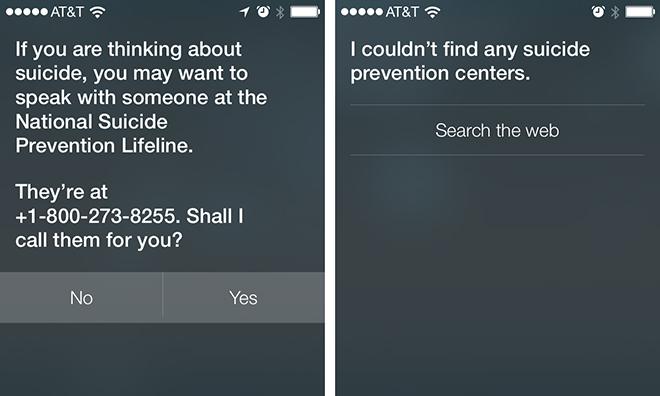
- All-new Siri
- AirDrop (iPhone 5 only)
- Phone, Messages, and FaceTime Blocking (there's something handy 😉)
- iTunes Radio
- Activation Lock
- New First-Time setup menus
- Flickr and Vimeo Integration
- Newsstand is now an app.
Little Known Things
- "New" banner on new apps have been replaced with blue dots
- Contact pictures on Favorites
- Text Resize
- Alarm Clock has a countdown for snooze
- Panorama reduces when battery is low
- Reading List icon pays tribute to Steve Jobs.
- Video Player has a new UI
- FaceTime now has its stand-alone app for iPhone.
- Night Mode on Maps
- Lock Screen fades in and out
- Video Support for iCloud
- Notification Center has bounces when swiped down quickly
- App Store shows "Popular Apps" in your location
- New Music controls in the lock screen
- When charging the battery, rather than an image of a battery on a lock screen, x% charged appears under the clock, before reverting to the date.
- You are able to toggle on and off "Automatic App Updates"
- Spotlight (Swipe down on the home screen)
- Control Center has a horizontal layout
- Roaming Icon changed to "1x" icon
- Screenshots no longergo to Photo Stream
- Today section in Notification Center provides traffic info on places you visit frenquently
- Timer shows in the clock screen
- Better Music Controls in the lock screen
- New fields in Contacts - "Add Social Profile" and "Add Instant Message"
- Hotmail is now Outlook when adding an account
- You can no longer change fonts in Notes
- In Messages you no longer have to scroll the the top to access "Call" "FaceTime" and "Info"
- Notification Sync
- Wifi Hotspot 2.0
- When you tell Siri to "Launch Maps" it gives you a choice between Apple Maps or other map apps
- Video Zoom
- App Store keeps records of app updates
- Geofencing in Reminders
- Gestures to navigate through Settings etc.
- Unified Safari Search Bar
Image
Most findings of little things were from the wonderful users in this thread. Keep updating us on what you find. Thank you~
😀