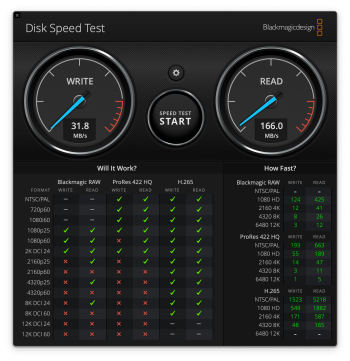
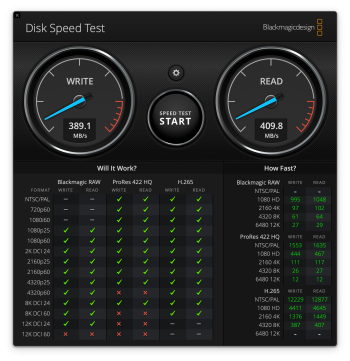
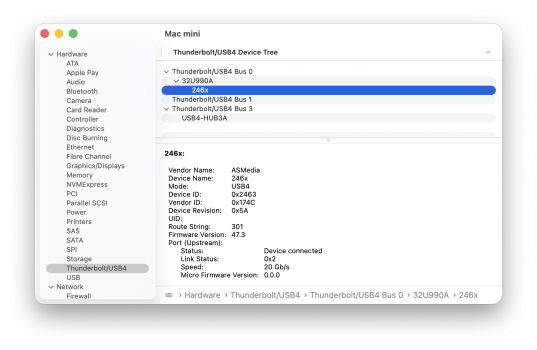
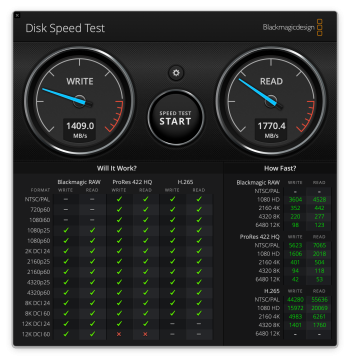
Putting a cheap US$10 USB 3 hub between the monitor's USB-C 3.2 output and my audio adapter has completely eliminated the audio glitches. I dunno why, but it works. My updated setup is now as follows:
Ports:
1. DisplayPort -
Connected to TB4/USB4 hub for my laptop
2. HDMI
3. Thunderbolt input -
Connected to Mac mini
4. Thunderbolt output -
Connected to Time Machine SSD
5. USB-C input -
Connected to TB4/USB4 hub for my laptop
6. USB-C output -
Connected to web cam
7. USB-C output -
Connected to USB 3 hub --> audio system + flash card reader
I have configured the USB selection setting for the Thunderbolt input as Thunderbolt.
I have configured the USB selection setting for the DisplayPort input as USB-C.
When I'm using the Thunderbolt input with the Mac mini, it sees the Time Machine SSD, web cam, audio system, and flash card reader.
When I'm using the DisplayPort input with the hub for my laptop, it sees the web cam, audio system, and flash card reader, but not the SSD.
In other words both the TB and DP inputs see the web cam, audio system, and flash card reader, but the SSD can only be seen by the TB input.
Conversely, the TB4/USB4 hub (and everything attached to it) is invisible to the Mac mini connected to the Thunderbolt input.
Blue - For only the laptop
Purple - For only the Mac mini
Green - For both the Mac mini and laptop
Hoe matte is the screen on this monitor and how does it handle HDR? I am guessing not very well?
HDR works and looks better than I expected, not amazing but decent. It makes a noticeable difference over SDR.
Unfortunately, I don't know how to properly calibrate HDR colour yet since LG Calibration Studio doesn't appear to have an HDR colour calibration procedure. Basically what I do is use my custom hardware "Calibration 1" Display P3 setting for SDR, and the standard "Cinema" setting for HDR. The colour is a bit warm on Cinema but for streaming video it's fine, and the monitor will automatically switch between the two colour calibration settings when switching between SDR and HDR modes, which is convenient. (IOW, it remembers which colour calibration setting that you prefer for both SDR and HDR so you don't have to manually switch between the colour profiles when switching between SDR and HDR.) Actually, I don't think you can even set a custom hardware calibration setting for HDR. When in HDR mode, the only colour options are "Personalized Picture", "Custom", "Vivid", and "Cinema". The custom hardware calibration settings are not available. So if you calibrate a colour profile for HDR, it would be on the Mac, not a hardware setting on the monitor. I'll have to find a software package that works for HDR. (As mentioned previously,
DisplayCAL doesn't seem to work in my setup, and my version of the Datacolor SpyderX software doesn't appear to support HDR calibration.)
However, I only rarely use HDR mode. I don't watch much video on this monitor (aside from YouTube), and in regular usage I prefer using SDR.
As for the matte screen, it looks nicer than old-school matte, but it's still matte nonetheless.




www.mactechnews.de