Become a MacRumors Supporter for $50/year with no ads, ability to filter front page stories, and private forums.
I almost bought one, but thanks to tariffs and shipping fees the $79 stand will cost $154 delivered. At that price, I'll pass.
What country are you in? In certain countries, there are no tariffs, but shipping varies. In fact, when I was looking, the shipping fees varied by as much as US$40 from day to day, so it may pay to keep checking.
 
What country are you in? In certain countries, there are no tariffs, but shipping varies. In fact, when I was looking, the shipping fees varied by as much as US$40 from day to day, so it may pay to keep checking.
The United States of Tariffs.

I mean... it's only a monitor stand. The monitor already comes with one. Getting a nicer one is attractive at $79 but not at $154. I'll keep checking.
 
There should be no new additional US tariffs on monitors imported from China. They were exempted a year ago (April 2025), although any base tariffs from eons ago remain. I would have assumed it was the same for monitor parts, but I'm not 100% sure.

Here is the breakdown:
Item: $88.00
Shipping: $6.22 [Super-Slow Method; 5-6 wks]
Discount: -$8.80
Import charges: $28.58
Sales tax: $6.74 [6.25% of what??]
Payment Fee: $3.62 [Pay us a fee to take your money]
Total: $124.36 [$154.62 with standard shipping]

As far as I can tell, they charge state sales tax on import duty. (($79.20 + $28.58) x 6.25%) My guess is they pocket the sales tax they charge on the duty, because it's supposed to be non-taxable.
 
  • Like
Reactions: EugW
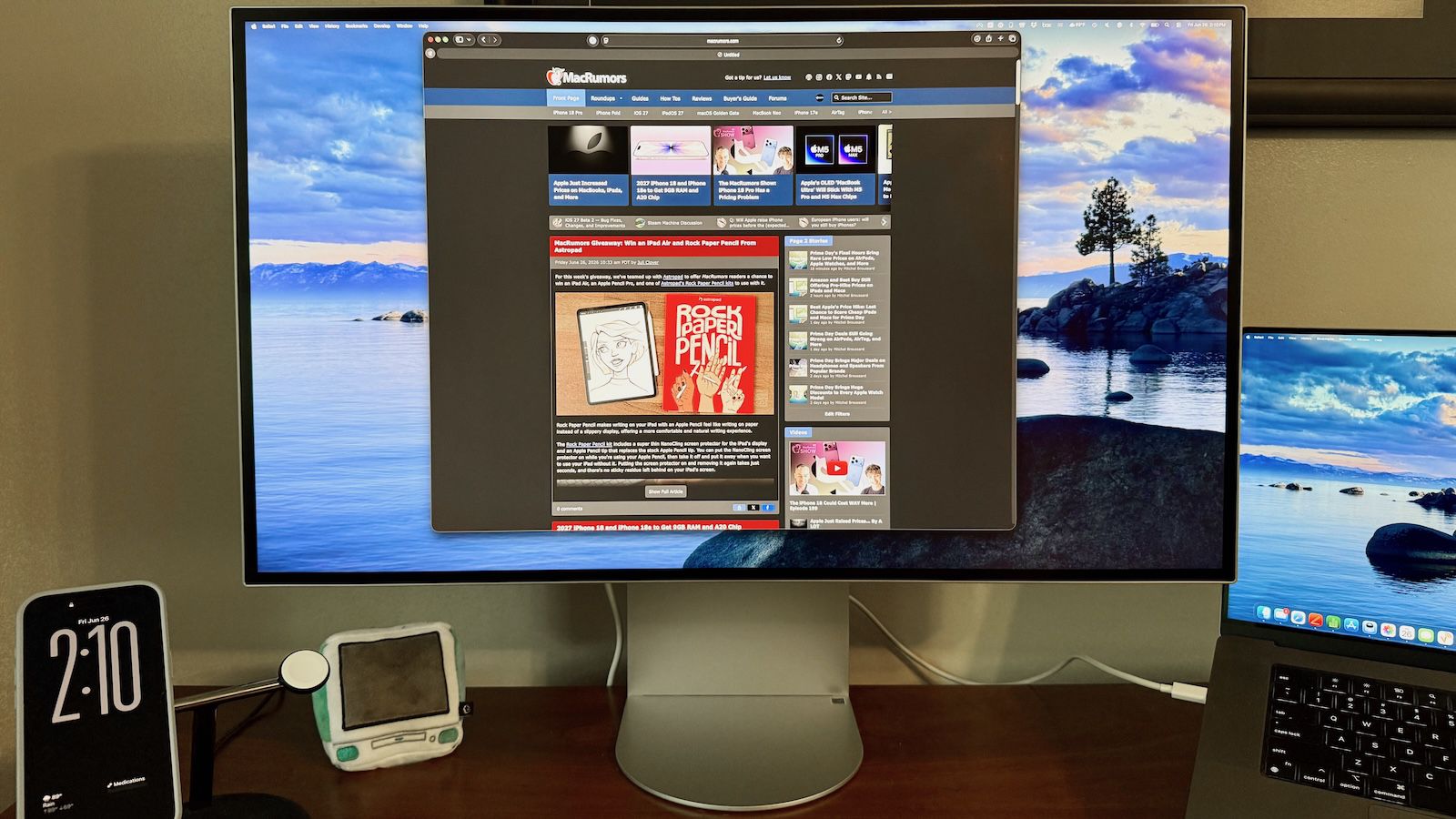
I just got back from the store and set up my LG 6K. So far, I am very happy with this display.

It is enormous, and the power supply brick is huge! But setup was very fast with my MacBook Pro M5 Pro. I attached the Thunderbolt cable from my Mac to the monitor, and I attached my TB 4 dock to the monitor, so I still have single cable connectivity. I haven't tried attaching my 27-inch 4K screen as well, as it seems like too much screen.

I already had the BetterDisplay software installed, and perhaps that is why my Logitech keyboard's volume and brightness controls work fine with the display. The sound is better than the MacBook's built-in speakers.

I tried the display in portrait mode and it's very overwhelming and does not seem useful this way. In landscape mode, I could not lower it as much as I'd like, but I can lower my desk (electrically), and so now my desk is quite a bit lower. This is probably better for keyboard use.

I then tested it for the notorious dark edges reported by several. I tried a solid black and a solid white screen. For the most part, the right and left sides are a little darker and it is because of the anti-glare coating, not because of the screen itself. If I move my head and look directly at the sides, the darkening is mitigated quite a lot. The left edge does have some bleeding, and the bottom left corner looks a bit dark. So the screen is not 100 percent perfect, but it's extremely productive for me. Best Buy gave me 15% off for applying for their credit card, so the price was quite good and with their $50 annual club membership, I have 60 days to decide whether to return it. So far, it looks like a keeper and I'm looking forward to putting it through more of its paces.
 
I attached my old 4K monitor to my Thunderbolt dock, and it works.
This gives me my 6K monitor, plus a 4K monitor and the Mac's built-in 14" display. And all of my peripherals, as well.

With one cable, I have power, two displays, Ethernet, keyboard/mouse, my 4K webcam, and a few card readers.

The LG 6K has no problem with Sleep, although it is a bit slow to Wake from sleep. My old LG 4K still has trouble with sleep; this has been widely reported with LG monitors so I'm glad they fixed it, though I wish they'd give me firmware to fix it on my 4K.
 
Last edited:
Macrumors' review by Eric Slivka:


It's dropped in price considerably too since last year. It's now US$1299 / CA$1999, which is a drop of US$700 / CA$800.
 
So does it actually support the brightness keys without the program? I saw some comments saying the MR article was wrong about it requiring a program, I’m not sure how both could be true.
 
So does it actually support the brightness keys without the program? I saw some comments saying the MR article was wrong about it requiring a program, I’m not sure how both could be true.
I use MonitorControl for brightness controls using the Mac keyboard.

I don't use the LG software because it's a bloated mess. I installed some of the LG software to update the firmware but then uninstalled it after finishing the update. I do keep LG Calibration Studio installed, but it doesn't need to do anything in the background so that's fine. I last ran that application a half a year ago or something like that.
 
  • Like
Reactions: Riot Nrrrd
I use MonitorControl for brightness controls using the Mac keyboard.

I don't use the LG software because it's a bloated mess. I installed some of the LG software to update the firmware but then uninstalled it after finishing the update. I do keep LG Calibration Studio installed, but it doesn't need to do anything in the background so that's fine. I last ran that application a half a year ago or something like that.
Same with me; I have not installed any of the LG software, and I use BetterDisplay software, which is exceptional. I like it so much that I paid the fee to upgrade even though I don't need the added features. I just felt that the author deserves the support.
 
Macrumors' review by Eric Slivka:


It's dropped in price considerably too since last year. It's now US$1299 / CA$1999, which is a drop of US$700 / CA$800.

Disappointing. It's probably going to be hard for me to go down in size. 8k TVs exist, but they are too big. 8k/42" would be perfect.
 
  • Love
Reactions: leifp
You can load multiple LUTs onto this monitor as it supports hardware color profiling, like the Apple XDR.

That means you can have one for 120 nits and a brighter one if you really need it. Then you just switch between them with the OSD controls.

My displays are usually calibrated at 120 nits, 6500 Kelvin and Gamma 2.2 (for print and photography).
 
  • Like
Reactions: EugW
Register on MacRumors! This sidebar will go away, and you'll see fewer ads.