Become a MacRumors Supporter for $50/year with no ads, ability to filter front page stories, and private forums.
Status
The first post of this thread is a WikiPost and can be edited by anyone with the appropiate permissions. Your edits will be public.
In macOS 27, after enabling Siri AI, all context menus include a persistent “Ask Siri” context menu item. Turns out you can actually disable it without turning off Siri AI.
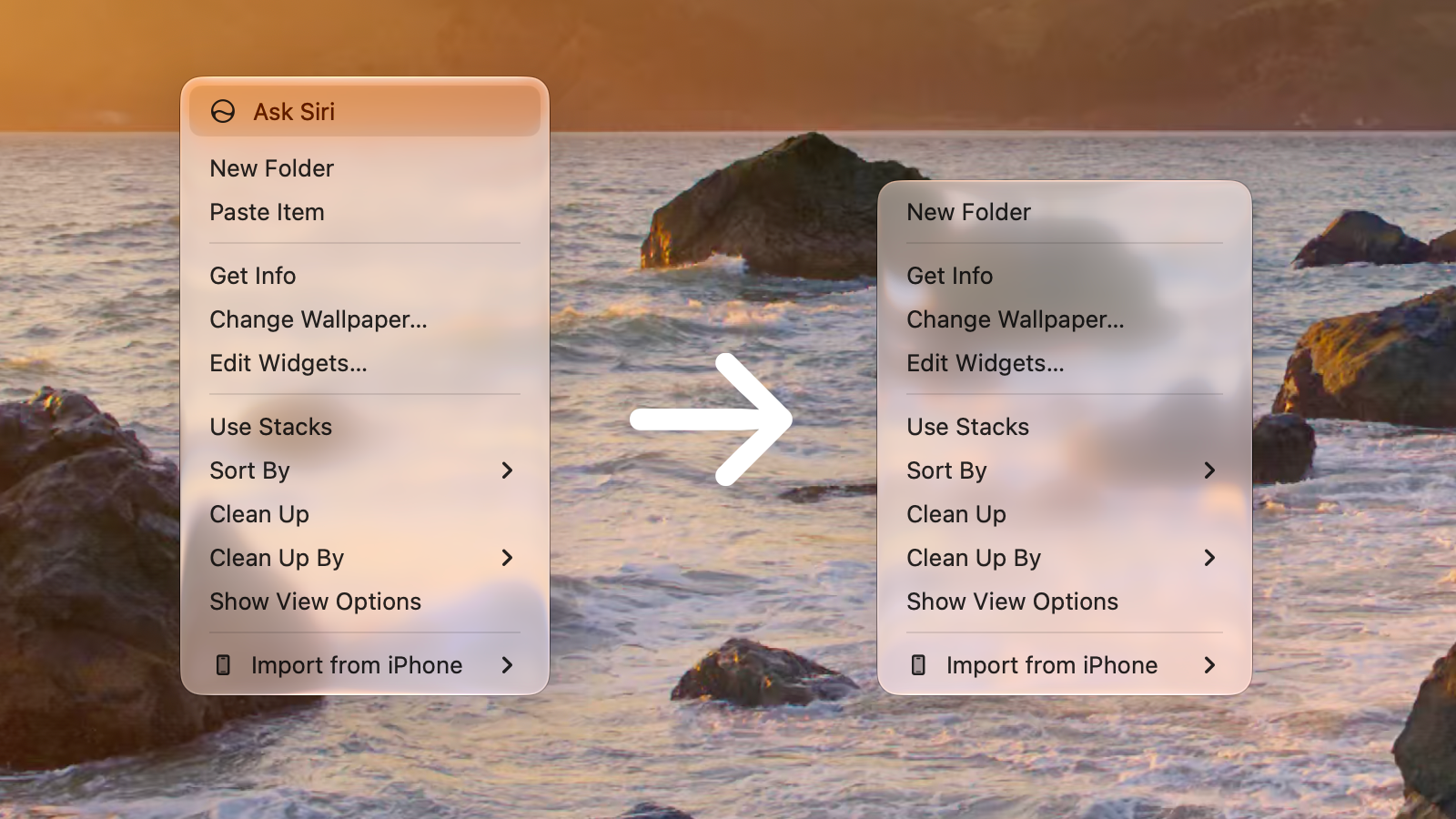
AskSiriRemove.png


When Siri AI is enabled, macOS 27 adds a contextual "lightweight UI" when you type or select text. The floating button can expand into Ask Siri, Edit with Siri and Writing tools, or other contextual actions. But you can easily disable it.

 
Hi, I've read in some webs that with Golden Gate, Apple finally allows you to record the internal audio on your Mac while performing a screen recording.

However, I wanted to know if you've managed to record only the internal audio without needing to perform a screen recording.

Thank you.
 
  • Like
Reactions: TimothyR734
It has been possible with the ScreenCaptureKit framework since macOS 12. Maybe now QuickTime records audio too. Anyway, you can use one of the 234324 apps out there that uses ScreenCaptureKit.
 
  • Like
Reactions: TimothyR734
It has been possible with the ScreenCaptureKit framework since macOS 12. Maybe now QuickTime records audio too. Anyway, you can use one of the 234324 apps out there that uses ScreenCaptureKit.
No no, I’m not interested in recording the screen, but rather only the audio.

But anyway, according to what I’ve been reading, you weren’t able to capture the internal audio when screen recording before GG.

Look at this, for instance:

It looks like we may finally get to record internal system audio while screen recording if the feature remains in macOS Golden Gate.

So according to this, it wasn’t possible before. And anyway what I’m interested in is being able to capture only the audio without the deprecated sound flower or black hole workarounds.

So, again, is it possible now to easily capture the internal audio in Golden Gate?
 
  • Like
Reactions: TimothyR734
I hate that with the new Siri enabled, my spotlight bar is now permanently dark mode.

Before
View attachment 2637886

After
View attachment 2637887

Why did they even redesign spotlight if they were just going to trash it so quickly with new Siri...
It used to be that you could disable Siri in Spotlight, but not anymore. Spotlight just isn't a place where I want to call an AI assistant. The other problem is how chaotic results are. It always used to seem that Spotlight results were grouped by type, but now this:
Screenshot 2026-09-01 at 22.17.37.png


Jumble of mixed everything
 
Register on MacRumors! This sidebar will go away, and you'll see fewer ads.