

Become a MacRumors Supporter for $50/year with no ads, ability to filter front page stories, and private forums.

MacRumors

macrumors bot
Original poster


macOS 27 Golden Gate removes AFP support, ending Time Machine compatibility with Time Capsule after nearly two decades, but a community project from a Microsoft engineer offers a potential workaround for owners not yet ready to move on.
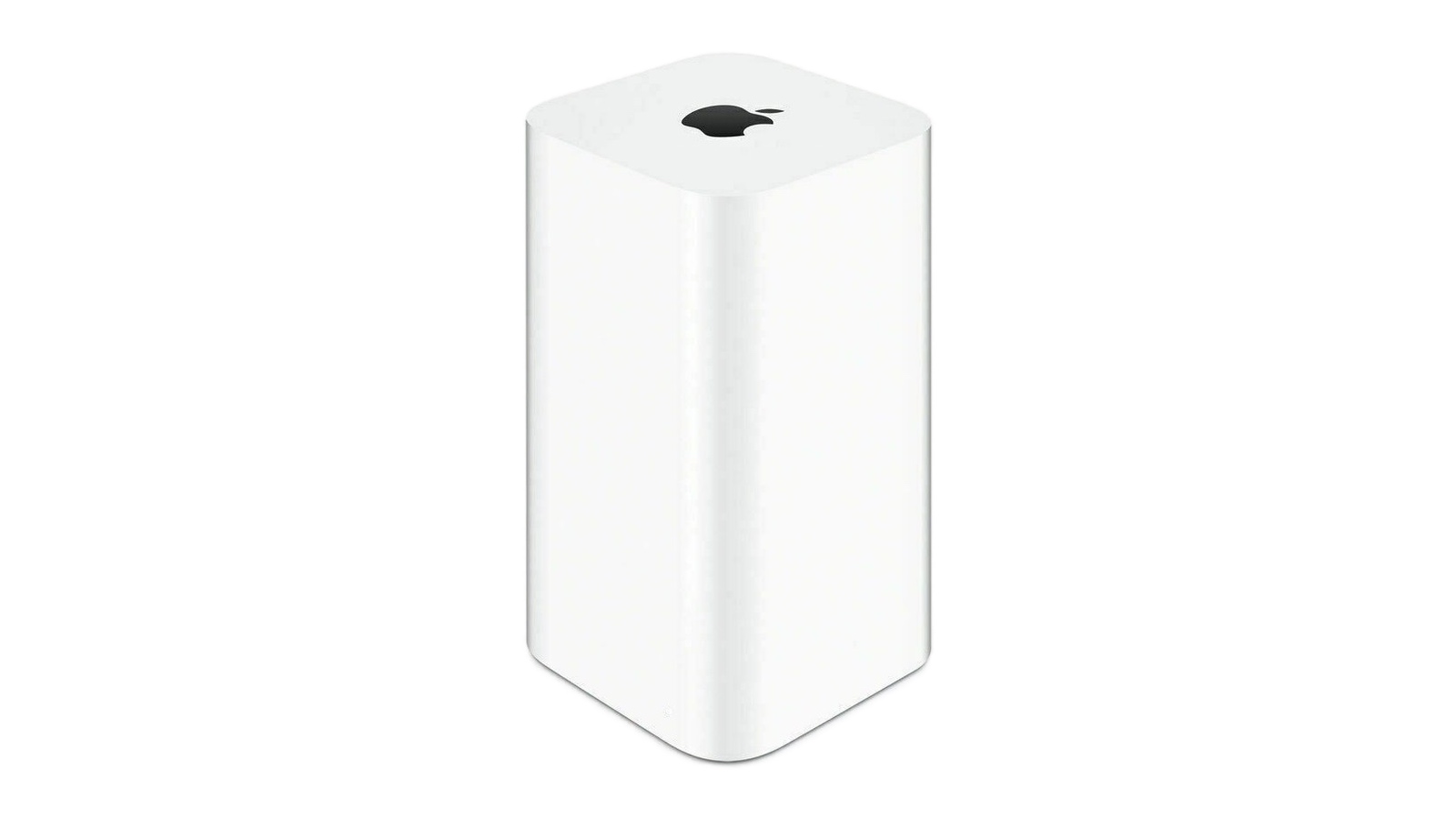
time-capsule.jpg

Apple's Time Capsule was introduced at Macworld Expo in January 2008, combining a Wi-Fi router with NAS-style network storage designed to work in tandem with the Time Machine backup software. Apple officially ended development on the entire AirPort line in April 2018, with the AirPort Express at $99, the AirPort Extreme at $199, and the AirPort Time Capsule at $299, available only while supplies lasted. The lineup sold out entirely by November 2018. Prior to that, Apple had not updated its AirPort products since 2013.

AFP dates back to 1988, when Apple designed a native file-sharing protocol for the Macintosh as part of the AppleTalk networking suite. SMB became the primary file-sharing protocol in OS X 10.9 Mavericks in 2013, and the ability to run an AFP server was removed in macOS 11 Big Sur in 2020.

Apple formally deprecated the AFP client in macOS Sequoia 15.5, and, when macOS 26 Tahoe launched, a warning in System Settings confirmed that AFP support and Time Capsule compatibility would end with macOS 27. As expected, the first developer beta of macOS 27 Golden Gate contains no AFP client at all, ending a protocol with more than 40 years of history in the Apple ecosystem.

All Time Capsule models rely on AFP and SMBv1, the original Server Message Block version from 1987. From macOS 27 onwards, Time Machine requires SMBv2 or SMBv3, which covers modern NAS hardware but rules out every Time Capsule model in its stock form. macOS 27 also enforces stricter network security requirements, including TLS 1.2 as a minimum, which is a bar that Time Capsule hardware cannot meet.

The community response is a GitHub project called TimeCapsuleSMB, created by James Chang, an engineer at Microsoft. Rather than replacing Apple's firmware, it installs a modern Samba build directly onto the Time Capsule. The device runs a Samba 4.24.3 server, advertises itself over Bonjour, and accepts authenticated SMB3 connections, so users can connect via a standard SMB URL in Finder rather than relying on Apple's legacy stack.

Only the fifth-generation Time Capsule tower model from 2013 auto-restarts the Samba server after a reboot. Earlier models require a manual activate command every time the device loses power, meaning backups may silently stop after an outage. It is also worth noting that switching to SMB via TimeCapsuleSMB begins a new Time Machine backup chain, with the new destination treated as a fresh start. There is no published long-term restore testing for the project, so a second backup destination is advisable.

macOS 27 Golden Gate is currently in developer beta, with a public beta due in July and a general release set for September. It is compatible only with Apple silicon Macs, meaning Intel Mac users who stay on macOS 26 can continue using Time Capsule for the foreseeable future. Apple silicon owners who want to upgrade will need a compliant backup target in place first, whether that is a modern NAS, an external drive, or a patched Time Capsule running TimeCapsuleSMB.

Article Link: macOS 27 Golden Gate Kills Time Capsule Support
 
I had to move on from my AirPort Extreme because I needed some new time based permissions for some devices and children. But that router never gave me trouble in 8 years of constant use with tons of devices. My current router any given day it will just tap a nap and half the devices lose connection. Randomly all the time. I forgot how good I had it with the Airport.
 
Apple should've never abandoned the home networking space, and with modern routers like Eero running $300 the margins are still there for Apple anyway.
 
  • Like
Reactions: Steve01234
Not much room to meaningfully differentiate anymore.

Unifi is great, and has a lot of ex Apple airport team. Enjoy it-- far better than if Apple tried to make routers today.

Yep, the only gap in the market that Ubiquiti doesn't cover are smaller, cheaper single bay backup units, say something around the 200zł price point WITH a drive included.

You can do this by plugging an external drive directly into a router with a USB port, but, in many routers running TM over this can be very unreliable.

Other than that, the market is already pretty full, and a 2 bay Unifi or Ugreen NAS really is the easiest "set up and forget" solution. Or simply use an older Mac.
 
Last edited:
I feel Apple has half arsed Time Machine for years now. First there was no way to migrate a backup from an encrypted HFS+ drive (the standard when Time Machine launched) to an AFP formatted drive. If you have an old backup disk and want to move it to a newer, larger disk you can't; you have to start again on the new disk. Now the Time Capsule is left to rot with no official option to save or relocate your backups. Even this workaround seems to write of your old backup history and require you to start again. Now, I've got backups on a Time Capsule and 2 USB hard drives, so it's not the end of the world for me, but I can imagine people who relieved on the Time Capsule are facing losing their backups.

I sort of understand why Apple left the router/networking space, but I think the complete reliance on wireless now means that Apple is basically handing over a large part of the customer experience (internet connection) to third parties. The growth of mesh networking (and the prices companies charge for it) and the recent US ruling on foreign made routers means I think there good reasons for Apple to jump back in. I'm thinking a standard base router with options for mesh nodes of AppleTVs, HomePods or Airport Express-type devices could result not just in strong router sales, but also increased HomePod and AppleTV sales.
 
  • Like
Reactions: hagar
Yep, the only gap in the market that Ubiquiti doesn't cover are smaller, cheaper single bay backup units, say something around the 200zł price point WITH a drive included.

You can do this by plugging an external drive directly into a router with a USB port, but, in many routersm running TM over this can be very unreliable.

Other than that, the market is already pretty full, and a 2 bay Unifi or Ugreen NAS really is the easiest "set up and forget" solution. Or simply use an older Mac.
Sadly this is a can of worms too. As you mentioned, a lot of NAS units and Routers with USB ports tout Time Machine compatibility, but it turns out to be very unreliable. Then a lot of them will also be struck down by the withdrawel of AFP support. I was considering a TP-Link be65 WiFi 7 router, as it performs will and has a USB port with Time Machine support, but I've just found out (thankfully before I bought it) that Time Machine support operates via...AFP
 
I had time machine on my Mac Mini running across 3 devices - a usb c connected ssd and two WD MyCloud NAS boxes - and the macOS 27 beta has stopped me using the older of the MyClouds presumably because it only supports AFP or SMB1 but I'd expected it would as Tahoe has been warning me about this for almost a year now and it is quite an ancient model which has been out of software update support for some years now.
 
I'm really not sure if I want to see Apple make a router / wireless AP or not. Consumer routers are in a really bad place. Most people are better off just using what their ISP gives them at this point, as those have gotten better with a lot of ISPs. For business, Apple routers would be the wrong choice anyway.

And as many have already pointed out, these days a NAS is a better option for backups anyway. Works just as well and does a lot more.

And you really don't want your storage unit tied to your wifi AP because wireless technology (at least over the last decade) has advanced a lot faster than storage technology (for consumers).
 
  • Like
Reactions: wyliej
Yep, the only gap in the market that Ubiquiti doesn't cover are smaller, cheaper single bay backup units, say something around the 200zł price point WITH a drive included.

You can do this by plugging an external drive directly into a router with a USB port, but, in many routersm running TM over this can be very unreliable.

Other than that, the market is already pretty full, and a 2 bay Unifi or Ugreen NAS really is the easiest "set up and forget" solution. Or simply use an older Mac.
Ubiquiti products are NOT for the average home user tho. I had a Unifi that refused to work right out of the box. Ubiquity's support was initially clueless, then just went into avoidance. Sent it back, they tried to charge me a "restocking fee" on a bricked router. The designs look good, but in practice they are **** and so is their support.
 
I only just removed my 4 AirPort Extremes in the last month to install UniFi hardware. They still worked great and I only moved on to complete my system based on a UniFi gateway. They are a bit like Apple with the ecosystem and all the various parts you can add to the network. My UNAS will be setup by the weekend.
 
Ubiquiti products are NOT for the average home user tho. I had a Unifi that refused to work right out of the box. Ubiquity's support was initially clueless, then just went into avoidance. Sent it back, they tried to charge me a "restocking fee" on a bricked router. The designs look good, but in practice they are **** and so is their support.
How long ago was this? All the setup is now app-based and seamless.
 
While I loved my time using the Time Capsule and AirPort Express, I moved over to Unifi some time ago, it's very feature rich, premium feeling and just 'nice'.
 
Ubiquiti products are NOT for the average home user tho. I had a Unifi that refused to work right out of the box. Ubiquity's support was initially clueless, then just went into avoidance. Sent it back, they tried to charge me a "restocking fee" on a bricked router. The designs look good, but in practice they are **** and so is their support.
I would say thats true. The average home owner is not going to dive into the detail that is needed to setup a full UniFi system. It's easier to manage than more enterprise based systems and its advantage is the lack of additional license fees but its not an out of the box solution. With average IT skills though, it's possible to be successful with the setup. I really like mine.
 
  • Like
Reactions: Le Big Mac
Do iCloud backups for mac even exist?
Apple was about to offer this and then out of nowhere, at the very last minute, they had to pull the feature, as they discovered it wasn't quite ready to truly delight customers. Not to worry, though, because Apple has discovered the secret to take Mac backups to a whole new level. Stay tuned for a game-changing cloud backup solution for Apple's best-in-class Macs. The pipeline has never been stronger for these trucks!

But seriously, Apple will never explain why Macs are specifically excluded from iCloud backup, so we're left with the usual PR speak.
 
Do iCloud backups for mac even exist?
Not in the same way they do for iPhone and iPad. Most of the important things can be sent to the cloud if you set it up but there is no one click full backup other than Time Machine which needs to be on a drive some place. It could be offsite if you have a cloud provider but no full iCloud backup option. Not that I am aware of.
 
Register on MacRumors! This sidebar will go away, and you'll see fewer ads.