
Got a tip for us?
Let us know
Become a MacRumors Supporter for $50/year with no ads, ability to filter front page stories, and private forums.
macOS 27 Golden Gate Kills Time Capsule Support
- Thread starter MacRumors
- Start date
- Sort by reaction score
You are using an out of date browser. It may not display this or other websites correctly.
You should upgrade or use an alternative browser.
You should upgrade or use an alternative browser.


Happy_John
macrumors 68000
Airport still works great if your home is mostly Apple. It’s not a true mesh system but it works great like it’s a real one. The software was so easy to use too. I tried Orbi and eero and it’s not as seamless as the old Airport system. It just works. I’m afraid now that Apple disabled Airport software on MacOS, it’ll be the end. I understand the time capsule part, but not the WiFi part.
AFAIK, you're nothing to worry about in terms of the router / wifi functionality you are currently using. But it still will only be what's now called Wifi 5, and at the time was called 802.11ac ( or slower on most airport expresses ) and you might have a problem at some point with general security and compatible security in client devices, as they don't support WPA3 encryption, only WPA and WPA2.

kirky29
macrumors 68000
Absolutely agree. I have a UGreen NAS and it's absolutely brilliant. As you say, it would almost feel pointless for Apple to rejoin at this point!Yep, They're not Apple, but they feel very "Apple-ish", with their focus on ecosystems and the styling of their more budget models (hardware and software). If Apple were to re-introduce Airport products, it might seem pointless, as they'd look and feel like UnifFy products.
I personally prefer the Ugreen NAS at the same price point, but that's because you can do more things with them (adding more service for your network etc ). If you want just a file server and backup destination, both products are great.

I appreciate your jump to incredulity instead of first understanding the confusion of two similarly named products coming from one company, and the fear that might arise from the BIG IMPACT of the other being discontinued.Are you serious?
Time Machine.
Dietrichbatista
macrumors newbie
I just applied this software hack on my 5th generation AirPort Time Capsule and it all worked like a charm and a new Time Machine backup is ongoing .. also like a charm .. or two 🙂


TJFDenver
macrumors 6502
Kills is such a strong word
Can we use the word murdered instead?
Can we use the word murdered instead?
BOTH
macOS 27 Golden Gate removes AFP support, ending Time Machine compatibility with Time Capsule after nearly two decades, but a community project from a Microsoft engineer offers a potential workaround for owners not yet ready to move on.
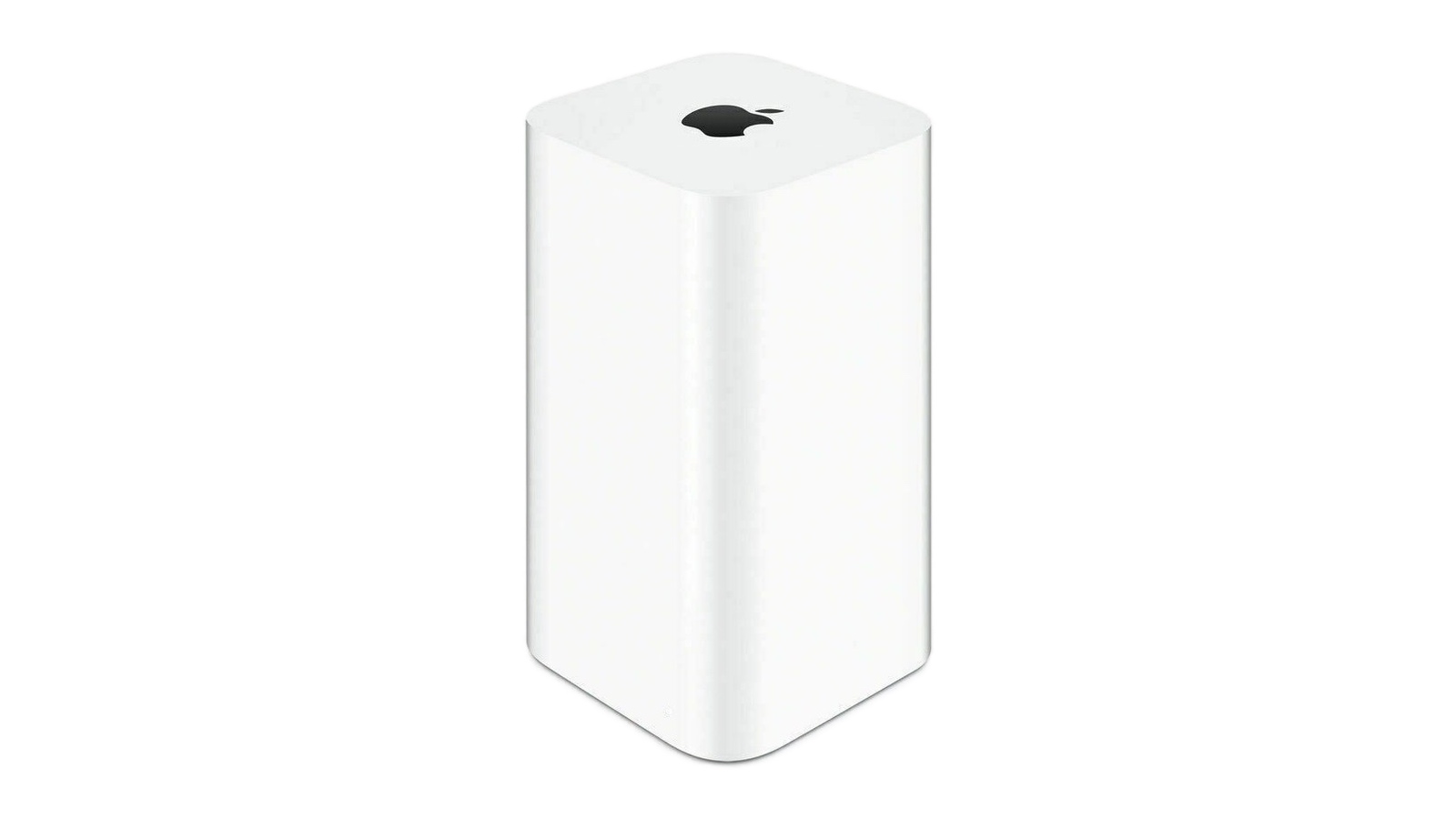
Apple's Time Capsule was introduced at Macworld Expo in January 2008, combining a Wi-Fi router with NAS-style network storage designed to work in tandem with the Time Machine backup software. Apple officially ended development on the entire AirPort line in April 2018, with the AirPort Express at $99, the AirPort Extreme at $199, and the AirPort Time Capsule at $299, available only while supplies lasted. The lineup sold out entirely by November 2018. Prior to that, Apple had not updated its AirPort products since 2013.
AFP dates back to 1988, when Apple designed a native file-sharing protocol for the Macintosh as part of the AppleTalk networking suite. SMB became the primary file-sharing protocol in OS X 10.9 Mavericks in 2013, and the ability to run an AFP server was removed in macOS 11 Big Sur in 2020.
Apple formally deprecated the AFP client in macOS Sequoia 15.5, and, when macOS 26 Tahoe launched, a warning in System Settings confirmed that AFP support and Time Capsule compatibility would end with macOS 27. As expected, the first developer beta of macOS 27 Golden Gate contains no AFP client at all, ending a protocol with more than 40 years of history in the Apple ecosystem.
All Time Capsule models rely on AFP and SMBv1, the original Server Message Block version from 1987. From macOS 27 onwards, Time Machine requires SMBv2 or SMBv3, which covers modern NAS hardware but rules out every Time Capsule model in its stock form. macOS 27 also enforces stricter network security requirements, including TLS 1.2 as a minimum, which is a bar that Time Capsule hardware cannot meet.
The community response is a GitHub project called TimeCapsuleSMB, created by James Chang, an engineer at Microsoft. Rather than replacing Apple's firmware, it installs a modern Samba build directly onto the Time Capsule. The device runs a Samba 4.24.3 server, advertises itself over Bonjour, and accepts authenticated SMB3 connections, so users can connect via a standard SMB URL in Finder rather than relying on Apple's legacy stack.
Only the fifth-generation Time Capsule tower model from 2013 auto-restarts the Samba server after a reboot. Earlier models require a manual activate command every time the device loses power, meaning backups may silently stop after an outage. It is also worth noting that switching to SMB via TimeCapsuleSMB begins a new Time Machine backup chain, with the new destination treated as a fresh start. There is no published long-term restore testing for the project, so a second backup destination is advisable.
macOS 27 Golden Gate is currently in developer beta, with a public beta due in July and a general release set for September. It is compatible only with Apple silicon Macs, meaning Intel Mac users who stay on macOS 26 can continue using Time Capsule for the foreseeable future. Apple silicon owners who want to upgrade will need a compliant backup target in place first, whether that is a modern NAS, an external drive, or a patched Time Capsule running TimeCapsuleSMB.
Article Link: macOS 27 Golden Gate Kills Time Capsule Support

yellowbunny
macrumors 6502
My gen 1 timecapsule is still used every day as a home media server feeding Apple TV.
*two drive changes later.
*two drive changes later.

kiranmk2
macrumors 68020
iCloud is not a backup - it is a syncing/cloud storage service. If you delete a file, you have 30 days to recover it from iCloud, yes. However, if you unintentionally overwrite, delete or modify contents of a file or simply want to see a previous version of the file, or a file becomes corrupted, iCloud can't help you recover from this. I don't really understand why Apple hasn't been selling a proper iCloud-based Time Machine option (so your 2 Tb iCloud storage actually behaves as a Time Machine).Routers are a commodity.
They are controlling backups by pushing iCloud instead.
kiranmk2
macrumors 68020
Yep, routers are, at best, hit and miss, if you try and use them as backup solutions or file servers with Macs.
If people are looking for an affordable solution, I've used both the 2 bay Ugreen Dh2300 and the UniFy UNAS 2 - both are "budget" ( under 200$ on special offers, but without drives ) and they're rock solid for TM usage. So, when I'm asked, they're the two particular models of NAS I'd recommend. Others can be "janky" with TM / Bonjour, and I'd strongly advise anyone to avoid any WD small network storage products that might pop up at "a nice price" on eBay etc. They are truly awful.
That's the trouble for me. I have a piece of hardware that I'm happy with. Now to simply get the same, I need to spend £200 on a proven NAS and then probably another £100+ of a 2 Tb drive to replicate my TC. TimeCapsuleSMB has shown that the hardware has the power to run a newer SMB version, but Apple don't want to provide an official solution. £300 might not be the end of the world, but it's enough to make me dig my heals in as I'm not really going to use any of the advanced features of modern NAS'
Jeeve Stubbs
macrumors 6502a
AFP: Agence France-Presse
SMBv1: the original Super Mario Bros
SMBv2: Super Mario Bros 2
SMBv3: Super Mario Bros 3
🤪
SMBv1: the original Super Mario Bros
SMBv2: Super Mario Bros 2
SMBv3: Super Mario Bros 3
🤪
Happy_John
macrumors 68000
If you’re happy to DIY, a much more affordable solution is to pick up a 2012 or 2014 Mac mini - the 2012 has two 2.5” Sata bays, the 2014 has one 2.5” Sara at and an nVME slot ( you need a cheap adapter for the slot - under 10$ - the 2914 has slotted RAM, the 2914 soldered n RAM - 8Gigs is more than enough.That's the trouble for me. I have a piece of hardware that I'm happy with. Now to simply get the same, I need to spend £200 on a proven NAS and then probably another £100+ of a 2 Tb drive to replicate my TC. TimeCapsuleSMB has shown that the hardware has the power to run a newer SMB version, but Apple don't want to provide an official solution. £300 might not be the end of the world, but it's enough to make me dig my heals in as I'm not really going to use any of the advanced features of modern NAS'
From 2012 the mini had USB 3.0, so you have 4 USB ports to add extr storage. It’ll easily be fast enough for backups and archiving / network storage.
You can run macoss on it ( macOS 12), but TrueNAS also runs well.
Picking up cheap parts on online site (eBay) etc, should get you everything you need to use the Mac mini as a TM destination / file server. It will be a lot cheaper than buying even a budget NAS.
I’ve built a load of people who have bought a new MacBook - keep it headless, and plug in via Ethernet directly into the router.
EDIT: an even cheaper option would be to buy a old MacBook Air / pro with a smashed screen and/or failing keyboard - it won’t look pretty, but just hide it in a cop board near your router.
Last edited:

coolkid93
macrumors 6502
Shame they discontinued their router line. Still have mine and it served me great for years.

CarAnalogy
macrumors 604
Not much room to meaningfully differentiate anymore.
Unifi is great, and has a lot of ex Apple airport team. Enjoy it-- far better than if Apple tried to make routers today.
Interesting coincidence that your user icon with the O looks exactly like one of those Ubiquiti access points that are...ubiquitous.

Le Big Mac
macrumors 68030
Yes - acknowledged. My point only is that because Apple offers iCloud (actually didn't realize not for computers), which costs a monthly fee, they have far less incentive to develop a genuine backup solution to replace Time Machine/Time Capsule. ICloud kinda/sorta works if your phone is stolen and you need to recover the contents. Probably what most people want anyway (not what they *need*, but that's a different issue).iCloud is not a backup - it is a syncing/cloud storage service. If you delete a file, you have 30 days to recover it from iCloud, yes. However, if you unintentionally overwrite, delete or modify contents of a file or simply want to see a previous version of the file, or a file becomes corrupted, iCloud can't help you recover from this. I don't really understand why Apple hasn't been selling a proper iCloud-based Time Machine option (so your 2 Tb iCloud storage actually behaves as a Time Machine).
That would have to be tested, but the Airport Utility is still available on iOS 27, so you can manage it from there. File transfers on the Mac under Golden Gate though looks to be dead. Time Capsule doesn’t even connect on the connected servers in Finder anymore.Can one copy the Tahoe version into GGate to continue using it?? I have used the utility for many, many years, and am not aware of any (or many) changes over that time. Since we are very happy with an array of Airports/Expresses thruout the house we use the utility solely for managing our network. (Our only demand for WiFi is that it be reliably there so Airports are great for us.) Thx. NSC

T-R-S
macrumors 6502
Back to My Mac was the single best feature that Apple Killed off ...

throAU
macrumors G4
ICloud is both. It does sync and also back up to iCloud if you turn it on.iCloud ( Photos and Documents and Desktop, etc) is a syncing solution - it is NOT a backup solution.
iCloud will only sync the current data on your phone. If you delete a file from your phone, it will also be removed from your iCloud.
In other words, iCloud can only be a valid backup if you NEVER delete any photos and files from your devices.
You can copy files into your iCloud storage ( not quite the same as iCloud sync, but uses the same storage allocation ) but you have to do this manually, and then there is still only a copy in the iCloud storage, so to is also not a backup.
To have a robust backup solution, you need an incremental backup solution, preferably mirrored to two different devices / servers.
Attachments

Happy_John
macrumors 68000
Yes, Apple use the word “backup”. But it’s a snapshot, not a backup. It’s also not a complete copy of the full contents of your phone or iPad.ICloud is both. It does sync and also back up to iCloud if you turn it on.
Far more importantly, this whole thread is about Time Machine and Time Capaules as backup solutions for Macs, not iPhones or iPads
iCloud not comparable to an incremental backup solution like TM. And iCloud NOT a viable backup solution for Macs
Last edited:
kiranmk2
macrumors 68020
I don't know. I've seen WiFi 7 mesh router multipacks going for over $1000, which is just nuts to me. And people must be buying them at these prices. Sure, you can pick up a basic WiFi 6 router for $50 or so (or even free from your ISP), but premium offerings have their place. I'm certain that if Apple came back with an N1 / S11 or A18-powered mesh router for $399 they would sell a lot of them.Whether or not apple CAN do routers, it isn't their core business and the margins are thin.
They have very little unique value to offer in that space as these days people are working from anywhere - most of the time their devices won't even be connected to the owner's home network.
Leave routers to ISPs and SOHO equipment manufacturers to race to the bottom with. Apple's value is making non-commodity things easier. Not just stamping an apple logo on something any other company can do just as well for half the price.
edit:
I say all this as someone who owns 3 airports and a time capsule. They were great - in 200x-2015/2018 ish. Time moved on and apple exited that market for what looks like sensible reasons.
My Apple Time Capsules have been the best routers I've every had. ISP-supplied routers I've had disconnected several times a week. At best they would reconnect after a few minutes and at worst required a reboot. My various Time Capsules drop the connection maybe once every 5-6 months and as far as I can remember this is due to an ISP outage rather than a router issue (and it automatically recovers connection without having to reboot). I do think ISP-supplied routers have got better in the last 5-6 years though, but I don't see a reason to move away from my Time Capsule yet.my time capsule was the worst router I've ever owned, needed reboot like twice/week, glad I moved on
Can you confirm that is isn't possible to continue using an existing backup when the TC is patched? Do you need to format the drive or delete the old sparsebundle?I just applied this software hack on my 5th generation AirPort Time Capsule and it all worked like a charm and a new Time Machine backup is ongoing .. also like a charm .. or two 🙂
I have thought about this, but I'm put off by the increase power consumption and the fact that these old Minis are stuck on very outdated MacOS versions are may become vulnerable to hacks.If you’re happy to DIY, a much more affordable solution is to pick up a 2012 or 2014 Mac mini - the 2012 has two 2.5” Sata bays, the 2014 has one 2.5” Sara at and an nVME slot ( you need a cheap adapter for the slot - under 10$ - the 2914 has slotted RAM, the 2914 soldered n RAM - 8Gigs is more than enough.
From 2012 the mini had USB 3.0, so you have 4 USB ports to add extr storage. It’ll easily be fast enough for backups and archiving / network storage.
You can run macoss on it ( macOS 12), but TrueNAS also runs well.
Picking up cheap parts on online site (eBay) etc, should get you everything you need to use the Mac mini as a TM destination / file server. It will be a lot cheaper than buying even a budget NAS.
I’ve built a load of people who have bought a new MacBook - keep it headless, and plug in via Ethernet directly into the router.
EDIT: an even cheaper option would be to buy a old MacBook Air / pro with a smashed screen and/or failing keyboard - it won’t look pretty, but just hide it in a cop board near your router.
Happy_John
macrumors 68000
You can open the backup via finder on a Mac, and copy the photos database to the Mac.I have 2TB Time capsule with thousands of photos using as NAS, when Apple releases macOS 27 I can’t mount the time capsule at all on my Mac? If so how would I access my photos?
or..
The backup is an incremental backup, so the full restore to your Mac will not be the full 2Tb - it will be the size of the total number of files your Mac contained at the most recent backup.