Become a MacRumors Supporter for $50/year with no ads, ability to filter front page stories, and private forums.


macOS 27 Golden Gate removes AFP support, ending Time Machine compatibility with Time Capsule after nearly two decades, but a community project from a Microsoft engineer offers a potential workaround for owners not yet ready to move on.

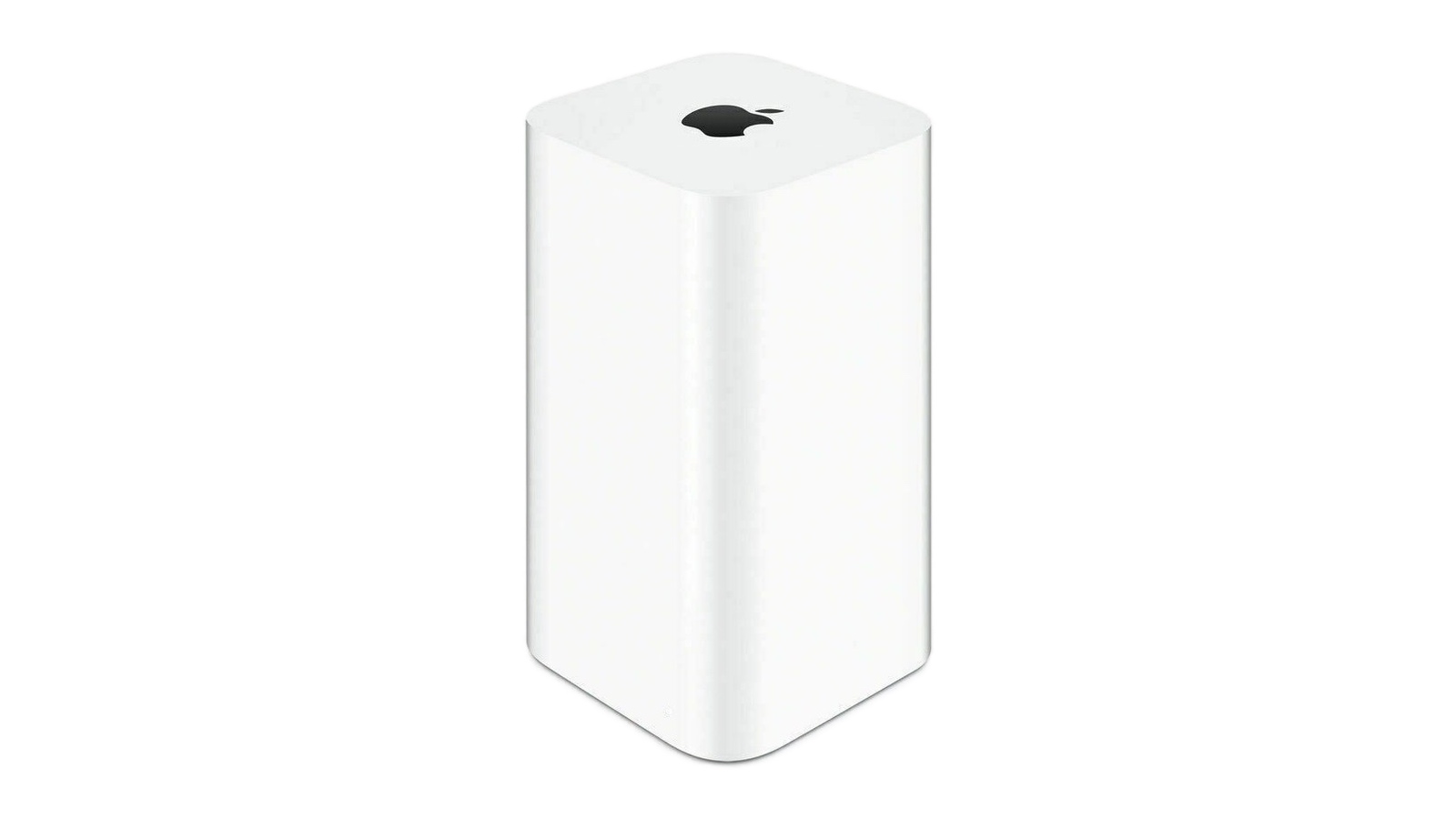
time-capsule.jpg

Apple's Time Capsule was introduced at Macworld Expo in January 2008, combining a Wi-Fi router with NAS-style network storage designed to work in tandem with the Time Machine backup software. Apple officially ended development on the entire AirPort line in April 2018, with the AirPort Express at $99, the AirPort Extreme at $199, and the AirPort Time Capsule at $299, available only while supplies lasted. The lineup sold out entirely by November 2018. Prior to that, Apple had not updated its AirPort products since 2013.

AFP dates back to 1988, when Apple designed a native file-sharing protocol for the Macintosh as part of the AppleTalk networking suite. SMB became the primary file-sharing protocol in OS X 10.9 Mavericks in 2013, and the ability to run an AFP server was removed in macOS 11 Big Sur in 2020.

Apple formally deprecated the AFP client in macOS Sequoia 15.5, and, when macOS 26 Tahoe launched, a warning in System Settings confirmed that AFP support and Time Capsule compatibility would end with macOS 27. As expected, the first developer beta of macOS 27 Golden Gate contains no AFP client at all, ending a protocol with more than 40 years of history in the Apple ecosystem.

All Time Capsule models rely on AFP and SMBv1, the original Server Message Block version from 1987. From macOS 27 onwards, Time Machine requires SMBv2 or SMBv3, which covers modern NAS hardware but rules out every Time Capsule model in its stock form. macOS 27 also enforces stricter network security requirements, including TLS 1.2 as a minimum, which is a bar that Time Capsule hardware cannot meet.

The community response is a GitHub project called TimeCapsuleSMB, created by James Chang, an engineer at Microsoft. Rather than replacing Apple's firmware, it installs a modern Samba build directly onto the Time Capsule. The device runs a Samba 4.24.3 server, advertises itself over Bonjour, and accepts authenticated SMB3 connections, so users can connect via a standard SMB URL in Finder rather than relying on Apple's legacy stack.

Only the fifth-generation Time Capsule tower model from 2013 auto-restarts the Samba server after a reboot. Earlier models require a manual activate command every time the device loses power, meaning backups may silently stop after an outage. It is also worth noting that switching to SMB via TimeCapsuleSMB begins a new Time Machine backup chain, with the new destination treated as a fresh start. There is no published long-term restore testing for the project, so a second backup destination is advisable.

macOS 27 Golden Gate is currently in developer beta, with a public beta due in July and a general release set for September. It is compatible only with Apple silicon Macs, meaning Intel Mac users who stay on macOS 26 can continue using Time Capsule for the foreseeable future. Apple silicon owners who want to upgrade will need a compliant backup target in place first, whether that is a modern NAS, an external drive, or a patched Time Capsule running TimeCapsuleSMB.

Article Link: macOS 27 Golden Gate Kills Time Capsule Support

Wonder how much longer iTunes syncing last ?
 
That was a very solid product from Apple. Maybe they will bring back in Dark Cherry? That alone would be a huge innovation.
 
It's so frustrating to me that Apple hasn't remained in the router and Time Capsule space.

Why isn't there an Apple router/Home Hub/Time Capsule solution on offer in 2026?
I'm a bit torn on that.

I used to miss the airports but... good news:
  • Some companies are doing a decent job on wifi now, not just apple
  • TrueNAS has time machine compatibility and can have you back up things to fast storage with actual fault tolerance
These days for casual users:
  • just sync/backup to icloud, you have many devices anyway
for those who want more control and/or are more paranoid
  • set up a time machine drive on your NAS. And back up your NAS somewhere else
 
  • Like
Reactions: Smartuser
Apple should've never abandoned the home networking space, and with modern routers like Eero running $300 the margins are still there for Apple anyway.
I just bought a new router last week for $68, so the margin is not as there as you think.

The bummer is that getting data to the Quicksilver will have to use USB stick sneaker net. Tiger doesn't support SMB 2 or exfat. There might be a Netatalk port to MacOS 27 though. Apple did a really good job with AFP since it stayed viable this long.
 
I just bought a new router last week for $68, so the margin is not as there as you think.

The bummer is that getting data to the Quicksilver will have to use USB stick sneaker net. Tiger doesn't support SMB 2 or exfat. There might be a Netatalk port to MacOS 27 though. Apple did a really good job with AFP since it stayed viable this long.

Whether or not apple CAN do routers, it isn't their core business and the margins are thin.

They have very little unique value to offer in that space as these days people are working from anywhere - most of the time their devices won't even be connected to the owner's home network.

Leave routers to ISPs and SOHO equipment manufacturers to race to the bottom with. Apple's value is making non-commodity things easier. Not just stamping an apple logo on something any other company can do just as well for half the price.


edit:
I say all this as someone who owns 3 airports and a time capsule. They were great - in 200x-2015/2018 ish. Time moved on and apple exited that market for what looks like sensible reasons.
 
Apple should've never abandoned the home networking space, and with modern routers like Eero running $300 the margins are still there for Apple anyway.
For the vast majority of consumers these days, the router comes bundled (or for a modest extra charge) with their home broadband connection - which also ensures it's got the right sort of WAN connection & is pre-configured for their carrier (a can of worms that Apple can really do without). If I had to recommend a router to the sort of non-technical person, my response would always be to get it from the broadband provider (...their support may be lousy but I guarantee it will get even worse if you don't have their approved router).

Likewise, as well as just being able to plug an external USB HD into many routers, you can't throw a brick in a good computer store without hitting half a dozen SMB-based, plug-and-play NAS solutions that all work fine with Mac.

...and if I want a more powerful router or NAS that I can tweak, I wouldn't be looking for one with an Apple point-and-drool interface - preferably something that you could install server apps on so that (just as a purely random example) you could upgrade the version of Samba etc.

Given that people will want to use their Macs and iDevices at work, in cafes, on trains etc. (...and also connect everything from their washing machine to their electric toothbrush to WiFi) it's far more important for the Mac to work seamlessly with third party routers and file severs than for Apple to offer their own me-too solutions. It would certainly be bad for them to double down on proprietary solutions like the non-lamented AFP.
 
Honestly, I think Apple could bring this back but guessing with everything being on the cloud these days it’s market is very niche.

Especially in the UK, where I’m from most people get a Wi-Fi router from their service provider.

Might be similar in the US but I’m not sure.

But when it comes to the nas functionality, I still think there’s a market for that.

Specially considering full macOS backups for Time Machine tend to be on local drives.

And having your Wi-Fi router, be your NAS drive as well is a cool idea.

They could use their n1 chip for the wi-fi and maybe give it a binned A series or standard chip so Siri AI could also search your Nas drive for file context when home and away.
 
Extremely disappointing but with no new hardware, it was only a matter of time before software support was going to end.
 
  • Like
Reactions: mganu
I moved on from m Express and Extreme routers many, many moons ago. Those things were beasts and I’m sad that Apple effectively abandoned the space.
 
At a minimum they could expand the data limits for their iCloud accounts as they increase the file sizes of everything they capture… How many years has 2TB been $9.99/month?
 
Sadly this is a can of worms too. As you mentioned, a lot of NAS units and Routers with USB ports tout Time Machine compatibility, but it turns out to be very unreliable. Then a lot of them will also be struck down by the withdrawel of AFP support. I was considering a TP-Link be65 WiFi 7 router, as it performs will and has a USB port with Time Machine support, but I've just found out (thankfully before I bought it) that Time Machine support operates via...AFP
Yep, routers are, at best, hit and miss, if you try and use them as backup solutions or file servers with Macs.

If people are looking for an affordable solution, I've used both the 2 bay Ugreen Dh2300 and the UniFy UNAS 2 - both are "budget" ( under 200$ on special offers, but without drives ) and they're rock solid for TM usage. So, when I'm asked, they're the two particular models of NAS I'd recommend. Others can be "janky" with TM / Bonjour, and I'd strongly advise anyone to avoid any WD small network storage products that might pop up at "a nice price" on eBay etc. They are truly awful.

But, as I've said, there's definitely a market for an easy to set up, "set and forget" single drive solution for Mac users at about the $200 price point ( if it visually looks nice, has an idiot proof setup, as is marketed specifically as "made for Time Machine").

I bang on here a lot about Apple dropping the ball of this after Airport was discontinued, either as a standalone box or by putting the USB-C socket back on the Apple TV, and allowing an external drive to be plugged into the Apple TV to be used only for TM backups.

As it is, it makes no sense for Apple to have TM as standard in macOS but offer no branded solution for the destination.
 
Last edited:
  • Like
Reactions: Le Big Mac
While I loved my time using the Time Capsule and AirPort Express, I moved over to Unifi some time ago, it's very feature rich, premium feeling and just 'nice'.
Yep, They're not Apple, but they feel very "Apple-ish", with their focus on ecosystems and the styling of their more budget models (hardware and software). If Apple were to re-introduce Airport products, it might seem pointless, as they'd look and feel like UnifFy products.

I personally prefer the Ugreen NAS at the same price point, but that's because you can do more things with them (adding more service for your network etc ). If you want just a file server and backup destination, both products are great.
 
Last edited:
It's so frustrating to me that Apple hasn't remained in the router and Time Capsule space.

Why isn't there an Apple router/Home Hub/Time Capsule solution on offer in 2026?
Clearly this is a space that Apple could have kept and captured more revenue in their stores. We used AirPorts and Time Capsules exclusively at my office until it became apparent that Apple was leaving the space. With their in-house chips, it’s clearly the time to reenter the space and build a Home automation hub that simplifies the router equation and helps them build a Smart Home ecosystem going forward. We usually don’t agree on stuff but this I’m 💯 with you. It is extremely frustrating.
 
People who are terrified of technology just use what their internet provider gives them as a wifi router, dump their Pages and Numbers files in iCloud, and use iCloud Photo Library. Boom, everything that matters to a normie is "backed up."

Everyone else with a little extra knowledge and time wouldn't use an underpowered/overpriced Apple solution (which is exactly what the Airports and Time Capsules were) when there are tons of options for file storage, backup, routing, wifi, and more, at every price point and level of capability.

That leaves the only unserved market as people who absolutely need their networking hardware to have an Apple logo on it. For those people, Apple should release a low-end router/backup combo and charge $900 for it.
 
  • Like
  • Disagree
Reactions: Xade and throAU
Clearly this is a space that Apple could have kept and captured more revenue in their stores. We used AirPorts and Time Capsules exclusively at my office until it became apparent that Apple was leaving the space. With their in-house chips, it’s clearly the time to reenter the space and build a Home automation hub that simplifies the router equation and helps them build a Smart Home ecosystem going forward. We usually don’t agree on stuff but this I’m 💯 with you. It is extremely frustrating.

I'm being a broken record, but adding TM destination functionality to the Apple TV would fit the "Home automation hub" product you're talking about.

There's probably no profit in Apple trying to produce and sell routers, but having an Apple branded TM destination device in the ecosystem makes sense, it pairs well as part of a "home hub", and the Apple TC already has the necessary hardware ( all that's missing is the physical USB socket for the external drive).
 
Sadly this is a can of worms too. As you mentioned, a lot of NAS units and Routers with USB ports tout Time Machine compatibility, but it turns out to be very unreliable. Then a lot of them will also be struck down by the withdrawel of AFP support. I was considering a TP-Link be65 WiFi 7 router, as it performs will and has a USB port with Time Machine support, but I've just found out (thankfully before I bought it) that Time Machine support operates via...AFP
Get the 2 or 4-Drive NAS from UniFi, it works great. I have installed a 2-Drive version for a client, and it's been working great.
Make sure to use good hard drives, avoid cheap one that tend to overheat and fail.
 
Register on MacRumors! This sidebar will go away, and you'll see fewer ads.