Got up to 70GB in 15 minutes before I said forget it and rebooted to my Tahoe install on another Volume. DB2 already shortened my SSD's lifespan by a whopping 7.5TB with the dasd memory leak causing swap to get eaten like crazy, not willing to trash my SSD any further. I'll give it a shot again in a later beta.Holy crap is DB3 fast on my M4 Max Studio. Everything is just snapping right open.
launchd has already written 28GB in 10 minutes though...

Got a tip for us?
Let us know
Become a MacRumors Supporter for $50/year with no ads, ability to filter front page stories, and private forums.
macOS Golden Gate 27.0 Beta 3 - What's New?
- Thread starter WilliApple
- WikiPost WikiPost
- Start date
- Sort by reaction score
You are using an out of date browser. It may not display this or other websites correctly.
You should upgrade or use an alternative browser.
You should upgrade or use an alternative browser.
- Status
- The first post of this thread is a WikiPost and can be edited by anyone with the appropiate permissions. Your edits will be public.

cheekyjeremy
macrumors 6502
This for me too. Wifi is barely working, Dropbox won't engage and no emails are able to be sent via iCloud. Rebooted, problem persistsI can't get my iCloud mail account to connect in the Mail app for some reason, tried removing and readding, restarting, etc.

Apple Knowledge Navigator
macrumors 601
Could you provide a screenshot please?Seems like the window borders have changed, maybe they disabled the Liquid Glass effect

flowrider
macrumors 604
The borders are a lot simpler and flatter than macOS 26 and probably also older betas. Not sure if it was changed now or just didn't notice it beforeCould you provide a screenshot please?

Adora
macrumors 68020
cheekyjeremy
macrumors 6502
Gmail also no longer works within apple mail. As mentioned by others, Chrome app no longer works either.This for me too. Wifi is barely working, Dropbox won't engage and no emails are able to be sent via iCloud. Rebooted, problem persists
cheekyjeremy
macrumors 6502
Dropbox no longer works for me either. Menu Bar icon is greyed out.
Apple Knowledge Navigator
macrumors 601
Ah, I understand what you mean. That's a nice improvement, they've added a slight bezel to the window that creates a 'raised' appearance from the border. Like the seamless edge of an iPhone X from screen to bezel. Looks very pleasing to the eye.The borders are a lot simpler and flatter than macOS 26 and probably also older betas. Not sure if it was changed now or just didn't notice it before
View attachment 2643564

slomtbr
macrumors 6502
I successfully sent an email from one of my Gmail accounts to another using Mail.Gmail also no longer works within apple mail. As mentioned by others, Chrome app no longer works either.
Does anyone have problems with connections to any type of VPN? Mine are broken now
dallardice
macrumors 6502
I've lost Spotlight from my Menu Bar and it's not an option for me to add back in. It's the fastest way I had of launching apps. I guess I'm supposed to use Siri instead but it's slower and more cumbersome.
Seems it doesn’t let us choose different languages at the moment and options are limited. It would be cool if we could create our own voices by loading a .wav sample and then the model trains on the voice we load.
ProtonVPN works for me. Disable icloud private relay, it could helpDoes anyone have problems with connections to any type of VPN? Mine are broken now


SketchyClown
macrumors 6502
PIA still working. Nothing but problems on Tahoe, but somehow it seems more stable here.Does anyone have problems with connections to any type of VPN? Mine are broken now

MinimeJer05
macrumors 6502
Cisco Secure Client/AnyConnect works for me. Had to open and close the login screen once for it to work.Does anyone have problems with connections to any type of VPN? Mine are broken now

Herr Podspro
Suspended
Anyone else not being able to add Shortcuts to the Menu Bar? I should have one but it doesn't show up. Id like to add another but can't even make out how to anymore.
Herr Podspro
Suspended
Same, same and same.I have yet to see this update pop up on my 14” M1P MBP. Anyone else?
Edit - finally came up at around 1:40. 14.76GB!

CrabQueenInc
macrumors 6502
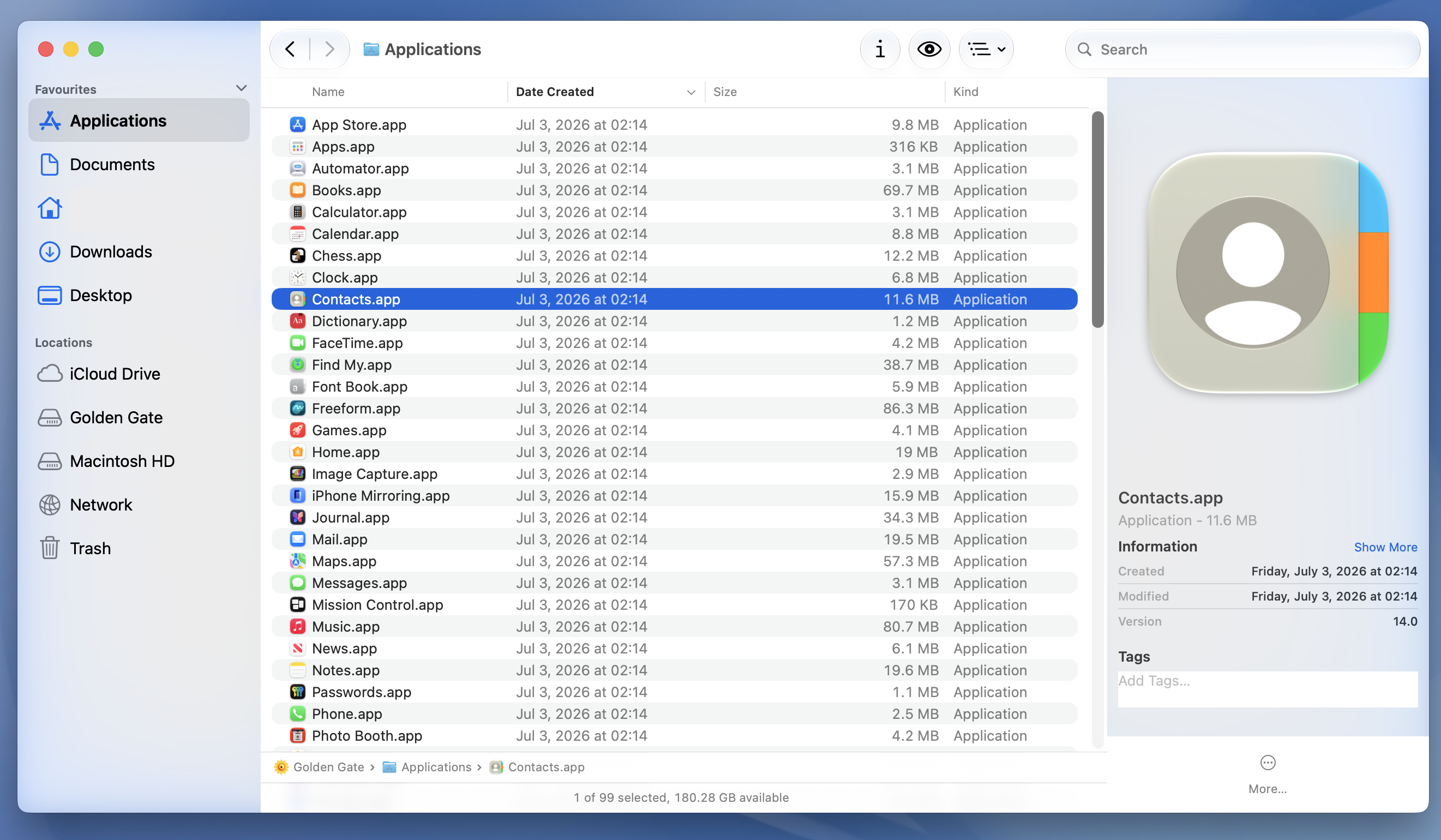
The preview pane in Finder no longer seems to have a line to nowhere running through the toolbar.
Adora
macrumors 68020
Gmail also no longer works within apple mail. As mentioned by others, Chrome app no longer works either.
I have iCloud, Gmail and other accounts in Apple Mail. All seem to work fine.
This build has performance issues even on an M4 Pro.
- The Weather app has very jerky window resizing and can’t remember its size. It always defaults to the same size.
- The content in the Stocks app disappears when you are resizing the window and refreshes when you release the mouse button.
- The Finder window has random jerkiness when moving windows across the screen.
- If you have an app with a fully transparent title bar (like a game or an app with a full window canvas) when you select Save to save a document the Finder window has a completely broken appearance. This visual glitch was also in beta 1 and beta 2.
- The Siri app’s microphone button does nothing. Siri is also not responding at the moment.
I also have the resizing problems with Weather and Stocks. Also it takes minutes for any data to appear in both apps.
I don't think I have any app with a transparent title bar, so I can't test this.
Nothing special with moving Finder windows.
Siri app is working. Typing to Siri in that orb is also working, but it's the standard setting because my Mac mini doesn't have a microphone.
Does anyone have problems with connections to any type of VPN? Mine are broken now
I tried four very different VPNs and all worked.
I've lost Spotlight from my Menu Bar and it's not an option for me to add back in. It's the fastest way I had of launching apps. I guess I'm supposed to use Siri instead but it's slower and more cumbersome.
It sems the Siri AI icon replaced it. You can use it for search too. Also there is still the Apps app. When you turn off Siri or use the old one instead the Spotlight icon is coming back to the Menu Bar Controls list. Not sure if this is even new in this Beta. I normally don't use Siri and Spotlight.
CrabQueenInc
macrumors 6502
I can also confirm the resizing issue with Weather. OS X 10.0 resized more quickly.I also have the resizing problems with Weather and Stocks. Also it takes minutes for any data to appear in both apps.
Scrolling the Applications folder in icon view still has a stutter.
Resizing Finder windows is smooth.
CrabQueenInc
macrumors 6502
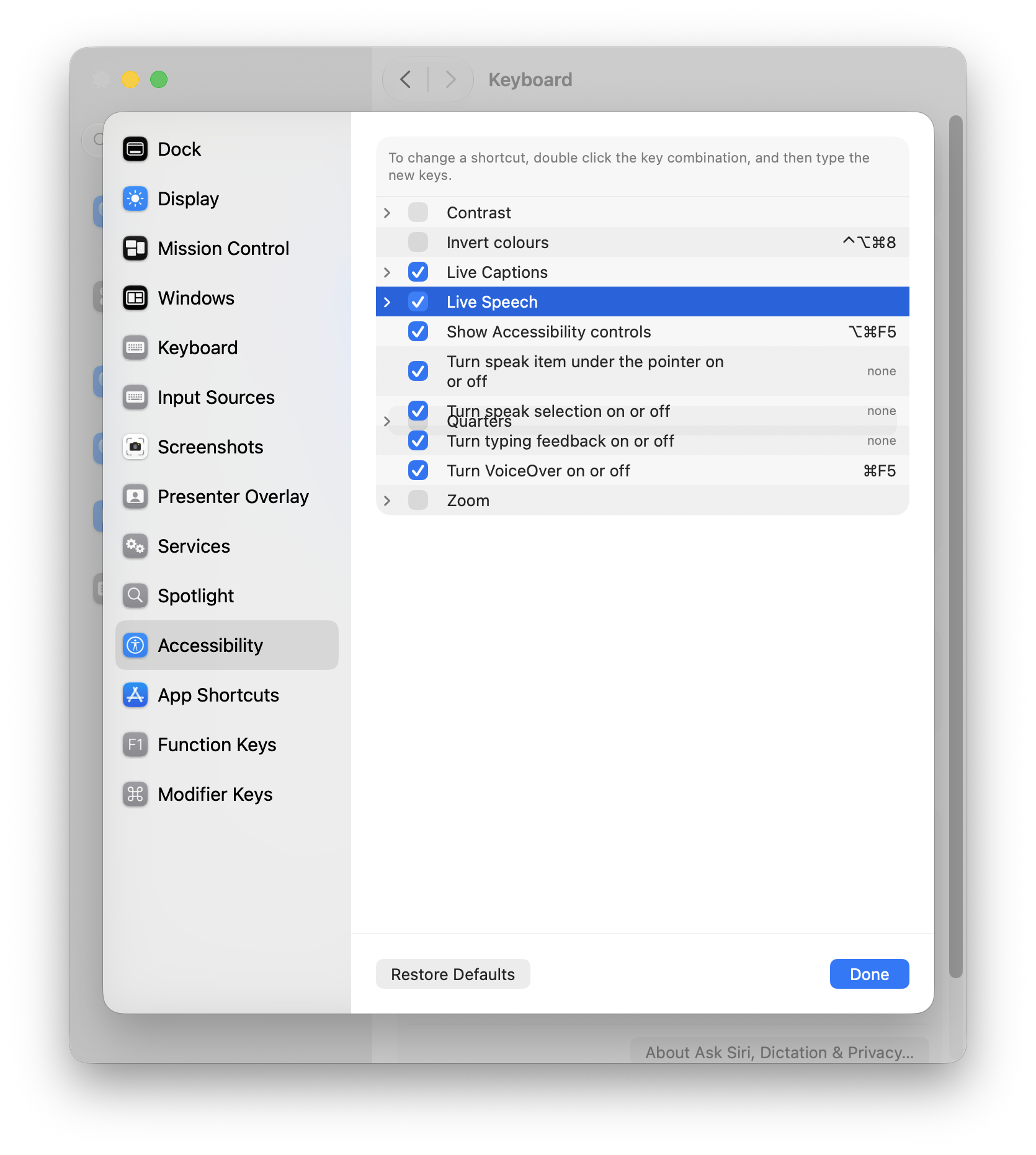
Menus for the Accessibility keyboard shortcuts are having a bad day:
Typing in Safari has issues. The speed isn't steady or smooth regardless of whether check spelling or grammar is on or off.
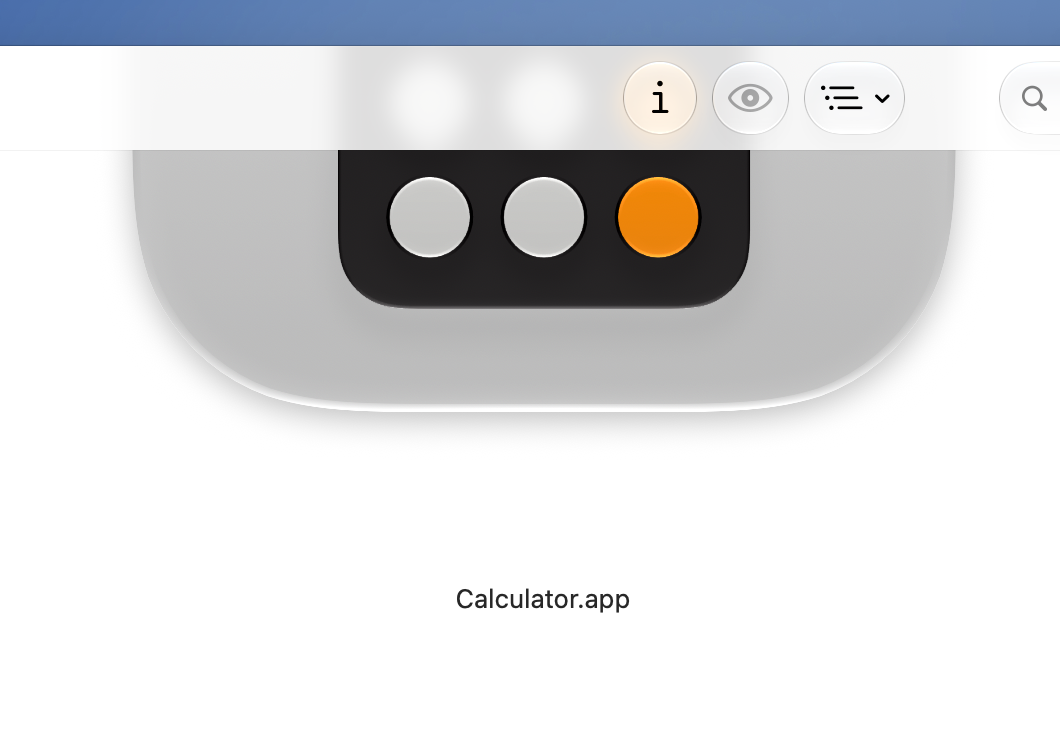
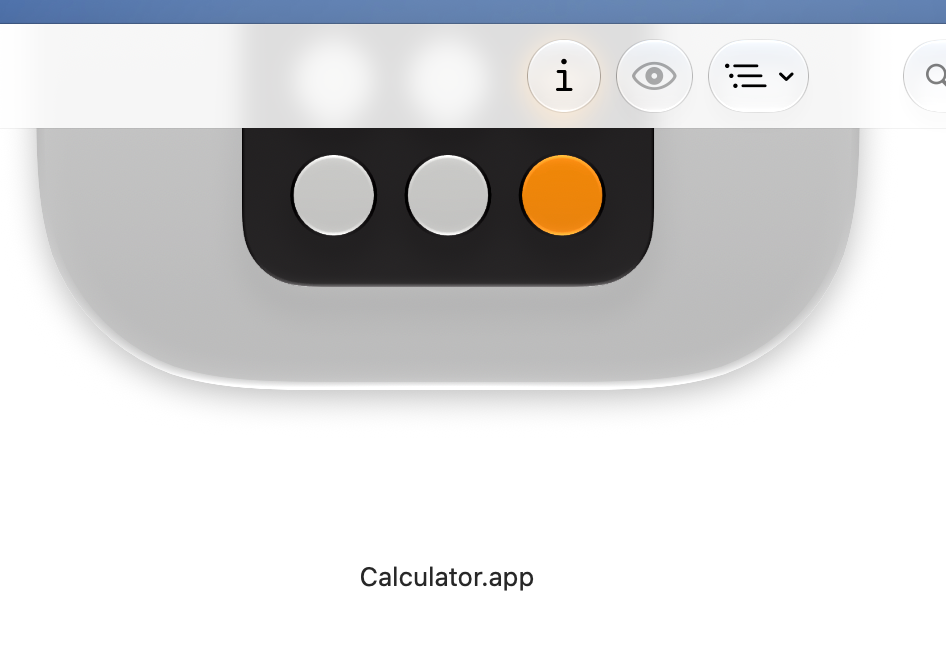
Changing the Liquid Glass setting in Appearance only changes the opacity of icons in the Finder toolbar. The opacity of the toolbar itself is static:
The Share button in Passwords is now centred.
Scrollbars in Settings are not cut off as badly as they used to be, but they still look terrible:

The horizontal scrollbar in Music still appears above the playback controls.
Typing in Safari has issues. The speed isn't steady or smooth regardless of whether check spelling or grammar is on or off.
Changing the Liquid Glass setting in Appearance only changes the opacity of icons in the Finder toolbar. The opacity of the toolbar itself is static:
The Share button in Passwords is now centred.
Scrollbars in Settings are not cut off as badly as they used to be, but they still look terrible:
The horizontal scrollbar in Music still appears above the playback controls.
Last edited:

fisherking
macrumors G5
not for everyone, i'm on chrome right now; try disabling extensions, or re-installing...Gmail also no longer works within apple mail. As mentioned by others, Chrome app no longer works either.