Become a MacRumors Supporter for $50/year with no ads, ability to filter front page stories, and private forums.
Status
The first post of this thread is a WikiPost and can be edited by anyone with the appropiate permissions. Your edits will be public.
Hi!

I'm on 26.4, and I've noticed the following:

- Every time I restart my Mac (or logout-login), if I open Applications (and other folders), for example, I notice that my Mac takes a fraction of a second to load the icons, as if it needs to recreate the cache. Frankly, I don't remember if this has worsened with macOS 26, but I think so, because it gives me a feeling of "slowness" that I hadn't noticed before.
- In System Settings > Users & Groups, my icon changes aren't accepted. I set Monogram, type my initials (2 characters), select the first color (gray), and click Save, but nothing changes.
- Every time I turn on my Mac, my Magic Keyboard connects after a few seconds, so much so that when I enter my password, for 2-3 attempts it gives me an error, as if it doesn't recognize the characters correctly (I also use upper and lower case).
I feel seen on your first point. Happens to me (M2 Air 16/256) on Tahoe, not on Sequoia.

Why keep Tahoe? Tahoe Messages, however, respects the Phone Spam contents sent there by Sifter(iOS app)/db_geek-sifter (block list), so I don't have to re-delete all of the political spam texts I receive.
 
  • Love
Reactions: FILIPSN007
This is going nowhere. It’s become useless listing all the visual bugs in Tahoe such as the incorrect drive icons, missing custom icons, text overlay clash, and missing scroll bar gutters.

The macOS team will have already moved on to the next version of macOS by now and even more so before WWDC.

Tahoe was a stepping stone and a let down. It’s never going to get all the fixes users want to see. It’s this generation’s Cheetah. Might as well call it macOS Cheetahoe.
 
M4MBA Never had a problem before 26.4. Safari hangs (after awhile my tabs just blank out and hang) since upgrading to 26.4. I'm pretty shocked it doesn't seem to be an issue here on the forum. I even reinstalled the OS and same behavior. Flushed the cache etc.... Does anyone have any ideas I can try?

Thanks
 
Major memory issue. Mac mini 4 with 24 GB.

Updated to Tahoe 26.4 on Wednesday morning. Used machine a little - no obvious problems. Came back this morning (Friday) and found massive memory usage:

1774603799108.png

Activity monitor showed:

backupd - 51.2 GB
corespotlightd - 27.49 GB

Took ages to kill apps and restart. Currently memory usage looks fine despite having much the same collection of apps open.

Added Activity Monitor screenshot:

1774607788094.png
 
Last edited:
Activity monitor showed:

backupd - 51.2 GB
corespotlightd - 27.49 GB

Took ages to kill apps and restart. Currently memory usage looks fine despite having much the same collection of apps open.
backupd memory has risen from about 6 to over 10 GB. Over about three hours. And still in "Preparing to back up" state.

I have two drives - a backup to the other one was fine. I ran First Aid on this one - fine.
 
Last edited:
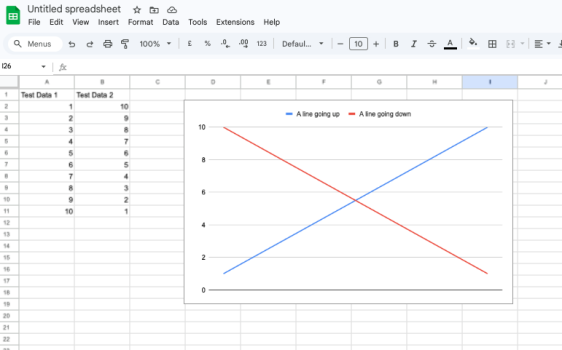
Weird little glitch I have with Safari 26.4: Google Sheets now display all blurry at my preferred page zoom level. Only the text in the worksheet, not the menus. It works fine at 100% zoom, just not anything else. 🤷‍♂️ Not Tahoe-specific, as the same thing happens on another machine updated to Sequoia 15.7.5 with Safari 26.4.

Seem to remember this happened a while ago and a subsequent update fixed it, but can't remember if that update was on the Apple side or the Google side.

Screenshot 2026-03-27 at 21.40.38.png
 
I keep updating, hoping it becomes stable.
But even on 26.4, Tahoe just crashed again. At least once a week Tahoe crashes Windowserver, just browsing with Safari.
It's an abomination. No such problems with Sequoia.
This time it even asked for my password as if it was a fresh install. On Intel iMac 2020 i7 64GB.
I don't dare install it on my MacBook Pro M1 Max.
 
It's only to me or seems like that Tahoe 26.4 drains the battery faster? Honestly, still think Sequoia was better than the current version.
 
Now it looks like this has been happening after all updates starting at least 26.2 - startup disk is added to Time Machine destinations in System Settings automagically.
It cannot be added back after removal - which is logical as startup disk should not be usable as Time Machine backup destination, but why then it is appearing there after update is finished?
 
Text Replacement for Safari is still broken. As a workaround, I've been using Text Blaze for Safari

Reported again to Apple
 
I have a M1 MacBook Pro where i have an external usb drive as my time machine drive. prior to MacOS 26.4, i was able to eject it manually without issues (note: usb drive is connected directly to the MBP and not via any hub, etc). But now, it won't eject easily and I have to force eject it (I did check to make sure that no backups were occurring). I would try to eject it a couple of times and then just do the force eject. I did verify that the backups are still behaving as expected. Anyone experience issues ejecting externally connected usb drives?
 
Right... I posted after I updated my Intel iMac 2020 yesterday. Today I updated my M4 MacBook Air and the custom folder icons show. No issues with Apple silicon. Maybe it's Intel-only Macs.
I have the same problem on my Intel MacBook pro it was working fine until the last update 26.4
 
View attachment 2616371
Release Date ― 24 March 2026
Build Number ― 25E246
Apple Silicon System Firmware Version ― 18000.101.7
T2 BridgeOS System Firmware Version ― 23.16.14242.0.0

New Features & Changes (Found something new? Please press "Edit" on the bottom of this post and add it here)
Resolved Issues

New Issues
  • When filling your screen with the App Store, the title of the View may be wider than expected
(If you are encountering any issues, please press "Edit" on the bottom of this post and add it here)
Remaining Issues

  • On non notched devices, the volume indicator may have excessive padding in full screen (Present since 26.2 Beta 3)
  • Alarms may not play when your display is asleep for a long period of time (FB10086690)
    • Workaround: Make your display not fall asleep in Settings > Lock Screen > Turn display off on ____ when inactive. You can turn your brightness off.
    • Issue present since macOS 13.0
Untested Issues
Issues Information:
When a new macOS release comes out, all issues automatically go to "Untested Issues" until they are moved by someone. Issues that stay in Untested for 3 releases (beta or smooth) will be removed from all future threads. When there is a new macOS release, please be sure to let us know about the issue's status by moving it to either "Remaining Issues" or "Resolved Issues"

Additional Notes
  • Updates might not show up in Settings as soon as it releases if you have Rosetta 2 installed. This is due to Apple not releasing Rosetta at the same time as macOS Tahoe Betas. Please wait up to an hour before you will be able to update.
  • If you are encountering a memory management issue (eg. a Memory Leak), please provide what app/process it is coming from (Using Activity Monitor) and what you were doing in that app.
  • macOS 26 Tahoe will be installed via a Delta Update in System Settings. Please be aware about this, as the update won’t install with an installer.
  • macOS 26 is officially supported on the following devices. If your device is not listed below, it has unfortunately been dropped by Apple. Any efforts of trying to get your Mac running macOS 26, including bugs should be discussed in this thread.
    • MacBook Air: M1, M2, M3, M4, M5
    • MacBook Pro: 2019 (16 Inch only), Intel 2020 (4 thunderbolt port only), M1, M1 Pro/M1 Max, M2, M2 Pro/M2 Max, M3/M3 Pro/M3 Max, M4/M4 Pro/M4 Max, M5, M5 Pro/M5 Max
    • MacBook Neo: A18 Pro
    • Mac mini: M1, M2/M2 Pro, M4/M4 Pro
    • iMac: 5K 2020, M1, M3, M4
    • Mac Pro: 2019, M2 Ultra
    • Mac Studio: M1 Max/Ultra, M2 Max/Ultra, M3 Ultra, M4 Max
  • macOS Tahoe 26.4 Release Notes
  • macOS Tahoe Overview
  • Apple Security Updates
  • Become an Apple Beta Tester
  • Full Installer (Direct Download)
I'm curious to know if the Music app has changed at all...is the play bar still at the bottom? Are playlists still not working properly? Love to see any screenshots. Thank you!
 
I'm curious to know if the Music app has changed at all...is the play bar still at the bottom? Are playlists still not working properly? Love to see any screenshots. Thank you!
Yes the play bar is on the bottom, I don't see that changing at all and tbh its better on the bottom.

What about playlists were not working correctly? I can create playlists, add stuff to playlists just fine...
 
Currently have 5 tabs open in Safari, Mail & Messages open, using 14GB of 24GB on M4 Air. Safari has crashed about 5X since installing 26.4. Not really a good start to the update here. Sequoia beginning to look better.
 
  • Like
Reactions: JMalone
I’m utterly tired and fed up with Tahoe now but I have to keep it on one dev machine to check compatibility all the time.

It’s slower at backing up to external SSDs. It’s unstable. It has too many visual glitches. It sometimes struggles to scroll down a very long list of folders. When I want to exclude a drive from Spotlight search the settings don’t save and that Privacy button in the Spotlight preference pane sometimes freezes.

This OS is the most garbage macOS for many years. It’s just a beta OS masquerading as a release OS.
 
Oh no!

Came down this morning to my M1 MBP and it was positively warm despite having closed lid all night (as usual for me) - though plugged in. Checked Activity Monitor - corespotlightd using 98% CPU.
 
Another bug.

Open the TV app. Go to the Apple TV home page. Resize the window towards the right. The edge of the layout gets cut off and the scroll bar disappears. If you are using a drawing tablet only and do not have trackpad or mouse in front of you then you cannot scroll the window now.

The funniest thing is to see the scroll bar actually slide off the window horizontally and break. In a 2026 operating system!!! Hahaha
 
Last edited:
I'm consistently having an issue where if I'm watching a video or playing a TV show on YouTube or video in an app, and then I get a Notification passed thru from my iPhone to my MacBook, the audio on my MacBook then cuts out completely after the notification finishes it's alert sound. It doesn't "mute" it, so that I can just increase the volume again, I have to actually quit the app playing the media and reopen and start playing again.
 
  • Like
Reactions: polyphenol
Oh no!

Came down this morning to my M1 MBP and it was positively warm despite having closed lid all night (as usual for me) - though plugged in. Checked Activity Monitor - corespotlightd using 98% CPU.
This morning another spotlight-related process (spotlightknowledge.updater - I think) making my MBP positively warm to the touch. Which is very wrong.
 
Previously I might have given Tahoe 5/10.

Now I’m giving it a big fat zero. 0 out of 10.

It’s not only the many bugs we have all mentioned. There’s just so much more bugs that should not exist in ANY modern operating system.

Check this one. Go to Safari’s Settings/Privacy pane. Click on Manage Website Data. Try to delete cookies manually.

Since the very first Safari release 20+ years ago it was possible to easily delete selected cookies by pressing the backspace or delete key.

Now it is a struggle. It is either unresponsive, or it takes multiple attempts, and some cookies refuse to be deleted unless I clear everything.

Absolutely stupid. Idiotic. Garbage. Nonsense. Zero out of 10. Nobody checking any quality. Probably vibe coded garbage.
 
Previously I might have given Tahoe 5/10.

Now I’m giving it a big fat zero. 0 out of 10.

It’s not only the many bugs we have all mentioned. There’s just so much more bugs that should not exist in ANY modern operating system.

Check this one. Go to Safari’s Settings/Privacy pane. Click on Manage Website Data. Try to delete cookies manually.

Since the very first Safari release 20+ years ago it was possible to easily delete selected cookies by pressing the backspace or delete key.

Now it is a struggle. It is either unresponsive, or it takes multiple attempts, and some cookies refuse to be deleted unless I clear everything.

Absolutely stupid. Idiotic. Garbage. Nonsense. Zero out of 10. Nobody checking any quality. Probably vibe coded garbage.
Click on the website and click remove. Simple.
 
Register on MacRumors! This sidebar will go away, and you'll see fewer ads.