Become a MacRumors Supporter for $50/year with no ads, ability to filter front page stories, and private forums.

eddjedi

macrumors 6502a
Original poster
I'll no doubt have a load of questions on this over the coming weeks/months so figured I'd start a thread 🙂

The recent killing off of the Mac Pro line encouraged me to scratch an itch I've been wanting to for 20+ years, a Powermac G5. I still have a lot of design, development and music work from the early 2000s that requires a PPC machine, I've been using a G4 cube for the last few years which has been OK but the painful USB 1.1 speed and lack of I/O (especially audio) has always bothered me, so I fancied giving a G5 a go.

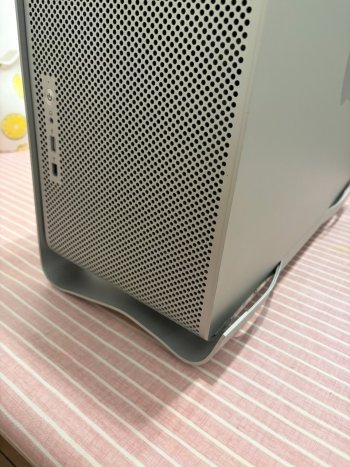
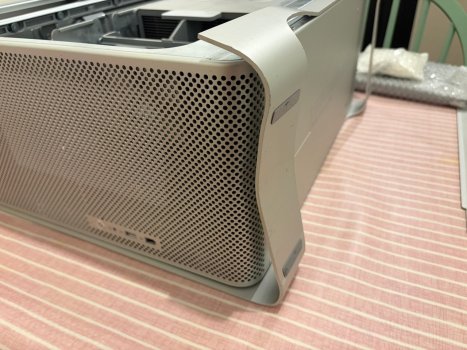
I found a 2004 dual 2.0 GHz 7,3 in excellent condition on eBay for just £50. I'm sure I could probably have found one for less or even free with a bit of patience, but I wanted one now 🙂 So I pulled the trigger on eBay, and then this arrived a few days later:
IMG_8736.jpeg IMG_8741.jpeg

Really frustrating that it had lasted for 20 years in great condition, and then ruined in three days by a courier 🙁 I got a refund and the seller let me keep it, I was tempted to return it and try and find another one as I like my computers to be in good condition, but it would probably just happen again! So I may try and straighten this out a bit in future, it's too nice to throw away.

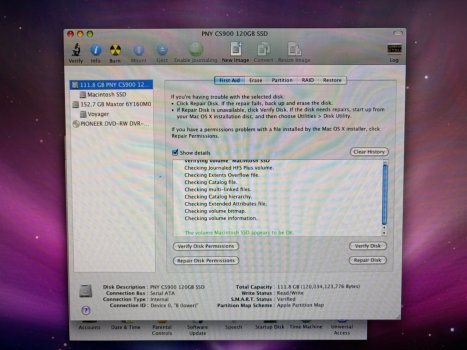
The original 160GB HD was loose inside, possibly from the same knock that destroyed the case, and it took quite a few minutes to boot 10.5.8. So my first job was to install an SSD and give Sorbet Leopard a try. I had read that compatibility was hit and miss, so I bought a 120GB PNY CS900 for just £10 from a local CEX, based on this page I thought it should work.

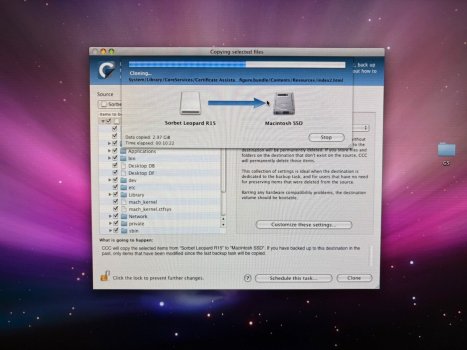
After installing in bay 2 it showed up straight away in Finder and I re-partioned it as APM/Journaled as per the Sorbet Leopard install guide, and cloned Sorbet to the SSD.
IMG_8778.jpeg IMG_8776.jpeg

But, it won't boot, I just get a white screen. I tried both drive bays, removing the old HD, cloning again from a fresh download, but all with the same result.

So my first question, has anyone else had success booting from one of these PNY drives? Anything obvious I might be doing wrong? If it's just an incompatible drive, any suggestions of readily available SSDs in 2026 that should work please? Any help appreciated.
 
Sorbet Leopard has some issues that may prevent you from loading some applications. For some people's use cases it works fine, just be aware of any potential issues you may run into.

If you can see the drive in Disk Utility, and it formats with APM, I would bet on the drive being fine. Your cloning process looks unfamiliar to me. Have you tried just using Disk Utility for a restore instead of whatever cloning tool that is?

My bet is that you're running into issues with trying to clone a live boot partition, and either using Disk Utility for the restore process or installing a retail copy via USB/DVD will resolve your issue.
 
  • Like
Reactions: eddjedi
To second @srp above, just use Disk Utility. I've never had any issues with installing Sorbet via that method. In DU, go to Images, "Scan image for restore..." and choose the SL DMG. Then after it finishes click on the destination drive on the left menu, choose Restore, and populate from there. Be sure to click "erase destination".
 
  • Like
Reactions: eddjedi
As an alternate method, you can mount the Sorbet image and then image the mount to the disk, no imagescanning required.

You may need to do this if you run into issues imaging directly from the DMG (I've run in to this before).


Notably, Carbon Copy Cloner (which I believe OP is using here) kapows the Sorbet image, don't use that.
 
  • Like
Reactions: eddjedi
If you ask me I wouldn’t even bother with Sorbet since Leopard is plenty fast on any G5 but eh.

Use Disk Utility. Restore to a partition, then reboot.

I also recommend keeping a Tiger partition because some games and apps depend on legacy frameworks. I personally have had issues with running some game cracks under Leopard but they work fine in Tiger.
 
  • Like
Reactions: eddjedi
Actually, in hindsight, I would not go with Sorbet. The G5 is a 64-bit CPU and Sorbet cuts all the 64-bit slices. Stock Leopard with a few optimizations (ShadowKiller, OnyX) will be a much better choice.
 
Interesting thanks, I hadn't seen anything negative about Sorbet, and Carbon Copy Cloner 4 is the recommended install method. I'll try installing "plain" Leopard using a DVD instead.
 
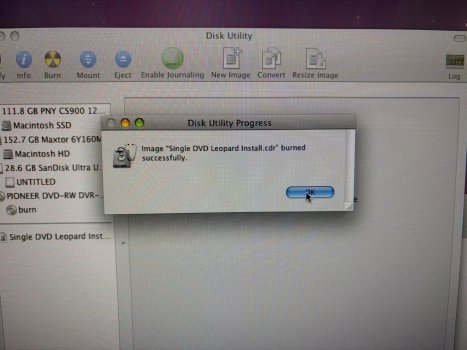
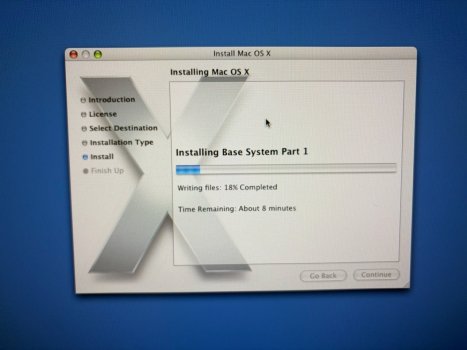
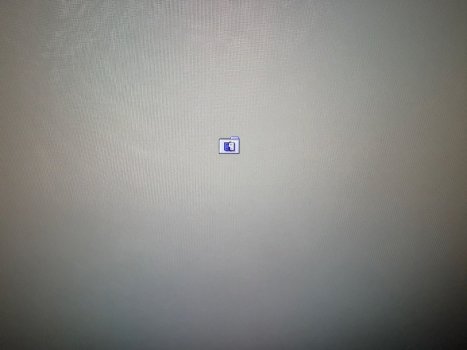
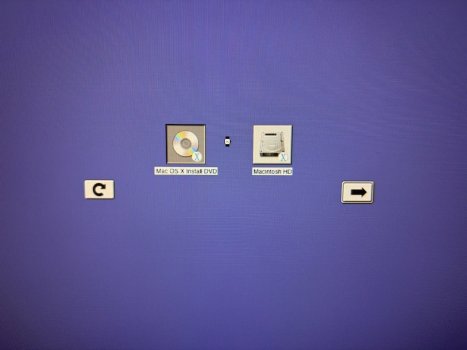
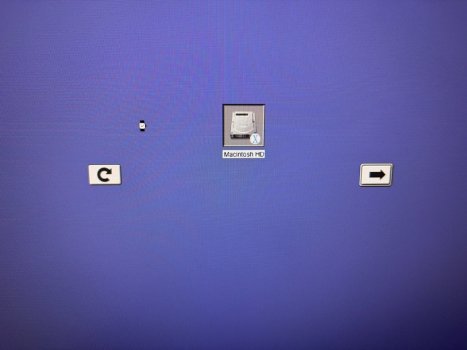
Still no luck, maybe something more serious is up with this. I have tried installing Sorbet and Leopard using disk utility, and then both Tiger and Leopard using burned DVDs, which verified OK, but I still only get either a blank white screen, or the no OS icon.

IMG_8781.jpeg
IMG_8785.jpeg
IMG_8786.jpeg


Another strange thing is whenever I boot holding option, the wait watch never disappears meaning I can't select a boot device. This happens whatever combination of drives and discs I have inserted.

IMG_8782.jpeg
IMG_8783.jpeg

I would like to think it's still just an incompatible/duff SSD, but the startup disc "beachball" is concerning me.
 
WRT the bent handle - I had an even worse case with rivets being torn apart - I had to disassemble the whole thing and ask some friends to drill out the rivets, cut the legs off and smoothen the curve with an angle grinder 🫠

Unfortunately when you do this you'll quickly learn that the side panel rests on the legs - so you'll only have the plastic cover on the side to guide the air somewhat, not that it makes a huge difference in my tests 🤭
 
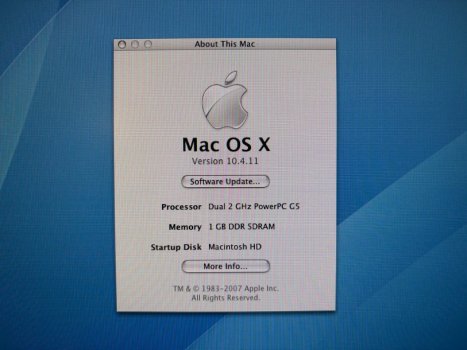
I decided to abandon the SSD for now and focus on verifying the machine is working correctly. I noticed that the original HD still had some Panther files on it, so the OS has been upgraded twice, potentially with no fresh install since new. I booted the Tiger install DVD and the startup disk failed to verify or repair, so hoping this may explain the general slowness and crashes etc I formatted it and did a fresh install of 10.4.6, then combo updated to 10.4.11.

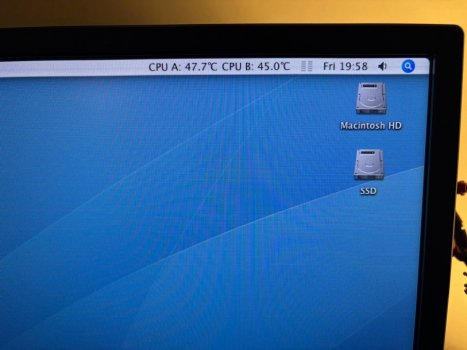
Wow I was not excpecting how snappy Tiger would be! Even with only 1GB RAM and a mechanical HD, it flies compared to the old Leopard install. I am still nervous about running a 20+ year old HD, but it is running very smoothly now so I think I'll just use it for a few days and see how it behaves. Honestly I could almost daily this thing, it feels quick! I also installed Temperature Monitor and both CPUs are idling under 50 degrees, I'll redo the therma paste anyway though.

IMG_8789.jpeg
IMG_8790.jpeg

So my current to-do list:
  • Give it a proper clean inside, it's pretty good already but there's a thin layer of dust over everything
  • Get it online, everything has been done via USB or discs so far. I have Powerfox at the ready, but it has no WiFi card so I'll have to run an ethernet cable to my router
  • Redo the CPU thermal paste, I've ordered some Arctic MX-4
  • Add some more RAM, it runs just fine on 1GB but might as well max it out. It has 8 slots so I believe will take 8GB?
  • Try and bend the lower case close to original shape
  • Might revisit an SSD again but honestly if it runs this fast with an HD I can live with it
Any other suggestions appreciated.
 
If you try the SSD again it may be as simple a fix as resetting your NVRAM and PRAM. There should also be 2 drive bays, perhaps try the other? Resetting procedure is simple. Boot to OpenFirmware by holding CMD+OPT+O+F after the boot chime, at the text prompt type reset-nvram then enter, set-defaults then enter, reset-all then enter. After the next boot chime hold CMD+OPT+P+R until the boot chimes yet again. See if it boots after that.
 
  • Like
Reactions: eddjedi
  • Like
Reactions: eddjedi
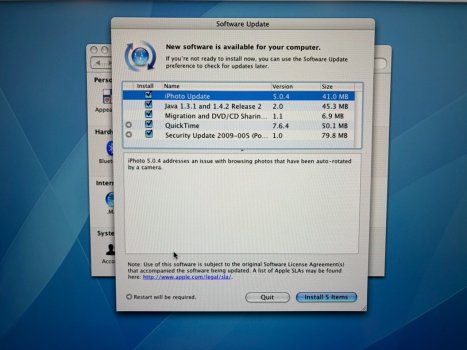
It's now online, I still get a kick out of available OTA updates for a 20+ year old operating system

IMG_8795.jpeg

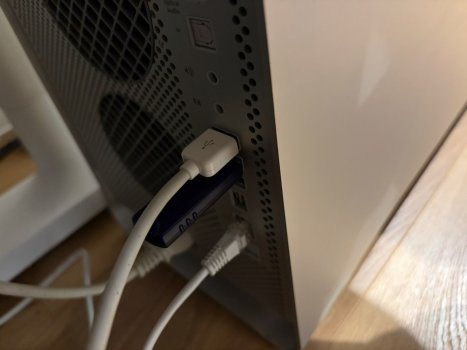
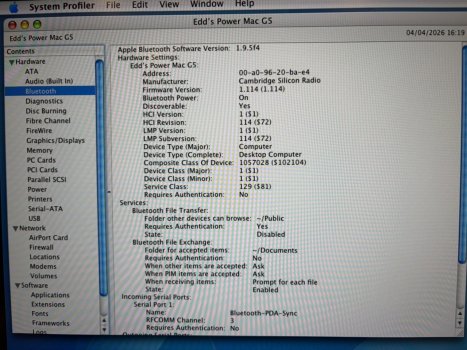
I was also pleased to find the Bluetooth dongle I bought for my G4 iMac nearly 25 years ago still works, I bought it to transfer files to my Nokia phone back then. It wouldn't register in my G4 cube so I assumed it was dead.

IMG_8798.jpeg
IMG_8797.jpeg

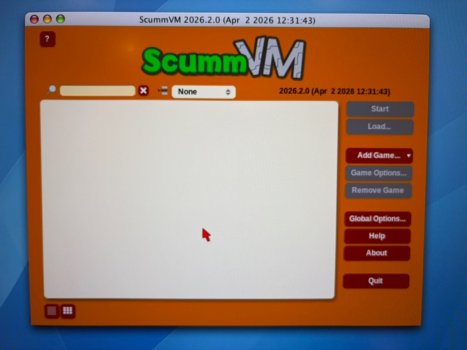
I was also amazed to find a new PPC build for ScummVM from just two days ago!

IMG_8799.jpeg

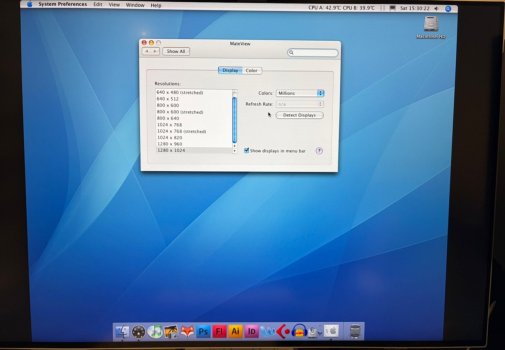
Anyway next question, on my 1920 x 1080 monitor, the resolution maxes out just fine. But if I plug it into my 4k monitor, the highest available resolution I'm getting is 1280 x 1024. I obviously wasn't expecting 4k but I thought the G5 supported up to 2560 x 1200 or so? Any ideas how I can force it to show higher resolutions?

IMG_8794.jpeg
 
  • Like
Reactions: Tsomi
Use SwitchResX to force higher resolutions. As far as SSDs, I use 120Gb Netac ssds without issue in both my a1047 & a1117 PMG5s.

I run both 10.5.8 and 10.5.9 on my PMG5s and generally prefer Sorbet but if you are planning on using PPC-ports, Leopard is the way to go as it won’t work with sorbet.
 
  • Like
Reactions: eddjedi
It's now online, I still get a kick out of available OTA updates for a 20+ year old operating system
View attachment 2619864
I was also pleased to find the Bluetooth dongle I bought for my G4 iMac nearly 25 years ago still works, I bought it to transfer files to my Nokia phone back then. It wouldn't register in my G4 cube so I assumed it was dead.
View attachment 2619862
View attachment 2619865
I was also amazed to find a new PPC build for ScummVM from just two days ago!
View attachment 2619863
Anyway next question, on my 1920 x 1080 monitor, the resolution maxes out just fine. But if I plug it into my 4k monitor, the highest available resolution I'm getting is 1280 x 1024. I obviously wasn't expecting 4k but I thought the G5 supported up to 2560 x 1200 or so? Any ideas how I can force it to show higher resolutions?
View attachment 2619861
Higher resolutions require a Dual-Link DVI connection. Passive DVI-HDMI adapters are only single-link, but you can get Dual-Link DVI-DisplayPort adapters if your monitor supports DP.
 
  • Like
Reactions: eddjedi
Anyway next question, on my 1920 x 1080 monitor, the resolution maxes out just fine. But if I plug it into my 4k monitor, the highest available resolution I'm getting is 1280 x 1024. I obviously wasn't expecting 4k but I thought the G5 supported up to 2560 x 1200 or so? Any ideas how I can force it to show higher resolutions?
Use a Gefen Dual Link DVI to Mini DP Converter or similar device to get 1440p60 or 4K30.
Or try creating a custom timing under 165 MHz.
https://forums.macrumors.com/threads/dvi-to-dp-or-hdmi-cable-recommendations.2342872/post-31050562
https://forums.macrumors.com/threads/what-have-you-done-with-a-powerpc-today.2233788/post-32652675
https://gefen.com/products/dual-lin...63ddCA9gbR4Ln7fdq6RhFwPgV05a2Umblkpz1-UTdTyjc
 
  • Like
Reactions: eddjedi
Thanks, the monitor in question is actually "5k" and has a 3840 x 2560 native resolution, which halved is 1920 x 1280. So I guess the latter is the best I can hope for, and would still require dual link DVI?
 
Thanks, the monitor in question is actually "5k" and has a 3840 x 2560 native resolution, which halved is 1920 x 1280. So I guess the latter is the best I can hope for, and would still require dual link DVI?
Depends on the display and OS and drivers.

For 3840 x 2560, Single Link DVI can support up to 16 Hz and Dual Link DVI can support up to 32 Hz.

Can the display support either of those from DisplayPort or HDMI?
 
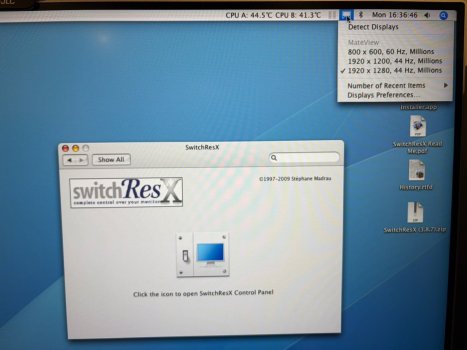
Some progress with SwitchresX, 1920 x 1280 @ 44Hz is the best I've managed to get out of it so far, it feels a bit sluggish but it fills the screen so I can live with it. I will experiment further to see what the best 60Hz resolution I can force is.

IMG_8810.jpeg

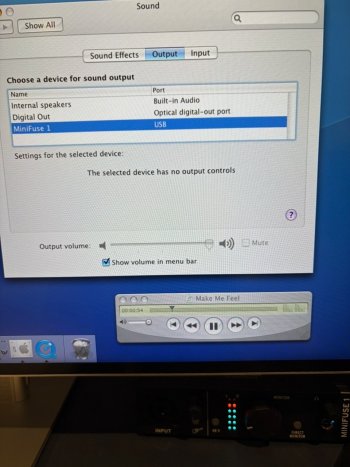
I was also impressed that the USB Arturia MiniFuse 1 soundcard that I use with my M1 MBP, and states it requires macOS 10.10 in system requirements, worked straight "out of the box" with Tiger, no drivers needed!

IMG_8811.jpeg

I have however run into a new problem. Since today, it won't shut down or sleep without immediately powering back on again by itself. It diefinitely wasn't doing this before today as I powered it down and set it to sleep multiple times successfully. I've checked "wake for network access" is turned off in preferences, I've also tried disconnecting everything except the mouse, keyboard and monitor, but it's still doing it. I had to remove the plug to prevent it from powering on again. Any ideas what might be causing this new behaviour?

Edit: I just realised it’s since i installed SwitchresX
 
Last edited:
I would reset PRAM. This will clear the display settings that you switched with switchresX. Another thought is to boot into safe mode and navigate to the switchresx prefpane and delete it ( library/preferencespanes/switchresx.prepane ). If it was coincidence and this doesnt fix your possessed auto-reboot issue, another possibility is that it could be related to your power like your psu failing or a corrupted PMU/SMU setting (power/system management). You can reset the P/SMU on a g5 with the smu switch that is under the ram slots. It is a little silver box with a little black button in the middle. Its easiest IMO to use a pencil eraser end to reach it lol but you should be able to fit your pinky in there too. Just hold it down for a few seconds and that should do the trick.
 
Last edited:
  • Like
Reactions: eddjedi
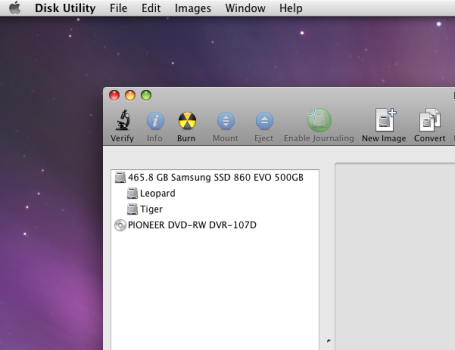
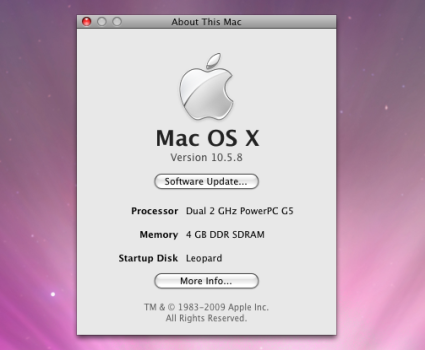
I found an SSD that boots 😀 a Samsung 860 EVO in case anyone else is looking. I took the above advice and created two partitions for Leopard and Tiger. I also upgraded the RAM to 4GB, PowerFox now runs a lot better so I'm posting screenshots from the G5 rather than photos from my phone!

Picture 1.png
Picture 2.png
 
Last edited:
Next two questions please:

1) The thermal paste has arrived, does anyone have a link to a decent guide for removing and disassembling the CPUs? I've found a complete teardown on iFixit but hopefully there is something better out there.

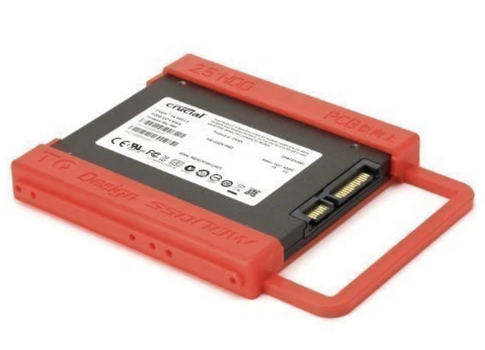
2) I want a 2.5 > 3.5 adapter for my SSD, these ones keep coming up in searches but I'm worried the SATA cables won't reach that far as they are really short. Can anyone recommend one that works in bay two of their G5 please? My SSD will only boot in bay 2 for some reason, and annoyingly bay one has the longer cables.

Screenshot 2026-04-09 at 18.36.23.png
 
Next two questions please:

1) The thermal paste has arrived, does anyone have a link to a decent guide for removing and disassembling the CPUs? I've found a complete teardown on iFixit but hopefully there is something better out there.

2) I want a 2.5 > 3.5 adapter for my SSD, these ones keep coming up in searches but I'm worried the SATA cables won't reach that far as they are really short. Can anyone recommend one that works in bay two of their G5 please? My SSD will only boot in bay 2 for some reason, and annoyingly bay one has the longer cables.

View attachment 2621152
I used the ifixit guide for my first pmG5 teardown. After that, it was straightforward enough I didn’t need it and the extra screws left behind were useful to have 😛

As far as aftermarket sleds, I am a big fan of the Orico sled. I have these in many of my Powermac g3/4/5s.

I don’t have any issue booting in bay1 or 2 with whatever cheap ssds I was getting. I think my two PMG5s both have identical Netac 120gb ssds of eBay but they’re expensive nowadays (29.99 for a new one which is crazy town when last year they were 15-17$). The only os that has been picky about its slot was Lubuntu 16.4. It required slot 1.
 
As an Amazon Associate, MacRumors earns a commission from qualifying purchases made through links in this post.
  • Like
Reactions: Matias_ and eddjedi
Register on MacRumors! This sidebar will go away, and you'll see fewer ads.