Become a MacRumors Supporter for $50/year with no ads, ability to filter front page stories, and private forums.
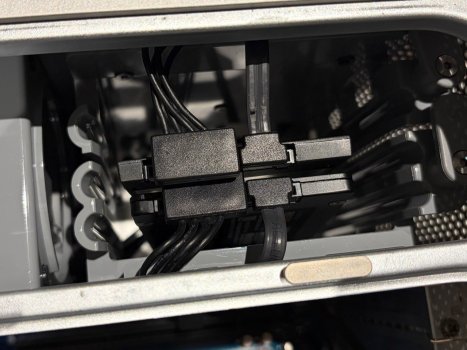
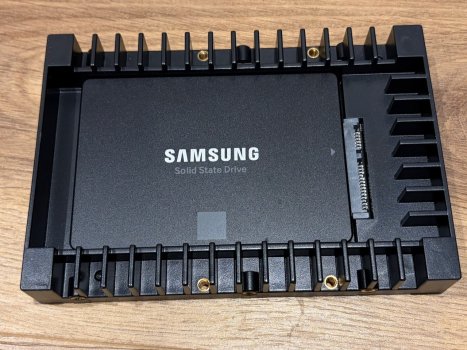
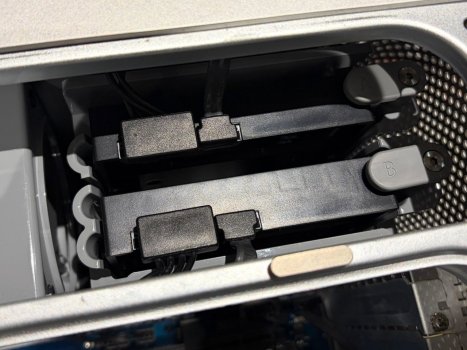
Thanks to @Certificate of Excellence for the SSD adapter suggestion, they are exactly what I was looking for! Much better now the drives aren't just dangling around inside.

IMG_8831.jpeg
IMG_8833.jpeg
IMG_8834.jpeg

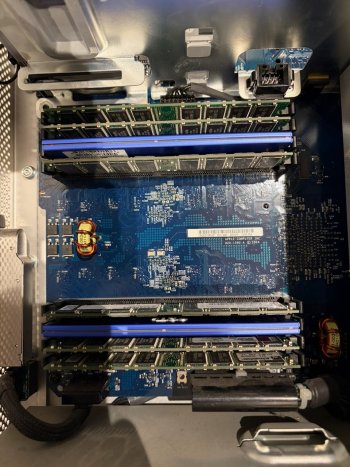
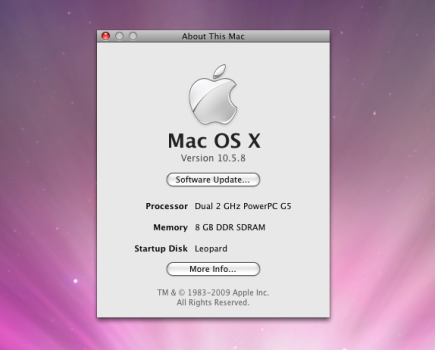
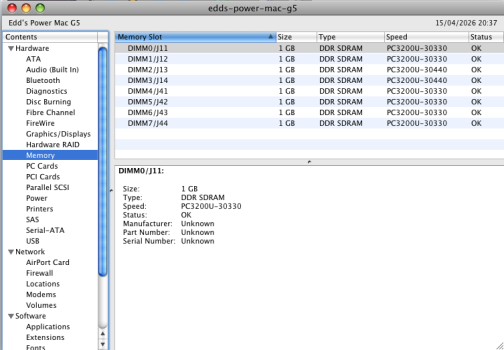
I also decided to max out the RAM because why not, I think it's crazy that a 23 year old Mac can run the same amount of RAM as a current one (Macbook Neo.) A mix and match of brands, but they're all pairs and work fine.

IMG_8830.jpeg
Picture 1.png

One question though - will the speed discrepency of one of the pairs cause any issues? (30440 vs. 30330.) It seems to be running well so far.

Picture 2.png
 
Thanks to @Certificate of Excellence for the SSD adapter suggestion, they are exactly what I was looking for! Much better now the drives aren't just dangling around inside.

View attachment 2622606
View attachment 2622609
View attachment 2622607

I also decided to max out the RAM because why not, I think it's crazy that a 23 year old Mac can run the same amount of RAM as a current one (Macbook Neo.) A mix and match of brands, but they're all pairs and work fine.

View attachment 2622608
View attachment 2622610

One question though - will the speed discrepency of one of the pairs cause any issues? (30440 vs. 30330.) It seems to be running well so far.

View attachment 2622605
Looks great!
 
  • Like
Reactions: eddjedi
Another question, the CPUs generally idle at around 50 degrees, sometimes when doing more intensive tasks they get up to 65-70, but the fan speed never seems to increase, it remains steady (and fairly quiet.) I know the fans work because when I was trying to get SSDs to boot the fans would briefly max out at start up, and stay on max after 2 minutes without booting (which I understand is the standard behaviour.)

Should I be seeing an increase in fan speed/noise at these higher temperatures? If not when do they kick in? Renewing the thermal paste is on my to-do list of course.
 
70 is a perfectly normal temperature for these G5s, especially air-cooled. You should see a meaningful drop after replacing the thermal paste.

I have a fan control tool I wrote (tested on a Quad and a liquid cooled 2.5) that manually overrides the system fan curves - with all of my fans maxed out, my CPU temp average drops about 8-10c. You could try this, although I can't guarantee this won't prematurely wear out your fans. https://github.com/doctashay/ppcFanControl

Try a load test (compile an app or something) and make sure the CPU isn't pushing past 80-85c. You'll get a thermal checkstop at 90c (hopefully someone can verify this is the same threshold on the air cooled G5s) so you want there to be a decent ceiling.

For what it's worth my G5 Quad with an aging LCS idles around 45-55c, and can peak as high as 78c when compiling for many hours.
 
  • Like
Reactions: eddjedi
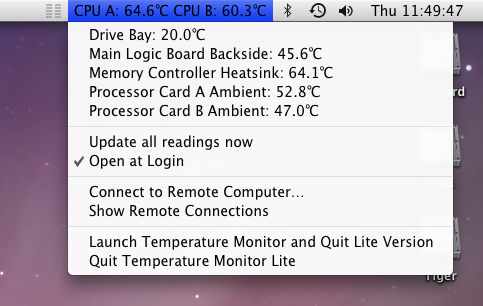
Thanks, that's helpful. I've also read that the heat sink on the back of the logic board is even more important to re-paste than the CPUs, anything concerning about these temps?

Picture 2.png
 
Thanks, that's helpful. I've also read that the heat sink on the back of the logic board is even more important to re-paste than the CPUs, anything concerning about these temps?

View attachment 2622746
The heat sink on the back of the logic board is for the U3 memory controller - that's the "Memory Controller Heatsink" value. Yours is hot but not absurdly hot. For reference, on my Quad, mine is also sitting at 64c.

You want to take good care of this chip, because it is prone to BGA failure which can cause a no boot condition. Eventually the solder under this chip will crack and you might run into 3 LED flashes when booting, and then you'll have to reball the chip or replace the logic board.

It's bad for my power bill, but I try to avoid fully powering off my Quad. The fewer power cycles, the less stress on PSU caps, fewer heat-cool cycles and overall lower chance of experiencing a BGA failure. But I'm also paranoid and would like to still have this Quad functioning in 20 years...
 
  • Like
Reactions: eddjedi
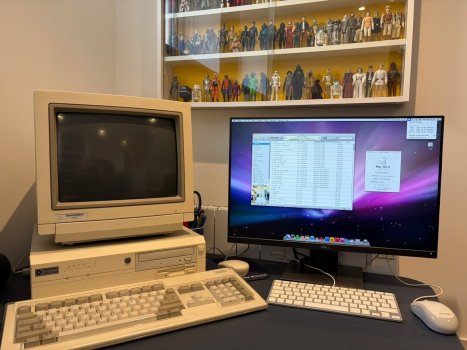
I couldn't get SwitchresX to play nicely with my high resolution monitor so have given up on that. I was considering buying an original Cinema Display for that authentic experience, but thought 20+ year old LCD screens are not a good long-term prospect. What I didn't realise is that the Cinema Displays 1920x1200 resolution is still fairly standard, so I picked up this 2020 Dell P2421 monitor instead. It has DVI, HDMI, VGA and DP so will be handy for anything else I need in future, and it also has a built in USB hub which solves the lack of ports on the G5. As it's only five years old the display looks nice and bright 😀

Here it is in its final "resting" place alongside my Amiga 4000, which doesn't have a PowerPC processor but a 68060 😎

IMG_8908.jpeg
 
Since it's been plugged in for a few days without me taking it apart, I have noticed a new quirk, it doesn't like powering on after being left plugged in. When I press the power button, the white LED on the front briefly lights up but then goes dead. Subsequent presses of the power button do nothing. If I unplug it from the mains for a couple of minutes, it usually then powers up first time.

Any ideas what might be causing this, failing power supply perhaps?
 
Since it's been plugged in for a few days without me taking it apart, I have noticed a new quirk, it doesn't like powering on after being left plugged in. When I press the power button, the white LED on the front briefly lights up but then goes dead. Subsequent presses of the power button do nothing. If I unplug it from the mains for a couple of minutes, it usually then powers up first time.

Any ideas what might be causing this, failing power supply perhaps?
That was my first thought - the voltage protection circuit is getting tripped by failing caps; when you unplug the Powermac G5, the caps then drain and reset the tripped protection circuit and the system boots. This is a guess of course, but that's one reason for that sort of behavior.
 
  • Like
Reactions: eddjedi
Yikes, I just plugged it in after a few days and there was a loud bang / flash out of the back of the G5 and it tripped the fusebox for my whole ground floor. No damage to anything else by the look of it thankfully, but I'm now worried about plugging it in again. Another sign the PSU is faulty? If so is it an economical fix/replacement, or better off buying a whole new system? Or possibly abandoning the project altogether?! 😳
 
Yikes, I just plugged it in after a few days and there was a loud bang / flash out of the back of the G5 and it tripped the fusebox for my whole ground floor. No damage to anything else by the look of it thankfully, but I'm now worried about plugging it in again. Another sign the PSU is faulty? If so is it an economical fix/replacement, or better off buying a whole new system? Or possibly abandoning the project altogether?! 😳
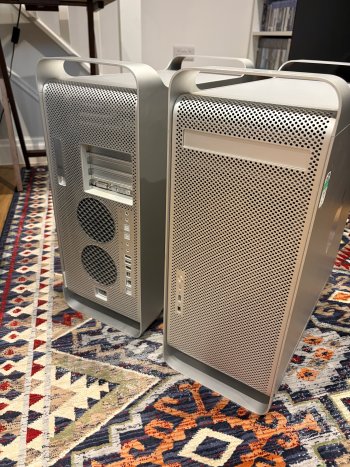
Well, I routinely see g5 psus in the 40-50$ + shipped range on eBay. IIRC the last one I bought was $40 shipped. You’d need to install it of course. If you have the know-how, you can attempt a recap of the existing psu. Truthfully, if it were me as your case got squashed, I’d look at getting a new one and make sure the shipper knows to pack extra well (send them pictures of yours so they can see what bad packaging does to the Mac as well as creating a headache for them).

Buying a whole other system is a viable path forward but it also creates clutter as you now have a parts machine floating around your place but you can sell those extra parts for some $$$ or hold onto them if the clutter is not an issue & matches the new g5 model. I’d definitely look locally if this is what you want because shipping one is expensive & enough people who ship G5s are numbnuts & pack insufficiently and the case legs get crushed (like yours) and the ram sticks & pc cards get knocked out & damaged creating garbage essentially that you then have to deal with. If you can drive to get it, that is the best path forward IMO.

Anyways. Lots of ways to move forward. Really it just depends on what you want to do 🙂

BTW, I love the vintage starwars figurine collection on your wall. Very well executed!
 
Last edited:
  • Like
Reactions: eddjedi
Thanks for the advice. I braved plugging it in and it's completely dead, and as you say it's already had a hard knock to destroy the case so there's little point pulling the whole thing apart. It's a shame as it is/was in really good condition, all the internals look factory fresh, I will see what I can salvage.

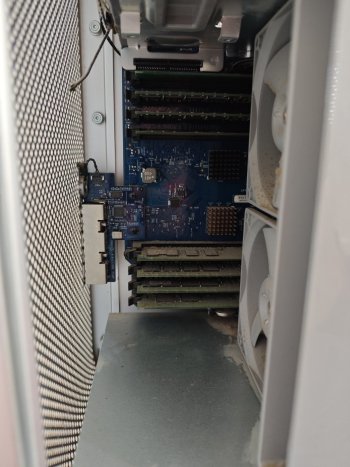
I have found a late 2005 model locally, it's very dusty but I could clean that up. One thing I noticed is these purple areas on the logic board, mine doesn't look like this, could this be evidence of heat damage or corrosion? Or possibly just the camera playing tricks?

s-l1600.jpg
 
I took a chance on the local one which was only 35 miles away!

IMG_8952.jpeg

First impressions are good, as said it is very dusty inside so probably needs a complete stripdown, but so far so good, the purple spots in the photo above must just have been the camera angle as the logic board looks nice and clean in person. I had a slight scare when I got home and it didn't boot, but the graphics card had rattled loose in the car and reseating it fixed it. I dread to think what the massive impact the old one took must have done to the insides, this was just from a gentle trip home in the car!

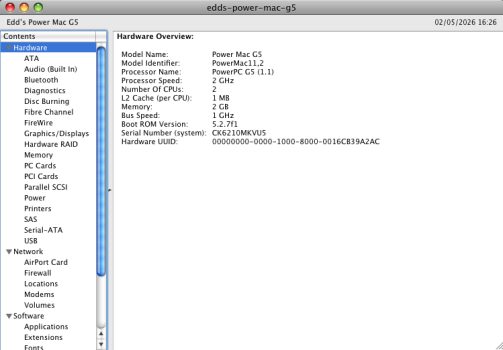
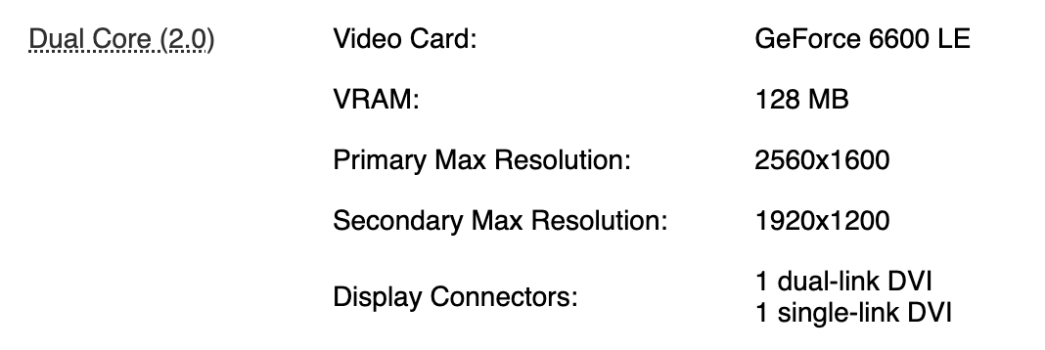
Here's the specs of the new one, it's a late 2005 model with single dual-core 2GHz processor (I think?) and it also has a couple of other nice "upgrades" over the old one like an extra USB port on the back, and double the video memory.

Picture 1.png

Question - I have simply put the other SSD straight in this Mac. All seems to be working so far, but is there any benefit in doing a fresh install seeing as this is a later model and different processor?
 
I have done this multiple times myself out of convenience or cloned my minig4 install via target disk mode to another ppc mac without any issue although I think most would recommend a fresh install as best, time permitting of course.
 
  • Like
Reactions: eddjedi
BTW this particular machine I've had for about 5 years now, is currently and has been my PowerPC DD for the past year or so - fantastic PowerPC box. Back in the late 90s/early 2ks I did alot of quake/fps Lan parties and got in the habit of sticking a piece of soft foam (I gutted and trimmed it from an old sofa cushion LOL) in the case that helped the cards stay seated and in place while in the car. It was way easier for me to pop the case off and remove my foam than to try and troubleshoot which agp or pci card was loose and causing me problems so if you have some nice foam, you can cut custom pieces to go inside the baffle and create just enough cushion/resistance to keep your cards seated and not jiggle loose. Since you experienced that already, I thought I'd share with you what worked for me.

Anyways definitely worth maxing out the PC2-4200 DDR2-533MHz sdram IMHO - I know some will say otherwise (and not necesarilly be wrong for basic DD tasks) & pricing currently looks high but a machine from 2005 that could take 16GB of ram is pretty wild when you think about it 😎 & as I can, I'd take advantage of that over time (and have). In mine I currently have 12GB total of matched pairs. Any time I find a used2gb dimm or two on ebay that I can snag for $10-12 bucks shipped, I pick them up and over the past few years, its added up nicely. Outside of PPC DD tasks, I also still use this Powermac G5 for music production with era interface/software etc. and that extra ram really shows its worth there. Id imagine large image/video stuff would be similar.

Anyways, congrats on the pickup. These are great macs and aircooled a1117s are my particular favorite of the lot.
 
Last edited:
  • Love
Reactions: eddjedi
Thanks! Yes I'm pleased with it so far, in fact I feel quite lucky to have had a "second chance" as there were a few things that bugged me about the original one, obviously the damaged case but also the poor video out options, high running temps, and the temperamental power issues.

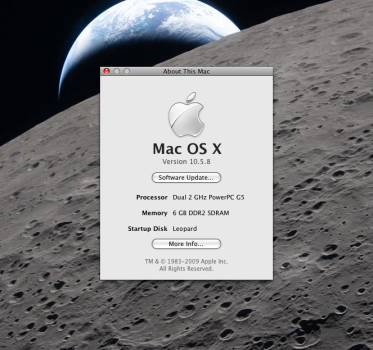
This came with 6GB (six 1GB sticks) and it also came with a retail copy of Leoapard, I only pad £38 GBP for it so the RAM and DVD are probably worth that alone. 6GB is plenty for now but once I'm happy it is running reliably I might try and max it out (don't want to run before I walk as I did with the old one.)

Picture 2.png

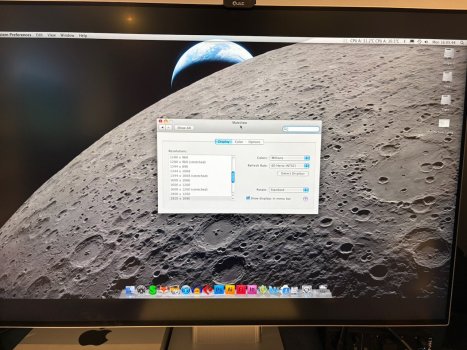
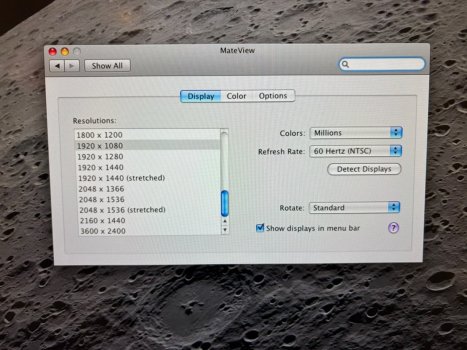
I noticed that the 6600LE has a dual-link DVI port and therefore bigger resolutions, so I have had another go at trying to get my Mateview monitor to play nicely, as that's my preference so I don't have two monitors on the desk. It supports 1920 x 1080 nicely 😀

IMG_8971.jpeg

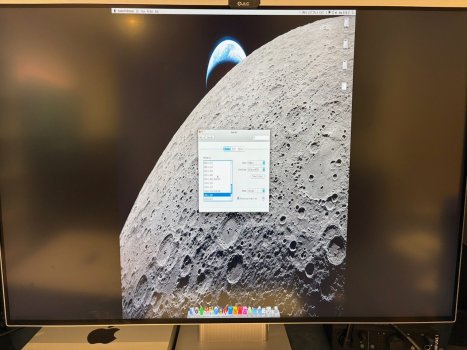
But ideally I want 1920 x 1280 as that's the native standard DPI resolution for this monitor, but any higher resolutions result in this squashed screen:

IMG_8973.jpeg

IMG_8972.jpeg

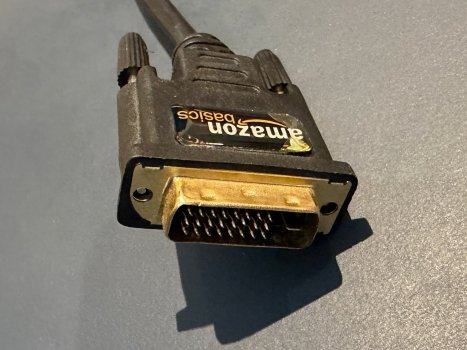
Could this be due to the cable not being dual link compatible? It is a DVI to HDMI Amazon Basics cable. I have also ensured it's plugged into the first (1) DVI port.

IMG_8974.jpeg

From my limited knowledge I believe the amount of pins indicate this is a dual-link cable, but wanted to check. I don't want to mess around with SwitchresX if I can help it as it didn't play nicely last time (although that could have been the power issues.) Would a DVI to MiniDP cable be a better option maybe?
 
From my limited knowledge I believe the amount of pins indicate this is a dual-link cable, but wanted to check. I don't want to mess around with SwitchresX if I can help it as it didn't play nicely last time (although that could have been the power issues.) Would a DVI to MiniDP cable be a better option maybe?
It definitely is possible to drive a 4k display, you just need an active converter like the Atlona DP400:

Atlona DP400

Driving my 4k LG display I basically have to chain G5 -> Atlona converter -> Mini-DP to DisplayPort -> Monitor. But it works!
 
It definitely is possible to drive a 4k display, you just need an active converter like the Atlona DP400:

Atlona DP400

Driving my 4k LG display I basically have to chain G5 -> Atlona converter -> Mini-DP to DisplayPort -> Monitor. But it works!
I can confirm this. The DP400 is basically your only option though but rebrands exist and nobody seems to know the original exists at all to be honest.

It was primarily made for Mac Pro users still using a DVI GPU who wanted to also use a new Cinema Display, and ofc it will work with the G5 and any other DVI GPU. It's just a very handy thing to have to enable 1440p output.
 
Thanks, I'll keep an eye out for one of those. So nobody has managed to get the specified max resolution "natively" without an adapter? As the below states it should be able to do more than 1440p out of the box using the dual link output.

Screenshot 2026-05-05 at 07.07.41.png
 
Thanks, I'll keep an eye out for one of those. So nobody has managed to get the specified max resolution "natively" without an adapter? As the below states it should be able to do more than 1440p out of the box using the dual link output.

View attachment 2627510

The problem is that modern 4k monitors require an active signal conversion. If the monitor was a native hi-res DVI monitor you could plug straight in, like the Cinema Display, but the reason your DVI to HDMI cord doesn’t just work as is, is because the passive signal conversion isn’t strong enough, even if it’s being advertised as a dual link cable.

When you’re running 1080p it’s single link DVI.
 
  • Like
Reactions: eddjedi
DVI-DL is an entirely different beast. HDMI is essentially single link, always has been. Converting dual-link DVI to HDMI is therefore simply not possible, and every cable which claims to do this is a lie.

As far as I'm know, active DVI-DL to HDMI 1.4+ converters do not exist. So an active DVI-DL to DisplayPort converter is your only option if you do not own a DVI-DL monitor.
 
  • Like
Reactions: eddjedi
Something I've just thought of - I'm sure I remember back when the Powermac G5 came out, there was a G5 specific hard disk icon in Finder, that looked a bit like the "cheese grater" tower. I can't find any reference to this in Google, and the HD icons look the same as normal in my Finder, did I imagine it!?
 
Register on MacRumors! This sidebar will go away, and you'll see fewer ads.