Become a MacRumors Supporter for $50/year with no ads, ability to filter front page stories, and private forums.
Inside the app package, there's another icon called App-empty.icns. Replace that with the icns file of your choice and the icon will stay that way, albeit with the date overlayed on it. I did it and it worked just fine.

jW

with the help of SRSound, i actually made one myself, and it even utilize the date overlayed on it

thanks SRSound
 
Wow, I don't think I've ever seen someone not use 'Snap to Grid' or 'Arrange by:' on their desktop. Quite the rebel you are.

That's NOTHING, you should have seen some woman's desktop of her PowerBook she brought to the Apple Center. You couldn't even see the desktop image there were so many icons.
 
I usually dont keep any drives or icons on my desktop but i would like to have one nice, real smooth lookin 30" ACD icon as my main HD but i dont know where to find one. Can anyone link me or recommend where to get one?
 
I usually dont keep any drives or icons on my desktop but i would like to have one nice, real smooth lookin 30" ACD icon as my main HD but i dont know where to find one. Can anyone link me or recommend where to get one?

look on either iconfactory.com or interfacelift.com

i know that they are out there. 🙂
 
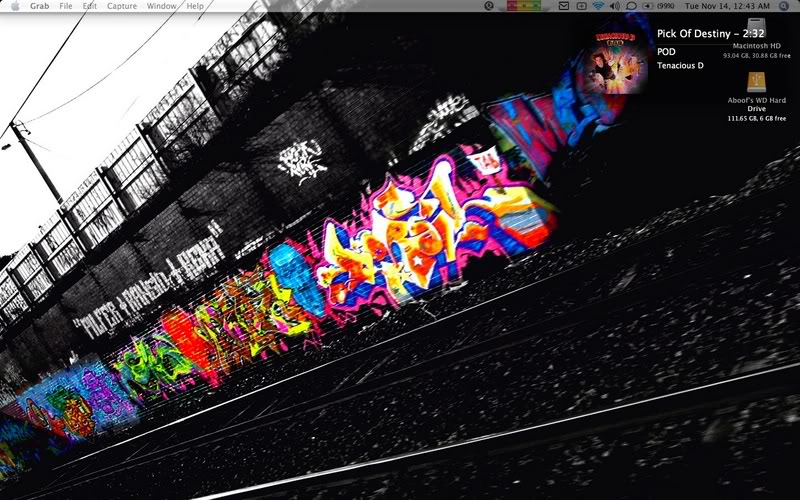
Its the middle of the month. Decided to switch it up a bit. We'll see how long she lasts 🙂
 

Attachments

  • Picture 1.jpg
    Picture 1.jpg
    99.9 KB · Views: 374
hey,

im trying to upload my desktop pic (took it by command>shift>3), but i can't upload it due to it being 1.1mb.

How do you guys take pics of your desktop and have the pic remain small enough to upload? and how do you attach a thumb nail of the pic, so you can click and view the bigger version?

thanks in advance for putting up with such a noob question. 🙂
 
hey,

im trying to upload my desktop pic (took it by command>shift>3), but i can't upload it due to it being 1.1mb.

How do you guys take pics of your desktop and have the pic remain small enough to upload? and how do you attach a thumb nail of the pic, so you can click and view the bigger version?

thanks in advance for putting up with such a noob question. 🙂

Open the file in Preview, then Save As a jpg. Then, you'll be able to adjust the quality. Put it at about half way and you'll be able to upload it as an attachment. It'll automatically make it a thumbnail for you.
 
From now on, I have a small problem posting my desktop here. Set up a 30min change on a album with 96 photos. Should I post them all here? 😉
All beautiful celebrities like Evan Rachel Wood, Kirsten Dunst, Kate Hudson,...
 
here are my two monitors on my eMac.
 

Attachments

  • Picture 1.jpg
    Picture 1.jpg
    86 KB · Views: 143
  • Picture 1(2).jpg
    Picture 1(2).jpg
    62.1 KB · Views: 138
Register on MacRumors! This sidebar will go away, and you'll see fewer ads.