
Become a MacRumors Supporter for $50/year with no ads, ability to filter front page stories, and private forums.

Gravydog316

macrumors 6502a
Original poster
Hi, so my mom reinstalled macOS Ventura 13.5 on our iMac,
Finder & Spotlight are returning search results on our iMac hard drive,
but now are not returning any search results on our external hard drive,
even though it was before the re-installation...

I tried adding & removing both the iMac HD & ext. HD from Settings as suggested, but still no results on the ext. HD, only the iMac HD...
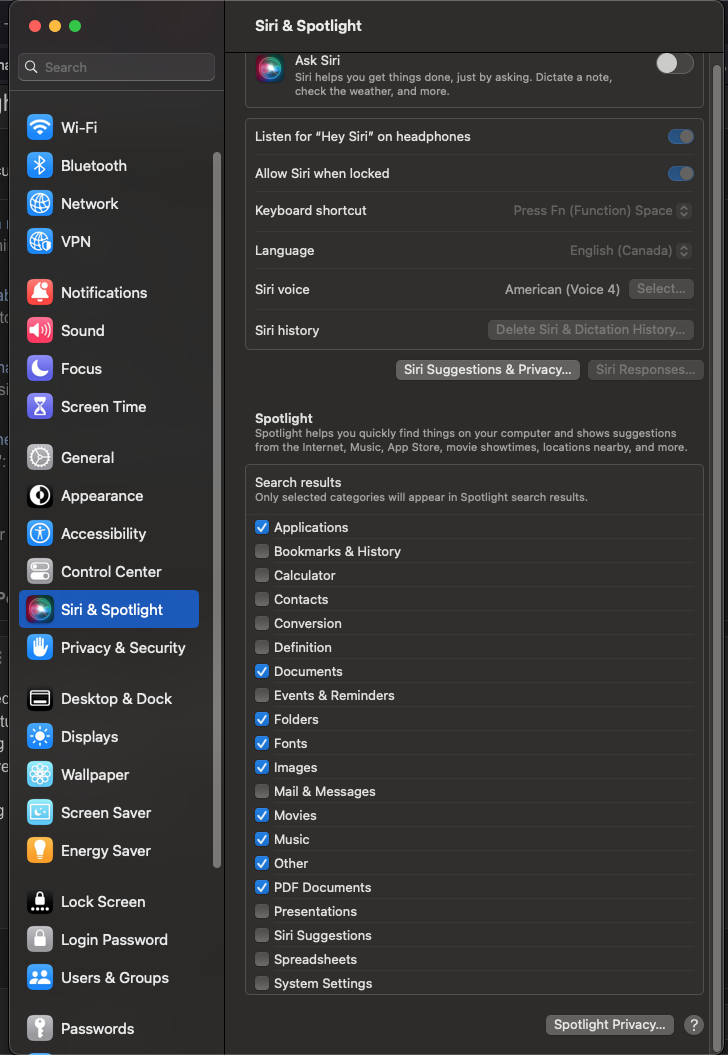
1692064259769.png


===
& i keep removing the Mac HD, but it keeps quickly re-adding itself.
Why does it do this?
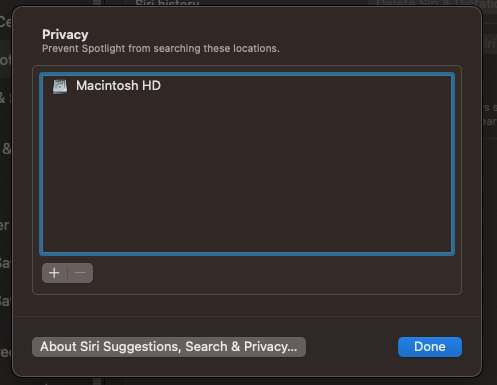
1692065317401.png
 
Connect the external drive (btw. what file system does it use?).
Then use + + . to show hidden files (the period is part of the keyboard shortcut) in the finder.
Look for a folder named /.Spotlight-V100 on the drive. Drag it to the trash and empty it. Restart. (If you can not empty it, restart first, empty the trash, and restart a second time.)

Otherwise I recommend installing Onyx, run it and use it - besides other things - to reset the Spotlight indices.
 
  • Like
Reactions: arkitect
Connect the external drive (btw. what file system does it use?).
Then use + + . to show hidden files (the period is part of the keyboard shortcut) in the finder.
Look for a folder named /.Spotlight-V100 on the drive. Drag it to the trash and empty it. Restart. (If you can not empty it, restart first, empty the trash, and restart a second time.)

Otherwise I recommend installing Onyx, run it and use it - besides other things - to reset the Spotlight indices.
it's "Mac OS Extended (Journaled)" & a GUID partition map ...ok i did that & restarted. goign to work & will let it rebuild (how do you tell if Spotlight is indexing?)
1692110945855.png
 
Register on MacRumors! This sidebar will go away, and you'll see fewer ads.