

Become a MacRumors Supporter for $50/year with no ads, ability to filter front page stories, and private forums.

MacRumors

macrumors bot
Original poster


In macOS 27 Golden Gate, Apple has brought some meaningful updates to iPhone Mirroring besides a new app icon. Here's what's new.
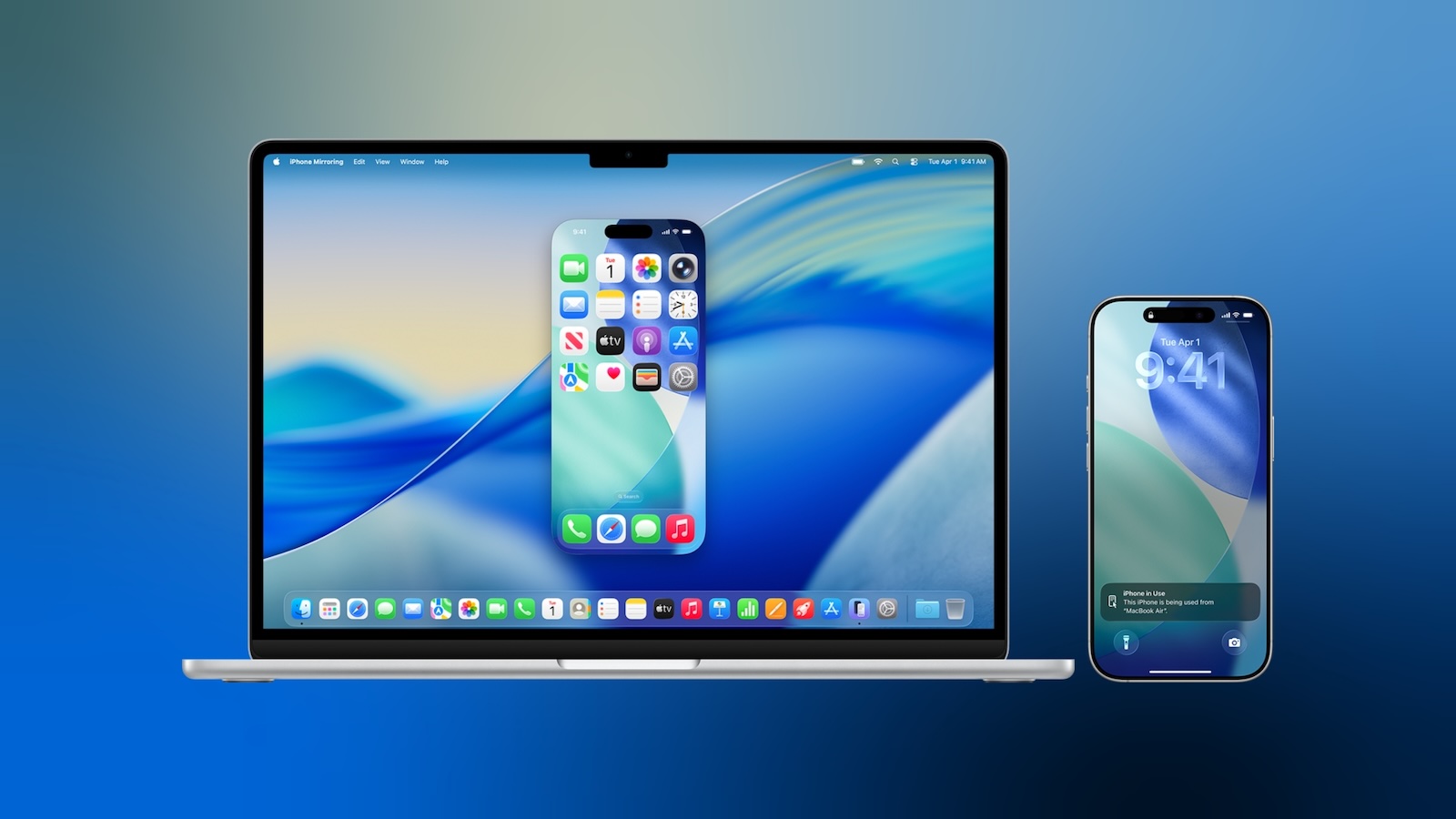
iphone-mirroring-blue.jpg

macOS 27 is currently in developer beta, with a public beta coming next month and a general release expected in the fall.

Window Resizing

In macOS Tahoe, iPhone Mirroring is constrained to the iPhone's native aspect ratio, so window resizing is limited to the device's fixed proportions. Smaller, Actual Size, and Larger are the only options. By contrast, macOS 27 introduces support for multiple aspect ratios. Depending on the chosen aspect ratio, iPhone Mirroring displays either a modified iPhone interface or an app's available iPad layout. Adjustments are limited to iOS 27-compatible apps for now, but expect this to change when developers update their own apps. The change has also stoked speculation about a rumored foldable iPhone coming in September.

Control Center Access

In macOS 27, you can now access your iPhone's Control Center directly from your Mac using the Command-4 keyboard shortcut or via the View menu in the menu bar. Previously, iPhone Mirroring didn't support Control Center access at all.

DRM Support

macOS 27 also adds support for DRM-protected video playback in iPhone Mirroring. In macOS Tahoe, attempting to watch protected content, such as videos from streaming services or rented movies, results in a black screen on your Mac. With the next major update, however, you can view DRM-enabled content directly through the mirrored iPhone window.

Article Link: Three Ways macOS 27 Improves iPhone Mirroring
 
How about letting me access it when it's in another room and not requiring it to be within a foot of my computer? How about not constantly needing me to type the code on the iPhone if I haven't used it for a little bit?

If I’m on my Wi-Fi and I’m using TouchID to connect, it's quite clearly me and should make it easy to do - I want to be able to access my phone to check something because it's in the other room - if it's right next to me, I might as well pick it up.

Barely used this feature because of these arbitrary limitations.
 
How about letting me access it when it's in another room and not requiring it to be within a foot of my computer? How about not constantly needing me to type the code on the iPhone if I haven't used it for a little bit?

If I’m on my Wi-Fi and I’m using TouchID to connect, it's quite clearly me and should make it easy to do - I want to be able to access my phone to check something because it's in the other room - if it's right next to me, I might as well pick it up.

Barely used this feature because of these arbitrary limitations.
Yeah, that bit is soooo annoying

I swear, every day when I first use iPhone mirroring, it asks me for my passcode and I'm like "Ok, I've been using my iPhone throughout the day, why do you need my passcode if this is the case???"

I do agree, it kind of defeats the purpose of it if half the time it asks you for your passcode when the whole idea of it is to have it in another room and not need to have it right by you
 
Can't use it either way because it only works over WiFi to my MBP. I use a thunderbolt dock with an ethernet jack, and have WiFi disabled on the MBP when docked (to avoid network conflicts).
 
  • Like
Reactions: canyelles
How about letting me access it when it's in another room and not requiring it to be within a foot of my computer? How about not constantly needing me to type the code on the iPhone if I haven't used it for a little bit?

If I’m on my Wi-Fi and I’m using TouchID to connect, it's quite clearly me and should make it easy to do - I want to be able to access my phone to check something because it's in the other room - if it's right next to me, I might as well pick it up.

Barely used this feature because of these arbitrary limitations.
This is beyond annoying. It doesn’t seem so much a service to let you use your phone if you forgot it in the kitchen, but rather to let you avoid constantly picking up the phone that’s sitting beside you (but it keeps asking the passcode thing anyway, so really defeats its own already very limited purpose).

I don’t get it at all.
 
Ok, so this explains why ever since I updated to the Golden Gate dev beta the iPhone mirroring window is absurdly small now

Good to know that it's because it's resizable now

Makes me wonder why it couldn't be like that in the first place, but I suppose better later than never
 
I still find iPhone mirroring an annoying unnecessary feature. it pops up all the time cus I clicked a notification from it by accident but the phone won't join cus it has to be unlocked and whatever. its not like the Mac doesnt do almost everything the iPhone does as is. maybe just make Mac OS able to run iPhone apps . that would be a lot more useful... or allow iPhone mirroring to work on other Apple IDs...
 
I do agree, it kind of defeats the purpose of it if half the time it asks you for your passcode when the whole idea of it is to have it in another room and not need to have it right by you
According to Apple’s support site

Your Mac is using macOS Sequoia 15 or later and is a Mac with Apple silicon or Mac with the Apple T2 Security Chip. Live Activities on Mac requires macOS Tahoe 26 or later.
Your iPhone is using iOS 18 or later and is set up to use a passcode.
Your iPhone and Mac are signed in to the same Apple Account using two-factor authentication.
Your iPhone and Mac have Bluetooth and Wi-Fi turned on.
Your iPhone is locked and near your Mac. It can also be charging and using StandBy.
Your Mac is not sharing its internet connection or using AirPlay or Sidecar.

having it in another room and not right by you isn’t how it works.
 
maybe just make Mac OS able to run iPhone apps
The version of macOS that could run more secure apps from a more secure OS would likely have to be more secure first. I wonder if the Ultra Mac will have that more secure OS that allows iPad and iPhone apps to run securely natively?
 
I just want access to notification shade. I know notification mirroring is supposed to solve this.

But like everything else to do with notifications, it doesn’t work well or reliably.
 
  • Like
Reactions: turbineseaplane
The best improvement to iPhone Mirroring would be to introduce it in the EU.
I can see now why they haven’t and likely won’t. They already knew they had plans to add DRM and not having to figure out how to make it work with third parties saves a lot of dev time and testing in the future. Who knows what else they have planned for it that’s only easy for them to do if they don’t have to develop a solution for the entire world of devices?
 
  • Like
Reactions: Mescagnus
90% of the time it just fails as “something went wrong”. All other continuity features work. iPhone sharing is beyond useless.
Yeah, I've been seeing this every now and then too

But then again, I experienced these issues even before the macOS 27/Golden Gate betas too
 
having it in another room and not right by you isn’t how it works.

We know and that's why we're saying it's a pointless feature. If it's right by me I just use my phone - the times i've needed this is because i've left it in another room.


There's no technical reason it needs to be right near me if it is on my own wifi network - just let us designate what is our home wifi and let it be a trusted location/device.
 
  • Like
Reactions: Tig_one
This is the kind of interoperability makes it so easy to work with the devices. Putting the screen of one device onto other, or using your iPad to extend your Mac’s desktop, or playing your Mac’s audio onto a HomePod in another room. At this point I just assume there’s a way to route video or audio where I need it.
 
Register on MacRumors! This sidebar will go away, and you'll see fewer ads.