
Got a tip for us?
Let us know
Become a MacRumors Supporter for $50/year with no ads, ability to filter front page stories, and private forums.
What have you done with an early Intel recently?
- Thread starter Project Alice
- Start date
- Sort by reaction score
You are using an out of date browser. It may not display this or other websites correctly.
You should upgrade or use an alternative browser.
You should upgrade or use an alternative browser.


Gloomy
macrumors regular
I know very little about C and coding in general, but bravo on still working with Tiger! Beautiful OS. My first ever Mac came with Tiger, a Late ‘06 Black MacBook. 🙂Pictured left: Testing my fix for tiger intel gcc16 on the Mac Pro
Pictured right: SSH session into Mac mini G4 1.33ghz which is compiling GCC7 boot strap, on it's way to build GCC16 (which is known to work)

alex_free
macrumors 65816
My first was a mid 2007 Black MacBook that ran tiger! First mac experience. I re-bought it recently some 10 years later (well same exact model/specs/year). There's some of us who refuse to let it die, even with MacPorts officially dropping support for it last year.I know very little about C and coding in general, but bravo on still working with Tiger! Beautiful OS. My first ever Mac came with Tiger, a Late ‘06 Black MacBook. 🙂

GalacticStag
macrumors regular
I can play NFS World (online, with Soapbox Race World private servers and mods!) through Parallels 9, smoothly too!! Previously i could only manage to do so at about 5 FPS, lol, but i get 20-ish now! Next up is getting a DVD drive to install Win 7 and actually natively run it.

alex_free
macrumors 65816
The best Windows 7 machine is a mac (also XP, even 2006 intels are just ridiculous for the XP min requirements)I can play NFS World (online, with Soapbox Race World private servers and mods!) through Parallels 9, smoothly too!! Previously i could only manage to do so at about 5 FPS, lol, but i get 20-ish now! Next up is getting a DVD drive to install Win 7 and actually natively run it.
View attachment 2649954
GalacticStag
macrumors regular
indeed! I really REALLY wanna put Win 7 on my iMac for this very reason. Will be an absolute retro gaming beast, i feel itThe best Windows 7 machine is a mac (also XP, even 2006 intels are just ridiculous for the XP min requirements)
alex_free
macrumors 65816
It took 11 hours with 4 2ghz xeon cores and 12GBs of RAM to see if my Intel Tiger GCC16 fix would work... and... for the first time ever @barracuda156 @Forest Expertise
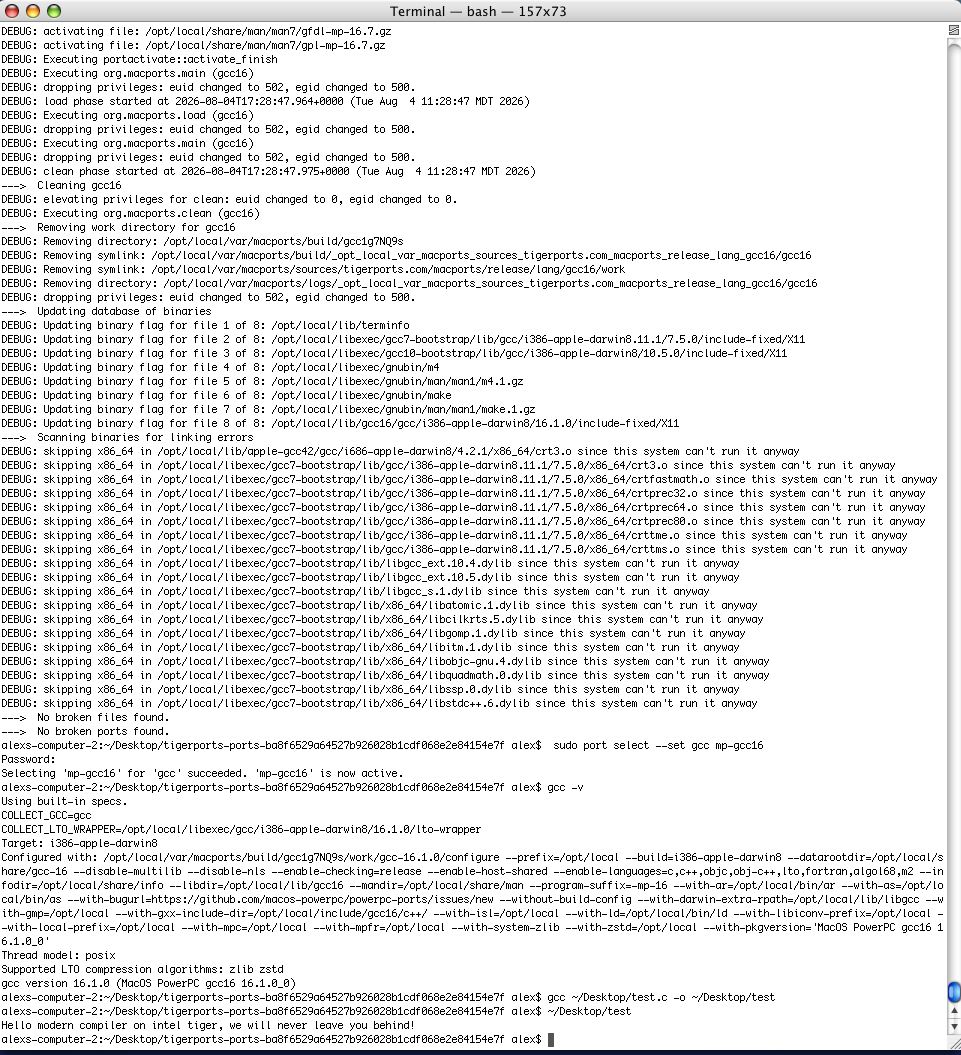
"ld: 24-bit pointer diff out of range in unwind info in unwind info from.." WHO
"ld: 24-bit pointer diff out of range in unwind info in unwind info from.." WHO

bobesch
macrumors 68020
The best Windows 7 machine is a mac (also XP, even 2006 intels are just ridiculous for the XP min requirements)
For Retro-Win-Stuff You should also try Win2kPro in a VirtualMachine (mine here through VMware Fusion)indeed! I really REALLY wanna put Win 7 on my iMac for this very reason. Will be an absolute retro gaming beast, i feel it
Win2k boots and runs lightning-fast alike native macOS-App, even on early2008 15"MBP4,1 with dd1/Mojave.
Does fine for a lot of old Win-Apps and Games, alas with Win2k on Fusion, there's no 3d-Graphics.
GalacticStag
macrumors regular
Thank you! though the only windows game i want to run right now is Need for Speed World. for other games i have my macbook air, PS3 and PS4, or native mac ports for my old iMac.For Retro-Win-Stuff You should also try Win2kPro in a VirtualMachine (mine here through VMware Fusion)
Win2k boots and runs lightning-fast alike native macOS-App, even on early2008 15"MBP4,1 with dd1/Mojave.
Does fine for a lot of old Win-Apps and Games, alas with Win2k on Fusion, there's no 3d-Graphics.
bobesch
macrumors 68020
Right so - equipment has to fit the purpose ...Thank you! though the only windows game i want to run right now is Need for Speed World. for other games i have my macbook air, PS3 and PS4, or native mac ports for my old iMac.
Sidenote: that Win2k-VM also serves in connecting outdated peripheral devices with unsupporting newer macOS.
MacOS-support for my old ScanSnap1500-document-scanner ended, let me guess, a decade ago?!
(While it's still supported by Win11Pro; and companion-software/OCR runs like a charm.)
So I have that very ScanSnap-Scanner connected to my Win2k-VM, where legacy Scanner-software and OCR were running perfectly, and the readable PDF-files are saved outside of the VM in a shared folder of the host system.
Lauching Fusion and automatically reactivating the Win2k-VM is nearly as fast as launching an Office-App on macOS,
and all scanner-settings happen to be ready for the next scanning-job.

Wowfunhappy
macrumors 68020
Yes! The build I shared is old and was never really targeting Snow Leopard, I just remember observing some time back that it worked if those libraries were in place.It should be possible to fix dylib paths with `sudo install_name_tool -change /usr/local/lib/somelib.dylib /opt/local/lib/somelib.dylib /path-to-whatever-file-is-changed`, and it will be far better than pollute system paths with arbitrary libs copied there.

Minghold
macrumors 6502a
Pro tip: 1) Squinch those down into a joint 121 or 250gb (points for exact sector-count of common Apple laptop drives), 2) Archive the drive, partitions and all, with a USB-booted RescueZilla drive with enough room for the compressed backup. 2.5) That, or get everything working as 1gb Parallels VMs. 3) Upload the Zilla archive to Garden or bittorrent (public-tracker), and let us in on the fun!I got there eventually, it’s running a dual boot of OS X 10.9 & Windows 7 Ultimate 64-bit. 😁
Yes! Jonathan’s website makes it a breeze to set up Mavericks for modern use.
(I suspect W7 will fail miserably on most downloader's system due to missing drivers, so there should be a work-around for that.)
~ ~ ~
One of pet goals is to convert my mountainous pile of rescued 4/121 MB Airs into things that are both old-school cool game rigs while simultaneously useful for "modern" internet browsing, chat, etc
Gloomy
macrumors regular
While using Boot Camp Assistant and a Windows DVD would be the simplest method, there are ways to install Windows on older Macs without using the DVD drive.I can play NFS World (online, with Soapbox Race World private servers and mods!) through Parallels 9, smoothly too!! Previously i could only manage to do so at about 5 FPS, lol, but i get 20-ish now! Next up is getting a DVD drive to install Win 7 and actually natively run it.
View attachment 2649954
This is one https://sourceforge.net/projects/windows-install/
I think you need to run it from a High Sierra bootable USB. Might be worth a shot if you feel like it. 🙂

Snowlover
macrumors 65816
Used it on a 2011 air and it worked great, sets up the hybrid uefi so sound and everthing works.While using Boot Camp Assistant and a Windows DVD would be the simplest method, there are ways to install Windows on older Macs without using the DVD drive.
This is one https://sourceforge.net/projects/windows-install/
I think you need to run it from a High Sierra bootable USB. Might be worth a shot if you feel like it. 🙂
alex_free
macrumors 65816
@barracuda156 @Forest Expertise This has been a goal since launching http://tigerports.com:
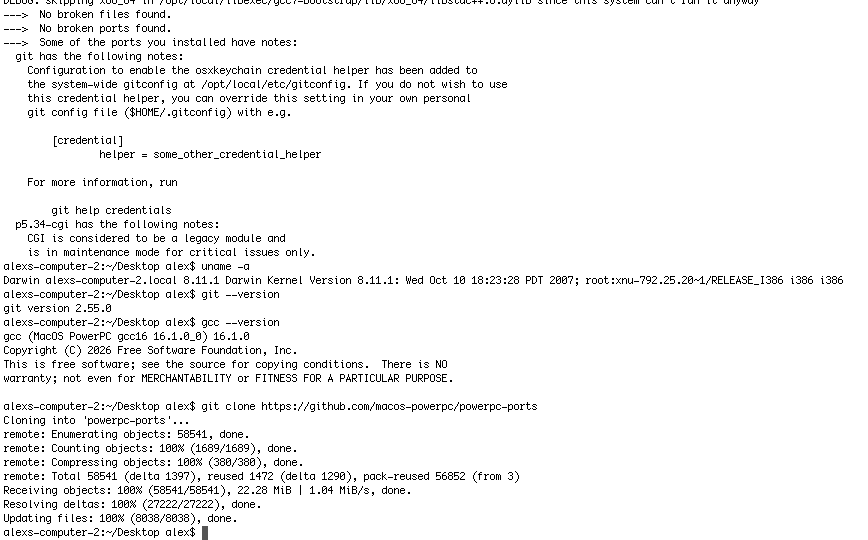
This will work on Power too, my mac mini G4 is working on it. Time to unleash some binaries to the public
This will work on Power too, my mac mini G4 is working on it. Time to unleash some binaries to the public
bobesch
macrumors 68020
What happend to the MBA?HEADS UP: Anybody in the Minneapolis/Twin Cities area who'd like to rescue an enormous pile of Intel-era Macbook Airs (and a few other things) contact me immediately. (Do NOT inquire if I can ship.) There's about 75 or more of these at an area recycler, and exceeding my capacity to absorb. Average unit is 13" 4gb/128gb ssd i5, and 80% have 80% or better battery. Recycler would like $20ea, and would ideally like to get rid of the whole pile within the next month. Otherwise, they get scrapped.
20$ is an insane price but managing to buy, test and sell the whole bunch would be a challenge.
All models from 2013 and beyond sport USB3 and the NVMe could be swapped. The only drawback would be 4GB of RAM.
GalacticStag
macrumors regular
Thank you! I've tried tons of methods, and since i run snow leo, maybe the HS usb might be difficult to do?While using Boot Camp Assistant and a Windows DVD would be the simplest method, there are ways to install Windows on older Macs without using the DVD drive.
This is one https://sourceforge.net/projects/windows-install/
I think you need to run it from a High Sierra bootable USB. Might be worth a shot if you feel like it. 🙂
Gloomy
macrumors regular
I keep a barebones macOS High Sierra install on a compressed .dmg file. I could upload it for you? Just needs to be restored to an external USB drive HFS+ partition (or internal partition, but probably better if external since you want Windows on the internal) with Disk Utility, and once restored it can be booted straight into the Setup Assistant/First Boot screen. No installation required. 😁 Just let me know and I'll upload it to my GoogleDrive. It's ~6.7GB in size.Thank you! I've tried tons of methods, and since i run snow leo, maybe the HS usb might be difficult to do?
From there you can try the Windows Install app, I've never used it myself but plenty of folk have had success like @Snowlover
EDIT: I went ahead and uploaded that macOS High Sierra image for you here, @GalacticStag. Hope it helps!
Last edited:
Gloomy
macrumors regular
@Minghold I've been busy, Ming! I put a blank 128GB SSD into my MBP and installed the Mavericks Forever fork on it, then did the Boot Camp install for Windows 7. Went without a hitch. Both are at their "Welcome" screen upon boot, ready to be configured. 🙂Pro tip: 1) Squinch those down into a joint 121 or 250gb (points for exact sector-count of common Apple laptop drives), 2) Archive the drive, partitions and all, with a USB-booted RescueZilla drive with enough room for the compressed backup. 2.5) That, or get everything working as 1gb Parallels VMs. 3) Upload the Zilla archive to Garden or bittorrent (public-tracker), and let us in on the fun!
(I suspect W7 will fail miserably on most downloader's system due to missing drivers, so there should be a work-around for that.)
~ ~ ~
One of pet goals is to convert my mountainous pile of rescued 4/121 MB Airs into things that are both old-school cool game rigs while simultaneously useful for "modern" internet browsing, chat, etc
Took a Rescuezilla backup of the entire drive as you suggested (including the EFI partition with Windows boot files and 10.9.5 Restore drive) and the entire compressed drive with the 4 partitions is around 10GB.
EDIT: Here is the MEGA download link. 👍
Last edited:

JulianStaples
macrumors regular
Bit the bullet today and tried to upgrade one of my Linux partitions on a venerable old 2007 MacBook I spent a lot of time last year tinkering with. Specifically, upgrading MX Linux from 23.6 to 25.2. I mean, how hard can it be?
🫣
Built my install disk, tried the new 'replace existing installation' option from the live environment to preserve my existing setup. Left the installer running and...got back to find the screensaver was on and after logging back into the live environment, the installer GUI had disappeared. Not only couldn't I get it back, but when I rebooted, 25.2 wasn't installed and I'd also managed to wipe my GRUB setup during the failed install.
Fortunately, a clean 25.2 install into the knackered partition fixed everything. I can now boot back into MX, Mint XFCE, Bodhi or Peppermint OS to my heart's content. And doubly fortunately, there isn't really any data in any of these distros that can't be recovered from various backups. But I will have to reinstall all the programs I was tinkering with from scratch.
Je suis un noob de Linux. 😊
🫣
Built my install disk, tried the new 'replace existing installation' option from the live environment to preserve my existing setup. Left the installer running and...got back to find the screensaver was on and after logging back into the live environment, the installer GUI had disappeared. Not only couldn't I get it back, but when I rebooted, 25.2 wasn't installed and I'd also managed to wipe my GRUB setup during the failed install.
Fortunately, a clean 25.2 install into the knackered partition fixed everything. I can now boot back into MX, Mint XFCE, Bodhi or Peppermint OS to my heart's content. And doubly fortunately, there isn't really any data in any of these distros that can't be recovered from various backups. But I will have to reinstall all the programs I was tinkering with from scratch.
Je suis un noob de Linux. 😊
GalacticStag
macrumors regular
thats crazy! thank you! will try your method 😀I keep a barebones macOS High Sierra install on a compressed .dmg file. I could upload it for you? Just needs to be restored to an external USB drive HFS+ partition (or internal partition, but probably better if external since you want Windows on the internal) with Disk Utility, and once restored it can be booted straight into the Setup Assistant/First Boot screen. No installation required. 😁 Just let me know and I'll upload it to my GoogleDrive. It's ~6.7GB in size.
From there you can try the Windows Install app, I've never used it myself but plenty of folk have had success like @Snowlover
EDIT: I went ahead and uploaded that macOS High Sierra image for you here, @GalacticStag. Hope it helps!


I've spent the morning trying to stream Radio Polskie Trojka in iTunes 11.4
Their MP3 and AAC streams appear to be unstable. Sometimes they'll play instantly, other times nothing will happen. Their primary stream is HLS. This opens fine in Safari, QuickTime and VLC but not iTunes.
I discovered you must replace https:// with itals://. BBC World Service plays fine using this method but not Trojka.
Their MP3 and AAC streams appear to be unstable. Sometimes they'll play instantly, other times nothing will happen. Their primary stream is HLS. This opens fine in Safari, QuickTime and VLC but not iTunes.
I discovered you must replace https:// with itals://. BBC World Service plays fine using this method but not Trojka.
DouglasCarroll
macrumors 6502a
Hi!I've spent the morning trying to stream Radio Polskie Trojka in iTunes 11.4
Their MP3 and AAC streams appear to be unstable. Sometimes they'll play instantly, other times nothing will happen. Their primary stream is HLS. This opens fine in Safari, QuickTime and VLC but not iTunes.
I discovered you must replace https:// with itals://. BBC World Service plays fine using this method but not Trojka.
I love streaming audio on my old devices (iPads and Macs). Who says old devices can’t do anything! (Ha!)
Curious why you don’t just stream using VLC since you said it works, why do you care if it doesn’t work in iTunes?
DouglasCarroll
macrumors 6502a
Hi Eyoungren,Aha! I think I finally figured the very basics of this Android shortwave radio app out. Scanning stations across the world…
View attachment 2651433
Yes, that's Star Trek: Enterprise on in the background. Pluto TV app.
Very cool! Incidentally, do you happen to know an SDR program that works under Mac OS Lion? I’m always looking for new uses for my White 2008 MacBook.
😁
(Also I haven’t watched “Star Trek: Enterprise” yet, but have the entire seasons of “Original”, “Next Generation”, “Deep Space 9” & “Voyager”….is “Enterprise” worth watching? How does it compare to the above four?)