

Hi everyone. I like keeping useful apps on my Mac, but I do not like deleting them just to free disk space. If I remove an app that I rarely use, there is a good chance I will forget it existed by the time I need it again.
That is why I made App Archiver. Its goal is to compress apps while keeping them in place, visible, and available. An archived app remains in /Applications and stays discoverable through Spotlight, Alfred, and Raycast. When you need it again, open it and restore it with one click.
This is the third first-of-its-kind macOS app I have built. I enjoy making focused tools for problems that other apps do not address.
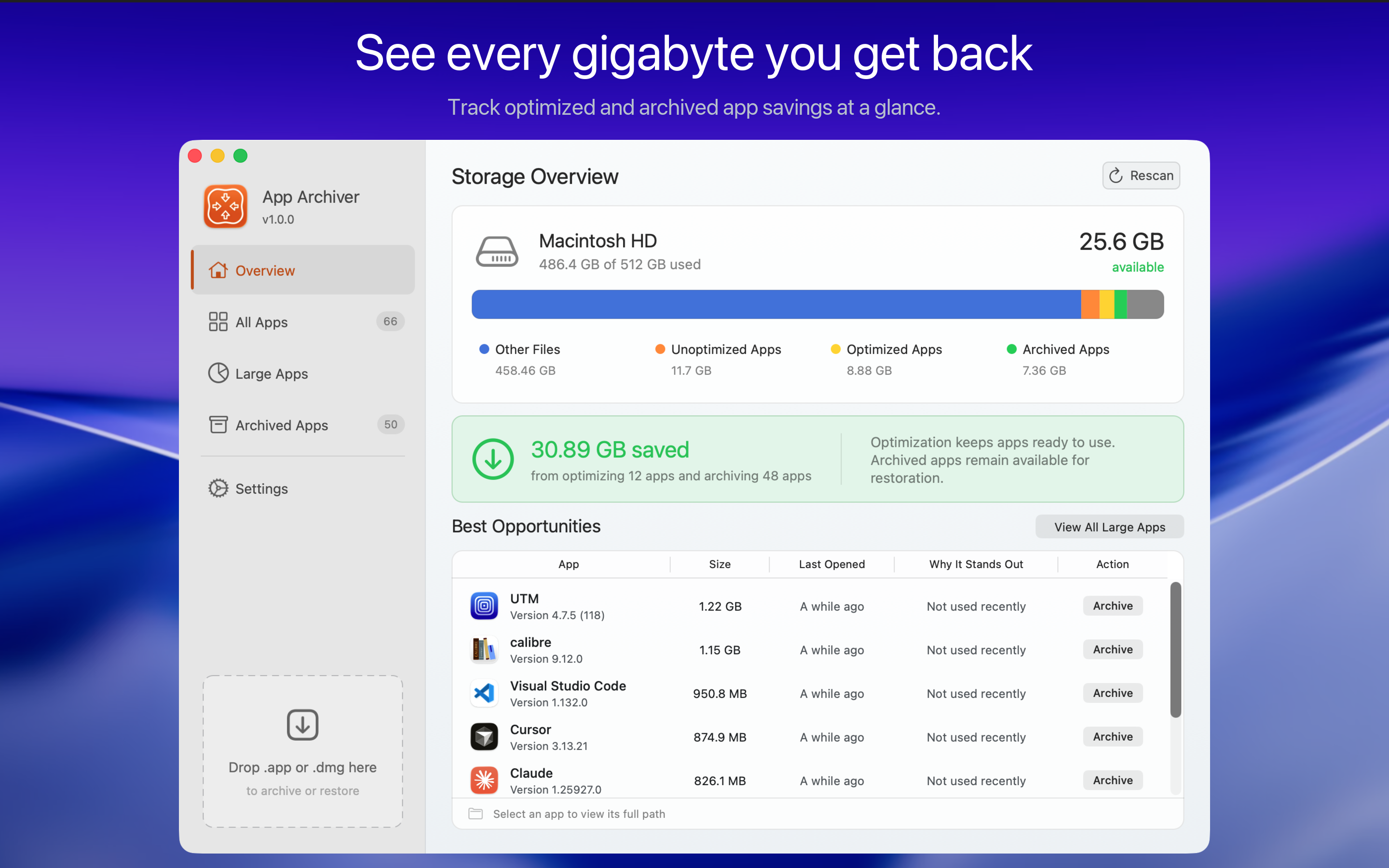
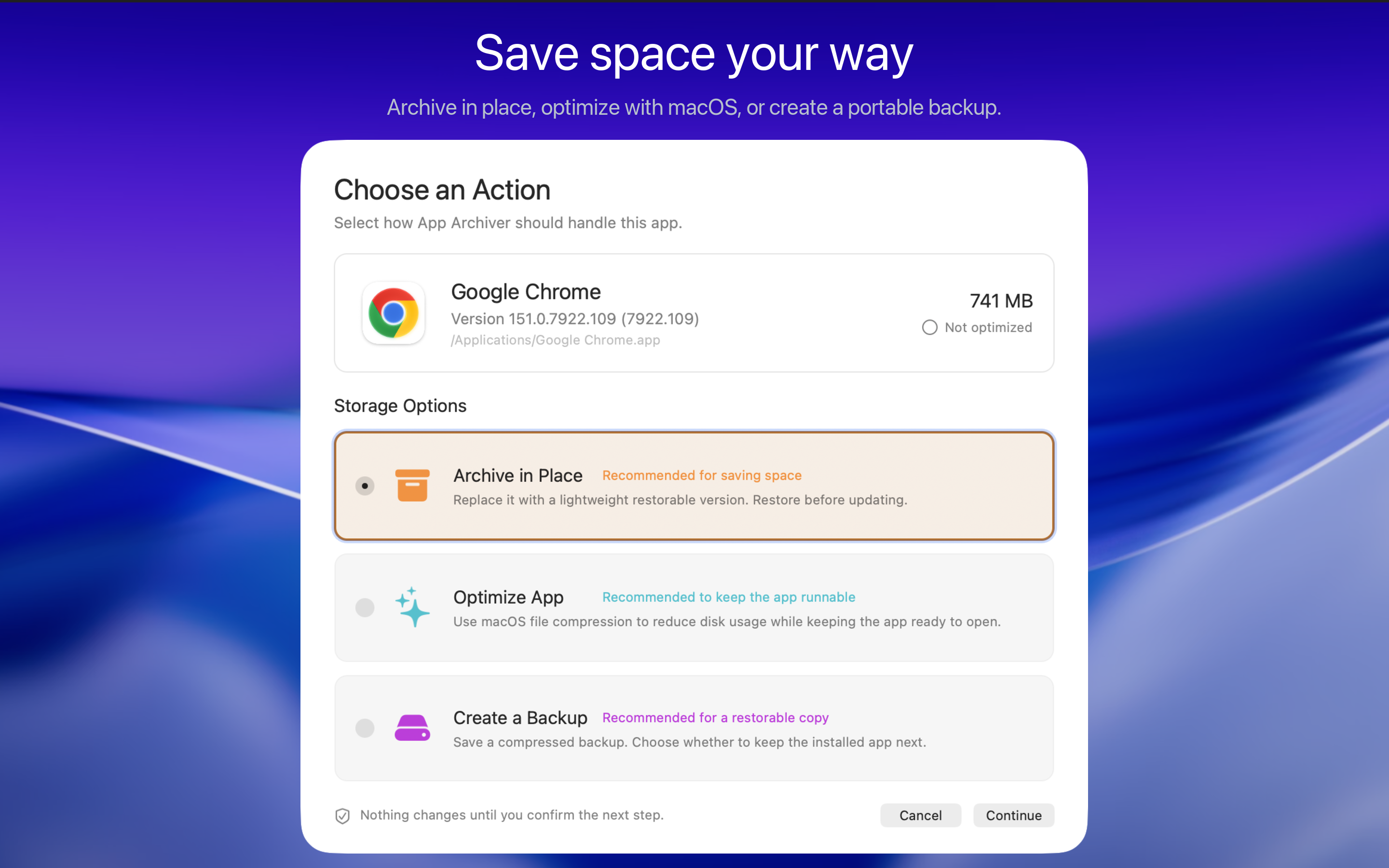
Three ways to reclaim space
How this differs from cleaner tools
Cleaner tools usually remove caches, logs, and temporary files. That can provide quick relief, but applications often recreate those files. App Archiver focuses on lasting savings from the application bundles themselves.
Local and verified
App Archiver is made to have no Internet access. It does not connect to online services, collect data, or use analytics. Discovery, analysis, compression, verification, and restoration all happen locally on your Mac.
Before changing an original app, App Archiver works in a private staging area and verifies the result. It checks available disk space, checksums, app identity, executables, signatures, and restored contents. The original stays unchanged until the replacement or backup is ready. If an archive would not save space, it is not applied.
App Archiver also includes an open-source component released under the MIT License. The source is available on GitHub.
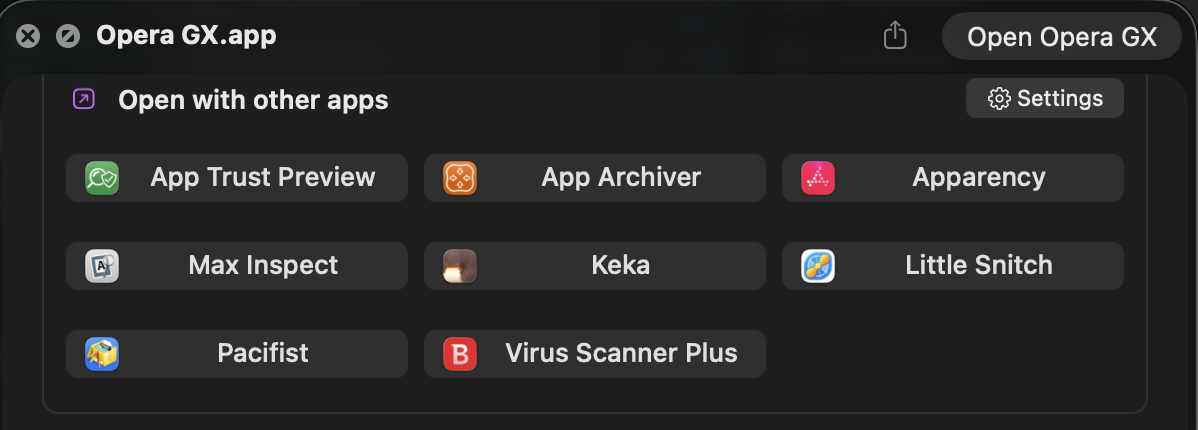
App Trust Preview integration
App Archiver is compatible with App Trust Preview, which is a separate app available by searching for "App Trust Preview" in the Mac App Store. Add App Archiver to its "Open with other apps" panel and you can archive, optimize, or restore apps directly from Quick Look.
Price and links
App Archiver is $4.99 on the Mac App Store.
Website
Download on the Mac App Store
I would be interested to hear how you currently handle large apps that you want to keep but rarely use. I am also happy to answer questions about how optimization, in-place archiving, or restoration works.
That is why I made App Archiver. Its goal is to compress apps while keeping them in place, visible, and available. An archived app remains in /Applications and stays discoverable through Spotlight, Alfred, and Raycast. When you need it again, open it and restore it with one click.
This is the third first-of-its-kind macOS app I have built. I enjoy making focused tools for problems that other apps do not address.
Three ways to reclaim space
- Optimize and keep using the app
Apply native macOS filesystem compression while the app remains installed, ready to open, and available for updates. - Archive the app in place
Replace a rarely used app with a lightweight, restorable .app bundle in the same location. Its icon remains visible in /Applications and your usual app launchers, so you do not forget it exists. - Create a verified backup
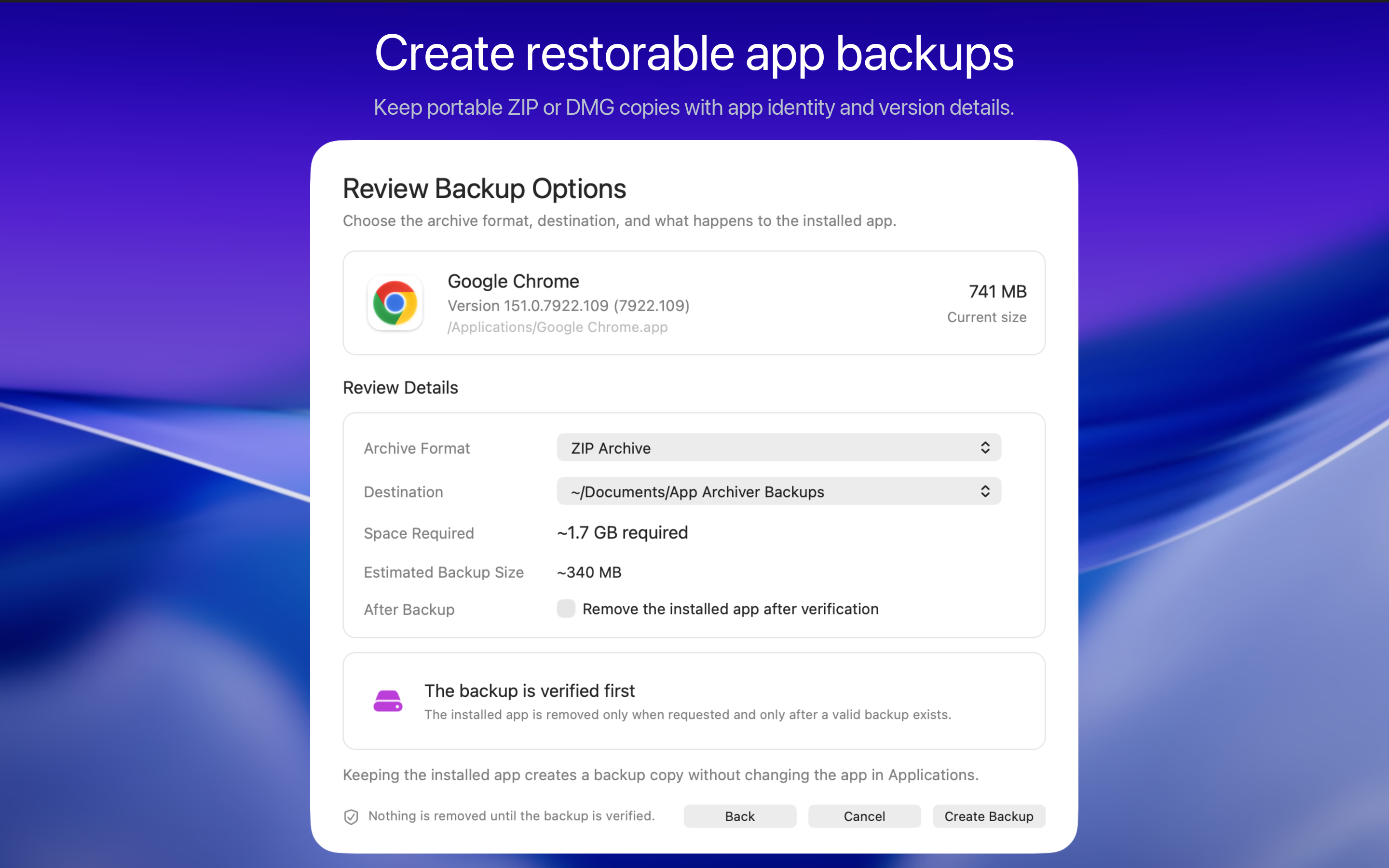
Save a ZIP or DMG backup in a folder or on an external drive. Keep the installed copy, or remove it only after the backup has been created and verified. Both formats can be restored through App Archiver.
How this differs from cleaner tools
Cleaner tools usually remove caches, logs, and temporary files. That can provide quick relief, but applications often recreate those files. App Archiver focuses on lasting savings from the application bundles themselves.
Local and verified
App Archiver is made to have no Internet access. It does not connect to online services, collect data, or use analytics. Discovery, analysis, compression, verification, and restoration all happen locally on your Mac.
Before changing an original app, App Archiver works in a private staging area and verifies the result. It checks available disk space, checksums, app identity, executables, signatures, and restored contents. The original stays unchanged until the replacement or backup is ready. If an archive would not save space, it is not applied.
App Archiver also includes an open-source component released under the MIT License. The source is available on GitHub.
App Trust Preview integration
App Archiver is compatible with App Trust Preview, which is a separate app available by searching for "App Trust Preview" in the Mac App Store. Add App Archiver to its "Open with other apps" panel and you can archive, optimize, or restore apps directly from Quick Look.
Price and links
App Archiver is $4.99 on the Mac App Store.
Website
Download on the Mac App Store
I would be interested to hear how you currently handle large apps that you want to keep but rarely use. I am also happy to answer questions about how optimization, in-place archiving, or restoration works.

