Not really a fair comparison to compare battery lives under the assumption that backlights are on at all times on MX Keys lol. MX keys has longer battery life without backlight on. It’s not like most people type in darkness at all times, the backlighting automatically dims and turns off when you don’t need it. And you can also adjust it/ turn it off manually.Except that the battery in the MX Keys lasts almost half as long as the one in the Apple keyboard.
I'm used to touch typing, so backlit keyboard is of no use for me really. And for those who want it - Logitech is much cheaper, have all the features you need... I see no problem, just get it.

Got a tip for us?
Let us know
Become a MacRumors Supporter for $50/year with no ads, ability to filter front page stories, and private forums.
Apple Quietly Refreshes Magic Keyboards
- Thread starter MacRumors
- Start date
- Sort by reaction score
You are using an out of date browser. It may not display this or other websites correctly.
You should upgrade or use an alternative browser.
You should upgrade or use an alternative browser.

Never had a use for backlighting. Most of us dont type in the darkIts comical at this point that Apple doesn't include backlighting in their keyboards. They are great to type on but a hard no without the backlighting (for me at least).
never get old.Never had a use for backlighting. Most of us dont type in the dark

DMG35
Contributor
Never had a use for backlighting. Most of us dont type in the dark
Lol this comment is so ridiculous it made me laugh.

ProTruckDriver
Contributor
When you get old and your eyesight starts going downhill you'll be looking for backlighting and you'll use it with all the lights on in the room. 😀Never had a use for backlighting. Most of us dont type in the dark
When you get old and your eyesight starts going downhill you'll be looking for backlighting and you'll use it with all the lights on in the room. 😀
ProTruckDriver
Contributor
I don't think this would help me. I have arthritis in all fingers and my carpal tunnel is coming back. 🤣🤣

transmaster
Contributor

nebojsak
macrumors 6502
Why would anyone want one of the crappiest keyboards in the world when you can get a Keychron Slim Keyboard with mechanical hot switches, and RGB for far less money.
View attachment 2656723
Because not everyone is a fan of mechanical keyboards. Like me.
That being said, MX Keys ticks all the boxes for the flat keyboard for those who don't like Apple one, so I'm not sure why aren't they all buying it (for the fraction of the price) instead of non stop complaining.

turbineseaplane
macrumors Penryn
Why would anyone want one of the crappiest keyboards in the world when you can get a Keychron Slim Keyboard with mechanical hot switches, and RGB for far less money.
View attachment 2656723
For me it's because I switch between docked and un-docked all the time and I don't want a wildly different experience when I do that switch.
For others I have also seen the mention of TouchID.
Those Keychrons are nice though. I have tried one in the past. 👍

puckhead193
macrumors G3
We actually learned the old way. With a book that we copied to the computer.I learned to type playing Mario!😂
View attachment 2656787
I later honed my skills with Mavis Beacon.
I'm still not perfect with number row symbols as I got bored around that time but I'm not a programmer so I rarely use them anyway.
turbineseaplane
macrumors Penryn
transmaster
Contributor
I came to computer keyboards via conventional Type Writers. The IBM Thimble machines were magical, and gives me goose bumps if I have a chance to type on one to this day.
transmaster
Contributor
I am very picky with keyboards. I am a 65+ word a minute typist. I started with the still wonderful IBM model M keyboards. It is that tackile feeling that is so lacking on non-mechanical keyboards. This is the main reason why I am not a fan of laptops, I don't like their keyboards. But I can pair the Keychrons with My iPad M4 Pro and have my cake and eat it too.For me it's because I switch between docked and un-docked all the time and I don't want a wildly different experience when I do that switch.
For others I have also seen the mention of TouchID.
Those Keychrons are nice though. I have tried one in the past. 👍
transmaster
Contributor
Now there is a valid point about the Apple Keyboard is the touchID function. There really isn't and good touch ID's for Apple. TinyTouch will be out in September. But for me my Apple Watch takes care of signing into my Mac.For me it's because I switch between docked and un-docked all the time and I don't want a wildly different experience when I do that switch.
For others I have also seen the mention of TouchID.
Those Keychrons are nice though. I have tried one in the past. 👍
transmaster
Contributor
When I was in highschool around 1968 secretarial sciences was a required course. The use of adding machines, learning to type even how to throw paper away, don't crumple it lay is flat in the waste can you can get more paper in it that way. At the time I did not appreciate how important being able to type was.
transmaster
Contributor
If you want to get back the white plastic coloring submerge the plastic covers in industrial strength H2O2 under a strong UV light this will bleach the plastic back to white. It is the Boron used in this plastic that causes in to yellow.I learned to type with PAWS on Apple IIe
(since I was on a IIe, it was B&W -- this screenshot is what it would have been like on a IIgs)
View attachment 2656850View attachment 2656852

hybrid_x
macrumors 6502a
I always find it fascinating when people say they prefer long-throw mechanical keyboards for "all-day typing."
I used to swear by my old Apple Extended Keyboard II. But since using the short-throw keyboards on Apple laptops for 20+ years, I find those long-key-travel mechanical keyboards to be exhausting to type on.
I love the Apple Magic Keyboard key feel, and moreover, I like having consistent feel whether I'm on my laptop or if I have it docked at my desk and I'm using an external keyboard and trackpad.
I used to swear by my old Apple Extended Keyboard II. But since using the short-throw keyboards on Apple laptops for 20+ years, I find those long-key-travel mechanical keyboards to be exhausting to type on.
I love the Apple Magic Keyboard key feel, and moreover, I like having consistent feel whether I'm on my laptop or if I have it docked at my desk and I'm using an external keyboard and trackpad.

QuarterSwede
macrumors G4
My 18 yr old loves mechanical. My retort to him is that I grew up with that as the only option. Now that shorter travel exists it's just superior since you can type faster, quieter, and longer.I always find it fascinating when people say they prefer long-throw mechanical keyboards for "all-day typing."
I used to swear by my old Apple Extended Keyboard II. But since using the short-throw keyboards on Apple laptops for 20+ years, I find those long-key-travel mechanical keyboards to be exhausting to type on.
I love the Apple Magic Keyboard key feel, and moreover, I like having consistent feel whether I'm on my laptop or if I have it docked at my desk and I'm using an external keyboard and trackpad.

bandits1
macrumors member
Low-profile mechanical may be the perfect balance between both types of keyboards.
Several years ago I dove into mechanical keyboards, not the real deep end but not the kiddie pool either. Deep enough to spend maybe a couple grand on it in 3+ years. Mostly standard height(tall) because standard height offers waaaaaaaay more options as far as everything: keyboards, switches and especially custom keycaps. Customizing is fun but I never fully fell in love with the "old-school" height, necessitating need for wrist rests/pads, nor the full-throw depth of the switches. I think I've done enough customization(and spent enough money) on various boards that I can, for most part, leave standard height mechanical keyboards behind, besides the ones I already own, and make the permanent switch to low-profile mechanical or maybe even back to scissor-switch/rubber dome keyboards. Touch ID could be the one feature that could make that happen for me. But I think I'll wait Apple out for another year or three for backlighting and an option for black keycaps on the smaller keyboard, or if Logitech somehow gets permission to add Touch ID to it's keyboards.
The customization options for low-profile seem to be slowly growing, so that could keep me in that world for awhile longer.
Several years ago I dove into mechanical keyboards, not the real deep end but not the kiddie pool either. Deep enough to spend maybe a couple grand on it in 3+ years. Mostly standard height(tall) because standard height offers waaaaaaaay more options as far as everything: keyboards, switches and especially custom keycaps. Customizing is fun but I never fully fell in love with the "old-school" height, necessitating need for wrist rests/pads, nor the full-throw depth of the switches. I think I've done enough customization(and spent enough money) on various boards that I can, for most part, leave standard height mechanical keyboards behind, besides the ones I already own, and make the permanent switch to low-profile mechanical or maybe even back to scissor-switch/rubber dome keyboards. Touch ID could be the one feature that could make that happen for me. But I think I'll wait Apple out for another year or three for backlighting and an option for black keycaps on the smaller keyboard, or if Logitech somehow gets permission to add Touch ID to it's keyboards.
The customization options for low-profile seem to be slowly growing, so that could keep me in that world for awhile longer.
transmaster
Contributor
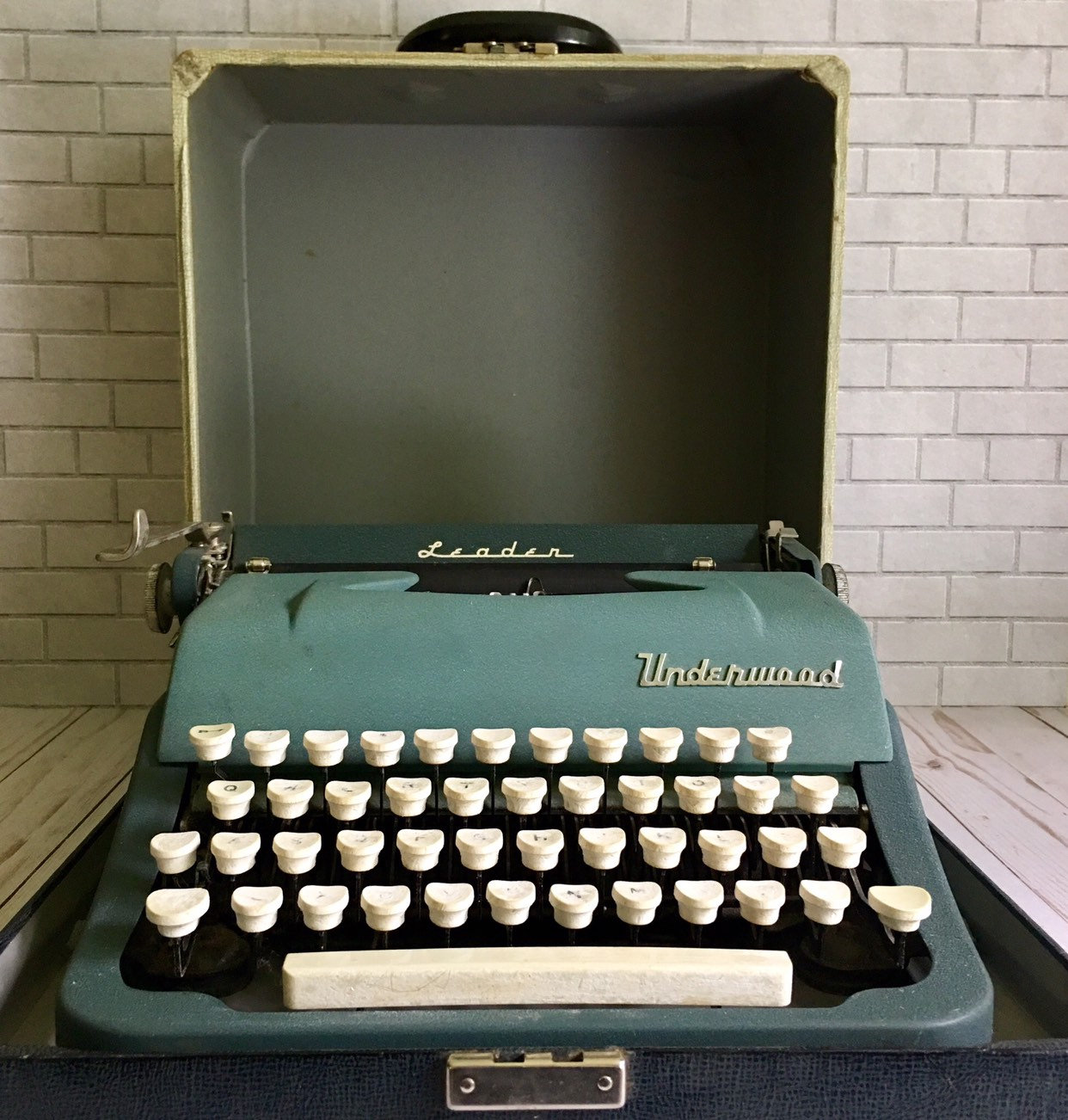
The reason why I like the Mechanicals harkens to were I started, mechanical type writers. For years I had an Underwood portable typewriter. Many college term papers originated from that machine. The key travel had to be close to an inch. You got used to this travel plus you actually rested your fingers on the key even pushing them just a bit. When IBM came out with their Selectric type writers they were very careful to retain the mechanical feel. Finishing with the finest manual typewriter ever made the Selectric II. and III. The sound and feel typing on the final “thimble” machines was almost erotic. IBM with their Type M computer keyboards worked very hard to maintain as much of the Selectric feel as possible. If you professionally used a typewriter all of those years ago so many things where written into the bodies firmware.

arkmannj
macrumors 68000
I wish Apple would release a standalone TouchID device.
and I wish other companies (probably Logi) would make a touchpad with multi-device switching that could be as nice as Apples touchpad.
and I wish other companies (probably Logi) would make a touchpad with multi-device switching that could be as nice as Apples touchpad.
transmaster
Contributor
I wish Apple would release a standalone TouchID device.
and I wish other companies (probably Logi) would make a touchpad with multi-device switching that could be as nice as Apples touchpad.
tinyTouch | Fingerprint Login for Mac
Unlock your Mac with one touch. tinyTouch is a fingerprint login device with HID and PIV/PAM modes.
tinytouch.dev