Become a MacRumors Supporter for $50/year with no ads, ability to filter front page stories, and private forums.
I suspect the base M4 mini is similarly sold out in other MicroCenter stores. What I'm seeing is that they get inventory and it hits their website late in the evening and they get about 15-20 units. These are sold out in the morning by customers reserving the units and then going into the store to buy them the next morning. I would like to buy one of these for testing. My analysis says that these are slower than my i7-10700 Windows PC but it would be nice to actually have data on this as I'm just doing a linear extrapolation.

What I'd like to do is use the local Best Buy to see if they will price match the Microcenter price but Microcenter would have to have them in stock and they aren't in-stock during the day. What I've heard at Best Buy is that you get the manager to approve the price match.

Alternately, if someone here has an account at Fidelity Investments and an M4 Mac, I'd appreciate it if they could run a test for me on it. The use case would be to use the M4 mini for the specific x86 program on it and run my other stuff on the Studio due to the mini's other limitations. If the M4 were enough, I could just replace the M1 Max Studio with the M4 Max Studio and I wouldn't need the Windows PC.
 
For giggles, I built out an upper mid-range PC and the price wasn't terrible, thanks to the bundling deals.
Just under 1,800 before taxes

Build included details: AMD Ryzen 7 7800X3D, ASUS X870E-PLUS TUF GAMING motherboard, G.Skill 32gig of DDR5-6000 ram. 1 TB of Samsung storage, Asus RTX 5070 gpu (and assorted components to flesh out the build).
 
For giggles, I built out an upper mid-range PC and the price wasn't terrible, thanks to the bundling deals.
Just under 1,800 before taxes

Build included details: AMD Ryzen 7 7800X3D, ASUS X870E-PLUS TUF GAMING motherboard, G.Skill 32gig of DDR5-6000 ram. 1 TB of Samsung storage, Asus RTX 5070 gpu (and assorted components to flesh out the build).
I got my wife that exact same PC--except it's a 9700X instead of a 7800X3D. It was a prebuilt MSI PC, and it was $1300 on Black Friday. Really nice PC.

It's on sale again! https://www.bestbuy.com/product/ace...ia-geforce-rtx-5070-1-tb-ssd-black/JX5V2XG2LW
 
  • Love
  • Like
Reactions: pshufd and maflynn
I feel myself wavering. I'm burnt out on the current game I've been playing since building a new machine and my friends have moved onto path of exile 2, which I played for a little, and didn't gel with.

I picked up Expedition 33 and it's a beautifully presented game, but I don't have the desire or time to learn all these new mechanics. So I find myself again with no desire to play. I could easily sell the desktop and go back to a Mac Mini, mainly due to RAM prices going nuts.

Starting to think the Mac Mini with GeForce Now was the sweet spot.

For now I'll just take a break.
 
Starting to think the Mac Mini with GeForce Now was the sweet spot.
I've been using GFN and its been pretty good, I think if you go with the Mini, GFN is your best bet even over crossover. I found Crossover inadequate on the M4 Pro mini, never mind the base model
 
I feel myself wavering. I'm burnt out on the current game I've been playing since building a new machine and my friends have moved onto path of exile 2, which I played for a little, and didn't gel with.

I picked up Expedition 33 and it's a beautifully presented game, but I don't have the desire or time to learn all these new mechanics. So I find myself again with no desire to play. I could easily sell the desktop and go back to a Mac Mini, mainly due to RAM prices going nuts.

Starting to think the Mac Mini with GeForce Now was the sweet spot.

For now I'll just take a break.
Man, y'all must have some amazing internets. I would rather have my gameage locally.
 
  • Like
Reactions: MacFoxG4
Man, y'all must have some amazing internets. I would rather have my gameage locally.
I have 900 Mbs on my internet and that's generally satisfactory for most of the games I'm playing. I don't think that's overly fast. With that said, my preference is to play locally, and so I rely heavily on Crossover which does a great job
 
I have 900 Mbs on my internet and that's generally satisfactory for most of the games I'm playing. I don't think that's overly fast. With that said, my preference is to play locally, and so I rely heavily on Crossover which does a great job
900 Mbps is insanely fast for large swaths of the world LOL. I was on Centurylink DSL right near the fiber hub and was only getting 100 Mbps. Now with Starlink I get 300 to 400 Mbps. So definitely glad I go with local it sounds like. :D

Then again, I have a Jellyfin server and don't like cloud based services anyway. If my kids weren't addicted to Apple Music, I wouldn't even have that LOL.
 
  • Like
Reactions: MacFoxG4
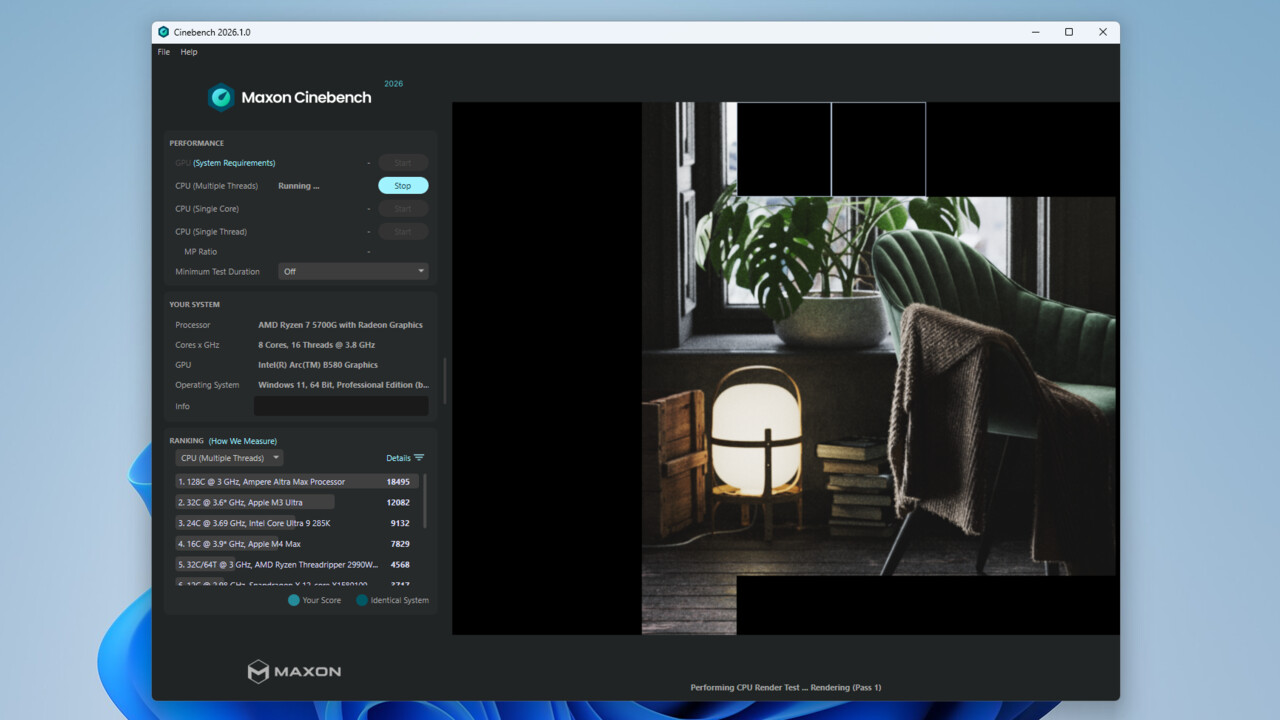
I don't see anyone talking about CineBench 2026 here. Looks like Computerbase is compiling results from folks.
Here's the Tom's article:
Cinebench 2026 out and ready to hammer CPUs and graphics cards six times as hard — updated benchmark includes an SMT core test

I'll download it and start compiling the results for my home data center :p
 
I only ran it on two of my many systems, The Mac got 16k (M1 Max 24c), the 5080 got 110k. I am debating running it on the other two computers (3060ti & 6900xt).
 
  • Like
Reactions: eltoslightfoot
I found someone to test my software on an M4 mini and it performs about 10% slower than my 2020 i7-10700 desktop. Microcenter had a dozen M4 minis for sale for $400 a few hours ago but they're sold out again. It's not worth replacing my old computer with something slower though.

I opened up the old desktop and found out why my front USB3 ports aren't working. It was a disconnected cable that I thought was a power cable. The machine is nicer to use now as I don't have to use the USB3 ports in the back. I also put the RTX 1660 Ti back in so virtual desktops are faster. I have given some thought to upgrading to a 12th/13th/14th gen Intel as there are boards that support DDR4 that work with these Intel generations but the instability issues on the 13th and 14th gen models bother me. If I see a board and CPU at a good price, I might do it. But I can just use the old system as is for now.
 
I'm burnt out on the current game
Don't force it if you don't feel like playing. Having the PC there (in the previous page, you say it works well as your personal machine) when you feel like playing is the way, having a system with wider game support, M&KB and not dealing with ******tification of streaming services.

When I got rid of my last PC and moved to console gaming, I was just frustrated with the controller (as a FPS (skill issue, I just can't aim with it) and RPG player (inventory management)) and performance. While I don't play much now, it's nice knowing I can play what ever when I feel like and have it run well.
 
I found someone to test my software on an M4 mini and it performs about 10% slower than my 2020 i7-10700 desktop. Microcenter had a dozen M4 minis for sale for $400 a few hours ago but they're sold out again. It's not worth replacing my old computer with something slower though.

I opened up the old desktop and found out why my front USB3 ports aren't working. It was a disconnected cable that I thought was a power cable. The machine is nicer to use now as I don't have to use the USB3 ports in the back. I also put the RTX 1660 Ti back in so virtual desktops are faster. I have given some thought to upgrading to a 12th/13th/14th gen Intel as there are boards that support DDR4 that work with these Intel generations but the instability issues on the 13th and 14th gen models bother me. If I see a board and CPU at a good price, I might do it. But I can just use the old system as is for now.
From what I gather the issue with the 13/14 gen chips was limited to the top two or three models and was made worse with overclocking.
 
From what I gather the issue with the 13/14 gen chips was limited to the top two or three models and was made worse with overclocking.
I thought it was all the K variants (i5/i7/i9) that were impacted. For me, while I don't over clock, that used to be my go to SKU for intel CPUs. I think overall this issue had hurt the brand so much that non-K SKUs were impacted in the sense of people avoiding Intel CPUs more then usual.
 
  • Like
Reactions: pshufd
I thought it was all the K variants (i5/i7/i9) that were impacted. For me, while I don't over clock, that used to be my go to SKU for intel CPUs. I think overall this issue had hurt the brand so much that non-K SKUs were impacted in the sense of people avoiding Intel CPUs more then usual.
It's not just K variants. Most of the desktop 13th/14th gen SKUs. Lower power desktop and mobile CPUs are supposedly safe. Higher power draw is apparently part of the problem, so overclocked and higher end CPUs are at greatest risk.
 
From what I gather the issue with the 13/14 gen chips was limited to the top two or three models and was made worse with overclocking.

I don't overclock but I usually go for the i7 which was one of the models affected. The HX models are a lot safer but I don't think that you can buy those at retail.
 
Last edited:
PC has a new home. RAM prices I think helped it shift quickly.

I think I’ll grab a base Mini M4 and when I want to game I have GeForce now.
 
I'm a bit of a flip-flopper too but right now, Its all in PC for me.

I don't travel so have no need, or want for a laptop so Its desktop only for me.

The software I mainly use now just doesn't run very fast on the best specced Mac Studio/Pro that's available right now.

I hear lots about how good The Mac Studio is for "AI/LLM" but for AI use in generating video locally using WAN for example, it is so slow compared to an Nvidia powered PC. I don't mean just a bit slower, but unbearably slow.
Likewise with Topaz video AI, An M4 Max/M3 Ultra is pretty woeful compared to Nvidia power.

I'm lucky to have x2 high end PC's with 5090's so the RAM costs haven't affected me (and I'm probably sitting on a couple of gold mines!) with the way prices are going, I still find the Mac desktops in a slightly weird position.

For many users, Apple desktops are overpowered for most people but for serious stuff and work, I just can't yet buy an Apple desktop machine that has enough power/speed for the software I use on a daily basis.

With all the RAM and possible GPU price increases, Apple have a great moment to bring the Mac Studio up to date and compete with Nvidia but since the initial M1 release, I've found myself just always waiting for Apple to bring a killer product out... and I'm still waiting.

I grew up working with Apple desktops as they were industry standard machines but now, they just seem like lifestyle products to me. I get I'm probably in small minority though but at least with PC, I have huge amounts of hardware choice depending on budget.
 
For many users, Apple desktops are overpowered for most people but for serious stuff and work, I just can't yet buy an Apple desktop machine that has enough power/speed for the software I use on a daily basis.
People do "serious stuff and work" on base MacBook Airs every day all around the world. Such a dismissive and arrogant viewpoint many MR members seem to subscribe to.
 
But for the software I use, Its a fact.
That is an extremely niche software...but I am glad you have found what works for you. Personally, I find Windows and its treatment of its users to be extremely distasteful. This makes me glad I don't have to go anywhere near AI video production. If it requires Windows.
 
  • Like
Reactions: Cape Dave
I finally got around to fixing my email issues on the Yoga. I switched Thunderbird to light mode and then figured out how to use the unified inbox and now it looks and acts like Apple Mail.

I also got Notes using light mode instead of dark mode. I was never able to get light mode on the browser. What I had to do was change the mode on an iOS device and then it would take on the browser.

One other annoying thing is that I can't edit html files in Notepad. It apparently looks for .txt files. So I downloaded emacs and will just use that for editing html files.

These are small and quality of life things but they make a huge difference in what I grab to use. If I'm bring a laptop outside the home, it's the Yoga. I don't even bother with the MacBook Pro. At home, if I want to do a lot in Notes or Mail, I'd grab the MacBook. Now both are the same for these two programs.

The other things where I'd grab the MacBook are iMovie and Downie. I could learn how to make and edit videos on Windows but I'm inclined to just record in Windows if I'm away from home and then edit the video on a Mac.

Downie is a macOS program only. I can run it in my macOS virtual machine and I do do that on the road but it's a lot simpler on a Mac at home. The main tricky part is getting the file from the virtual machine to Windows and I have to do that through iCloud or setup a Window share that macOS can see. Stuff that often doesn't remain persistent.

I was looking at the Thinkpad X1 Carbon and they have Gen 5 SSDs now on the premium models. Very tempting at under 1 kg. It has a smaller battery than the Yoga so I think that there's a 20% loss in battery life but it would be manageable. I think that I'm going to wait to see what the Panther Lake version looks like. The nice thing about Panther Lake is that the 32 GB RAM limitation would be gone.
 
I finally got around to fixing my email issues on the Yoga. I switched Thunderbird to light mode and then figured out how to use the unified inbox and now it looks and acts like Apple Mail.

I also got Notes using light mode instead of dark mode. I was never able to get light mode on the browser. What I had to do was change the mode on an iOS device and then it would take on the browser.

One other annoying thing is that I can't edit html files in Notepad. It apparently looks for .txt files. So I downloaded emacs and will just use that for editing html files.

These are small and quality of life things but they make a huge difference in what I grab to use. If I'm bring a laptop outside the home, it's the Yoga. I don't even bother with the MacBook Pro. At home, if I want to do a lot in Notes or Mail, I'd grab the MacBook. Now both are the same for these two programs.

The other things where I'd grab the MacBook are iMovie and Downie. I could learn how to make and edit videos on Windows but I'm inclined to just record in Windows if I'm away from home and then edit the video on a Mac.

Downie is a macOS program only. I can run it in my macOS virtual machine and I do do that on the road but it's a lot simpler on a Mac at home. The main tricky part is getting the file from the virtual machine to Windows and I have to do that through iCloud or setup a Window share that macOS can see. Stuff that often doesn't remain persistent.

I was looking at the Thinkpad X1 Carbon and they have Gen 5 SSDs now on the premium models. Very tempting at under 1 kg. It has a smaller battery than the Yoga so I think that there's a 20% loss in battery life but it would be manageable. I think that I'm going to wait to see what the Panther Lake version looks like. The nice thing about Panther Lake is that the 32 GB RAM limitation would be gone.
Why not use cross platform programs? Downie looks like a GUI wrapper on yt-dlp which is free and on macOS and Windows. There's decent free video editing solutions like the basic Davinci Resolve or KDENLive.
 
Register on MacRumors! This sidebar will go away, and you'll see fewer ads.