Unless you bought it from a retail chain, it’s not new.It’s used, but new to me. Apple does not sell new 15 Pro Max any longer as far as I am aware

Got a tip for us?
Let us know
Become a MacRumors Supporter for $50/year with no ads, ability to filter front page stories, and private forums.
iOS 26.4 ― Bug Fixes, Changes, and Improvements
- Thread starter Banglazed
- WikiPost WikiPost
- Start date
- Sort by reaction score
You are using an out of date browser. It may not display this or other websites correctly.
You should upgrade or use an alternative browser.
You should upgrade or use an alternative browser.
- Status
- The first post of this thread is a WikiPost and can be edited by anyone with the appropiate permissions. Your edits will be public.

MrRom92
macrumors 68000
Right, I never claimed otherwiseUnless you bought it from a retail chain, it’s not new.

I think you're having problems with your computer's drivers or USB ports, rather than the program itself. When an update or restore process has failed for me mid-process, it's been due to a disconnected device, not a program error.2nd attempt at a DFU restore completed successfully, not sure how or why it failed the first time. So I say it can work however I would definitely proceed with caution!
first attempt seems to have failed mid-process. DFU RESTORE TO 26.4 IN APPLE DEVICES IS NOT CURRENTLY SAFE TO DO AND MAY BRICK YOUR IPHONE!! This is one of the most dangerous states to have something stop midway on your device. I will try it again
I came here just for this 😂
I did suggest he check his setup as this isn’t the first time it failed mid-process for him, but he’s always so confident neither he nor Microsoft could do no wrong and that any fault could only ever be Apple’s.I think you're having problems with your computer's drivers or USB ports, rather than the program itself. When an update or restore process has failed for me mid-process, it's been due to a disconnected device, not a program error.
MrRom92
macrumors 68000
You can come inspect my pc if you’d like, I assure you it is not the issue.I did suggest he check his setup as this isn’t the first time it failed mid-process for him, but he’s always so confident neither he nor Microsoft could do no wrong and that any fault could only ever be Apple’s.
an update was just issued for Apple Devices (Microsoft store) as well as Apple’s USB driver (Windows Update)
I’ve actually never seen any Apple software components or drivers updated through windows update before. Must be something big. I will wipe the device and retest with the new versions tomorrow.

surfzen21
macrumors 65816
My books seem to sync correctly across my iPad, iPhone and Mac correctly and quickly with this update.
Previously my books would fail to sync between my iPad and iPhone about half the time and even more annoying it would revert back to an earlier page. This started happening with 26 and went through 26.3
I can even look past them not fully implementing liquid glass within the app now that it syncs correctly 🥲
Previously my books would fail to sync between my iPad and iPhone about half the time and even more annoying it would revert back to an earlier page. This started happening with 26 and went through 26.3
I can even look past them not fully implementing liquid glass within the app now that it syncs correctly 🥲

gtmead09
macrumors 65816

Is anyone else experiencing an issue where the iPhone screen stays on during Bluetooth calls (both in car and with AirPods)? I’m on iOS 26.4 and whenever I answer a call via AirPods or my car’s Bluetooth, the display does not turn off even when the phone is just sitting idle. Curious if this is a known issue or just me.
iOS 26.4 didn’t fix any of the visual glitches I had in previous versions… but it introduced a new one! I’ve never seen it in any previous iOS versions, it’s a new one for me
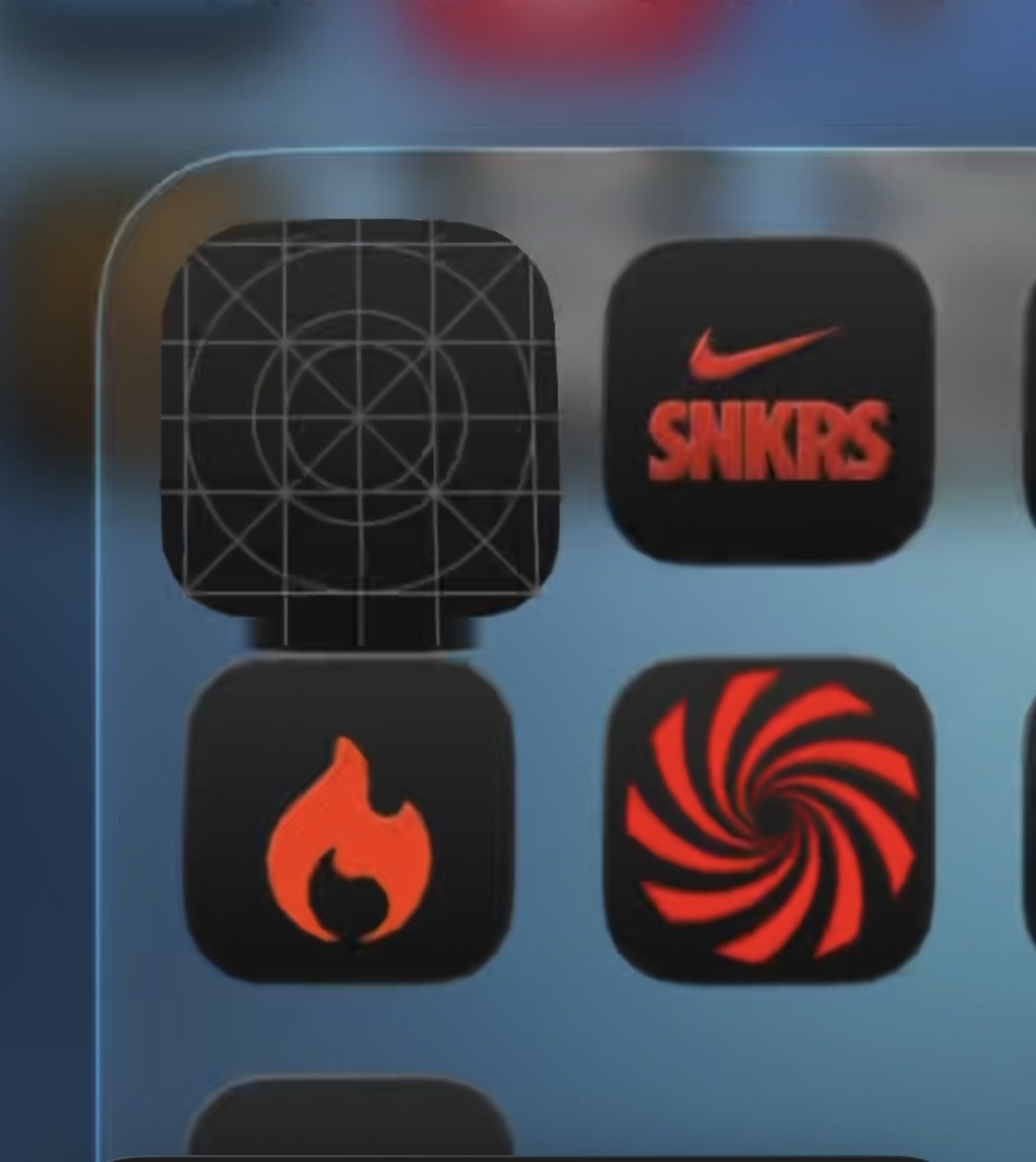
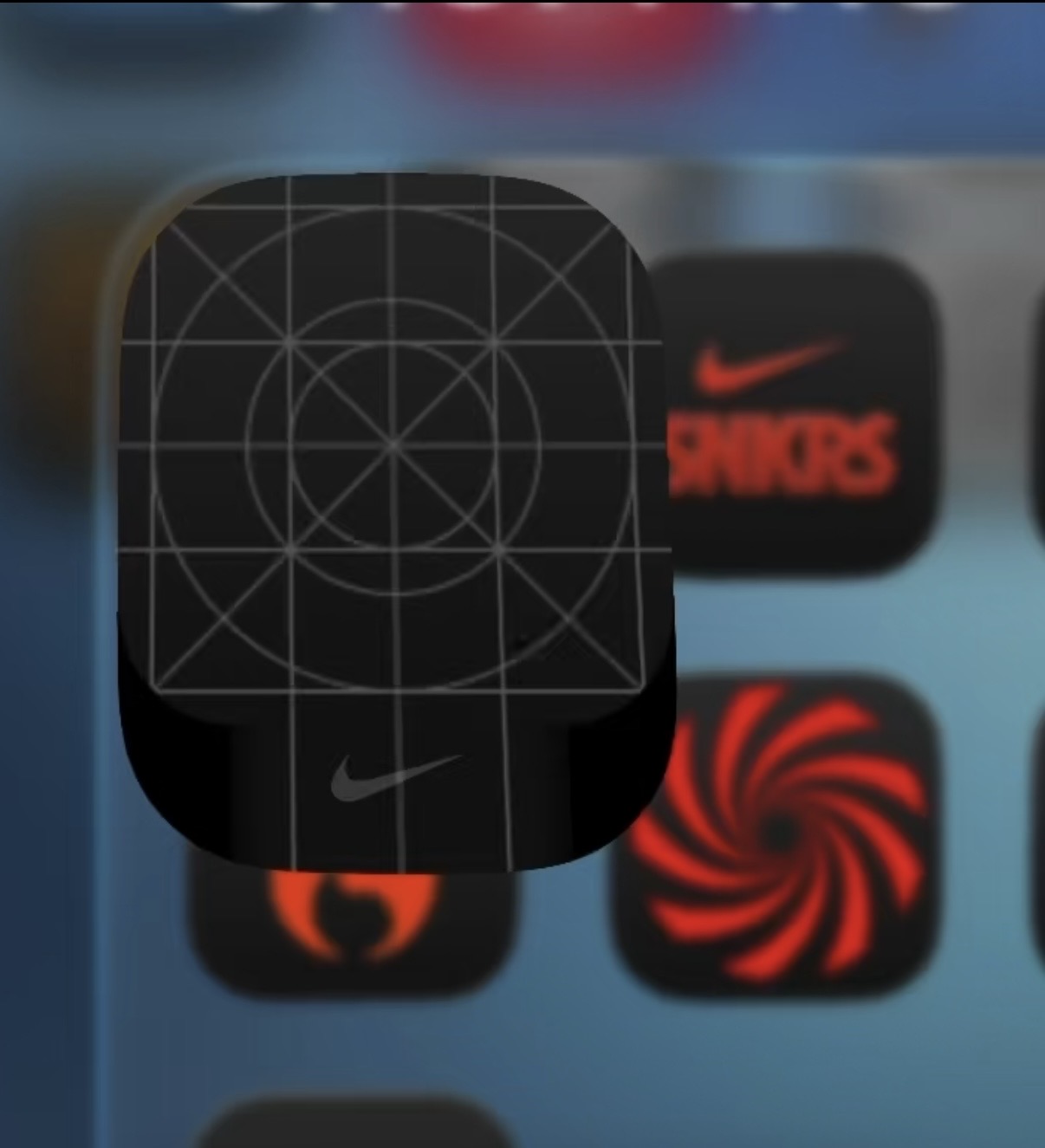

gwang73
macrumors 68030
I had this for a couple apps early on in ios 26.0. I fixed it by deleting the app and downloading it back. I don't remember but I don't think offloading the app worked but worth a try before deleting it.iOS 26.4 didn’t fix any of the visual glitches I had in previous versions… but it introduced a new one! I’ve never seen it in any previous iOS versions, it’s a new one for me
MrRom92
macrumors 68000
I ran another DFU restore with Apple Devices and planned to restore my actual backup so I would have my actual phone back this time
I am using an Anker Thunderbolt 5 cable which should be more than capable of attaining the max USB 3 speeds this 15PM is capable of
DFU restore failed the first time around again, just like it did the other day, then worked to completion on the 2nd attempt, like the other day as well.
Total process took well over 7 hours before I was greeted with a “Hello” screen again!
Phone is now downloading many apps and getting very hot, losing battery percentage as it goes despite being plugged into a 40w charger.
I am also experiencing a strange bug in 26.4 with the YouTube app, which has been moved off my first page of app icons and replaced with the icon for the new Cheesecake Factory app.
Searching for the YouTube app in Spotlight or App Library produces no results, so I can’t move the icon back from wherever it is. It’s almost like it’s not even installed. But it actually is, and Siri will open the app when asked.
I am using an Anker Thunderbolt 5 cable which should be more than capable of attaining the max USB 3 speeds this 15PM is capable of
DFU restore failed the first time around again, just like it did the other day, then worked to completion on the 2nd attempt, like the other day as well.
Total process took well over 7 hours before I was greeted with a “Hello” screen again!
Phone is now downloading many apps and getting very hot, losing battery percentage as it goes despite being plugged into a 40w charger.
I am also experiencing a strange bug in 26.4 with the YouTube app, which has been moved off my first page of app icons and replaced with the icon for the new Cheesecake Factory app.
Searching for the YouTube app in Spotlight or App Library produces no results, so I can’t move the icon back from wherever it is. It’s almost like it’s not even installed. But it actually is, and Siri will open the app when asked.
You’ve got the most unique problems of everyone here.I ran another DFU restore with Apple Devices and planned to restore my actual backup so I would have my actual phone back this time
I am using an Anker Thunderbolt 5 cable which should be more than capable of attaining the max USB 3 speeds this 15PM is capable of
DFU restore failed the first time around again, just like it did the other day, then worked to completion on the 2nd attempt, like the other day as well.
Total process took well over 7 hours before I was greeted with a “Hello” screen again!
Phone is now downloading many apps and getting very hot, losing battery percentage as it goes despite being plugged into a 40w charger.
I am also experiencing a strange bug in 26.4 with the YouTube app, which has been moved off my first page of app icons and replaced with the icon for the new Cheesecake Factory app.
Searching for the YouTube app in Spotlight or App Library produces no results, so I can’t move the icon back from wherever it is. It’s almost like it’s not even installed. But it actually is, and Siri will open the app when asked.
Also, why are you DFU-ing so many times?
Didn’t you just restore? Couldn’t you have just erased everything and started over without having to deal with all that?
MrRom92
macrumors 68000
I DFU restored the other day to get my phone into a temporarily usable condition. (I saw no reason to enter my credentials into an unknown installation of iOS 18.5 when I could just restore quickly and get myself up to 26.4 in the process, which I would have wanted to do anyway)You’ve got the most unique problems of everyone here.
Also, why are you DFU-ing so many times?
Didn’t you just restore? Couldn’t you have just erased everything and started over without having to deal with all that?
I knew I would not have the time to wait for it to complete an actual restore from backup. So I did it again today, let it run undisturbed and went to the movies. I DFU’d as it’s considered “better” than restoring normally or in restore mode. And it doesn’t really take any extra time other than the 10 seconds it takes to power down and press the button sequence.
Last edited:
If you think the Apple Devices app is causing the problem, try 3uTools or iTunes. If you get the same errors, the problem lies elsewhere and isn't with the app, which is what I still suspect.I DFU restored the other day to get my phone into a temporarily usable condition. (I saw no reason to enter my credentials into an unknown installation of iOS 18.5 when I could just restore quickly and get myself up to 26.4 in the process, which I would have wanted to do anyway)
I knew I would not have the time to wait for it to complete an actual restore from backup. So I did it again today, let it run undisturbed and went to the movies. I DFU’d as it’s considered “better” than restoring normally or in restore mode. And it doesn’t really take any extra time other than the 10 seconds it takes to power down and press the button sequence.
No, he won’t. AD is the way for him and he won’t check his setup either.try 3uTools or iTunes

drlunanerd
macrumors 68000
Thanks for sharing this. I’m seeing the same bug, but only with the stock Messages app - icon fails to show on opening and closing the app. Can’t delete and reinstall the app as it’s built-in. So many UI bugs in iOS 26, sheesh.iOS 26.4 didn’t fix any of the visual glitches I had in previous versions… but it introduced a new one! I’ve never seen it in any previous iOS versions, it’s a new one for me
View attachment 2618582
I’ve had that for at least a couple versions now. Happens when you first open the app but fine after that.iOS 26.4 didn’t fix any of the visual glitches I had in previous versions… but it introduced a new one! I’ve never seen it in any previous iOS versions, it’s a new one for me
View attachment 2618582
View attachment 2618583
View attachment 2618584
Well, you should try solutions. Getting stuck in a constant error isn't a good idea.No, he won’t. AD is the way for him and he won’t check his setup either.
MrRom92
macrumors 68000
What exactly do you want to “check” in my “setup”? It’s a computer with apple devices. We’re not landing Lunar modules here. You seem to take personal offense with everything I do just because I do things differently than you.No, he won’t. AD is the way for him and he won’t check his setup either.
I do not plan on restoring the phone a 3rd time. Apple Devices did ultimately complete the process, but this repeating error of “fail once, succeed the next attempt” shouldn’t be happening and should definitely be investigated.If you think the Apple Devices app is causing the problem, try 3uTools or iTunes. If you get the same errors, the problem lies elsewhere and isn't with the app, which is what I still suspect.
MrRom92
macrumors 68000
Another issue restoring on 26.4, I found that some apps randomly didn’t download again. I’m not sure how many exactly, just that I know one I was looking for turned out to not be installed even though it’s one I do occasionally use.
There should also be a better way of handling an overflow of apps. It was not immediately clear why trying to rearrange app icons wasn’t working for me. Some sort of error or warning message would go a long way in helping people to understand why it’s not working.
There should also be a better way of handling an overflow of apps. It was not immediately clear why trying to rearrange app icons wasn’t working for me. Some sort of error or warning message would go a long way in helping people to understand why it’s not working.