Become a MacRumors Supporter for $50/year with no ads, ability to filter front page stories, and private forums.
Status
The first post of this thread is a WikiPost and can be edited by anyone with the appropiate permissions. Your edits will be public.
Well, I’m on DB3 now, and the external monitor stuff still exists.View attachment 2643733 Whatever is causing it is definitely only causing the problems on the external monitor because none of them exist on the iPad without external monitor.View attachment 2643722 When I am home I use my iPad 95% of the time with an external monitor. Don’t get me wrong. I love 27, and I’ve have gotten so used to using iPad as my laptop and desktop computer that this external monitor issue is just an annoyance.View attachment 2643736View attachment 2643737

Very thankful that I have no issues with 27 on the iPad without external monitor.🙏🏻 I hope a fix comes soon for this because imo 27 is the best iPad OS yet.View attachment 2643729View attachment 2643742
What issues are you encountering with external monitors on the beta? Is it the disappearing mouse cursor one? Or is that something else I’m thinking about? Hopefully it gets fixed soon. 👍🏻
 
  • Like
Reactions: bondr006
What issues are you encountering with external monitors on the beta? Is it the disappearing mouse cursor one? Or is that something else I’m thinking about? Hopefully it gets fixed soon. 👍🏻
Yeah, the cursor is one of them. It shows up on the iPad proper but doesn’t show up when connecting to the external monitor. If I disconnect the external keyboard and reconnect, the cursor comes back to the external monitor.

Another is the wallpaper doesn’t show on the external monitor when I boot up. If I disconnect from the external monitor and reconnect, the wallpaper shows.

The File app crashes when trying to open on external monitor but not on iPad proper. Have not found workaround for this yet.

Screen vid captures still blank on the external monitor but fine on the iPad proper.

Trying to delete photos or vids from the Photos app on the external monitor crashes the Photos app every time. Not so on the iPad proper.

Edit: Sometimes opening a new tab to a website also crashes Safari on external monitor, but never on iPad proper.

Can’t use emojis on the external monitor but fine on the iPad proper.

When I try to access History in the sidebar in Safari while on the external monitor, Safari just crashes…..every time. Works fine on the iPad proper.

There are some more and I’ll try to remember to list them here as they happen. Just can’t remember them all now. They all only happen on the external monitor. 27 is perfect with no problems so far on the iPad proper. Really hoping for fixes for my external monitor problems. I use my iPad with an external monitor at home 95%+ of the time, and it’s really annoying to have to move the window from the external monitor to the iPad screen just to avoid the glitches.

Edit: Just to be clear, none of this happened on 26 from the very first betas right up through 26.5 for me. I have reported all this in the Feedback app.

Edit: 27 is working fine on my iPad 9. I reduced motion, use solid icons as opposed to Liquid Glass, and have it set to “full screen apps”. It’s very zippy and haven’t run into any glitches so far.👌🏻🙂
 
Last edited:
  • Like
Reactions: Kal Madda
Interesting. I installed beta 3 last night on my M5 iPad Pro 13” and have used it for a while on an external monitor. So far on the external monitor: I have the cursor, see wall paper, can use emojis, can access history in Safari in the sidebar, can delete photos and can use the files app on it with no issues. Haven’t run it long enough to see if they never happen, but so far on my iPad this is very promising.
 
Yeah, the cursor is one of them. It shows up on the iPad proper but doesn’t show up when connecting to the external monitor. If I disconnect the external keyboard and reconnect, the cursor comes back to the external monitor.

Another is the wallpaper doesn’t show on the external monitor when I boot up. If I disconnect from the external monitor and reconnect, the wallpaper shows.

The File app crashes when trying to open on external monitor but not on iPad proper. Have not found workaround for this yet.

Screen vid captures still blank on the external monitor but fine on the iPad proper.

Trying to delete photos or vids from the Photos app on the external monitor crashes the Photos app every time. Not so on the iPad proper.

Edit: Sometimes opening a new tab to a website also crashes Safari on external monitor, but never on iPad proper.

Can’t use emojis on the external monitor but fine on the iPad proper.

When I try to access History in the sidebar in Safari while on the external monitor, Safari just crashes…..every time. Works fine on the iPad proper.

There are some more and I’ll try to remember to list them here as they happen. Just can’t remember them all now. They all only happen on the external monitor. 27 is perfect with no problems so far on the iPad proper. Really hoping for fixes for my external monitor problems. I use my iPad with an external monitor at home 95%+ of the time, and it’s really annoying to have to move the window from the external monitor to the iPad screen just to avoid the glitches.

Edit: Just to be clear, none of this happened on 26 from the very first betas right up through 26.5 for me. I have reported all this in the Feedback app.

Edit: 27 is working fine on my iPad 9. I reduced motion, use solid icons as opposed to Liquid Glass, and have it set to “full screen apps”. It’s very zippy and haven’t run into any glitches so far.👌🏻🙂
Oh wow, hopefully those are fixed soon. For me, I haven’t encountered any of those except I think once my cursor disappeared on the external display, and reconnecting the Magic Keyboard Case fixed it. But I also don’t work at my desk most of the time, so I’ve only used it so much. 👍🏻. Hopefully that’s resolved soon. 👍🏻
 
  • Like
Reactions: bondr006
Interesting. I installed beta 3 last night on my M5 iPad Pro 13” and have used it for a while on an external monitor. So far on the external monitor: I have the cursor, see wall paper, can use emojis, can access history in Safari in the sidebar, can delete photos and can use the files app on it with no issues. Haven’t run it long enough to see if they never happen, but so far on my iPad this is very promising.
Oh wow, hopefully those are fixed soon. For me, I haven’t encountered any of those except I think once my cursor disappeared on the external display, and reconnecting the Magic Keyboard Case fixed it. But I also don’t work at my desk most of the time, so I’ve only used it so much. 👍🏻. Hopefully that’s resolved soon. 👍🏻

Yeah, it’s annoying for sure. Like I said, I did not have any of these with any of the 26 betas, actually no problems with 26 at all…and I have not changed my setup in any way. Same hardware, hooked up the same way.
why.gif
 
  • Like
Reactions: Kal Madda
Been using my iPad Pro M5 11" more as a portable computer. It's much more portable than a 3.5lb 14" MacBook Pro. Plus you need to carry around a powerful power bank with the MacBook so that adds another 2lbs.
Awesome, I’m glad to hear it’s working well for you! If you have any questions, feel free to ask here, there are many here that can offer some great info and advice. 👍🏻
 
Update on my new desk setup! It’s been working out great so far! The portable monitor is much better image quality than I expected. It isn’t perfect, and it’s nowhere close to the quality of an iPad display. But for basic productivity stuff like Xcode, word processors, etc. where image quality isn’t as important, it is perfectly fine. It’s about comparable to my Mid 2012 MacBook Pro’s display, which honestly wasn’t bad for these things either.

With the new setup, my desk is now better set up for docking. Now, rather than having to switch monitor inputs each time, I just plug in my iPad and turn on my monitor and it connects. 👍🏻. I’m still working on rearranging stuff and reworking the desk more around docking, mostly I just need to move my Anker hub now that I have more room. But that’s been working out great.

As to the Mac Mini setup, it’s made it much easier to access the Mac Mini for Xcode 27. When I am able, I can use the portable monitor and bluetooth keyboard and trackpad to work on my software project (which is going great, I’m very excited about it, and am hoping to be able to talk more about it soon!). I’m still working on improving the SideCar experience, I’m wanting to get SideCar Launcher set up properly and working so that I can initiate SideCar connections from the iPad. But overall, that’s been a major improvement for my workflow.

On the macOS front, changing my Mac Mini setup around Xcode rather than acting as a desk iPad substitute, I still miss Launchpad. I decided to uninstall several apps I didn’t need anymore now that I’m not using the Mac Mini as an iPad fill-in when at the desk. To do so, I followed the officially documented process for macOS 26 and newer, which involves going into the Applications folder in Finder and moving them to trash (which is much more hassle already than it used to be, who thought this was an “improvement”?). But after removing several apps, it didn’t free up as much storage space as I expected it would. Meanwhile, the “System Data” category in the Storage page in Settings was showing over 100GB of data, and there’s no way to see any of the files stored in that category. Come to find out, moving apps to trash in Finder (even apps sourced from the App Store, which are the majority of the apps I have installed on my Mac) doesn’t actually cleanly uninstall the entire app and it’s associated files as it used to in Launchpad. There are other app files buried in the system that macOS doesn’t offer to remove with the app. Before, with Launchpad, this whole process was a single context menu item from a right click… So I had to hunt down the app files with the help of Siri, and I ended up freeing up over 40GB of storage for app files to apps that were no longer installed on the Mac. Why must this be so difficult? iPadOS handles this perfectly, if I want to uninstall an app and it’s files, it’s super simple. So now I had to install yet another third-party utility (AppCleaner) to replace functionality that was already built into macOS prior to 26 (at least for apps sourced from the App Store, which, as I said before, account for the majority of apps installed on my Mac). This whole process would have been far simpler if we still had a real app launcher like Launchpad instead of a dumb Spotlight search filter… I think the Mac would really benefit from learning more from the iPad in so many areas like this.

Anyway, so the new setup has been working out pretty well, the iPad still handles my entire primary workflow both away from and at my desk as it has been, only now it’s easier to use my iPad at the desk when I want to, and the Mac Mini setup is more lean and focused for Xcode stuff, and is more readily accessible and conveniently placed when I need to directly access it to update a build on my iPad for my Xcode project, etc. 👍🏻

 
Last edited:
Update on my new desk setup! It’s been working out great so far! The portable monitor is much better image quality than I expected. It isn’t perfect, and it’s nowhere close to the quality of an iPad display. But for basic productivity stuff like Xcode, word processors, etc. where image quality isn’t as important, it is perfectly fine. It’s about comparable to my Mid 2012 MacBook Pro’s display, which honestly wasn’t bad for these things either.

With the new setup, my desk is now better set up for docking. Now, rather than having to switch monitor inputs each time, I just plug in my iPad and turn on my monitor and it connects. 👍🏻. I’m still working on rearranging stuff and reworking the desk more around docking, mostly I just need to move my Anker hub now that I have more room. But that’s been working out great.

As to the Mac Mini setup, it’s made it much easier to access the Mac Mini for Xcode 27. When I am able, I can use the portable monitor and bluetooth keyboard and trackpad to work on my software project (which is going great, I’m very excited about it, and am hoping to be able to talk more about it soon!). I’m still working on improving the SideCar experience, I’m wanting to get SideCar Launcher set up properly and working so that I can initiate SideCar connections from the iPad. But overall, that’s been a major improvement for my workflow.

On the macOS front, changing my Mac Mini setup around Xcode rather than acting as a desk iPad substitute, I still miss Launchpad. I decided to uninstall several apps I didn’t need anymore now that I’m not using the Mac Mini as an iPad fill-in when at the desk. To do so, I followed the officially documented process for macOS 26 and newer, which involves going into the Applications folder in Finder and moving them to trash (which is much more hassle already than it used to be, who thought this was an “improvement”?). But after removing several apps, it didn’t free up as much storage space as I expected it would. Meanwhile, the “System Data” category in the Storage page in Settings was showing over 100GB of data, and there’s no way to see any of the files stored in that category. Come to find out, moving apps to trash in Finder (even apps sourced from the App Store, which are the majority of the apps I have installed on my Mac) doesn’t actually cleanly uninstall the entire app and it’s associated files as it used to in Launchpad. There are other app files buried in the system that macOS doesn’t offer to remove with the app. Before, with Launchpad, this whole process was a single context menu item from a right click… So I had to hunt down the app files with the help of Siri, and I ended up freeing up over 40GB of storage for app files to apps that were no longer installed on the Mac. Why must this be so difficult? iPadOS handles this perfectly, if I want to uninstall an app and it’s files, it’s super simple. So now I had to install yet another third-party utility (AppCleaner) to replace functionality that was already built into macOS prior to 26 (at least for apps sourced from the App Store, which, as I said before, account for the majority of apps installed on my Mac). This whole process would have been far simpler if we still had a real app launcher like Launchpad instead of a dumb Spotlight search filter… I think the Mac would really benefit from learning more from the iPad in so many areas like this.

Anyway, so the new setup has been working out pretty well, the iPad still handles my entire primary workflow both away from and at my desk as it has been, only now it’s easier to use my iPad at the desk when I want to, and the Mac Mini setup is more lean and focused for Xcode stuff, and is more readily accessible and conveniently placed when I need to directly access it to update a build on my iPad for my Xcode project, etc. 👍🏻
I also have a 2012 MacBook Pro 13 inch and the display is not great by 2026 standards. Does Xcode work on iPad now?
 
  • Like
Reactions: Kal Madda
I miss Launchpad as well, which is a big change for me. For years I kind of wrote it off because I didn’t like the big icons and how annoying it was to navigate with a mouse. Then I learned I could put it on a hot corner and got a magic trackpad so I could use gestures and suddenly I loved it.

It’s in the same bucket as Front Row with the features that I wish Apple had held on to.

Are you running the Mac Mini headless and using the iPad as its display? Having trouble visualizing your setup.
 
  • Like
Reactions: Kal Madda
I also have a 2012 MacBook Pro 13 inch and the display is not great by 2026 standards. Does Xcode work on iPad now?
Yeah, I agree it’s not great by 2026 standards, which is why I wouldn’t use the portable monitor for stuff where display quality matters like graphic design. All of that stuff I do on my iPad’s native display.

As to Xcode, I’m using it on a Mac Mini I’m only using for that purpose. Xcode isn’t available for iPadOS yet, but there have been rumors over the past couple years that Apple’s working on an iPad version internally, so I wouldn’t be shocked if it comes down the road. For now, that’s the only thing I still use my Mac Mini for aside from software comparisons for reviews.
 
  • Like
Reactions: Der_mit_dem_langen
I miss Launchpad as well, which is a big change for me. For years I kind of wrote it off because I didn’t like the big icons and how annoying it was to navigate with a mouse. Then I learned I could put it on a hot corner and got a magic trackpad so I could use gestures and suddenly I loved it.

It’s in the same bucket as Front Row with the features that I wish Apple had held on to.

Are you running the Mac Mini headless and using the iPad as its display? Having trouble visualizing your setup.
Yeah, that’s my goal. I stuck the Mac Mini on a shelf in my living room next to my chair. It’s not truly headless yet, I’m using a portable monitor and Bluetooth keyboard and trackpad for directly controlling it sometimes, and the iPad with SideCar at others. There’s a Siri Shortcut and script called SideCar Launcher that I want to get set up so that I can easily initiate the SideCar connection from my iPad, which would eliminate needing to use the portable monitor and keyboard for anything other than software updates and some things like that. I hope that makes a little more sense. 👍🏻
 
  • Like
Reactions: Beefbowl
Just two weeks ago, I got myself the latest iPad Air with the iPad magic keyboard. I am still thinking about getting the Apple Pencil. The magic keyboard is a big step up from using the screen keyboard. With this combination, I don’t need my MacBook Pro nearly as often. I’m trying to assess whether I still need my MacBook Pro when going on vacation. So far, I think that I don’t.

I do not expect to replace my MacBook Pro entirely. But I am doing much more with the new iPad that I used to do on the MacBook Pro. Sometimes, the MacBook Pro would be better for the task, but the iPad is better for another task and I am doing many tasks consecutively. I will end up using both, just in a different mix.
 
Just two weeks ago, I got myself the latest iPad Air with the iPad magic keyboard. I am still thinking about getting the Apple Pencil. The magic keyboard is a big step up from using the screen keyboard. With this combination, I don’t need my MacBook Pro nearly as often. I’m trying to assess whether I still need my MacBook Pro when going on vacation. So far, I think that I don’t.

I do not expect to replace my MacBook Pro entirely. But I am doing much more with the new iPad that I used to do on the MacBook Pro. Sometimes, the MacBook Pro would be better for the task, but the iPad is better for another task and I am doing many tasks consecutively. I will end up using both, just in a different mix.
Awesome! Which size are you using, the 11” or 13”? Both definitely have their perks. 👍🏻. If you do digital art, the Apple Pencil will be a major improvement, and I really like the squeeze gesture on the new pencil. I’m glad it’s been working out well for you! 👍🏻
 
  • Like
Reactions: bondr006
With the new setup, my desk is now better set up for docking. Now, rather than having to switch monitor inputs each time, I just plug in my iPad and turn on my monitor and it connects. 👍🏻. I’m still working on rearranging stuff and reworking the desk more around docking, mostly I just need to move my Anker hub now that I have more room. But that’s been working out great.
If I'm not mistaken you have a 27 inch monitor as well? How is that set up with the portable monitor added into the mix?
 
If I'm not mistaken you have a 27 inch monitor as well? How is that set up with the portable monitor added into the mix?
Yeah, the 27 inch monitor is still at my desk, and I have the Anker hub set up so that I can bring a device and dock it. Now the only computer that stays on my desk is my iPad 11th Gen, so when I want to work at my desk, I bring my iPad Pro to dock with it. I’ve mostly been using the portable monitor for the Mac Mini, I’ve not used it much with my iPad or at my desk yet, so I’ll probably tinker with that some more. But I would probably mostly use the portable monitor for things where high image quality isn’t as big of a deal, like Notes, Mail, etc. Mostly, the portable monitor is for the Mac Mini so I can have a portable monitor for doing things like updating it. I’m still partly relying on it for using the Mac Mini for Xcode because I can’t seem to get SideCar Launcher to work properly, I don’t know if it’s an issue with the way I’m setting it up, or the betas, but I can’t seem to get it to work so far. So I currently have to initiate SideCar connections from the Mac. I’m hoping to get that set up soon, and that will definitely improve the setup. But for now, I haven’t used the portable monitor much at my desk, I’ll have to tinker with that more. 👍🏻
 
  • Like
Reactions: Ludatyk
Awesome, I’m glad to hear it’s working well for you! If you have any questions, feel free to ask here, there are many here that can offer some great info and advice. 👍🏻

iPads file system isn't perfect, but it's good enough to be usable. Androids file system is still better and I hope Apple can catch up soon.
Would love to get a foldable Bluetooth keyboard. The ones I tried years ago were crap. Very difficult to make a high quality foldable Bluetooth keyboard.
 
iPads file system isn't perfect, but it's good enough to be usable. Androids file system is still better and I hope Apple can catch up soon.
Would love to get a foldable Bluetooth keyboard. The ones I tried years ago were crap. Very difficult to make a high quality foldable Bluetooth keyboard.
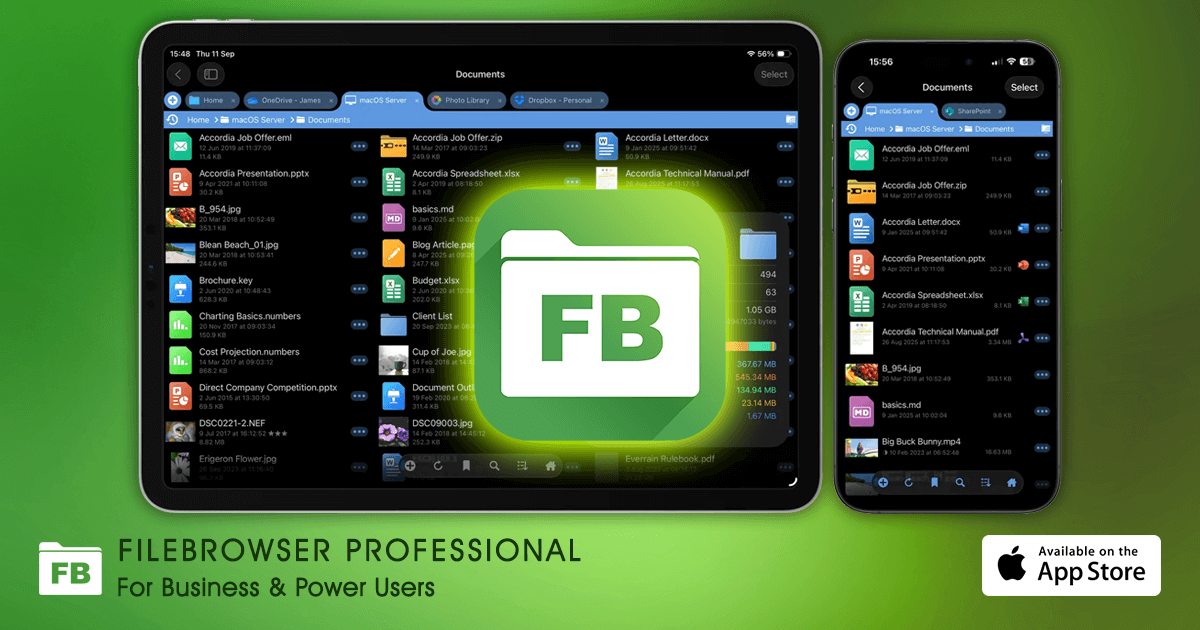
This app pretty much solves the file system access / use problem.

 
iPads file system isn't perfect, but it's good enough to be usable. Androids file system is still better and I hope Apple can catch up soon.
Would love to get a foldable Bluetooth keyboard. The ones I tried years ago were crap. Very difficult to make a high quality foldable Bluetooth keyboard.
I don’t have a foldable keyboard, but I’ve heard ProtoArc is a good option. 👍🏻. I don’t know how it stacks up against the Magic Keyboard, but I’ve seen a number of reviewers from sources like 9to5Mac recommend it. 👍🏻
 
I don’t have a foldable keyboard, but I’ve heard ProtoArc is a good option. 👍🏻. I don’t know how it stacks up against the Magic Keyboard, but I’ve seen a number of reviewers from sources like 9to5Mac recommend it. 👍🏻
It seems like there are a lot of manufacturers making foldable keyboards that look quite similar. I use a Nillkin myself which adds a small trackpad area. It feels pretty good to type on, but you need a hard surface to set it on. If you try to use it on your lap the folding is kind of obnoxious as it doesn't lock open.
 
  • Like
Reactions: Kal Madda
Register on MacRumors! This sidebar will go away, and you'll see fewer ads.