Become a MacRumors Supporter for $50/year with no ads, ability to filter front page stories, and private forums.
Well, not quite. As far as I can tell, a standard square mount will NOT fit, unless you add some spacers for the screws somehow and get longer screws.

I don't know if those spacers and longer screws are typical or not, but I have the same black rings on the mount of my monitor arm.

Given that the images you posted of the table stand show those black rings that look exactly like the spacers I have, I'd suspect that the spacers are indeed typical if not standard. I'm pretty sure those spacers came with my monitor arm, but I got it 10 years ago so I can't say for sure.
 
Alright, since we're talking about VESA mounts, here’s a question for the group, any recommendations on the best way to VESA mount two of these?

My current desk setup consists of a 27” iMac (VESA version) on an Ergotron HX and an ASD (VESA) on an Ergotron LX. I sometimes put a cheap 27” 4K display on the desk too, but not often. The 4K is getting trashed. Good riddance. But I have an extra un-used Ergotron LX. My thought was to call Ergotron and buy the tall pole from the LX dual kit and just put the two LG's on that (since it costs $100 for the pole versus closer to $500 for the dual arm), but I could also just buy a tall pole Ergotron LX and put the arm from the regular on that and then have the ASD on one arm and the two LGs on the other and then figure out what to do with the iMac later (which will probably mean getting a stand for it and moving it to another room unless I can make space somehow or wall mount it, which might be a solution).

But what to do with my 5 year old iMac drama aside (really wish I could just get the guts into a smaller chassis and then use it connected to an external display when needed but access it headless over Remote Desktop or ssh otherwise), I'm not even sure the best way to try to arrange two displays of this size, or two and an ASD. I kind of like the idea of stacking them vertically, but I also worry about my neck if I’m not using the desk in standing mode.

For my initial setup, I might be forced to just use them on the stands in order to fulfill whatever obligations LG gives me in terms of posting — but I’m a VESA girl and greatly prefer the flexibility those offer. But I’ve never had an ultrawide (and I know these aren’t, but they also aren’t much narrower than some ultrawides, tho they are a bit taller) or tried to deal with two displays of this size. Two 27” displays (or 3 if in a pinch) is one thing, but 32” is a lot larger length and height.
 
I don't know if those spacers and longer screws are typical or not, but I have the same black rings on the mount of my monitor arm.

Given that the images you posted of the table stand show those black rings that look exactly like the spacers I have, I'd suspect that the spacers are indeed typical if not standard. I'm pretty sure those spacers came with my monitor arm, but I got it 10 years ago so I can't say for sure.
The few times I've used VESA mounts, they didn't come with those rings. I suspect they're mainly there to protect the surfaces. Anyhow, spacers would be easy to come by if needed.

It is not uncommon to get multiple lengths of screws with VESA mounts. I guess the depth isn't standard.
I've ordered that Chinese universal Pro Display XDR knockoff stand, because the LG stand is just too high for my tastes. Even at its lowest setting, the centre of the monitor attachment is at about 34 cm or so. (LG says it can move 60 mm, meaning that it can go as high as about 40 cm or so.)

That universal stand claims to go as low as 29 cm and as high as 41.5 cm. If I can get the monitor lower by an inch or two that would be great. Ideally it should be under 20", but right now the top is at 21.6" and I'm constantly looking up at the monitor. Not good for my neck and back.

H075764219f2a457abe3e30cf359b480ao.png He7fb4049ebb24f55a79d642fe60da61e7.png

Hopefully the stand fits. I don't know what screws it comes with it, but the screws that come with the LG 6K are 10 mm. However, it appears those standoffs add another 2 mm to accommodate that square mounting plate, and if the stand mounting plate is 4 mm thick aluminum then that would be a total of 16 mm needed.

Any word on availability of this in the UK yet?
TFT Central (which is based in the UK), has gotten theirs and has reviewed it already, last week. However, I don't see it on LG UK yet. Laptops Direct in the UK has it in their system, but says shipping is in 4 weeks.

Here in Canada, it was supposed to start shipping today, but I got mine last week for some reason.

 
LG told me I might not get my winning monitors from the Reddit contest until December because of limited stock availability, so I imagine December or late November might be when they roll out to other markets.
 
  • Wow
  • Like
Reactions: Pezimak and EugW
LG told me I might not get my winning monitors from the Reddit contest until December because of limited stock availability, so I imagine December or late November might be when they roll out to other markets.
Sorry to hear about the delay, but hey, it's two free 6K monitors! :)

I wonder how well these are selling. Are they selling fast? Or are they still selling in relatively low volumes but LG still underestimated demand. All I know is that here in Canada Best Buy online had 17 units available for backorder for weeks, and that 17 number didn't budge at all until launch day. But then again, it didn't really make sense to pre-order from Best Buy because LG had a great promotion going on so perhaps everyone bought from LG instead.
 
I wonder how well these are selling. Are they selling fast? Or are they still selling in relatively low volumes but LG still underestimated demand.

This is a pure guess on my part, but I don’t think that this isn’t the sort of product they’d expect huge volumes on (hence the splash on Reddit trying to get people to try it out/drive awareness) but that it is probably the sort of thing they need to ramp up production on, again, because this isn’t a common panel type or size that is used across dozens (or more) TVs or monitors. So I don’t know if we can infer anything about demand one way or another.

It’s an interesting product area and I’m glad we have more options and that those options are available more broadly, but it’s still a niche within a niche (higher price point, higher resolution).
 
  • Like
Reactions: drrich2
Am I the only one have issues with both `LG Calibration Studio` and `LG Screen Manger` that unable to detect this monitor. I am sure latest version installed.

1762397419322.png

1762397425894.png
 
Am I the only one have issues with both `LG Calibration Studio` and `LG Screen Manger` that unable to detect this monitor. I am sure latest version installed.
I didn't try LG Screen Manager, but LG Calibration Studio is what I used to create the Mac-appropriate Display P3 custom colour calibration preset on the monitor, under "Calibration 1".

Screenshot 2025-10-30 at 8.57.23 PM.png

IMG_0637.jpeg
 
  • Like
Reactions: oKUtItyp
The few times I've used VESA mounts, they didn't come with those rings. I suspect they're mainly there to protect the surfaces. Anyhow, spacers would be easy to come by if needed.


I've ordered that Chinese universal Pro Display XDR knockoff stand, because the LG stand is just too high for my tastes. Even at its lowest setting, the centre of the monitor attachment is at about 34 cm or so. (LG says it can move 60 mm, meaning that it can go as high as about 40 cm or so.)

That universal stand claims to go as low as 29 cm and as high as 41.5 cm. If I can get the monitor lower by an inch or two that would be great. Ideally it should be under 20", but right now the top is at 21.6" and I'm constantly looking up at the monitor. Not good for my neck and back.

View attachment 2575831 View attachment 2575833

Hopefully the stand fits. I don't know what screws it comes with it, but the screws that come with the LG 6K are 10 mm. However, it appears those standoffs add another 2 mm to accommodate that square mounting plate, and if the stand mounting plate is 4 mm thick aluminum then that would be a total of 16 mm needed.


TFT Central (which is based in the UK), has gotten theirs and has reviewed it already, last week. However, I don't see it on LG UK yet. Laptops Direct in the UK has it in their system, but says shipping is in 4 weeks.

Here in Canada, it was supposed to start shipping today, but I got mine last week for some reason.

I also saw this stand - and considered buying one for my Studio display (should fit, because I have an ASD with VESA mount). Could you please report back once it arrived? I´m interested in durability/stability and functionality. Thanks!
 
I also saw this stand - and considered buying one for my Studio display (should fit, because I have an ASD with VESA mount). Could you please report back once it arrived? I´m interested in durability/stability and functionality. Thanks!
I definitely will do. I hope to get it next week, as it’s currently on a plane to Canada. Looking at the ASD VESA mount it looks like just a standard 100 mm setup, and the ASD with VESA mount weighs 5.5 kg (less than the LG 6K) so it should work with this stand. (I’ve seen different specs saying the stand will support up to 6 kg or 7 kg, but either way that’s fine for the ASD.)

P.S. I couldn’t find it on Amazon.ca or at any local retailer, so I ordered it from Alibaba. It seems I got lucky with the purchase timing, as I ordered it for ~US$64 plus ~$36 Premium Alibaba Logistics shipping, minus a $20 rebate, so total US$80 + a couple of bux extra for a processing fee. I see it’s now ~$73 + ~$61 Premium shipping, plus processing fee, so that’s almost US$140. That’s quite the price increase! Note though that that Premium shipping is still DAP shipping, where the buyer is responsible for customs charges. Hopefully I don’t get hit too hard with brokerage fees etc. next week.

I didn’t ask the seller at Alibaba about DDP shipping (with no extra fees upon receipt of the item). I believe DDP shipping may be available through AliExpress, and hopefully the pricing is reasonable. From where were you planning on buying it?

EDIT:

On AliExpress the same seller has it for US$181 with free shipping to Canada, and AliExpress discount of US$20, so $161 total. However, they don’t specify the terms of the shipping.
 
Last edited:
I definitely will do. I hope to get it next week, as it’s currently on a plane to Canada. Looking at the ASD VESA mount it looks like just a standard 100 mm setup, and the ASD with VESA mount weighs 5.5 kg (less than the LG 6K) so it should work with this stand. (I’ve seen different specs saying the stand will support up to 6 kg or 7 kg, but either way that’s fine for the ASD.)

P.S. I couldn’t find it on Amazon.ca or at any local retailer, so I ordered it from Alibaba. It seems I got lucky with the purchase timing, as I ordered it for ~US$64 plus ~$36 Premium Alibaba Logistics shipping, minus a $20 rebate, so total US$80 + a couple of bux extra for a processing fee. I see it’s now ~$73 + ~$61 Premium shipping, plus processing fee, so that’s almost US$140. That’s quite the price increase! Note though that that Premium shipping is still DAP shipping, where the buyer is responsible for customs charges. Hopefully I don’t get hit too hard with brokerage fees etc. next week.

I didn’t ask the seller at Alibaba about DDP shipping (with no extra fees upon receipt of the item). I believe DDP shipping may be available through AliExpress, and hopefully the pricing is reasonable. From where were you planning on buying it?

EDIT:

On AliExpress the same seller has it for US$181 with free shipping to Canada, and AliExpress discount of US$20, so $161 total. However, they don’t specify the terms of the shipping.
Thanks a lot for this information! Please keep me updated on this. I also looked at Alibaba and found this stand. However, I could not figure out the max weight of a monitor it can handle.
 

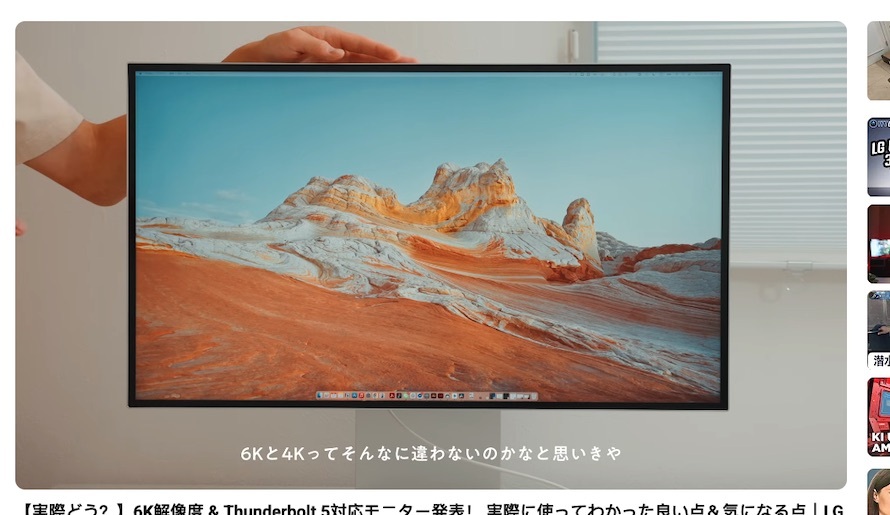
I watched this 8 minute video, so you don't have to. This claims to be a review, but it really isn't. It's basically an unboxing and then the guy talking about how about the Pro Display XDR costs too much. 🤪
 
As an Amazon Associate, MacRumors earns a commission from qualifying purchases made through links in this post.
  • Like
Reactions: ascender
Frank at Amazon agrees with me.

Frank at Amazon said:
I bought this pre-release from LG and returned it immediately. Nice monitor but the stand will not allow you to adjust it downward. I'm 5'10" sitting on a good-quality desk chair and I have to look up about 20 degrees to read the menu bar at the top of the screen. Even the center of the screen is too high. I measured my old LG 27" Ultrafine: 11.75 inches to the center of the screen. That's not bad. This monitor is a full 2 inches higher, which doesn't sound like much until you sit there for a few minutes. The top of the screen is 3 inches higher than that of my old monitor. Measure your old monitor and raise it up with some blocks or books and see how you like it. It is possible you could buy a different stand and make it work, but nothing I found online lists the minimum height.

However, my solution is to get a new stand, not to return the monitor, because I like it otherwise.

At the lowest setting this monitor's stand mount centre is at about 34.5 cm, and the monitor is taller than the Apple Pro Display XDR. Interestingly though, I've been looking around and most fixed height stands aren't much lower, which would work well for smaller displays, but is still fairly tall when paired with this display.

The stand I ordered claims to go as low as 29 cm. We shall see.
 
Last edited:
As an Amazon Associate, MacRumors earns a commission from qualifying purchases made through links in this post.
@EugW did you see there is a firmware update for Studio mode for better Mac color calibration?
It turns out you were right. There was a firmware update there. They don't supply the firmware update bin files separately for manual firmware updates, and they don't supply a standalone firmware updater. It's built into the LG Switch software, which unfortunately is a bloated mess and which wants to take over the computer with background processes.

Screenshot 2025-11-08 at 9.54.56 PM.png

Anyhow, I installed the LG Switch app on my M4 Mac mini and proceeded to do the update. It failed three times in a row. The problem is that the bin file is located in a mounted disc image, but halfway through the bin upload, the disc image would dismount and interrupt the firmware upload.

Screenshot 2025-11-08 at 10.07.42 PM.png

Finally I gave up and plugged in my 2017 12" Core m3 MacBook running Ventura. The firmware update then was successful.

Screenshot 2025-11-08 at 10.37.37 PM.png

Screenshot 2025-11-08 at 10.40.38 PM.png

IMG_0662.jpeg

It adds Studio 1, Studio 2, Studio 3 presets, which are now mentioned in the manual. However, it doesn't actually explain what they are, except that they are for laptops.

IMG_0665.jpeg

Unfortunately with the firmware update, my hardware calibration profile under Calibration 1 was deleted. The listing is still there, but it didn't contain a profile after the firmware update. I had to recalibrate the monitor again in LG Calibration Studio in order to repopulate that Calibration 1 preset (until I figure out what Studios 1-3 do).

IMG_0667.jpeg

My new calibration results are nearly identical to the last time. Overall excellent, with 22 of 24 colours excellent and 2 of 24 good.

Screenshot 2025-11-09 at 12.35.13 AM.png

Screenshot 2025-11-09 at 12.36.21 AM.png


I installed this weeks ago after I noticed this `firmware upgrade` banner. But nothing so far, the OnScreen software can't even detect my monitor, while it detect LG 27 5k correctly.
What macOS version are you running? I don't think the old version of the software works with Tahoe. It was working before Tahoe but it also failed to detect my monitor after I upgraded the machine to Tahoe. However, then I installed the November 3 software update for LG Calibration Studio, and now it works. As for LG Switch, this is the first time I installed it so I can't comment on the old version of the app.
 
Last edited:
He doesn’t think much of it in that review, thinks it is overpriced and not worth buying over the Asus which is far enough.
I wouldn't have bought it at full retail price either. However, in many other countries outside the US, there were significant launch discounts for pre-orders. In parts of Europe, there was a €250 discount. Here in Canada, with the promotions for pre-orders and signing up to LG's website, the effective pre-tax pricing was CA$2384.50, or US$1697.67 at current exchange rates.

300 discount 1.png

Welcome coupon 2.png

The Asus ProArt is CA$1999.99 here, which is US$1423.92. That's only CA$384.51 / US$273.75 cheaper.

The pre-order promotion is over, but the $50 welcome coupon is still valid, and there are also ongoing discounts for some:

Screenshot 2025-11-09 at 8.40.41 AM.png
 
  • Like
Reactions: Pezimak
I am very interested in buying the LG monitor as soon as it is available for sale, to connect it to my MacBook Air M4. However, I have some questions about it, as I am not familiar with monitors and have difficulty understanding the concepts of resolution, Retina, and PPI. o_O I've noticed in various YouTube videos that the resolution is often set quite high, making the dock appear quite small. For me, it's already very small, as I see it in the YouTube videos:

oq53xlk5.jpg


Is it possible to set the resolution higher on a connected MacBook Air M4, so that the dock and text are much larger without the image becoming blurry? Or should I look for a monitor with a smaller resolution that better meets my needs? In an Apple Store, for example, I looked at an iMac M4. The standard resolution is perfect for my eyes. Can I set this resolution on the LG monitor?
 
I am very interested in buying the LG monitor as soon as it is available for sale, to connect it to my MacBook Air M4. However, I have some questions about it, as I am not familiar with monitors and have difficulty understanding the concepts of resolution, Retina, and PPI. o_O I've noticed in various YouTube videos that the resolution is often set quite high, making the dock appear quite small. For me, it's already very small, as I see it in the YouTube videos:

oq53xlk5.jpg


Is it possible to set the resolution higher on a connected MacBook Air M4, so that the dock and text are much larger without the image becoming blurry? Or should I look for a monitor with a smaller resolution that better meets my needs? In an Apple Store, for example, I looked at an iMac M4. The standard resolution is perfect for my eyes. Can I set this resolution on the LG monitor?
You can vary dock size in the dock settings, so the dock size is meaningless.

Your MacBook Air has EXACTLY the same pixel density as the LG 6K monitor at 224 ppi. However, the default setting on the MacBook Air is not the usual 2X scaled, as it is set to 1440x936, which is 1.78:1 scaled. That makes the text and screen elements kinda small, but that's OK since it's a laptop, and typically people look at laptop screens closer than they do for desktop monitors.

The LG 6K by default is set to 2X scaling, which would be 3072x1728. At that setting the text and screen elements on the LG 6K will be BIGGER by default than they are on the M4 MacBook Air.

If you want to increase the text size on the M4 MacBook Air to match, you can set it to 1280x832. However, if you do that, you lose usable screen real estate on your MacBook Air.

EDIT:

Minor correction. I was assuming you have the 13.6" MacBook Air, and it seems they changed the MacBook Air defaults. On our 13.6" M4 MacBook Air it's actually 1470x956 which is 1.74:1 scaling from the native 2560x1664. Everything else is correct though. And look at how small I can make the dock look on this M4 MacBook Air with the default screen resolution setting.

Screenshot 2025-11-09 at 1.21.14 PM.png


P.S. Welcome to MacRumors! :)
 
Last edited:
The YouTube algorithm just showed me this! I think he makes a lot of valid points in regards to price, at least when compared to the Asus (I think the import-only nature of the Kuycon makes that a much different gamble, especially when the price difference is about $120 after shipping — granted the Kuycon doesn’t appear to charge sales tax, which where I live adds a cool 10.55% to all purchases, as much as I love the glossy screen and design of the Kuycon), but I take issue with the complaints about 120hz.

Yes, with DSC, I think TB5 could deliver the higher refresh rate, but I don’t know how many computers could realistically drive that sort of refresh rate (TB5 isn’t even the standard across all in-market Macs).

For me, what would’ve been nice would be if there was a dual mode, to go to 120hz at 4K, so that if you did want to use it as gaming monitor as well, you could. I have no idea how that would impact the price, as the current dual-mode displays I think are largely OLED (and I don’t know if panel type makes a difference in how the technology works to have separate refresh rates at different resolutions) and seem a bit more expensive than the single mode displays.

But let’s just assume a 50% premium for dual mode display — I think some of us would very much consider paying that premium, but far more people would say “I’ll just buy a nicer display/TV for gaming” — so I understand why for a niche product, LG (and everyone else in this space) is probably not chasing the high-refresh crowd, as much as I wish they would.

Maybe in a few years, we can have dual-mode 8K displays that can run in a high refresh at 4K or lower and still give us HiDPI at 8K.
 
Register on MacRumors! This sidebar will go away, and you'll see fewer ads.