

Got a tip for us?
Let us know
Become a MacRumors Supporter for $50/year with no ads, ability to filter front page stories, and private forums.
macOS 27: All The Little Things
- Thread starter KoolAid-Drink
- WikiPost WikiPost
- Start date
- Sort by reaction score
You are using an out of date browser. It may not display this or other websites correctly.
You should upgrade or use an alternative browser.
You should upgrade or use an alternative browser.
- Status
- The first post of this thread is a WikiPost and can be edited by anyone with the appropiate permissions. Your edits will be public.

antmit
macrumors regular

VMukhtarov
macrumors regular
I wonder if macOS and iOS share the same new CPU scheduler? Can't find any info about speed improvements on Mac

DankeBrutus
macrumors regular
This all sounds good but oof...still no writing in markdown sucks. I'll just keep using Obsidian I guess.Notes
Probably one of the strongest Mac-specific sections:
Markdown support alone will make a lot of Mac power users happy, even if we still can't WRITE markdown.
- Copy and paste as Markdown
- Section links
- Divider lines
- Improved PDF reading and editing
- Better handwriting support
- Drawing improvements
- Faster PDF saving
When the public iPadOS 27 beta rolls around I'll have to see if the "better handwriting support" is enough to make me stop using Goodnotes.
VMukhtarov
macrumors regular
Here are all improvements I extracted from WWDC keynote:
• Access requests for items shared via iCloud
• Add keyboards for languages including Afrikaans, Basque, Baybayin, English (Philippines), Galician, Guarani, Luxembourgish, Xhosa, and Zulu
• Add keywords to photos and videos in Photos
• Additional participant permissions in Shared Albums
• AirPods Custom EQ
• Album organization improvements in Photos
• All options displayed in Camera settings
• Alternate calendars for India support current time zone while traveling
• App names in iPad status bar
• App resizing in iPhone Mirroring
• AppleCare coverage details in Settings in tvOS
• Audio MiniPlayer in CarPlay
• Audio scrubbing in CarPlay Now Playing
• Audio web no longer interrupts system audio
• Automatic punctuation when typing on multilingual keyboards
• Autosize and reset columns
• Better efficiency on Apple Watch
• Better network file browsing
• Call Recording transcriptions support for Traditional Chinese, Japanese, and Brazilian Portuguese
• Camera uses less power in Low Power Mode
• Chāizì typing
• Choose a specific pet in Photo Shuffle
• Collaborative Folders in Freeform
• Colorful sidebar icons
• Conolidated Find My app in watchOS
• Consistent corner radii
• Consolidated notifications for multiple Tapbacks in Messages
• Content-based recipient suggestions for sharing photos and links
• Continuous sending of photos, videos, and texts in Messages
• Control Center access in iPhone Mirroring
• Copy and paste as Markdown in Notes
• Customize Liquid Glass
• Customize slideshows in Photos
• Dark Mode adaptive canvas in Freeform
• Divider lines in Notes
• Drawing app in Messages
• Drawing in Freeform in macOS
• Drawing in Notes in macOS
• DRM video support in iPhone Mirroring
• Dual camera in FaceTime
• Dynamic app grid in watchOS
• Easier access to recovery codes for Apple Accounts
• Easier access to shared content on iCloud.com
• Easier card selection and payment management with Apple Pay
• Easier navigation and reading of PDFs using VoiceOver
• Easier to invite others in Shared Albums
• Easier to save photos from Shared Albums
• Edge-to-edge sidebars
• Else if support in Shortcuts
• Enhanced Flyover in Maps
• Enhanced power efficiency for Safari in iOS and macOS
• Ethernet status in menu bar in macOS
• Expanded Get What's On Screen capabilities in Shortcuts
• Expanded language support for autocategorization in Reminders
• Expanded touch support in Sidecar
• Expire your Shared Albums
• Extra-large widget option in visionOS
• Extra-large widgets in iOS
• Extra-large widgets in Today view in iPadOS
• FaceTime Live Captions for Traditional Chinese
• Failed messages automatically retry sending
• Faster access to shared content on iCloud.com
• Faster AirDrop recipient discovery
• Faster AirDrop transfers
• Faster AirPlay connections to Apple TV and HomePod
• Faster app launch in watchOS
• Faster app launches
• Faster Apple Music playback start
• Faster board previews in Freeform
• Faster boot and connect to Wi-Fi in visionOS
• Faster browsing and transfers in Files in iPadOS
• Faster Camera launch in Low Power Mode
• Faster entry and exit from Assistive Access and Guided Access modes
• Faster HomeKit accessory pairing
• Faster loading of emoji and sticker keyboards
• Faster loading of new captures in Photos
• Faster Lock Screen switching
• Faster locking and unlocking on iPhone
• Faster menu bar access in iPadOS
• Faster multilingual text processing for handwriting in multiple languages
• Faster Now Playing view loading in Music
• Faster PDF saving
• Faster Rapid Return to Service
• Faster rendering of Collections tab in Photos
• Faster shortcuts and actions indexing in Spotlight
• Faster smart home accessory updates
• Faster start page content loading in Safari
• Faster text recognition in photos and documents
• Faster to add recent camera captures in Messages
• Faster to open full-screen view from Photos widget
• Faster to start uploading to iCloud Photos
• Faster user account creation in macOS
• Faster Voice Control response in iOS
• Faster window closing in iPadOS
• Faster window switching in iPadOS
• Faster workout start in the Workout app
• Filter photos and videos in Shared Albums
• Find My UI enhancements
• Find offloaded media in Messages
• Fitness+ workouts for perimenopause and menopause
• Full-resolution photos and videos in iCloud Shared Albums
• Group conversation support in Shortcuts
• Guest key in watchOS
• Guides in Maps available in more places
• GymKit on iPhone and AirPods Pro 3
• HDR for macOS system UI
• Holiday-aware alarms in China
• iCloud sync status for Journal entries
• Identity Documents collection in Photos
• Improved battery insights
• Improved connectivity for Thread home accessories
• Improved Control Center in visionOS
• Improved conversion from phonetic scripts like Pinyin and Kana when typing in Simplified Chinese and Japanese
• Improved distance accuracy during treadmill workouts
• Improved FaceTime quality on poor connections
• Improved game controller settings
• Improved handling of JavaScript in Safari
• Improved HomeKit camera storage
• Improved navigation heading and accuracy in CarPlay
• Improved navigation in Game Overlay
• Improved performance in Apple News
• Improved RDMA over Thunderbolt
• Improved reliability of Apple Music streaming
• Improved Top Results in Mail
• Improved unread badge accuracy in Mail
• Improved Wi-Fi connectivity in watchOS
• Improved wireless CarPlay reliability
• Increased attachment limits in Journal
• Independent alarm volume
• Larger text sizes in tvOS
• Live Activities in Dynamic Island in landscape
• Live Activity for Precision Finding with Friends
• Live Voicemail transcription for English (Singapore) and Japanese
• Lock Screen consistently stays awake while scrolling notifications
• Look and tap to view and respond to notifications in visionOS
• Maps Parked Car widget in Smart Stack
• Modify multiple Calendar events
• More accurate route maps in the Fitness app after workouts
• More accurate step tracking on Apple Watch
• More consistent window positioning persistence across external displays
• More document formats in Preview
• More easily accessible share link for iCloud collaboration
• More efficient emergency alert monitoring
• More efficient water detection on Apple Watch
• More flexible sharing options in Find My
• More high-resolution and high-refresh-rate display modes for external displays
• More intuitive journaling streaks
• More more accurate data and insights in the Health app
• More Multi-language grammar checking
• More non-technical calendars supported (e.g., Lunar, Hebrew, Islamic)
• More relevant Spotlight search suggestions
• More reliable HomeKit camera storage
• More reliable right-to-left text editing in Freeform
• More reliable search indexing in Mail
• More responsive Control Center in tvOS
• More seamless transitions between Wi-Fi and cellular networks
• More visible active windows
• More Visited Places in Maps
• Multilingual grammar checking
• Multiple tab views in Safari in visionOS
• Natural language search for routing in Maps
• Natural language time formats for Chinese and Hindi
• New AutoMix transitions
• New keyboard layout for Slovenian and Estonian
• New keyboards for Indigenous languages, including Blackfoot, Comanche, Cree, Kiowa, and Tsuut'ina
• New keyboards for languages including Afrikaans, Basque, Baybayin, English (Philippines), Galician, Guarani, Luxembourgish, Xhosa, and Zulu
• New Smart Stack suggestions in watchOS
• New UI language for English (Canada) and English (Philippines)
• New windows with curvature in visionOS
• News+ audio support in iPadOS
• Offline Maps update improvements
• Onscreen context for more relevant typing suggestions for Chinese and Japanese
• Optimized CPU scheduler
• Option to include photos of yourself in Photo Shuffle
• Option to prioritize syncing to iCloud Photos
• Option-click to secondary sort
• Optional persistent menu bar on iPad
• Pairing and handoff improvements for MFi hearing devices
• Participate in iCloud Shared Albums from Android and Windows
• Password help accessible from the Lock Screen
• Perimenopause and menopause education in the Health app
• Perimenopause and menopause support in the Health app
• Perimenopause and menopause symptom logging in the Health app
• Proactive car key setup
• Punctuation suggestions as you type in Chinese
• Quick Start with a recovery contact
• QuickPath and typing suggestions for Vietnamese VNI keyboard
• React with any emoji in Shared Albums
• Real-time updates for widgets when app is open
• Redesigned Podcasts app for tvOS
• Redesigned Settings in the Apple Watch app
• Redesigned Shortcuts editor
• Refreshed album pages in Apple Music
• Refreshed artist pages in Apple Music
• Richer iCloud collaboration link previews
• Save a video frame as a photo
• Save any slideshow as a video in Photos
• Screenshot and notification automations in Shortcuts
• Scribble support for Hindi and Marathi with Apple Pencil
• Search for conversations in Messages by phone number or a contact's name
• Search for photos and videos using additional metadata
• Search returns more pleasing photos of people and pets in Photos
• Search within shows in Podcasts
• Section links in Notes
• Show Borders for macOS accessibility
• Smart downloads on Apple TV
• Smart language and keyboard configuration suggestions
• Smoother animations and app launches in tvOS
• Smoother animations and graphics in Safari
• Smoother animations in Mission Control and Spaces
• Smoother animations in News and Stocks articles
• Smoother camera switching when zooming in video
• Smoother Freeform board performance
• Smoother navigation in Control Center and Control Gallery
• Smoother paging between Home Screen pages
• Smoother scrolling in App Library
• Smoother scrolling in Safari in macOS
• Smoother scrolling in the widget gallery
• Smoother start page resizing in Safari
• Smoother unlocking on iPhone
• Sort by completed Fitness+ workouts
• Spatial scene support for panoramas in visionOS
• Streamlined Assistive Access setup
• Streamlined setup for Touch Accommodations in iOS and iPadOS
• Support for 4K camera recordings in the Home app
• Support for Mac mirroring in 5K resolution
• Support for media sharing from third-party apps
• Support for time changes in Sleep
• Swipe down to refresh in macOS
• Switch between two iPhone devices with the same phone number
• Synced step count in the Health and Fitness apps
• Tap gesture on Apple Watch
• Thumbnails displayed for offloaded media in Messages
• Time stamps for Journal entries
• Transit cards and IDs in Smart Stack in watchOS
• Undo and redo Home Screen edits in iPadOS
• Uniform toolbars
• Updated app icons
• Updated hourly and 10-day views in Weather
• Updated Liquid Glass
• Updated menu bar icons
• Updated video podcasts experience in macOS
• Use your panoramas for Environments in visionOS
• View card balance in Wallet in watchOS
• View selection in Photos
• View streams from compatible cameras simultaneously in the Home app
• Visited Places in Maps available in more markets
• Wallet Order Tracking in Australia and Canada
• Web application performance in Safari
• Web audio no longer interrupts system audio
• Widget for Mac Virtual Display in visionOS
• Access requests for items shared via iCloud
• Add keyboards for languages including Afrikaans, Basque, Baybayin, English (Philippines), Galician, Guarani, Luxembourgish, Xhosa, and Zulu
• Add keywords to photos and videos in Photos
• Additional participant permissions in Shared Albums
• AirPods Custom EQ
• Album organization improvements in Photos
• All options displayed in Camera settings
• Alternate calendars for India support current time zone while traveling
• App names in iPad status bar
• App resizing in iPhone Mirroring
• AppleCare coverage details in Settings in tvOS
• Audio MiniPlayer in CarPlay
• Audio scrubbing in CarPlay Now Playing
• Audio web no longer interrupts system audio
• Automatic punctuation when typing on multilingual keyboards
• Autosize and reset columns
• Better efficiency on Apple Watch
• Better network file browsing
• Call Recording transcriptions support for Traditional Chinese, Japanese, and Brazilian Portuguese
• Camera uses less power in Low Power Mode
• Chāizì typing
• Choose a specific pet in Photo Shuffle
• Collaborative Folders in Freeform
• Colorful sidebar icons
• Conolidated Find My app in watchOS
• Consistent corner radii
• Consolidated notifications for multiple Tapbacks in Messages
• Content-based recipient suggestions for sharing photos and links
• Continuous sending of photos, videos, and texts in Messages
• Control Center access in iPhone Mirroring
• Copy and paste as Markdown in Notes
• Customize Liquid Glass
• Customize slideshows in Photos
• Dark Mode adaptive canvas in Freeform
• Divider lines in Notes
• Drawing app in Messages
• Drawing in Freeform in macOS
• Drawing in Notes in macOS
• DRM video support in iPhone Mirroring
• Dual camera in FaceTime
• Dynamic app grid in watchOS
• Easier access to recovery codes for Apple Accounts
• Easier access to shared content on iCloud.com
• Easier card selection and payment management with Apple Pay
• Easier navigation and reading of PDFs using VoiceOver
• Easier to invite others in Shared Albums
• Easier to save photos from Shared Albums
• Edge-to-edge sidebars
• Else if support in Shortcuts
• Enhanced Flyover in Maps
• Enhanced power efficiency for Safari in iOS and macOS
• Ethernet status in menu bar in macOS
• Expanded Get What's On Screen capabilities in Shortcuts
• Expanded language support for autocategorization in Reminders
• Expanded touch support in Sidecar
• Expire your Shared Albums
• Extra-large widget option in visionOS
• Extra-large widgets in iOS
• Extra-large widgets in Today view in iPadOS
• FaceTime Live Captions for Traditional Chinese
• Failed messages automatically retry sending
• Faster access to shared content on iCloud.com
• Faster AirDrop recipient discovery
• Faster AirDrop transfers
• Faster AirPlay connections to Apple TV and HomePod
• Faster app launch in watchOS
• Faster app launches
• Faster Apple Music playback start
• Faster board previews in Freeform
• Faster boot and connect to Wi-Fi in visionOS
• Faster browsing and transfers in Files in iPadOS
• Faster Camera launch in Low Power Mode
• Faster entry and exit from Assistive Access and Guided Access modes
• Faster HomeKit accessory pairing
• Faster loading of emoji and sticker keyboards
• Faster loading of new captures in Photos
• Faster Lock Screen switching
• Faster locking and unlocking on iPhone
• Faster menu bar access in iPadOS
• Faster multilingual text processing for handwriting in multiple languages
• Faster Now Playing view loading in Music
• Faster PDF saving
• Faster Rapid Return to Service
• Faster rendering of Collections tab in Photos
• Faster shortcuts and actions indexing in Spotlight
• Faster smart home accessory updates
• Faster start page content loading in Safari
• Faster text recognition in photos and documents
• Faster to add recent camera captures in Messages
• Faster to open full-screen view from Photos widget
• Faster to start uploading to iCloud Photos
• Faster user account creation in macOS
• Faster Voice Control response in iOS
• Faster window closing in iPadOS
• Faster window switching in iPadOS
• Faster workout start in the Workout app
• Filter photos and videos in Shared Albums
• Find My UI enhancements
• Find offloaded media in Messages
• Fitness+ workouts for perimenopause and menopause
• Full-resolution photos and videos in iCloud Shared Albums
• Group conversation support in Shortcuts
• Guest key in watchOS
• Guides in Maps available in more places
• GymKit on iPhone and AirPods Pro 3
• HDR for macOS system UI
• Holiday-aware alarms in China
• iCloud sync status for Journal entries
• Identity Documents collection in Photos
• Improved battery insights
• Improved connectivity for Thread home accessories
• Improved Control Center in visionOS
• Improved conversion from phonetic scripts like Pinyin and Kana when typing in Simplified Chinese and Japanese
• Improved distance accuracy during treadmill workouts
• Improved FaceTime quality on poor connections
• Improved game controller settings
• Improved handling of JavaScript in Safari
• Improved HomeKit camera storage
• Improved navigation heading and accuracy in CarPlay
• Improved navigation in Game Overlay
• Improved performance in Apple News
• Improved RDMA over Thunderbolt
• Improved reliability of Apple Music streaming
• Improved Top Results in Mail
• Improved unread badge accuracy in Mail
• Improved Wi-Fi connectivity in watchOS
• Improved wireless CarPlay reliability
• Increased attachment limits in Journal
• Independent alarm volume
• Larger text sizes in tvOS
• Live Activities in Dynamic Island in landscape
• Live Activity for Precision Finding with Friends
• Live Voicemail transcription for English (Singapore) and Japanese
• Lock Screen consistently stays awake while scrolling notifications
• Look and tap to view and respond to notifications in visionOS
• Maps Parked Car widget in Smart Stack
• Modify multiple Calendar events
• More accurate route maps in the Fitness app after workouts
• More accurate step tracking on Apple Watch
• More consistent window positioning persistence across external displays
• More document formats in Preview
• More easily accessible share link for iCloud collaboration
• More efficient emergency alert monitoring
• More efficient water detection on Apple Watch
• More flexible sharing options in Find My
• More high-resolution and high-refresh-rate display modes for external displays
• More intuitive journaling streaks
• More more accurate data and insights in the Health app
• More Multi-language grammar checking
• More non-technical calendars supported (e.g., Lunar, Hebrew, Islamic)
• More relevant Spotlight search suggestions
• More reliable HomeKit camera storage
• More reliable right-to-left text editing in Freeform
• More reliable search indexing in Mail
• More responsive Control Center in tvOS
• More seamless transitions between Wi-Fi and cellular networks
• More visible active windows
• More Visited Places in Maps
• Multilingual grammar checking
• Multiple tab views in Safari in visionOS
• Natural language search for routing in Maps
• Natural language time formats for Chinese and Hindi
• New AutoMix transitions
• New keyboard layout for Slovenian and Estonian
• New keyboards for Indigenous languages, including Blackfoot, Comanche, Cree, Kiowa, and Tsuut'ina
• New keyboards for languages including Afrikaans, Basque, Baybayin, English (Philippines), Galician, Guarani, Luxembourgish, Xhosa, and Zulu
• New Smart Stack suggestions in watchOS
• New UI language for English (Canada) and English (Philippines)
• New windows with curvature in visionOS
• News+ audio support in iPadOS
• Offline Maps update improvements
• Onscreen context for more relevant typing suggestions for Chinese and Japanese
• Optimized CPU scheduler
• Option to include photos of yourself in Photo Shuffle
• Option to prioritize syncing to iCloud Photos
• Option-click to secondary sort
• Optional persistent menu bar on iPad
• Pairing and handoff improvements for MFi hearing devices
• Participate in iCloud Shared Albums from Android and Windows
• Password help accessible from the Lock Screen
• Perimenopause and menopause education in the Health app
• Perimenopause and menopause support in the Health app
• Perimenopause and menopause symptom logging in the Health app
• Proactive car key setup
• Punctuation suggestions as you type in Chinese
• Quick Start with a recovery contact
• QuickPath and typing suggestions for Vietnamese VNI keyboard
• React with any emoji in Shared Albums
• Real-time updates for widgets when app is open
• Redesigned Podcasts app for tvOS
• Redesigned Settings in the Apple Watch app
• Redesigned Shortcuts editor
• Refreshed album pages in Apple Music
• Refreshed artist pages in Apple Music
• Richer iCloud collaboration link previews
• Save a video frame as a photo
• Save any slideshow as a video in Photos
• Screenshot and notification automations in Shortcuts
• Scribble support for Hindi and Marathi with Apple Pencil
• Search for conversations in Messages by phone number or a contact's name
• Search for photos and videos using additional metadata
• Search returns more pleasing photos of people and pets in Photos
• Search within shows in Podcasts
• Section links in Notes
• Show Borders for macOS accessibility
• Smart downloads on Apple TV
• Smart language and keyboard configuration suggestions
• Smoother animations and app launches in tvOS
• Smoother animations and graphics in Safari
• Smoother animations in Mission Control and Spaces
• Smoother animations in News and Stocks articles
• Smoother camera switching when zooming in video
• Smoother Freeform board performance
• Smoother navigation in Control Center and Control Gallery
• Smoother paging between Home Screen pages
• Smoother scrolling in App Library
• Smoother scrolling in Safari in macOS
• Smoother scrolling in the widget gallery
• Smoother start page resizing in Safari
• Smoother unlocking on iPhone
• Sort by completed Fitness+ workouts
• Spatial scene support for panoramas in visionOS
• Streamlined Assistive Access setup
• Streamlined setup for Touch Accommodations in iOS and iPadOS
• Support for 4K camera recordings in the Home app
• Support for Mac mirroring in 5K resolution
• Support for media sharing from third-party apps
• Support for time changes in Sleep
• Swipe down to refresh in macOS
• Switch between two iPhone devices with the same phone number
• Synced step count in the Health and Fitness apps
• Tap gesture on Apple Watch
• Thumbnails displayed for offloaded media in Messages
• Time stamps for Journal entries
• Transit cards and IDs in Smart Stack in watchOS
• Undo and redo Home Screen edits in iPadOS
• Uniform toolbars
• Updated app icons
• Updated hourly and 10-day views in Weather
• Updated Liquid Glass
• Updated menu bar icons
• Updated video podcasts experience in macOS
• Use your panoramas for Environments in visionOS
• View card balance in Wallet in watchOS
• View selection in Photos
• View streams from compatible cameras simultaneously in the Home app
• Visited Places in Maps available in more markets
• Wallet Order Tracking in Australia and Canada
• Web application performance in Safari
• Web audio no longer interrupts system audio
• Widget for Mac Virtual Display in visionOS


archvile
macrumors 6502a
Does macOS 27 have a Liquid Glass adjustment slider, akin to what they are adding in iOS 27?View attachment 2636464
Icons for every item has thankfully been removed. When everything is special, nothing is special. The icons were novel, but ultimately the visual noise just led to information overload.
This also illustrates how much worse the new dark mode liquid glass menus are. This is bound to change during betas.
VMukhtarov
macrumors regular
Little Angel
macrumors member
Seeing a strange issue with three fingers swipe up on trackpad to show missions control. On Tahoe used to clear desktop & show open windows at top. Now stays on open window & only shows names of open windows at top so need to move cursor to change window. Anyone else getting this. tried toggling three finger swipe up on & off to no avail. Bug or just the way it is now?

morbidkitten
macrumors newbie

tomtad
macrumors 68040
Finder, Files & Window Management
- More consistent window position persistence across external displays
- Faster browsing and transfers in Files
- Faster window switching
- More distinct active windows
- Show Borders accessibility feature
- Improved navigation between windows
- Improved external display support
- Faster browser performance
- More responsive app launches
- Better multi-window handling
What do these mean. Any examples?

dumiku
macrumors 6502
Gone,Are the sidebars still have a floating effect like this?
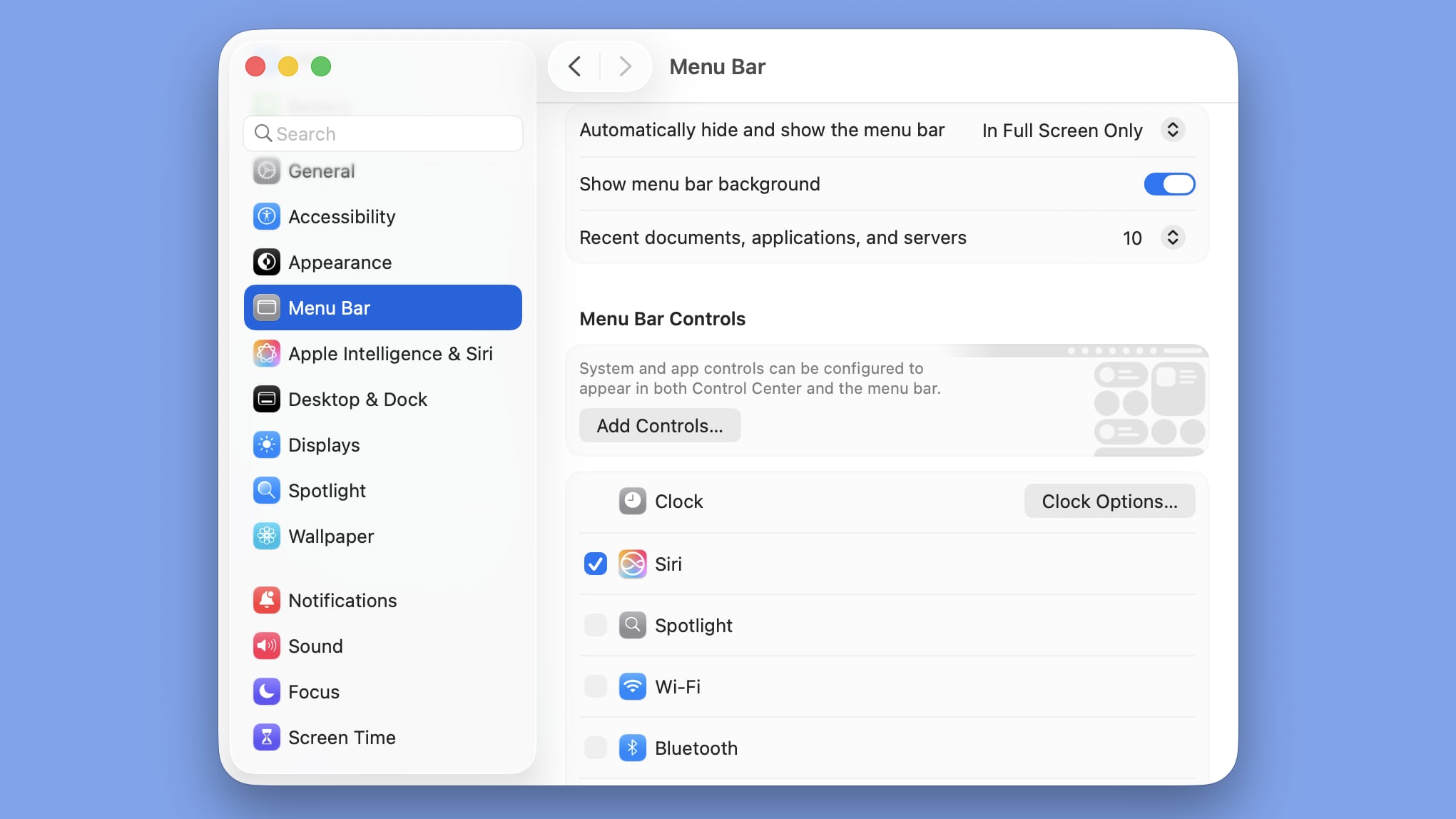
And how about the corner radius?
Using Full Liquid Glass

walterpaisley
macrumors 6502
Small thing I noticed - the wifi icon in the menubar matches whatever connection is primary. When I'm connected via Ethernet, it shows an ethernet icon.

tkermit
macrumors 68040
I like this:

 9to5mac.com
macOS 27 Golden Gate makes it clear when apps are sneakily running in background - 9to5Mac
Google Gemini for macOS was recently flagged for not being a very good app citizen on the Mac. Apple’s new...
9to5mac.com
I'd love it if someone could answer the following questions -
1. In Tahoe we couldn't hide applications from "Apps" (launchpad) even using spotlight privacy, can we now?
2. The "Apps" (launchpad) animation was always pretty janky, sometimes it would stutter and sometimes it wouldn't. How is it now?
3. The 4 finger pinch to bring up "Apps" (launchpad lol) was removed from the trackpad options but still worked, does it still work?
Thank you.
1. In Tahoe we couldn't hide applications from "Apps" (launchpad) even using spotlight privacy, can we now?
2. The "Apps" (launchpad) animation was always pretty janky, sometimes it would stutter and sometimes it wouldn't. How is it now?
3. The 4 finger pinch to bring up "Apps" (launchpad lol) was removed from the trackpad options but still worked, does it still work?
Thank you.

Jakimo
macrumors 6502a
Thaw (Ice alternative) doesn't seem to work on Beta 1.
However, there is a native alternative now: those left pointing arrows, when clicked, show the missing items to the left of the notch.
Disclaimer: That is not the actual notch, it doesn't show in screencaps, that's just an ugly black rectangle 🙂
View attachment 2636334
I noticed this too! I've always used Menubar managers, so I wasn't sure if this was in Tahoe or even before that. I think I can now get away with no Menubar management at this point, just takes me work - and no benefit of drop down with extras I may want to use at times
I've always wondered if I didn't use a Menubar management app - what happened to the menubar items that went into the notch?! They seemed to 'disappear' before..


Heindijs
macrumors 6502a
Did they at least fix this alignment on the Archive/Delete/Junk buttons?
..almost?

CrabQueenInc
macrumors 6502
I’d be much obliged if someone could open a large-resolution jpeg or tiff in Preview and see whether the image is framed by the new menubar or if the top of the image slides under it. Extra gold stars if someone is willing to open multiple images and see whether the sidebar frames the image or if the image slides under it.

conmee
macrumors 65816
Posted this in the Liquid Glass article, but probably more relevant here. I don’t care for the change to the App Store. When I click my name it no longer shows me a grid of all my apps. Instead I get a dialogue box and can choose apps, subscriptions, purchases, etc. But when I choose Apps it just gives me a list I have to scroll down. I preferred the previous presentation of a grid of apps (Updates still uses the grid format).
conmee
macrumors 65816
The Apps Launcher doesn’t do anything. When I click on it nothing happens. I’ve rebooted. Doesn’t run from the Applications folder either.

MeasterHD
macrumors regular
Let it be for a while. From the beginning it won’t open but eventually it will.The Apps Launcher doesn’t do anything. When I click on it nothing happens. I’ve rebooted. Doesn’t run from the Applications folder either.
coffeeplease
macrumors 6502a

coffeeplease
macrumors 6502a
Changing volume with AirPods shows black indicator around the volume menu bar item.
Edit: this was a bug switching from dark mode to light mode
Edit: this was a bug switching from dark mode to light mode
Attachments

Last edited:

Traverse
macrumors 604
Can anyone confirm whether you can now have stackable widgets on the desktop like in iOS?
CrabQueenInc
macrumors 6502
BasicAppleGuy posted a comparison of Tahoe and Golden Gate icons.
I haven’t liked most of Apple’s default icons after Mojave with the exception of the Finder icon in the Big Sur era. That version was pleasant.
The Finder icon in Tahoe exuded Apple’s contempt for macOS, as if it were beneath the company to put in the effort to fully develop the UI. Golden Gate undoes that damage with a pleasant rendition of the Finder icon.
As for the rest of the new icons, they generally seem improved, with clearer definition of lines and distinction between layers. I still don’t care much for their overall design and lack of detail, but the majority are a big step up from the Big Sur era and Tahoe.
I haven’t liked most of Apple’s default icons after Mojave with the exception of the Finder icon in the Big Sur era. That version was pleasant.
The Finder icon in Tahoe exuded Apple’s contempt for macOS, as if it were beneath the company to put in the effort to fully develop the UI. Golden Gate undoes that damage with a pleasant rendition of the Finder icon.
As for the rest of the new icons, they generally seem improved, with clearer definition of lines and distinction between layers. I still don’t care much for their overall design and lack of detail, but the majority are a big step up from the Big Sur era and Tahoe.