Become a MacRumors Supporter for $50/year with no ads, ability to filter front page stories, and private forums.
I’ve been using macOS daily for decades, across both Intel and Apple Silicon eras, and I don’t say this lightly… macOS Tahoe represents a noticeable regression in basic usability and visual design discipline.

View attachment 2596425

This screenshot is a simple but telling example. In the Messages app, Dark Mode, macOS renders white text on a very light background, resulting in insufficient contrast and reduced legibility. This isn’t an edge case or an obscure preference setting... it’s a direct violation of long-established usability and accessibility principles.

At a minimum, Apple should be meeting:
  • WCAG contrast guidelines
  • Clear foreground/background separation
  • Predictable visual hierarchies across light and dark modes
Instead, Tahoe feels increasingly inconsistent, as if visual polish is being prioritized over functional clarity. Dark Mode, in particular, seems treated as a skin rather than a first-class design system... leading to situations where text becomes harder to read precisely when users choose Dark Mode to reduce eye strain.

This issue isn’t isolated. Across Tahoe, there’s a growing pattern of:
  • Low-contrast UI elements
  • Ambiguous visual cues
  • Excessive translucency that undermines readability
  • Visual effects competing with clarity
Apple used to be the company that understood that good design is invisible… that it gets out of the way. Lately, macOS feels like it’s drifting toward aesthetics-first decisions that ignore real-world usage and professional workflows.

If Apple wants to continue positioning macOS as a productivity-first OS, these basics need to be addressed. Visual consistency, contrast, and legibility are not subjective preferences... they’re foundational to usable software.

Curious if others are seeing the same pattern in Tahoe, especially those running Dark Mode full-time.

I do run dark mode all the time.

There are bugs that will make your experience different than others. Even though others will claim it's ok for them, something subtle about how you arrived at the screen you're seeing might cause it to render differently.

An example on another thread that I brought up is a bug in System Settings. If it is launched in the usual fashion (from the Apple menu) all will be good. If it is launched from some other process (like a warning that some app wants to run in the background), then the translucency in the area around the search field will malfunction, making the text behind the field not fade enough to clearly read the contents of the field.

Independent of bugs, translucency seems to be inconsistent or dependent on things you wouldn't think matter. Some areas that are having their translucency adjusted are adjusted along with adjacent areas. Therefore, the content directly under a particular area might not be most affecting it. This will probably improve over time since the better Apple developers are probably working on it.

Just yesterday I decided to just turn it off in System Settings by turning on reduce transparency. But Apple ignores that setting in the Preview app. That's another aspect of their inconsistency - the applications they write use Liquid Glass inconsistently.
 
Cinnamon looks better and better 😉

Quiet, high contrast, everything in focus, stays out of the way. I'll see what 27 brings before converting this MacBook Air to Linux to match the desktop.

I'm very fond of a Debian with KDE Plasma. My problem is I need to stay compatible with the rest of my family. If I didn't have a family and Apple continued down the road that they started with Tahoe, I would switch to Debian.
 
  • Like
Reactions: Cape Dave
A couple of my biggest annoyances here...

1. Transparent Control centre where by default files and folders etc are stored on the desktop - Apple clearly didn't even think about what mess it can create with all the glass warping, blurring and shadows affecting the icons AND wallpaper beneath.

2. iOS floating UI over the webpage controls. You now have to dick around with scrolling to make this disappear if you scroll to the bottom of a webpage and need use buttons at the bottom of the webpage.
 
I am on Tahoe and I am on my Macbook Air everyday, and I really don't see that much of a difference. I have my Icon & widget style on default, so I am not sure if that has anything to do with it. It runs great, and I don't have issues.
 
I am on Tahoe and I am on my Macbook Air everyday, and I really don't see that much of a difference. I have my Icon & widget style on default, so I am not sure if that has anything to do with it. It runs great, and I don't have issues.
what MBA model mainly M series do we have?
 
Thats why I'm sticking with Sequoia for as long as possible.

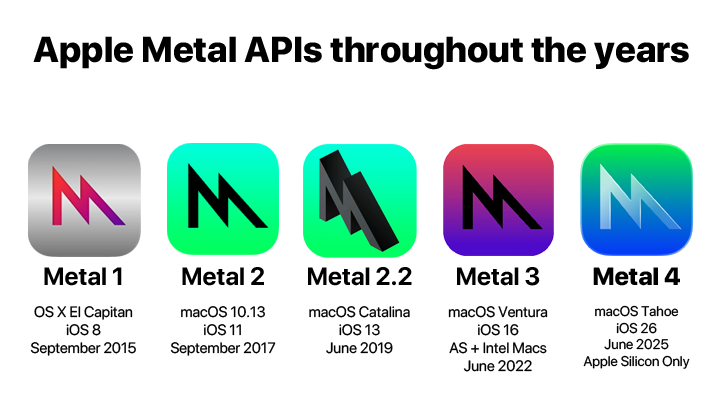
Counterpoint: the new features such as call screening, security enhancements, and improvements to metal are worth some small UI gripes.


Is the Tahoe UI perfect or even an improvement? probably not. Is the OS overall superior to the previous versions of macOS in terms of security, stability and feature set. Yes.

I’ve run most macOS versions since Mavericks as Betas onward (back to leopard before i started running betas), and Tahoe is the only one i have yet to experience a crash or other reliability problem with.

the bigger issues i find are with the UI usability bugs in ipadOS 26. Things like the traffic light icons interfering with ipad app UI elements in windowed mode, for example.
 
  • Like
Reactions: Kal Madda
I miss Launchpad and regret upgrading. My M1 Pro just feels slower. This is the first time I have been running into memory issues. I will be getting more than 16 GB of Unified Memory next time.

Here are the recent updates and improvements:

I've tried a few and settled on this.

I've been using this for about 4 weeks. The recent updates have made this a keeper for me.
I've removed the **** Tahoe launcher and replaced with LaunchNext in the same location in the dock.

The only issue I have is sometimes it's still awkward to reposition an app and it takes a couple of attempts.
You can hide apps you don't use, choose which locations/folders are scanned for new apps and imported into LaunchNext.

1768918011210.png
Image.jpegImage 1.jpeg
 
  • Like
Reactions: Kal Madda
obviously tahoe will run exceptional since that is the latest model.
which is great since that OS excels on later m-series chips

we m1 are not in the same boat.
I have a M1 Mini and an M3 Air and they both run very similarly for me mainly using Final Cut, Pixelmator Pro and Affinity. I have Apple Intelligence turned on for the M3 but not on the M1. I really can't see any issues right now that would cause me to upgrade the Mini.
 
I have a M1 Mini and an M3 Air and they both run very similarly for me mainly using Final Cut, Pixelmator Pro and Affinity. I have Apple Intelligence turned on for the M3 but not on the M1. I really can't see any issues right now that would cause me to upgrade the Mini.
My MacBook Air had more Tahoe issues than the Mini because of the battery & display, I think.
if things work well on the mini that is good since mine is working much better on Monterey.
 
  • Like
Reactions: Cape Dave
as a point of reference my MBP2010 was quite zippy under os10.6 and is sluggish at best under os10.13 - expecting a hardware system to work as quickly under succeeding software systems seems to be a pipe dream at best
 
  • Like
Reactions: MBAir2010
as a point of reference my MBP2010 was quite zippy under os10.6 and is sluggish at best under os10.13 - expecting a hardware system to work as quickly under succeeding software systems seems to be a pipe dream at best

It’s called planned obsolescence
As a related note, my 2010MBP and 2010 Mini are both still humming along fine, albeit on old OSes. Both had upgradable RAM and HD's, which I subsequently maxed out and swapped for a decent SSD. MBP at 8GB/1TB, Mini at 16GB/1TB. Useful life of both was probably ~10 years including the upgrades. At this point they run low overhead internal network servers for media and file storage. 16 years and counting. I honestly can't remember the last time the Mini was rebooted, uptime is well over a year. Modern Macs of course can't be upgraded in any way, so planned obsolescence seems more real now.
 
  • Like
Reactions: Novae Bentos
Does it work? yes. Is it supported? Yes. Is it obsolescence? No

If I had a M1, and I had issues, I would do a fresh install.
Hopefully 26.3 will be better.
I'm not saying people aren't having problems, but that term is just cringing.
Sorry to hear it triggers you. Probably the same way I feel about people using "ask" as a noun, or "circle back", or "table" instead of "shelve", or worse, "irregardless". So many things are cringy these days. It doesn't change that you're intentionally obfuscating the fact that Apple has reduced the useful lifespan of their hardware steadily and in the last decade. Apple has clearly aligned its intended upgrade cycle with typical corporate upgrade practices on leased hardware; every 2-3 years.
 
Register on MacRumors! This sidebar will go away, and you'll see fewer ads.