I have a very early Studio Display and had been using it paired with a Dell U2725QE. Yesterday the Dell got repurposed and a Studio XDR took its place. All three monitors are nano textured. I have no issues with the white background or text sharpness on either the 2022 Studio Display or the new XDR. I have seen many uploads that show problems but I have experienced none. Colours and contrast on the XDR are stunning. During the daytime my lighting situation is challenging and the nano Apple uses does an excellent job. Off hours, under good lighting, I don't experience any negatives from the nano. Visiting this site for years has made me hyper critical but I can't find fault with the XDR... but for the price! I may be biased as the basic specs are a good match for my hopes in an updated Apple display (The Dell was falling well short on my needs). Initial setup on an M4 Max Studio, next was an M3 Max MBP, next will be M4 iPad Pro...Who owns a nano-texture version of Apple Studio Display XDR and can share their impressions with that model?
- How is the text sharpness (especially smaller text on white background) and …
- how is the white background? Has it been improved significantly?
- And the color contrast / micro-contrast?
I‘m interested buying one. Thanks.

Got a tip for us?
Let us know
Become a MacRumors Supporter for $50/year with no ads, ability to filter front page stories, and private forums.
Studio Display XDR Impressions
- Thread starter gsilver
- Start date
- Sort by reaction score
You are using an out of date browser. It may not display this or other websites correctly.
You should upgrade or use an alternative browser.
You should upgrade or use an alternative browser.


btrach144
macrumors 68040
Every setup is different but the predefined profiles are really nice. When I'm just browsing the web or YouTube, I keep it in the default mode. Want to edit photos in LR, I switch to the HDR photography preset and it turns off auto brightness, defines SDR brightness and HDR brightness.Why some of you are obsessed by running it at "full brightness" (first post, about windows).
That way you just destroy HDR headroom.
Brightness of UI - sdr brightness defines how many stops of HDR brigtness you have above it.
By setting it at maximum you practicaly disable HDR capability ..
You don't have to have a degree in film/color correction to use the monitor.
And with the profiles, they help you to avoid what you shared, crushing your HDR stops.
Reading the 26 page white paper was a lot of fun and educational for me.
how is white / grey uniformity on y'alls panels?
I'm wondering if the medical DICOM certification means these have higher QC for uniformity.
I'm wondering if the medical DICOM certification means these have higher QC for uniformity.
I'll chime in on this. Nano-texture is the most amazing invention since sliced bread. If the device I am buying has that option I am buying every single time. It feels like I am writing on textured paper and I am so incredibly happy with the result.Who owns a nano-texture version of Apple Studio Display XDR and can share their impressions with that model?
- How is the text sharpness (especially smaller text on white background) and …
- how is the white background? Has it been improved significantly?
- And the color contrast / micro-contrast?
I‘m interested buying one. Thanks.
- Text sharpness is incredible compared to any display. Yes it is not as razor sharp as standard glass but I am writing this currently on the new MacBook Neo and although also an amazing and fun machine the glare in my house is so incredibly distracting. I will take reduced glare any day of the week over the 0.1% less text sharpness.
- The white backgrounds have improved significantly since the original Pro Display XDR to the point where I barely notice the grain as I'm going about my day. With the original Pro Display XDR it felt as though there was this prismatic grain where the texture was really obvious and there were hues of red, green, and blue on white surfaces. This is almost non-existent on the latest models.
- The contrast is fantastic and exceeds standard glass in many situations particularly during the day which I spend most of the time on my computer. At night, there is the slightest graying of blacks but again even with minimal light sources on standard glass I see full on reflections on light which annoys me to no end.
Lastly, it's gotten significantly easier to clean since the original Pro Display XDR and I don't fear getting water or smudges on it any longer which is the only real initial drawback when it was initially released.
I know everyone tries to be differential but I am unequivocal on this question. If you can afford nano-texture glass and your work area has even minimal amount of uncontrollable lightning you should DEFINITELY get nano-texture there is nothing like it on the market and it's worth it's weight in gold.
I might have to buy an M4 Mac Studio now 😩M4 max studio runs both at 120Hz no problem. I even have them daisy chained.
My m4 MacBook Air still won’t do both though even with 2 cables and manhally
Setting both XDR’s to 60Hz 🙁
I ordered the cable matters one to test. It's scheduled to be here tomorrow.
Hi, did you manage to test the Cable Matters switch yet? Very keen to now if it worked.

EthanG45
macrumors newbie
Has anyone verified if buzzing is still an issue? I LOVED my Studio Displays, but we live in an apartment where electrical interference caused them to whine so badly it was giving me a headache, so I had to sell them.
 forums.macrumors.com
Apple Studio Display Owners Complain of High-Pitched Buzzing Sound Likely Caused By Electrical Interference
Some Apple Studio Display owners have taken to online forums to complain that their monitors make a high-pitched buzzing sound that appears to be emanating from the top of the screen or behind it, and may be being caused by electrical interference. There are complaints on Twitter, Reddit and...
forums.macrumors.com

guci0
macrumors member
Dark-Signature
macrumors 6502a
guci0
macrumors member
Orginal TB5.Try a better cable.

nkgmd
macrumors regular
Mine came with 26.3 already, you can check in the system profile, displays and graphics sectionJust got my Studio Display XDR.
Last week there was an article about Studio Display Firmware 26.3 update.
I am not seeing it. Anyone else see the firmware update?

turbineseaplane
Suspended
Text sharpness is incredible compared to any display. Yes it is not as razor sharp as standard glass
This is a key point and one I noticed right away (and hated).
I'd never get nano texture unless I had a lighting situation that necessitated it.
macbookj0e
macrumors 6502a
Do you get affiliate commission through these links or is it just Macrumors?This (https://a.co/d/0aqdMvPs) has been recommended for the old Studio Display but I have yet to try it. There was a rumor of a 40gbps version coming out but I haven't seen anything about it releasing.
As an Amazon Associate, MacRumors earns a commission from qualifying purchases made through links in this post.

twinpeaks_sf
macrumors 6502
Looks more similar to the original nano-texture on the Pro Display XDR and Studio Display rather than on the MacBook Pro and iPad Pro, but seems easier to clean and there's less sparkle on light backgrounds. So it's probably a somewhat improved version of the desktop treatment.Did anyone get the nano texture? Is it the same as on the old Studio Display?
I bought two Studio Display XDR and connected them to my MacBook Pro M4 Pro, but only one of them turns on. Occasionally, after turning everything off and back on, both displays work, but it’s inconsistent. If I unplug one of them, the other turns on without any issue.
In System Information → Thunderbolt, both displays are detected, but in System Settings → Displays, only one of them appears.
If I plug them to a Windows laptop both works great…
In System Information → Thunderbolt, both displays are detected, but in System Settings → Displays, only one of them appears.
If I plug them to a Windows laptop both works great…


anthonyjr
macrumors regular
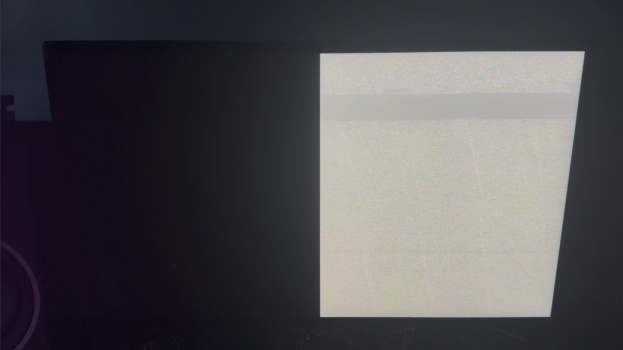
This is happening to me too (hence why I'm here to search the forum). M2 Ultra Mac Studio. I did some research on the panic error and it says it's from "AppleDCP" which is Apple's Display Co-Processor. Wasn't sure if I was a one-off because of the amount of I/O on my computer, if there's an app that's triggering it (randomly), or if it's just early adopter woes. Kind of bummed.View attachment 2612803
Third time since yesterday 🔥😂🤯
Attachments
It depends on your setup! One display YES. Two displays MAYBE. I am running my $499 Mac mini connected to Studio Display XDR + OG Studio Display!Wait…. i thought you needed tb5 for all the display features. Does this mean i won’t have to get an m4 pro mini over my current m4??? Exciting news!!!
So it works great from the PC side. The Mac side only passes video, which I guess kinda makes sense. Video is 5k 120hz on both sides, but using the USB4 cables that come with the switch it only passes video and not data (so no camera or audio on the Mac side).Hi, did you manage to test the Cable Matters switch yet? Very keen to now if it worked.
I think just macrumors. I just copied the links from amazon and posted them.Do you get affiliate commission through these links or is it just Macrumors?
Hope it's just a glitch that will be fixed soon by a new firmware.This is happening to me too (hence why I'm here to search the forum). M2 Ultra Mac Studio. I did some research on the panic error and it says it's from "AppleDCP" which is Apple's Display Co-Processor. Wasn't sure if I was a one-off because of the amount of I/O on my computer, if there's an app that's triggering it (randomly), or if it's just early adopter woes. Kind of bummed.
Do you confirm you can enable 120Hz with the M2 Ultra ? Just to be sure, I'm planning to buy the XDR tomorrow. And did you have adaptive refresh rate enabled when that happened ?
So it works great from the PC side. The Mac side only passes video, which I guess kinda makes sense. Video is 5k 120hz on both sides, but using the USB4 cables that come with the switch it only passes video and not data (so no camera or audio on the Mac side).
So the Mac Studio to thunderbolt dock and DisplayPort/USB-C cable works plugged directly into the Studio Display, but the second I put that into the USB-C Switch it drops the data (no camera or audio). Odd that it works fine on the PC side.
UPDATE: It's actually working now. All I did was unplug everything and plug it back in.
Last edited:
As an Amazon Associate, MacRumors earns a commission from qualifying purchases made through links in this post.