

Hi everyone!
I wanted to share a new utility I built to solve a long-standing pet peeve on macOS: changing file associations quickly and effortlessly.
If you've ever tried setting default apps natively on macOS, you know the drill. You basically have to go through:
Right click → Get Info → Open with → Change All...
...for one file type at a time, over and over. It's slow, repetitive, and clunky if you need to manage multiple file types at once.
Managing associations by UTI (Uniform Type Identifier)—like .txt, .mp4, .jpg, and custom developer formats—has always needed a better solution. For years, many of us relied on RCDefaultApp, which was discontinued long ago, or SwiftDefaultApps, which unfortunately hasn't seen updates in a while and lacks a native Apple Silicon build. I created UTIdefaults to fill this exact gap.
What is UTIdefaults?
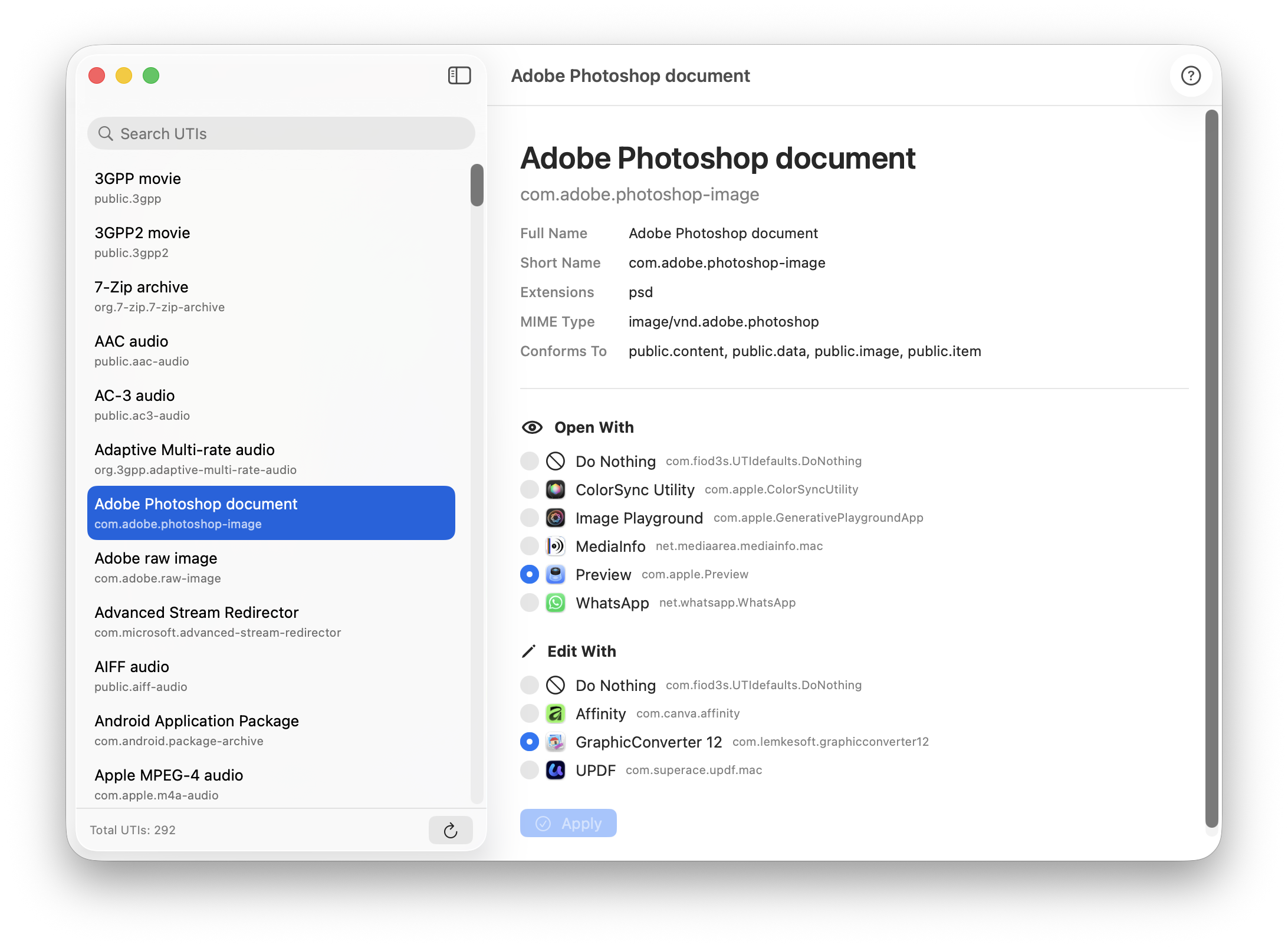
It’s a lightweight utility that lets you choose which application opens or edits specific UTIs in just a few clicks. Built from the ground up with SwiftUI and a modern multithreaded architecture, it's designed to feel responsive and natively integrated into recent macOS releases.
Key features:
Links & Feedback
I wanted to share a new utility I built to solve a long-standing pet peeve on macOS: changing file associations quickly and effortlessly.
If you've ever tried setting default apps natively on macOS, you know the drill. You basically have to go through:
Right click → Get Info → Open with → Change All...
...for one file type at a time, over and over. It's slow, repetitive, and clunky if you need to manage multiple file types at once.
Managing associations by UTI (Uniform Type Identifier)—like .txt, .mp4, .jpg, and custom developer formats—has always needed a better solution. For years, many of us relied on RCDefaultApp, which was discontinued long ago, or SwiftDefaultApps, which unfortunately hasn't seen updates in a while and lacks a native Apple Silicon build. I created UTIdefaults to fill this exact gap.
What is UTIdefaults?
It’s a lightweight utility that lets you choose which application opens or edits specific UTIs in just a few clicks. Built from the ground up with SwiftUI and a modern multithreaded architecture, it's designed to feel responsive and natively integrated into recent macOS releases.
Key features:
- Instant & Responsive: Fast UTI scanning and zero-lag UI.
- Fully Native: Universal Binary (native performance on both Apple Silicon and Intel).
- Requirements: macOS 14.6 or later.
- 1.05: Significantly reduced the UTI list to display only entries with a preferredMIMEType, filtering out clutter and keeping only actionable entries.
- 1.04: UTI scanning performance improved by ~10%.
- 1.03: Added a "Do Nothing" option for specific type associations.
Links & Feedback
- Website: https://www.fiod3s.eu
- Itch.io: https://fiod3s.itch.io/utidefaults

